














We’re kicking off 2026 with updates designed to keep your projects healthy and your team’s schedule organized. With automated watchdogs for monitoring retainer metrics, context notes to your resource bookings, and more efficient bulk role management, you can now handle the fine details of your workspace with much less manual effort.
Stick around for the end, too – we’ve got some big news about subtasks and the future of work planning in Scoro!
Let’s see what’s new in Scoro!
Watchdog alerts for retainer projects
Last year, we introduced watchdogs to the project summary bar to handle the heavy lifting of monitoring one-off project metrics. Now, we’re bringing that same automated oversight to retainers!
If you manage recurring client work, you can now set up watchdogs for retainer metrics. Simply set the threshold for when you want to be notified, and let Scoro handle the tracking in the background.
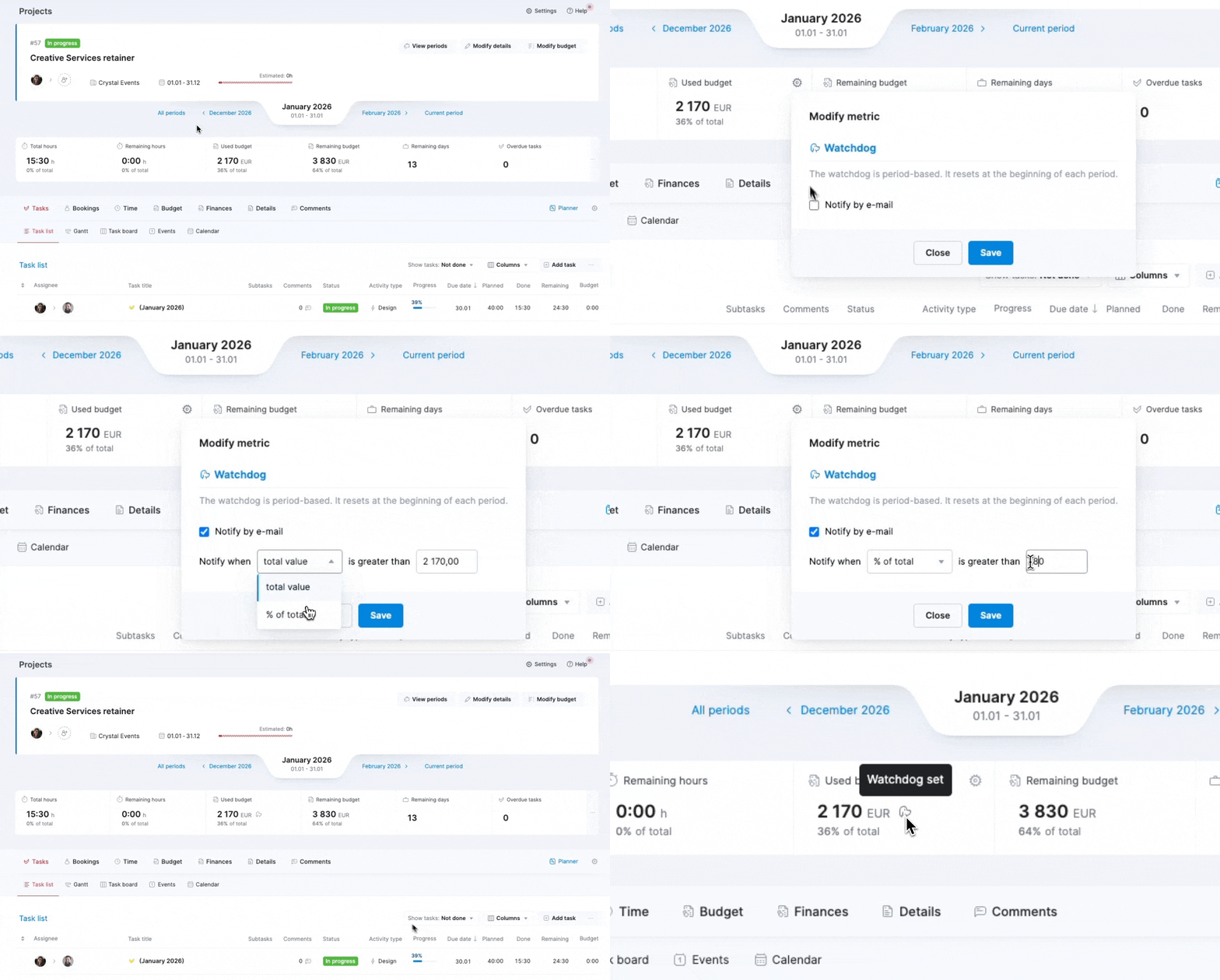
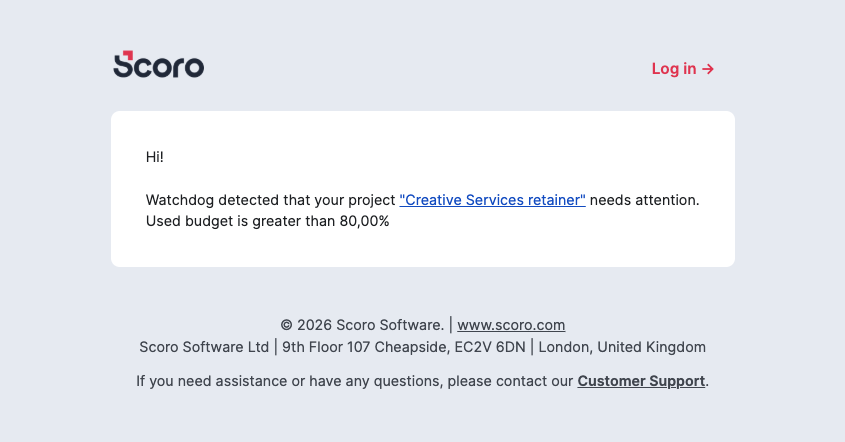
Instead of manually checking progress every day, you’ll get an automated email when the threshold is exceeded. This way, you’re notified exactly when it’s time to step in and adjust, making it easy to manage a large portfolio of projects without the manual grind.
To save you time on setup, any watchdog you create will automatically roll over to all future periods, resetting as each new period begins. This means you only have to set the watchdog once to stay informed across the entire retainer lifecycle.
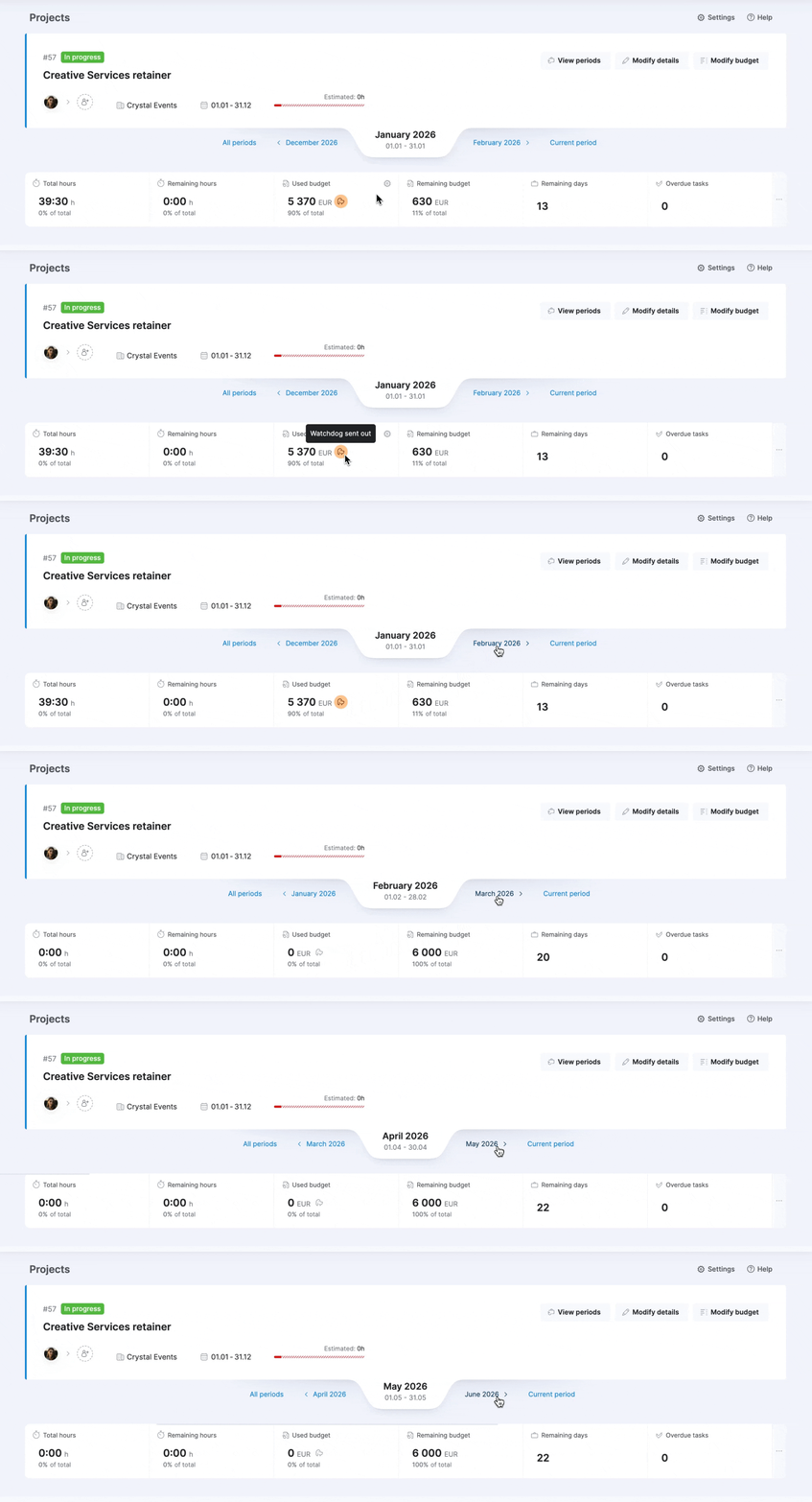
Note! Watchdogs are user-based and project-based, meaning that you set them up only for yourself and the specific project you’re monitoring.
Learn more about watchdogs for project metrics.
Adding context to bookings
You can now add booking notes when creating or modifying bookings at the portfolio or project level to clarify why the role or user is booked for the project. Use them to specify the status of a tentative booking – for example, “pending client approval” – or to highlight a specific phase or deliverable. These small details make the purpose of the booking instantly clear at a glance to anyone, preventing further follow-ups.
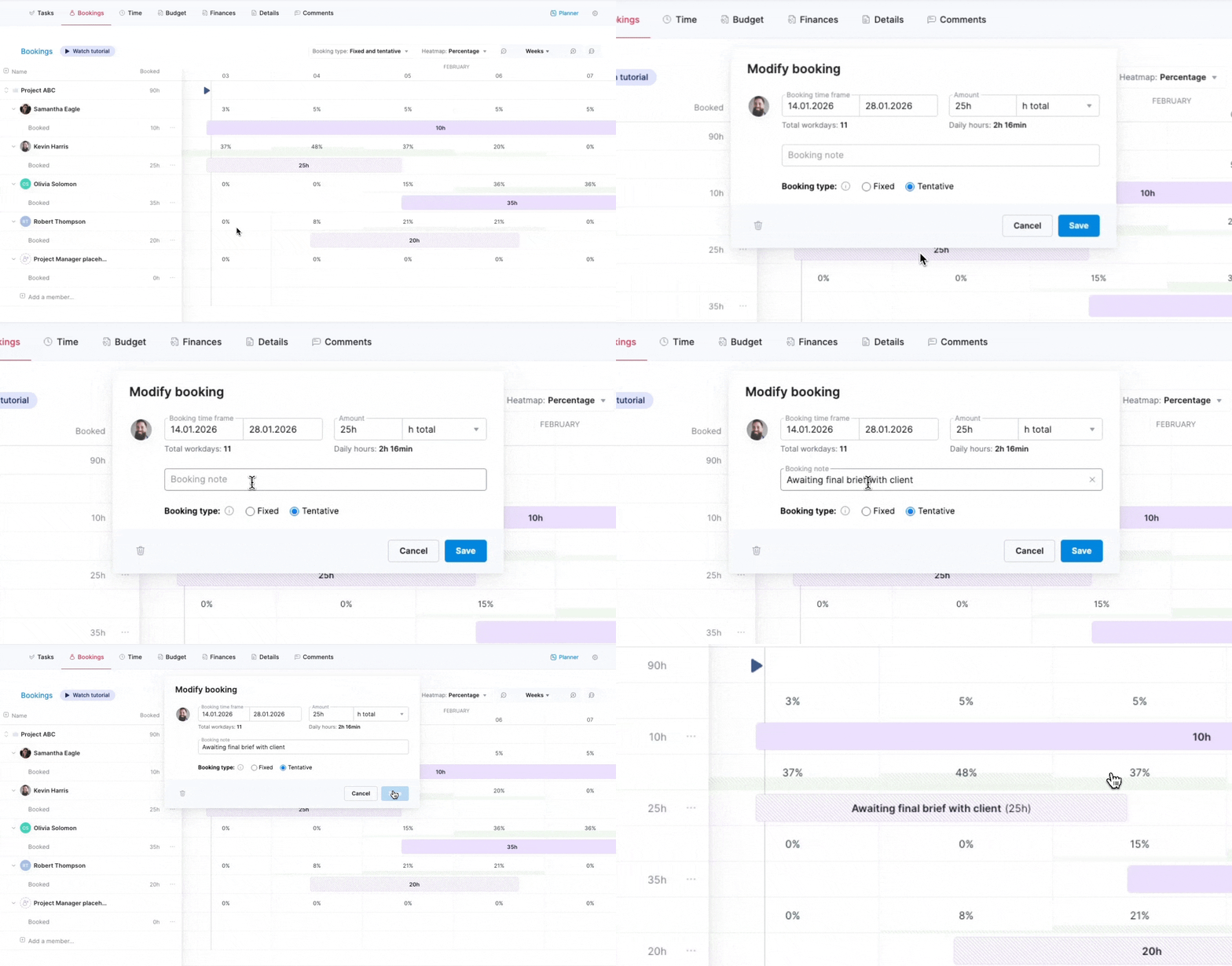
Additionally, we’ve improved the following hover texts to help you surface information faster:
- Hovering over a user’s name displays their role, making the user role identification easier when filtering the Bookings module view by users.
- Hovering over a booking in the Bookings module displays the project name.
Exporting roles
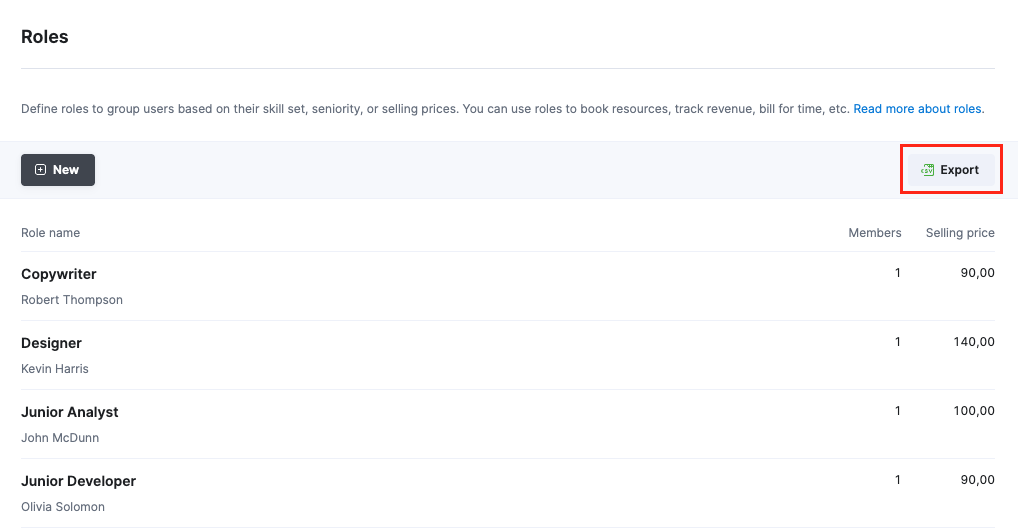
Roles are a core part of Scoro, serving as the foundation for accurate resource planning, pricing, and reporting. To help you manage your site roles more efficiently – like updating the selling prices across many roles at once – you can now export your entire roles list directly from the roles settings page. Simply click the Export button under Settings > Sales and finance > Roles and choose between a CSV or XLS file format.
Once exported, you can make the necessary changes in the export file and import the modified file back to Scoro, automatically updating your roles. Any roles you didn’t change in the file will remain exactly as they were.
Psst! You’ll also find a unique column for role initials in the role export file. They work just like the initials on user profile avatars, but for your roles. While they aren’t visible on your site just yet, we’ve already included them in the role export file, so you can start preparing for an exciting upcoming update that will allow you to assign roles directly to tasks. Stay tuned!
Other…
ELI chat moves to Help Station
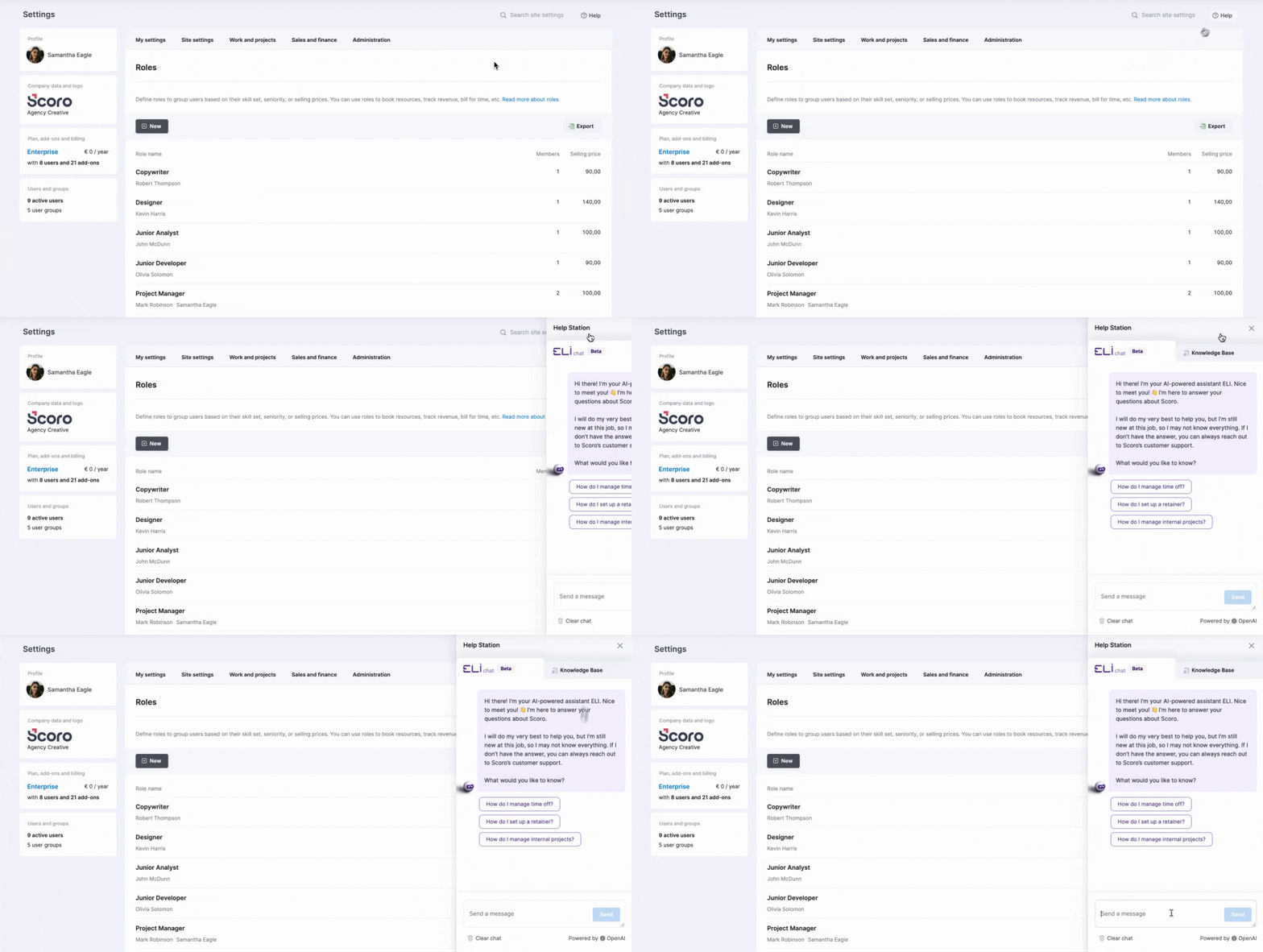
You’ll notice that the standalone ELI chat button is no longer visible by default on your site. Don’t worry, though – ELI chat has simply moved to the Help Station! Click the Help button in the top-right corner to access ELI and get answers to your questions about Scoro. This move helps us prepare for ELI 2.0, the agentic assistant that will soon combine all of ELI’s skill sets into one central interface. Stay tuned for more!
Clearing out old Scoro notifications
Starting with this version (26.1), all Scoro notifications older than two years will be automatically removed on all Scoro sites to significantly boost system performance. Only the notifications will be removed; the items the notification was about will remain on the site.
In case you missed it: improved search in the Client field
Previously, you could search for clients by entering custom field values in the Client field within the project modify view. However, you couldn’t do that in other views in Scoro.
As of the previous version, we’ve expanded this search logic to all financial documents. Whether you are creating a quote, invoice, purchase order, or another financial document, you can simply type a value from a contact-related custom field into the Client field to find the contact you need.
Coming soon: subtasks! 🤩
We know you’ve been waiting for this one. We’re thrilled to share that subtasks are officially arriving in Scoro in February! 🎉
Subtasks and new work planning options
Subtasks will bring more than just a new layer to your task hierarchy. They offer a more flexible way to manage your budget and your plan, creating the possibility to separate those dimensions.
Up until now, your budgeted hours and planned hours were essentially the same thing – you simply took the hours you quoted and allocated them to task assignees as planned hours. Subtasks change this by allowing for a more detailed breakdown of the work, where the planned hours are rolled up with subtasks, with budgeted hours acting as the reference for the budget ceiling.
While subtasks add more flexibility, using them is optional. To support different workflows, we are introducing work planning methods that define how your budget and plan interact on your site, allowing you to choose the logic that best fits your team.
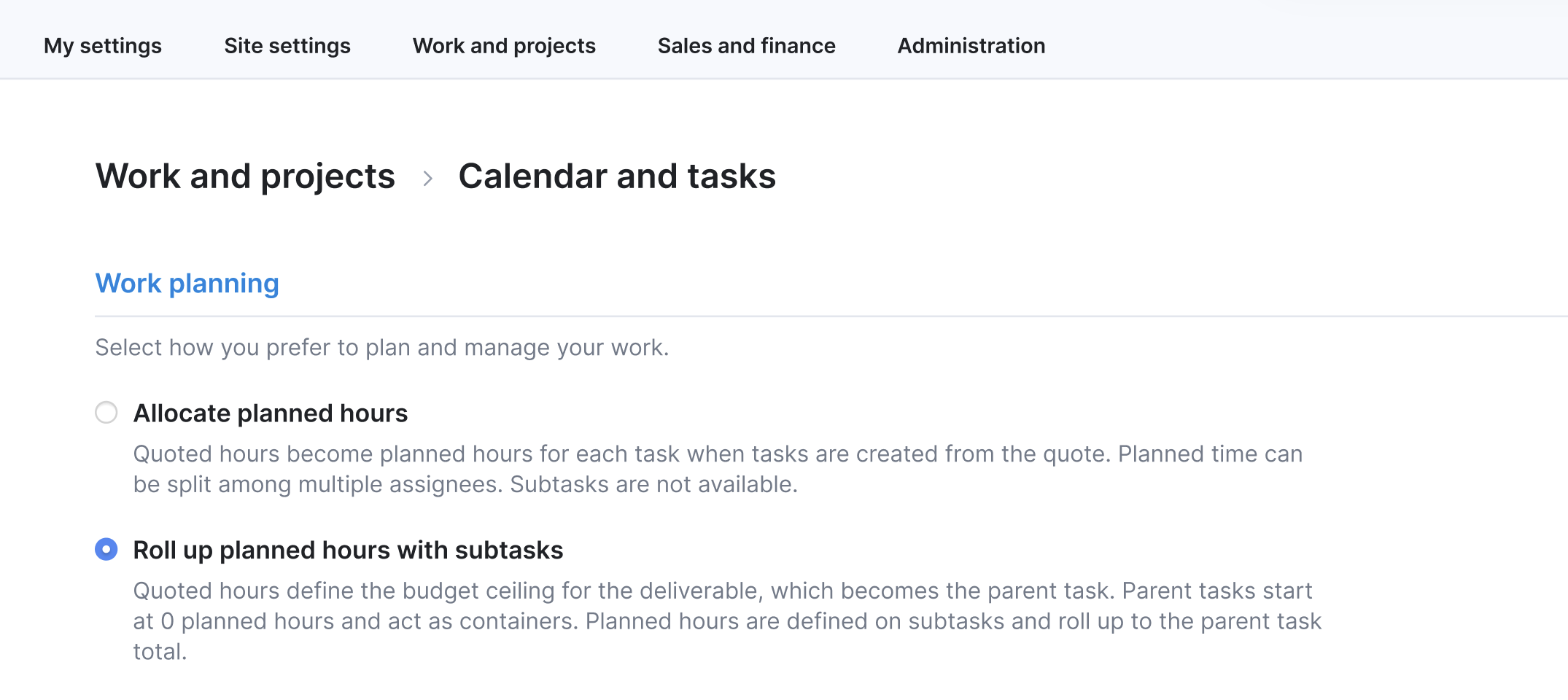
When will subtasks become available for your site?
- Gradual roll-out: We will begin a gradual roll-out of subtasks and these new work planning options starting in February. To ensure a smooth transition, we’ll release this to groups of sites in stages.
- Admin notification: As soon as subtasks are available for your site, your site administrators will see a pop-up message with more details on how to choose your planning method and get started.
- No automatic changes: Nothing will change on your site automatically. Your site settings and current workflow will remain the same even after the update rolls out, and you can make the switch whenever you are ready.
What can you do already now?
You can already start the conversation with your team! Review the methods above and decide which one fits your typical project management workflow. Being ready to choose your method will help you hit the ground running the moment subtasks and work planning options land on your site.
We’re working on…
- Assigning roles to tasks. Assign one or multiple roles to tasks – just like you would assign users – to plan work and forecast costs before you know which specific team members will do the work.
❗Don’t worry if your Scoro site hasn’t been updated yet – the update is rolling out gradually over the next few weeks.
We do our very best to make Scoro better every day, so we appreciate your feedback! Share your thoughts with us via our contact form.
Wishing for your improvement ideas to come to life on your Scoro site? Send us feedback.
What to do next?
- Join our referral program to invite others to try out Scoro and earn monetary rewards of up to 1800 USD when they become a Scoro customer!
- Visit our Help Center to find in-depth guides about all Scoro features.
- Listen to our podcast The Handbook by Harv Nagra, an Ops Consultant and Ex-Agency Leader, where he dives into engaging conversations with operations experts to discuss and explore the behind-the-scenes and latest trends and innovations in the professional services space.
- Subscribe to The Handbook newsletter to get the latest info on agency challenges and solutions delivered directly to your inbox.