












Run your engineering firm from one connected platform
Replace spreadsheets and disconnected tools with a system that helps you manage projects, resources, and profitability—giving you full control over your firm’s operations.

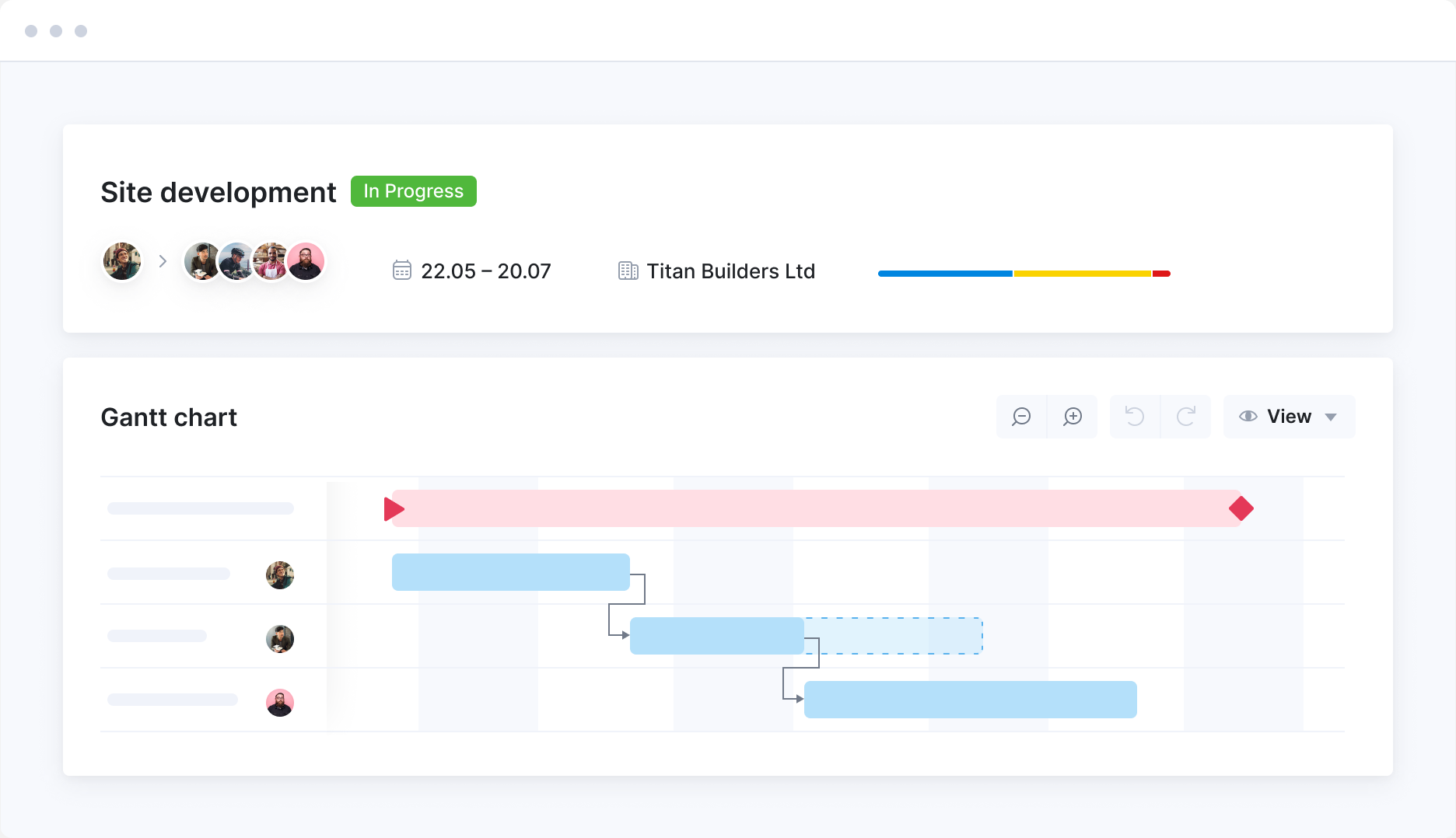
Stay on top of timelines and project phases
Maintain control across every phase of your projects with timeline visibility, structured task sequencing, and real-time progress tracking.
Discover all-in-one project management ->
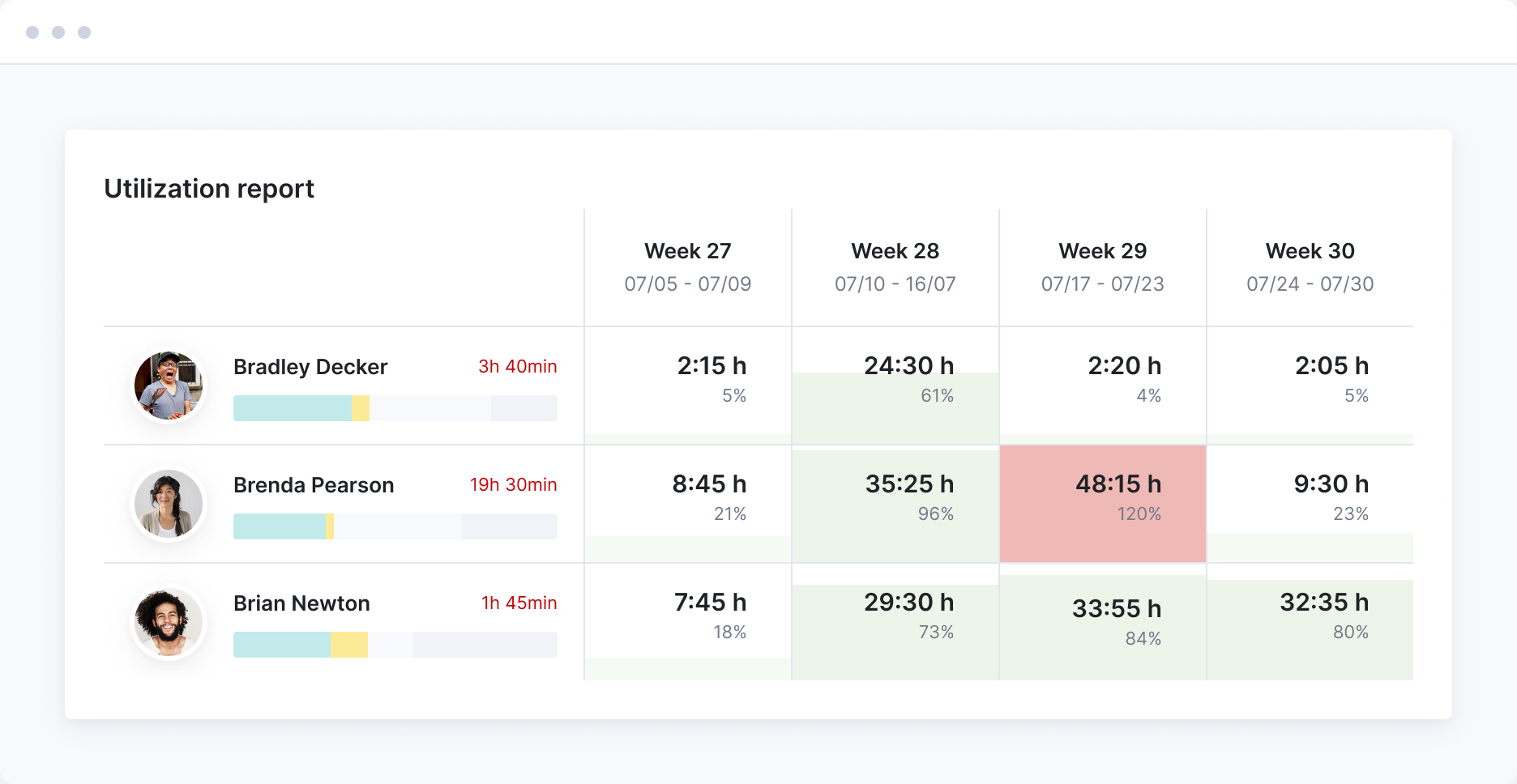
Confidently plan and allocate your team’s time
Get real-time visibility into your team’s and engineers’ utilization, current assignments, and future capacity. Know who’s available to take on new work and when.
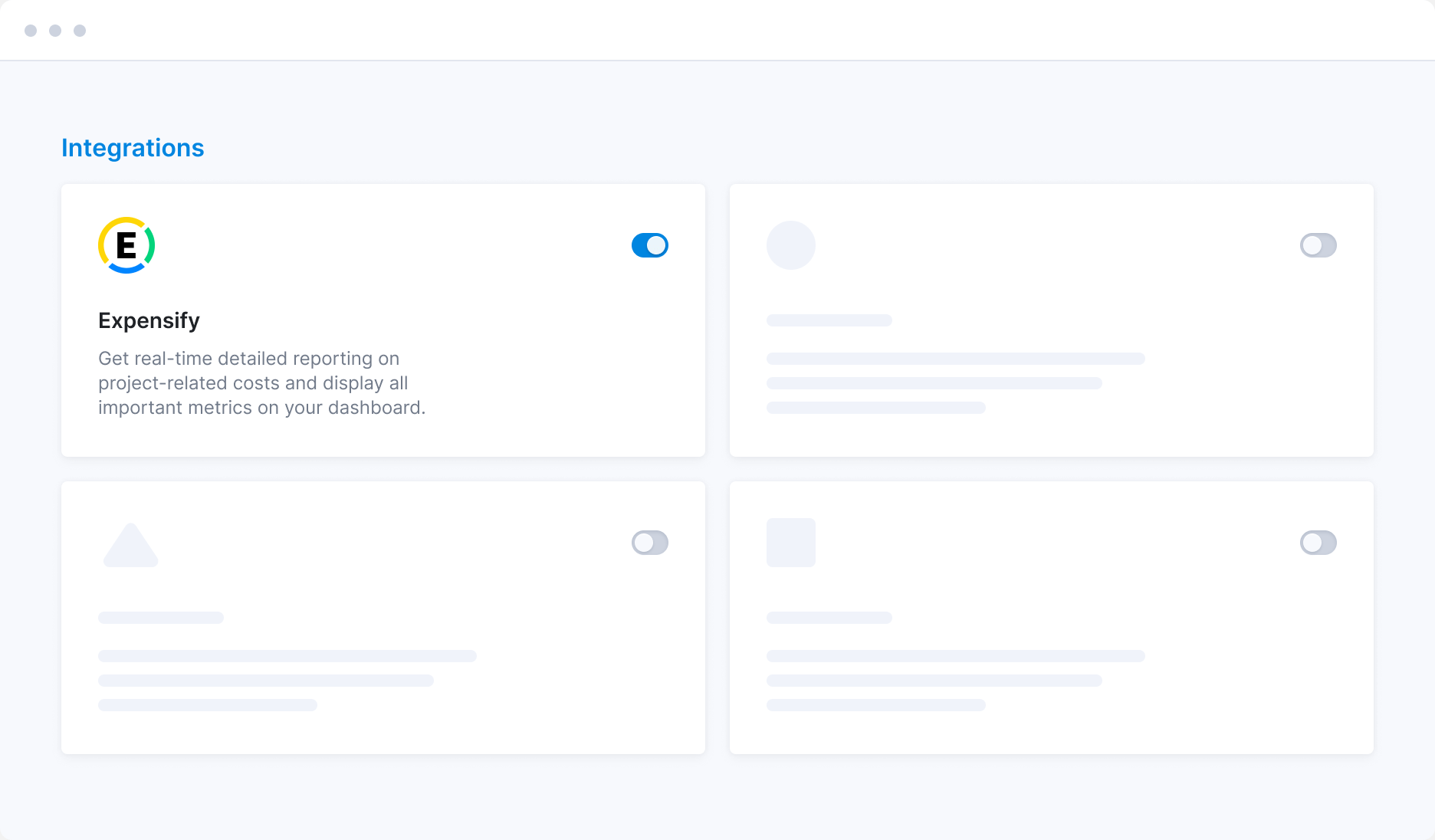
Track project expenses—onsite or offsite
Log reimbursable travel, site visits, and ad hoc costs directly in Scoro using our native expense tracking tools. Prefer using Expensify? You can sync it with Scoro to automate cost tracking and avoid missed billables.
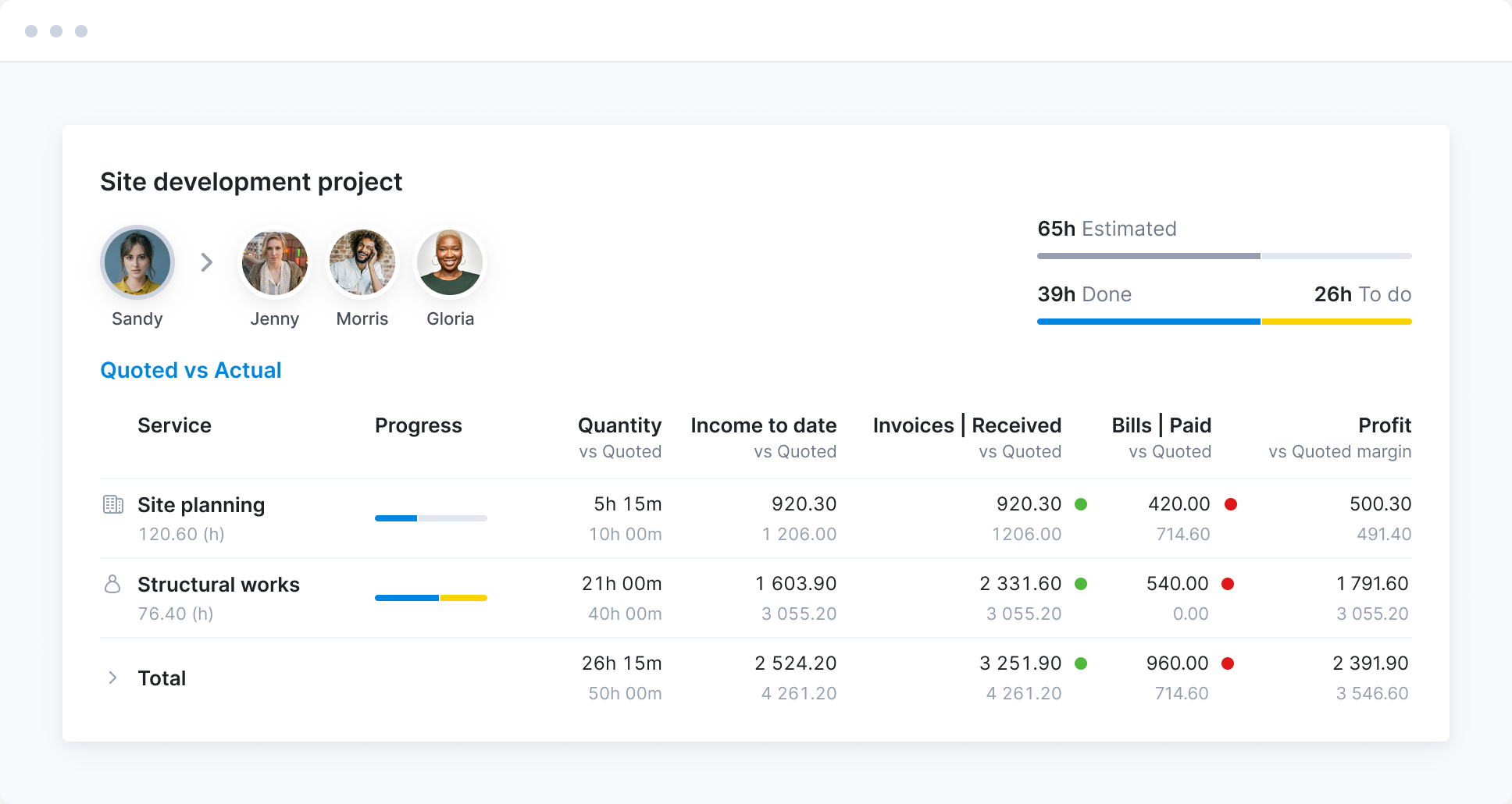
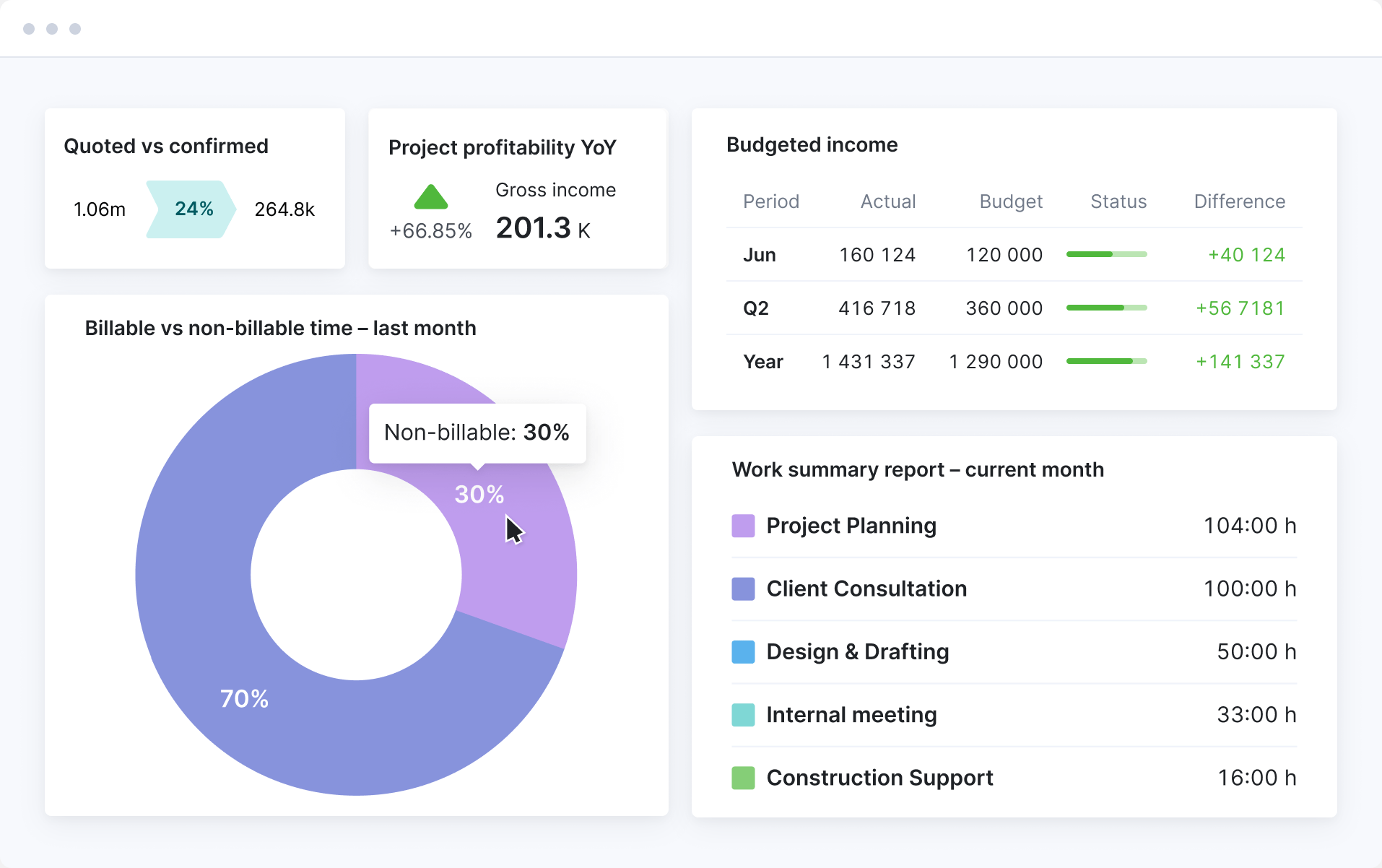
Track profitability by project and service
Monitor budgets, billed hours, and margins in real time. Spot cost overruns early, compare quoted vs actuals, and keep each project financially on track.
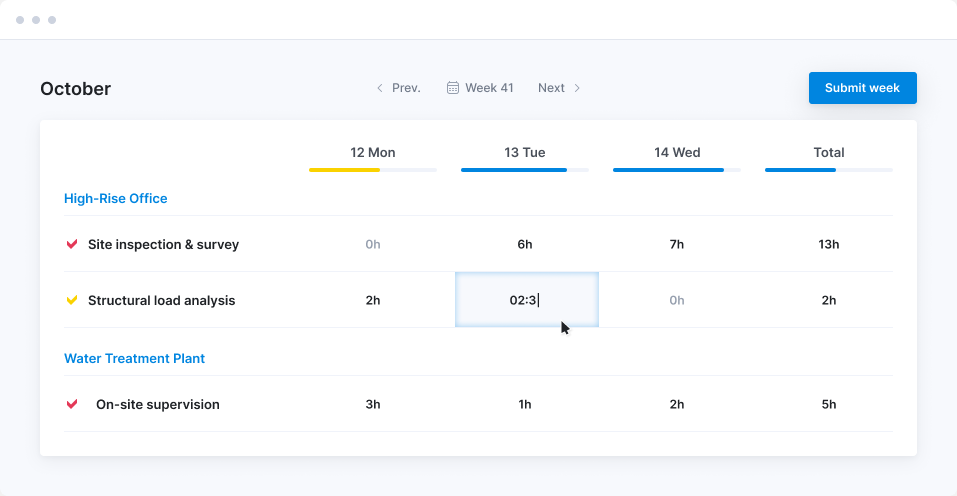
Make it easy for engineers to log their time
Track hours against the right project—without chasing your team. Scoro auto-fills timesheets based on planned tasks, so engineers just review, adjust, and confirm. No hassle, no missed hours.
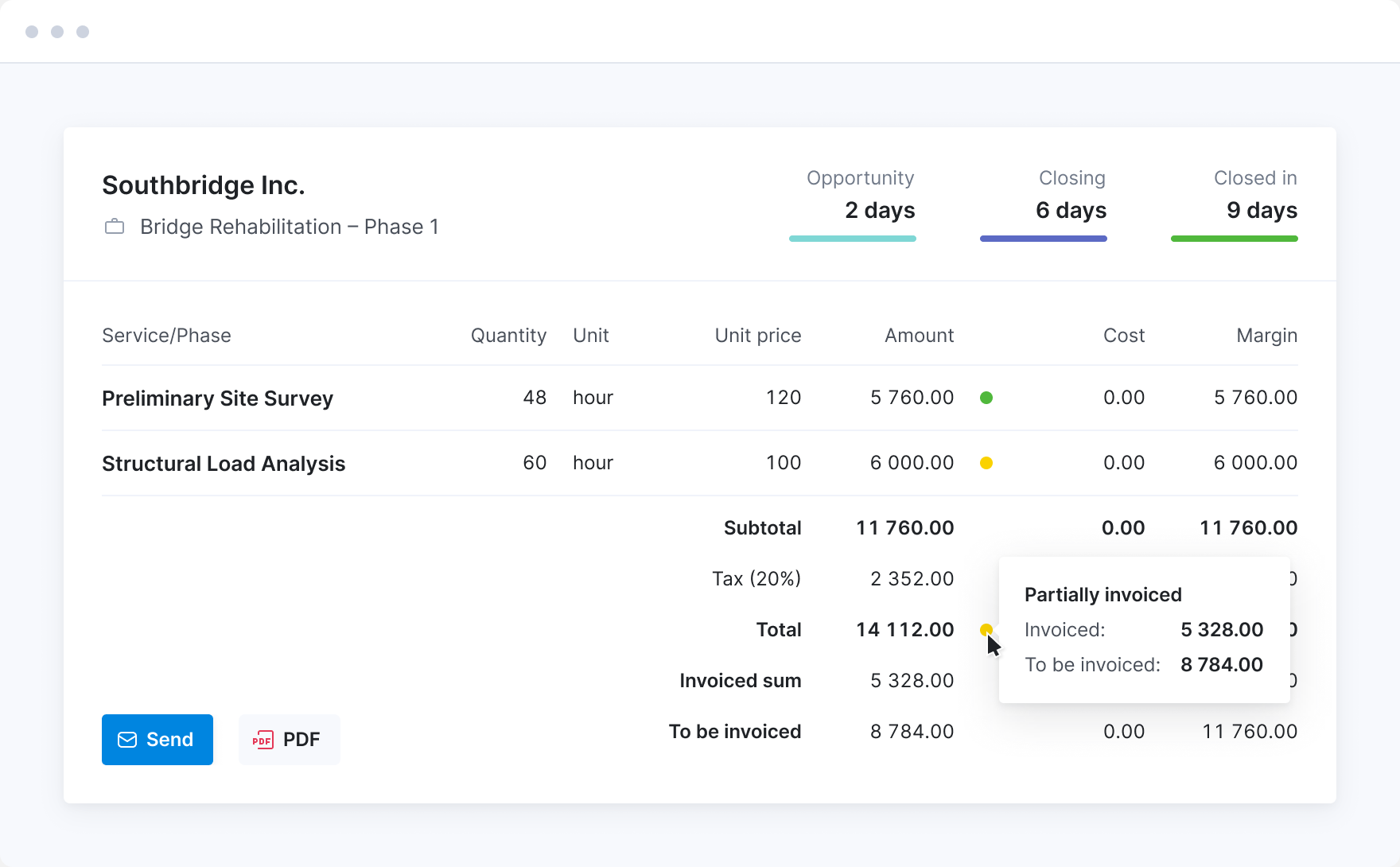
See what’s been invoiced and what’s still due
Track what’s been billed and what’s outstanding by project, service, or client. Keep your invoicing status clear and your cash flow predictable—no more chasing numbers across systems.
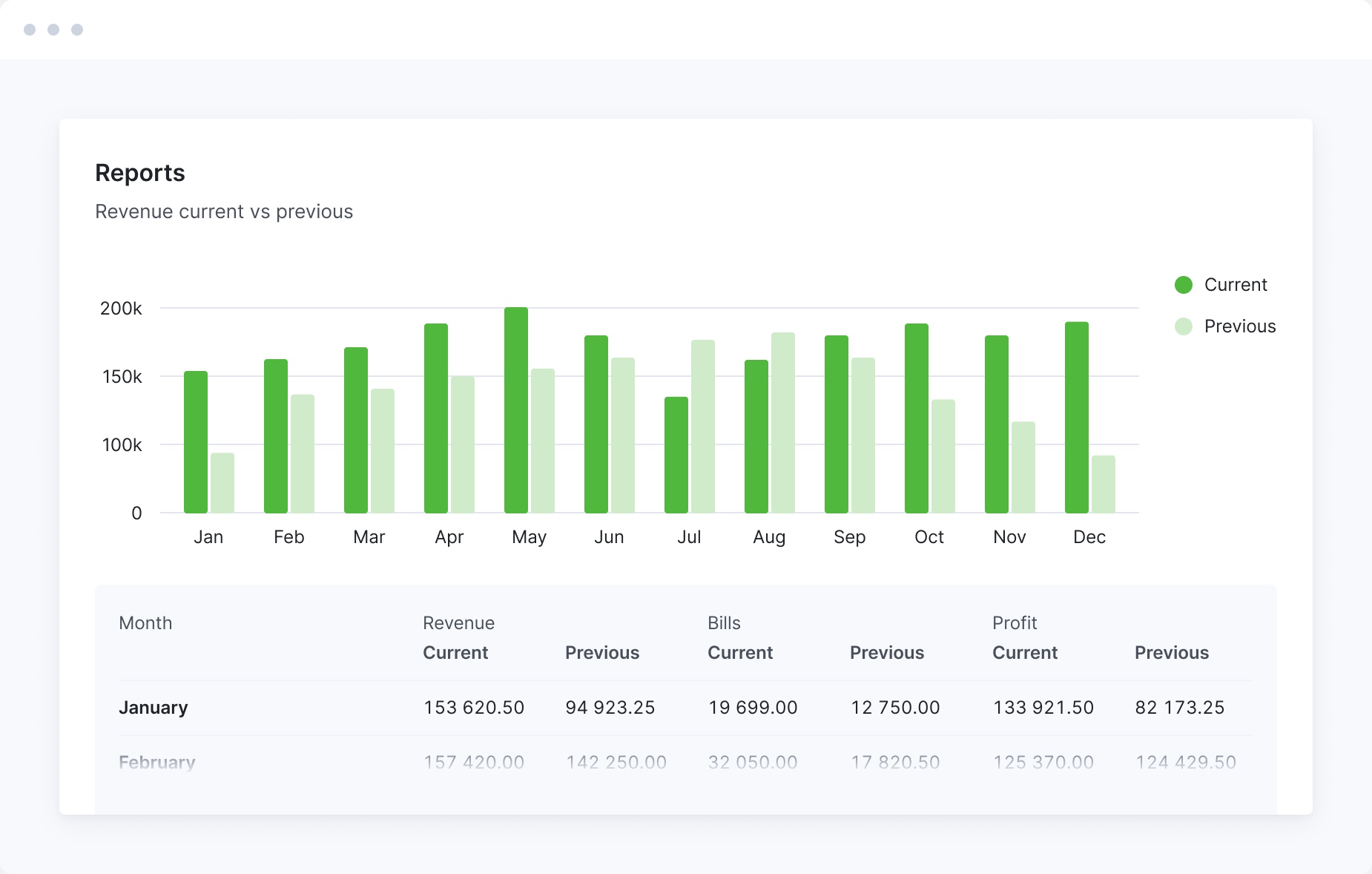
Turn financial data into strategic decisions
Automated reports show exactly where revenue is coming from. And where profit is leaking. From high-level dashboards to granular breakdowns, Scoro helps engineering firms stay financially sharp.
FAQs
Engineering consultancies and project-based engineering firms. Including civil, structural, mechanical, electrical, environmental and multidisciplinary practices. Scoro suits any firm billing client work by fee, milestone or hourly rate.
A PSA platform joins up the commercial side of the firm: the fee you quoted, the hours your engineers log against it, the subcontractor and site costs, and the invoice. In one system, you can see whether a project is making money while it’s still running rather than after it closes. Without one, that lives across a project tool, a timesheet system, spreadsheets and your accounting software.
Most PSA platforms are sold whole. You take the entire suite, configure all of it, and pay for the parts you don’t use.
Scoro is built as eight core apps. Start with the ones that match how your firm works now, add the rest when you need them, and drop any you don’t. A 20-person consultancy and a 300-person firm run the same system on different setups, and nothing gets re-implemented as you grow.
Firms of every size have replaced bloated tech stacks with Scoro. See how they did it.
For most firms, a few days to a few weeks, depending on team size and how complex your setup is. That includes importing your existing data (contacts, projects, invoices) and getting to know the system.
There’s no build phase. Scoro is configured rather than developed, so you’re not waiting on custom work before the system is usable.
DGA Group, a 380-person advisory firm, went live across six European entities in four months and all 12 offices within seven months, because they didn’t need customizations built. Read the full story
Firms of up to 15 people set Scoro up themselves using our guides, video tutorials and product tours, with ELI on hand inside the product to answer questions. Up to 25, our experts are available for Q&A sessions and email consultations. From 26 people, our onboarding experts take the lead. See onboarding options.
Yes. Most small firms start using Scoro at five to 10 people, when spreadsheets stop giving a clear answer on whether a project is making money.
You don’t need the whole platform. A small firm might start with time tracking and invoicing, then add quoting and project management later — it’s the same system, so everything’s already connected.
The minimum is five users, and firms of up to 15 people can set Scoro up themselves using our guides and video tutorials.
Yes. This is where most firms move from time tracking and billing to the full quote-to-cash flow, because the gap between the agreed fee and what the work actually cost stops being something anyone can hold in their head.
From 26 people, our onboarding team maps your workflows, configures the site and runs the data migration with you. See onboarding options.
Yes. Scoro is used by businesses of 50, 100, 200, and 300+ people, and by firms with offices in several countries.
At that size, Scoro covers what enterprise IT and finance teams ask for:
- ISO 27001 certified and GDPR compliant
- Single sign-on, user provisioning and two-step verification, on the Enterprise platform
- Permission sets you can set as tightly as you need
- Separate entities, each with their own books, reported together at group level
- An open API and an MCP server to connect Scoro to the rest of your stack
Scoro starts at $17 per user per month, with a minimum of five users. You choose from eight core apps and pay only for the ones you use.
Most firms start with the Quote to Cash combination (Estimate, Deliver, Track and Invoice), which covers quoting, delivery, time tracking and billing in one connected flow. See full pricing for more details.
Most firms start with one of three combinations:
- Time-billing — turn logged hours into invoices and never lose a billable minute
- Projects & Resources — plan projects, assign resources, and see what time means in revenue
- Quote to Cash — estimate, deliver, track and bill in one connected flow
Whichever you start with, the data connects across all of it — add resource planning a year in and it works off the time you’ve already been tracking. Build your combination.
Yes. Projects are structured in phases with their own budgets and milestones, so a fee can be apportioned across stages and invoiced as each one completes. Time is tracked against hourly work or fixed-fee phases, and quoted-versus-actual shows you where a phase is eating more hours than the fee covers.
Yes. The WIP report shows unbilled time and uninvoiced costs against each live project, so you can see what you could bill today rather than working it out at month end. It also carries open purchase orders, so committed subcontractor costs show up before their invoices arrive.
Revenue can be recognized on percentage of completion or on income to date, whichever matches how your fees are agreed.
Subcontractor fees, site visits, travel and disbursements all sit against the project. Log them directly in Scoro, or sync Expensify if your team already uses it. Issue a purchase order to a subcontractor or specialist and the committed cost hits the budget before their invoice arrives, so it shows up in your WIP as money already spent.
Yes. You get real-time visibility of who’s assigned to what, who’s available and when, so you can see whether you have the capacity to take on new work before you commit to it. Billable and non-billable time canbe tracked separately, so utilization reflects what’s actually chargeable.
Yes. Scoro Time is a free time tracking app for iOS and Android, on every plan. People visiting client sites and offices can run the timer or log hours after the fact, and it works offline. Entries sync to their timesheet once they’re back on a connection. A utilization indicator shows whether there’s capacity left in the day.
Yes. Scoro has two-way integrations with Xero, QuickBooks, Sage Intacct and Exact Online. Invoices, bills and payments sync between the two systems, so invoices raised in Scoro reach your accounting platform without re-entering data, and payment status flows back to Scoro.
No. Scoro connects to HubSpot and Salesforce, so your business development team can keep working where they are while won work becomes projects in Scoro.
But you may not need a separate CRM at all. The Sell app is a lightweight CRM — contacts, deal tracking, pipeline management, quotes and sales reports — which is enough for firms where the people winning the work also deliver it. Scoro’s CRM doesn’t do email tracking or marketing automation, so if you rely on those, keep your current CRM and connect it.
Yes. ELI is built into Scoro and works on your live data, so it can answer questions about your projects and finances and take action on them. It can chase the team for unlogged time before you invoice, draft a quote from a client email, or review a project’s health and flag budget overruns before they cost you.
A set amount of free AI credits is included in the platform for everyone. Learn more about Scoro AI.
Yes. Firms running separate offices or trading entities can keep each one’s books distinct, invoice between them, and still report on the group as a whole. Multiple currencies are supported, so an office billing in euros and one billing in dollars roll up into the same view.
DGA Group unified seven entities in Scoro. Every entity used to submit its own spreadsheets for group consolidation, and reporting took six weeks. It now takes two. Read the full story.
No. The customer portal add-on gives clients access to their own projects, where they can see progress and leave comments. You don’t pay for seats for them. See what’s available.
Beyond the core apps there are extras and integrations for specific needs. The ones engineering firms tend to reach for:
- Change request log — track scope changes so they get billed instead of absorbed
- RAID log — record risks, assumptions, issues and dependencies against a project
- Customer portal — give clients access to their own projects
- Client purchase orders — manage client POs against the work
Calendars (Google, Outlook, Apple), Google Drive, Dropbox and Zapier are included as standard. Stripe lets clients pay an invoice from a link, and there’s a Jira integration for firms with software teams. See what’s available.
Scoro’s interface is available in English, French, Spanish, German, Estonian, Latvian and Lithuanian.
Yes, on every plan. The Scoro MCP server connects your site to AI tools like ChatGPT, Claude and Copilot Studio, so you can pull data and take action in Scoro without leaving your AI chat.
It also works across tools. Connect Scoro alongside Slack, Gmail or Jira and you can ask one question that draws on all of them. Learn more about the MCP server.
Yes. Scoro has an open API available on every plan, so you can connect it to systems that don’t have an off-the-shelf integration. A BI tool like Power BI, a data warehouse, or a bespoke internal system. See the API documentation
Connect your favorite tools
Have some other vital tools you wish to sync with Scoro? Integrate what you need and harness the power of consolidated data in Scoro.











Customer success stories
Scoro has really become the backbone of our company. It has enabled us to pursue higher quality in every single thing we do. From sales and finances to project management and accountability.
Monica Fernandez, COO
Mallol Arquitectos
We feel that we finally have a tool that enables us to grow – and that will scale as we add more people to the team.
Tyler Webb-Harding, Operations Director
StrategiQ
We looked at many tools, so I can confidently say that there’s no other platform as thoughtfully and logically designed as Scoro.
Harv Nagra, Group Director of Operations
SAENTYS
Scoro has ensured my team is not overworked, resources are used optimally, and less time is wasted on project management confusion.
Anna-Kaisa Reed, Art Director and Design Team Manager
Aava & Bang




















































































Start a free trial
Tour the product and try Scoro for free for 14 days, no credit card required.
Try for free
Why businesses trust Scoro
We realized how much time was wasted on manual work for data visualization. We spent 5-6 hours generating reports for weekly meetings, but now it's done in minutes with Scoro.
Monica Fernandez, COO Mallol ArquitectosWe’re at least 70% more productive than we were before, and working on a singular platform has definitely helped our business grow.
Marc Raad, President Significans AutomationWhen I read that Scoro did end-to-end work management, I thought, how could you possibly do that well across the whole piece, but it does really work. It’s the absolute beauty of Scoro.
Matt Stevenson Dodd, Managing Director Trust ImpactUsing Scoro has transformed how we run our business. It's like having an extra team member!
James Sykes, Founder and Managing Director JSPScoro's highly customizable system perfectly matches our company's structure and gives a real-time overview of our work, sales and finances.
Bart de Wilde, Senior Account Manager Cross Media