










You’ve asked for them, and we delivered. The moment you’ve been waiting for is finally here! In February, we’re bridging the gap between high-level deliverables and granular project planning and execution by introducing subtasks. This gives you the ultimate freedom to configure Scoro to match the exact rhythm of your unique workflow.
See what’s new in Scoro!
Granular work planning with subtasks
Get ready to plan your work more effectively – subtasks are coming to Scoro in February! 🙌 They are the final piece of a seamless flow where you lay out the estimates and the project plan in terms of scope and high-level deliverables, and then break them down into smaller pieces of work with subtasks for granular execution once the work is confirmed.
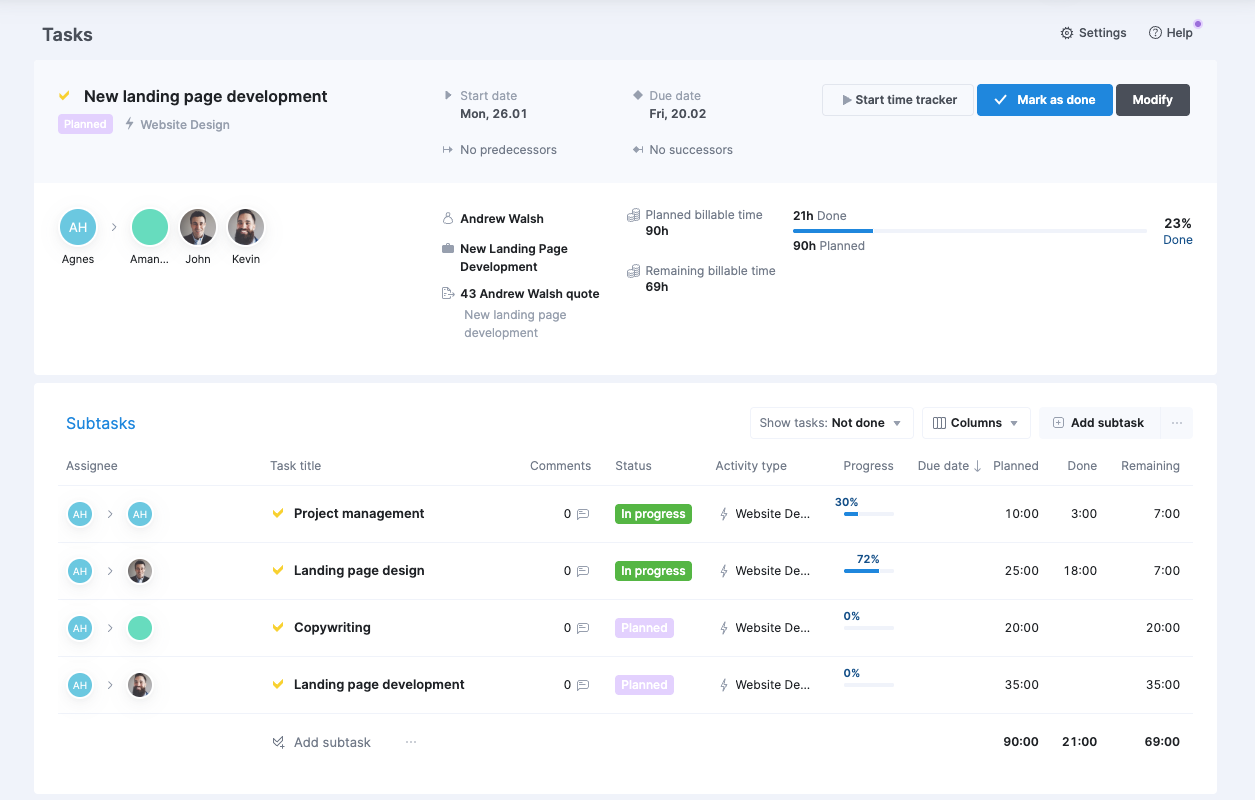
However, subtasks bring more than just a new layer to your task hierarchy. They introduce a whole new way of thinking about budgeted and planned time in Scoro on a deliverable level.
Separating your budget from the plan
So far, there has been only one way to approach your budget and your plan, where the budgeted hours equaled the planned time.
With subtasks, we’re opening up another flow that decouples them:
- The quoted hours serve as the time budget ceiling for the deliverable (the parent task).
- Planned hours are assigned at the subtask level and roll up to the parent task total.
This makes subtasks perfect for complex work that requires multiple roles: you can keep your client-facing proposal compact and create a detailed project with a two-level task hierarchy afterwards.
Let’s look at how this changes your day-to-day planning workflow!
Work planning options for different workflows
While subtasks add more flexibility, using them is optional. To support different workflows, we are introducing work planning options. This site-wide setting lets you decide how work is structured and how quoted time translates into planned time:
- With subtasks
- Best for when your projects require detailed execution with different specialists and dependencies.
- The custom split of planned time functionality is not available in this mode; if you want to use it, we recommend sticking with the ‘Without subtasks’ option.
- Without subtasks:
- Best for when you don’t need subtask granularity and prefer single-level task lists.
- This is Scoro’s classic behaviour, where quoted hours automatically carry over as planned time for the task. Planned time can be split among multiple assignees equally or in a custom split.
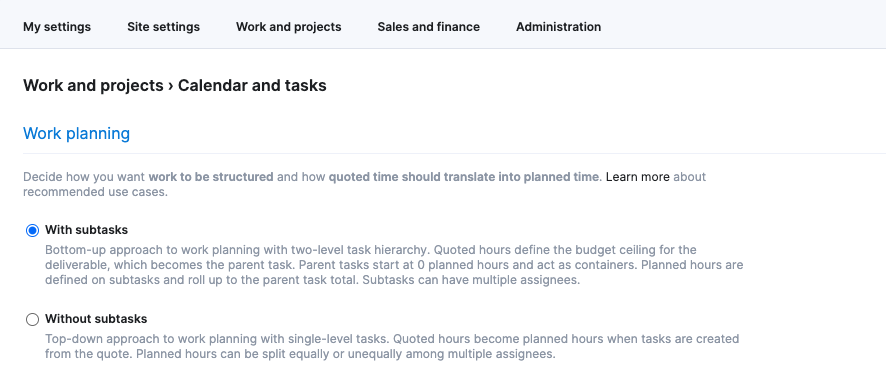
When subtasks become available for your site, your current settings will remain exactly as they are – nothing will change until you decide to switch. When you’re ready, administrators can choose the option under Settings > Work and projects > Calendar and tasks that best aligns with your team’s typical workflow.
Rollout plan: when to expect these changes?
- Gradual rollout: We will begin rolling out subtasks and work planning options in February. To ensure a smooth transition, we’ll release this to groups of sites in stages.
- Admin notification: As soon as subtasks are available for your site, your site administrators will see a pop-up message with more details on how to choose your planning method and get started.
- No automatic changes: Nothing will change on your site automatically; your site settings and current workflow will remain the same even after the update rolls out, and you can make the switch whenever you are ready.
What can you do already now?
Check out our Help Center articles and discuss with your team which of the above work planning options fits your typical project management workflow, so you’re ready to make the choice when the functionality is available for your site:
- Work planning with subtasks
- Regular tasks, parent tasks, and subtasks – an overview
- Choosing your work planning option
Improved warnings when deleting price lists
We’ve improved the warning messages and added extra guardrails to the price list deletion process to help you maintain data integrity and avoid unintended changes to your historical project data.
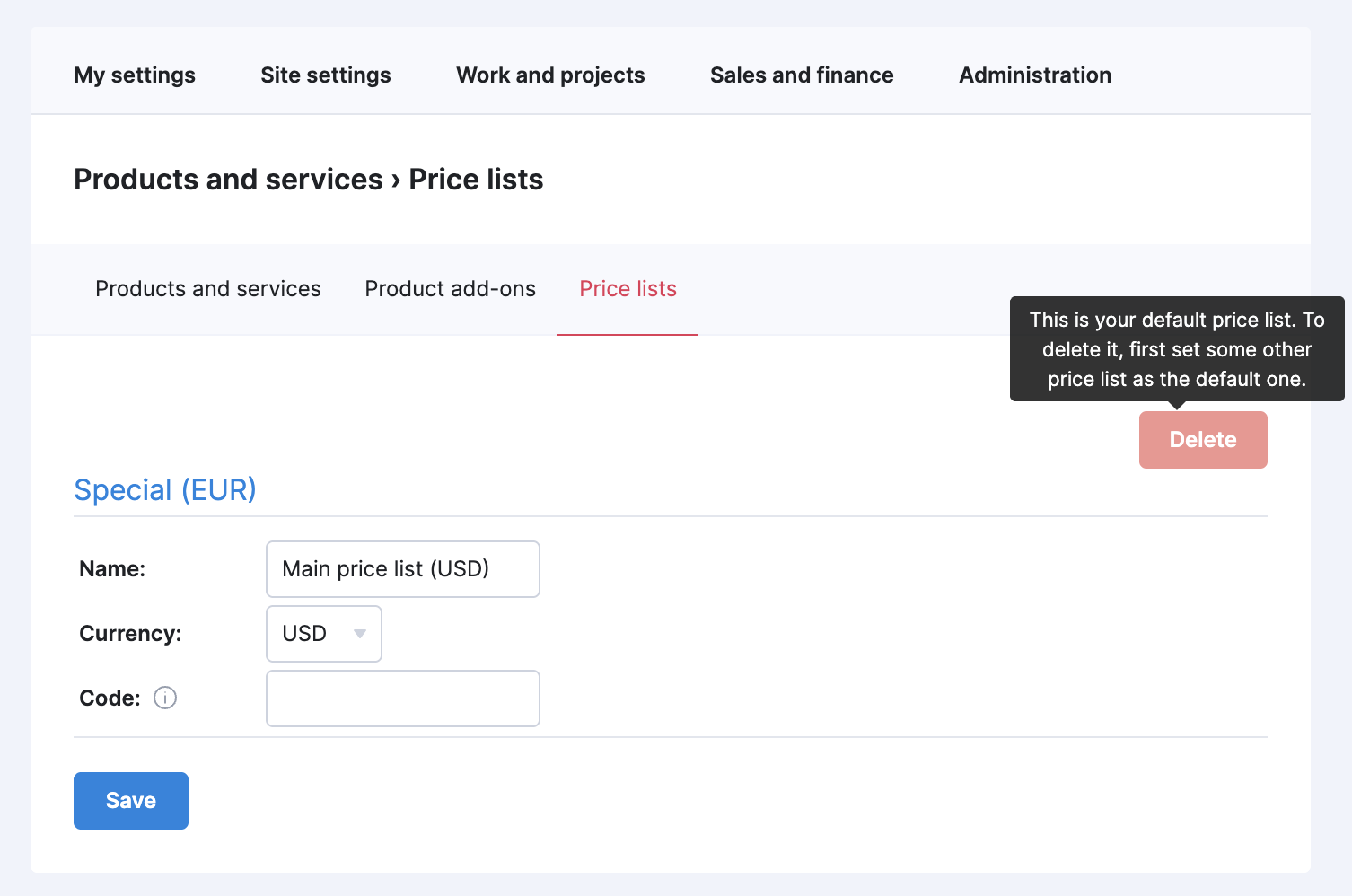
Locked default price lists
To prevent accidental deletion of your primary pricing data, you can no longer delete a price list while it is set as the default. To delete it, first set a different price list as the new default.
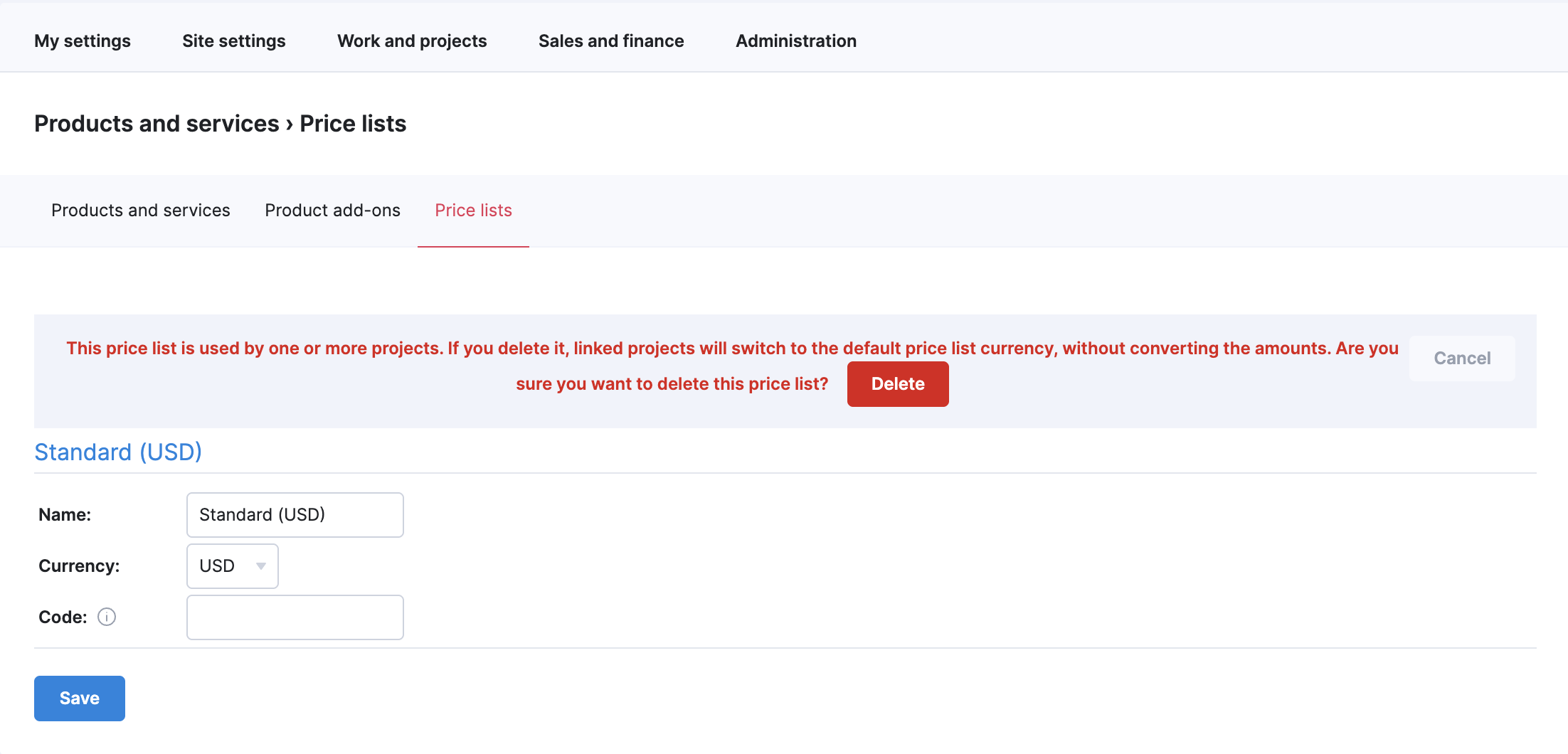
Warning before deleting price lists used in projects
Scoro will now warn you if you’re trying to delete a price list that is currently linked to one or more projects. If you proceed, those projects will automatically switch to the default price list currency, without converting the amounts.
We’re working on…
- Assigning roles to tasks. Assign one or multiple roles to tasks – just like you would assign users – to plan work and forecast costs before you know which specific team members will do the work.
❗Don’t worry if your Scoro site hasn’t been updated yet – the update is rolling out gradually over the next few weeks.
We do our very best to make Scoro better every day, so we appreciate your feedback! Share your thoughts with us via our contact form.
Wishing for your improvement ideas to come to life on your Scoro site? Send us feedback.
What to do next?
- Join our referral program to invite others to try out Scoro and earn monetary rewards of up to 1800 USD when they become a Scoro customer!
- Visit our Help Center to find in-depth guides about all Scoro features.
- Listen to our podcast The Handbook by Harv Nagra, an Ops Consultant and Ex-Agency Leader, where he dives into engaging conversations with operations experts to discuss and explore the behind-the-scenes and latest trends and innovations in the professional services space.
- Subscribe to The Handbook newsletter to get the latest info on agency challenges and solutions delivered directly to your inbox.