

















Make resourcing calls before consultants burn out or sit idle
Scoro gives you a live view of every consultant's utilization—per engagement and across your entire firm—so you can move work, staff new projects, and make the hire-or-outsource call, all from one place.

Staff the project while the deal is still closing
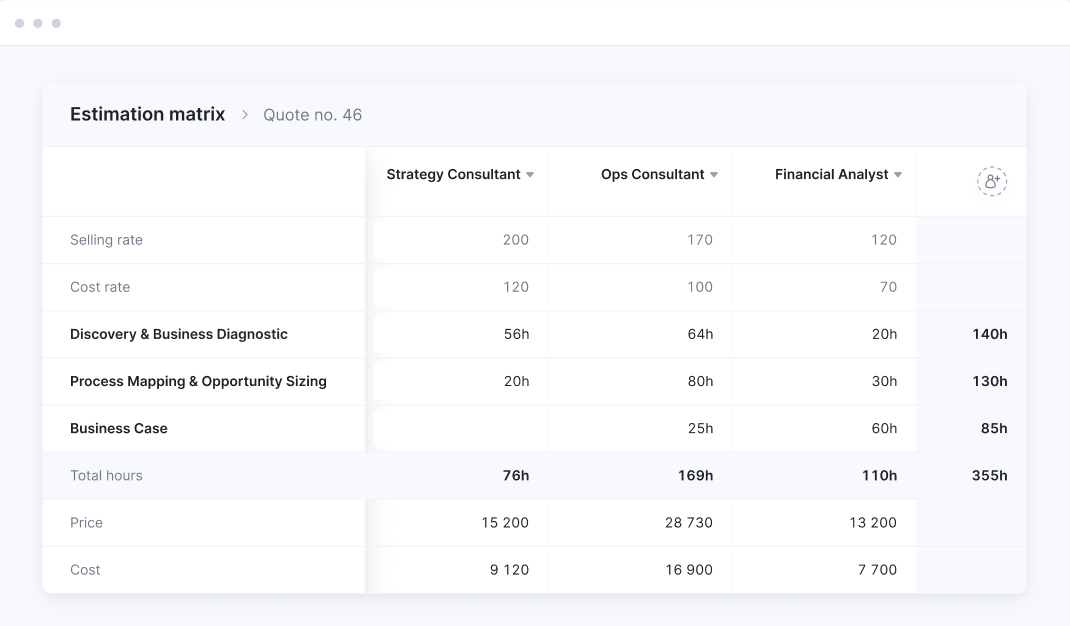
Reserve capacity by role while a deal’s still in the pipeline, so you’re not scrambling when it lands. Then put the right consultant on it the moment it closes.

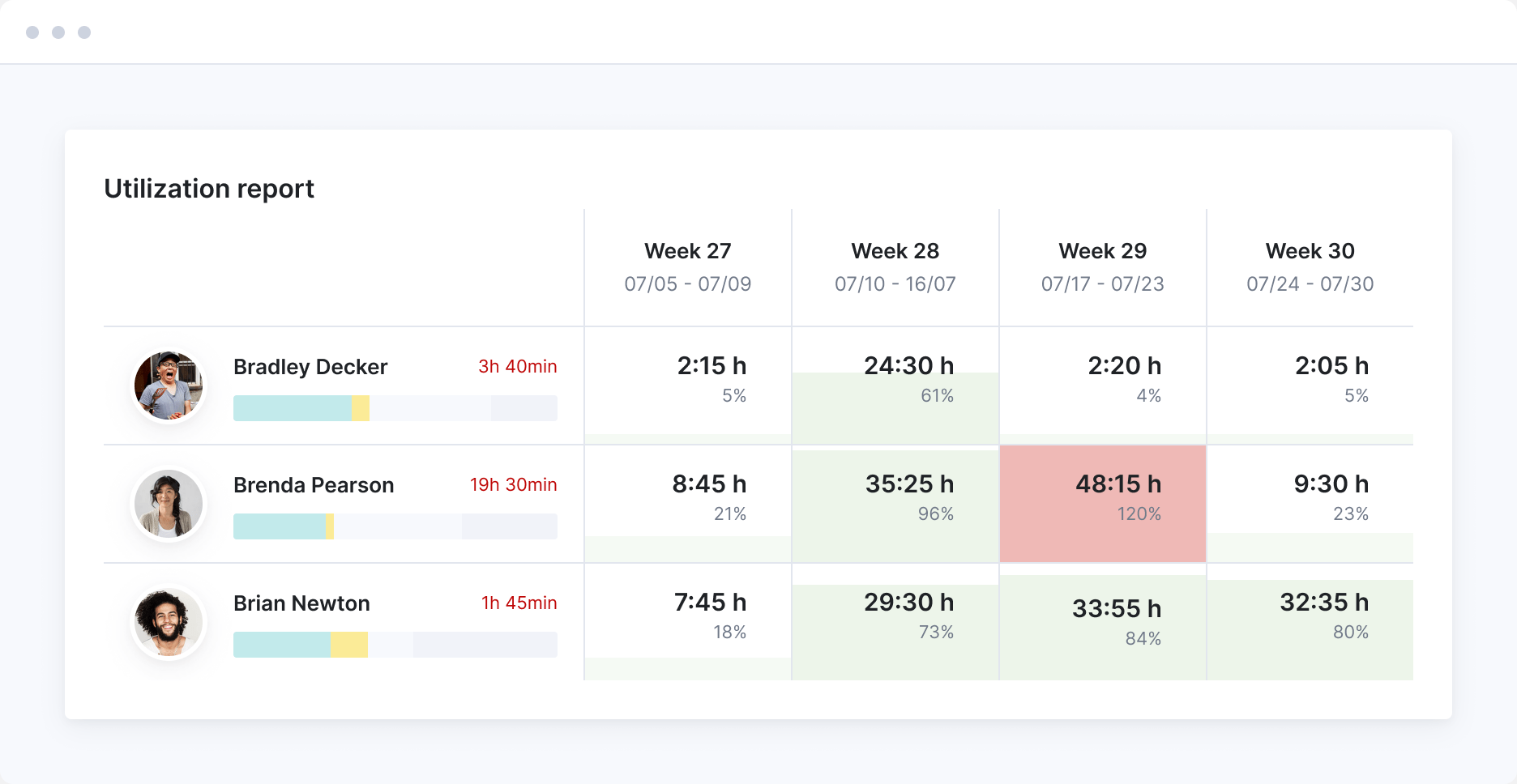
See who's stretched and who's underused
One utilization heatmap covers every consultant across every project, time off included. Spot who’s overbooked and who has room to take work, then group by role to see which skill set is at capacity.
Reshuffle the team fast when plans move
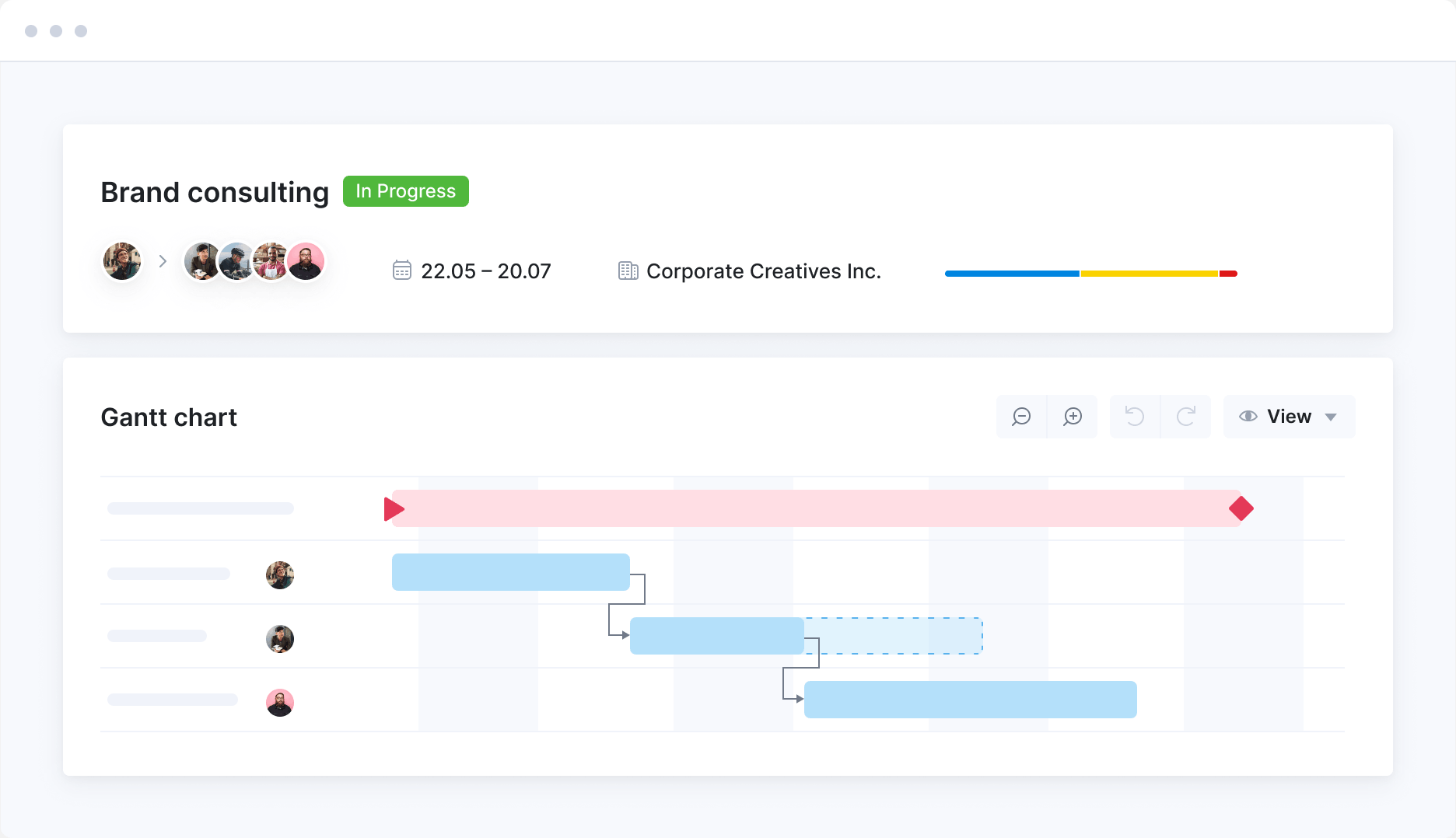
When a deadline shifts or someone leaves a project, move their work to whoever’s free, and utilization shifts in real time so you know you’ve actually evened things out.
See whether to hire, outsource, or just rebalance
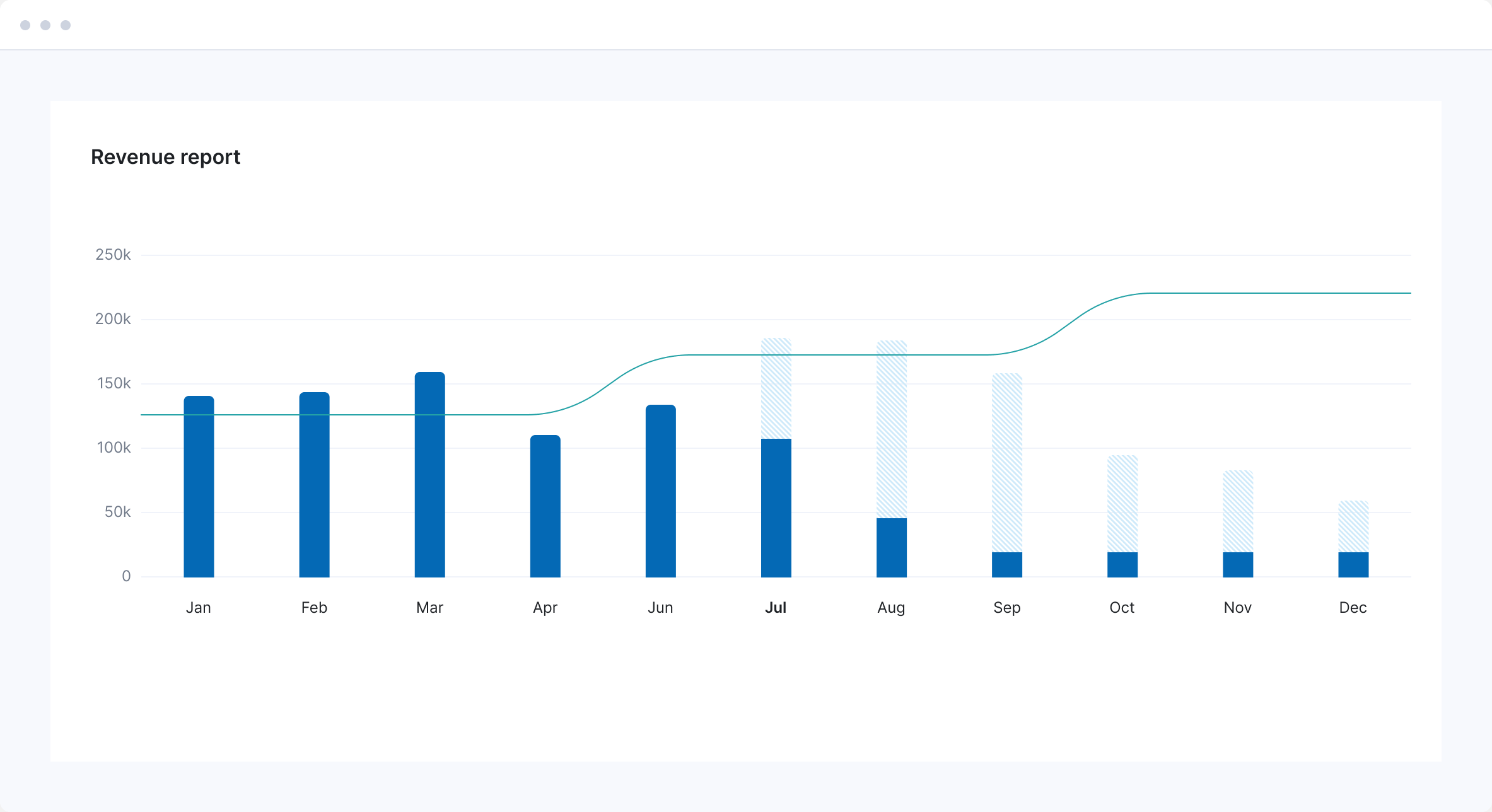
Use revenue forecasts to see how your pipeline will hit your team’s capacity—weighted by deal probability—so the call to rebalance, outsource, or hire is based on real data, not gut feel.
FAQs
A resourcing tool does one job: showing you who’s free. Scoro is a professional services automation (PSA) platform, so it runs the whole job rather than one step of it.
Scoro covers the quote, building the project plan, booking the people and tracking their hours, the utilization reporting on top of that, and the billing and invoicing at the end. Resourcing sits in the middle of that chain, joined to the quote before it and the invoice after it.
With a separate resourcing tool, none of that is joined up. It doesn’t know what you quoted, and it can’t see the hours anyone logged. So the numbers sit in two or three different systems and someone has to manually line them up by hand. Which is how you end up with two sets of numbers and no idea which one is right.
Both ends of the range. The minimum is five users, and businesses of 500+ people run their resourcing on Scoro.
The setup support scales with you. Up to 15 people, you can configure the site yourself using guides and video tutorials. Between 15 and 49, Scoro’s team maps your workflows, configures the site, and trains your people. At 50 and above, onboarding is built around your requirements.
Yes. The default is eight hours a day, five days a week. You change it in the availability settings, under Settings > Work and projects > Availability. You can change it for one person or for a whole group at once. Rules can be permanent or set to expire, so a four-day summer week ends on its own. If your team works weekends or public holidays, you set hours for those days separately.
Yes. Permission sets control who sees what, under Settings > Administration > Permission sets. Three things are permissioned separately: the firm-wide Bookings module, the bookings inside a single project, and the utilization report. So delivery leads can see the whole firm while a project manager sees only their own projects.
Yes. The utilization report can show billable time only, or total time. You switch billable time on under Settings > Work and projects > Time-billing. Total time shows how busy someone is. Billable time shows how much of that work earns money. The gap between the two is internal work, admin, and business development.
The bookings heatmap shows six months at a time. You click forward to see later months, so annual planning works, but not on a single screen. Retainers are the exception. Bookings on a retainer show across all its periods, not just the current one, so long-running client work stays visible.
Connect your favorite apps and tools
Have some other vital tools you wish to sync with Scoro? Integrate what you need and harness the power of consolidated data in Scoro.













Customer success stories
Scoro has really become the backbone of our company. It has enabled us to pursue higher quality in every single thing we do. From sales and finances to project management and accountability.
Monica Fernandez, COO
Mallol Arquitectos
We feel that we finally have a tool that enables us to grow – and that will scale as we add more people to the team.
Tyler Webb-Harding, Operations Director
StrategiQ
We looked at many tools, so I can confidently say that there’s no other platform as thoughtfully and logically designed as Scoro.
Harv Nagra, Group Director of Operations
SAENTYS
Scoro has ensured my team is not overworked, resources are used optimally, and less time is wasted on project management confusion.
Anna-Kaisa Reed, Art Director and Design Team Manager
Aava & Bang













































































































Start a free trial
Tour the product and try Scoro for free for 14 days, no credit card required.
Try for free
Leading consultancies rely on Scoro
Project profitability has increased by 33% with Scoro, thanks to real-time project profitability tracking.
Luis Perez, Head of FP&A DGA GroupTo be able to see how people put in their hours, complete their tasks, record what they’re doing – it has really helped us understand how we use our resources and their availability.
Matt Stevenson Dodd, Managing Director Trust ImpactThe control over the quality of our service has more than doubled, which has resulted in increased efficiency and profitability.
Jodie Gibbens, CEO Aesara PartnersWe needed a system that lets us manage longer-term consultancy programs as well as short-term projects – a platform that supports multi-currency working and is scalable enough to grow along with us. Scoro gives us all that.
Nicola Ray, Founder & CEO ModernWith the help of Scoro, we can now use real-time data to make decisions that help us grow as a business.
Adrian Strittmatter, CEO SAENTYSAs we hoped, we now have all the key business information in one system, and it all connects. For example, we use the CRM functionality to drive internal business development conversations, and the data really supports our weekly meetings.
Colleen Kelley, President of Management Consulting Stratford Group