







The right Float alternative depends on what you’ve outgrown. If scheduling itself is the problem, a dedicated resourcing tool covers it. If you need bookings to feed budgets and invoices without re-entry, you need a platform that connects delivery to billing.
This guide compares six Float alternatives, so you can decide whether you need a better scheduler or one tool that runs the project from quote to invoice
Why do teams consider alternatives to Float?
Four specific triggers send teams looking for a replacement:
- Capacity decisions need a longer horizon: Float’s focus on near‑term scheduling leaves teams wanting deeper links between bookings/utilization and future demand, hiring plans, and outsourcing strategy.
- Resource plans need to connect to commercial commitments: Teams outgrow Float when estimates, quotes, and project budgets must be directly tied to what delivery can actually support.
- Project profitability needs to include the full delivery picture: Teams seek alternatives that show labor, supplier costs, expenses, and budget burn together, rather than in separate tools.
- Delivery data needs to reach billing and accounting: Teams look beyond Float when billing and accounting need to run without manual handoffs. They need time, expenses, invoices, and payments to flow automatically into financial reporting. Float doesn’t cover that full chain.
The 6 Float alternatives at a glance
Each tool below solves a different slice of the problem. The comparison covers scheduling depth and budget and billing connection capabilities:
| Tool | Best for | Scheduling depth | Budget + billing connection |
|---|---|---|---|
| Scoro | Service firms needing scheduling, budgets, and billing on one project record | Strong — part of a full PSA | Native — quote, budget, and invoice share the same record |
| Resource Guru | Teams with scheduling as the primary problem | Strong — dedicated scheduler | None native — requires a separate billing tool |
| Runn | Teams wanting financial forecasting alongside scheduling | Good | Partial — forecasting yes, invoicing no |
| Mosaic | Mid-size agencies running a separate billing stack | Good | Depends on connected tools |
| Teamdeck | Small agencies that want scheduling and time tracking in one tool | Strong — conflict-aware assignment planning, workload views | Limited — basic budget and profitability views |
| Milient | AEC and professional services firms | Strong — skills-based allocation, capacity views | Native — offers, budgets, time, and invoices |
| Float | Teams whose main need is near-term project scheduling | Strong — dedicated scheduler with clash detection and leave management, but focused on the near term | Limited — budgeting and profitability views, but no native quoting, invoicing, or accounting flow |
Now let’s go through each one in detail.
1. Scoro
Ideal for: agencies, consultancies, and IT services where resourcing ties directly to budgets and billing
Scoro is a Professional Services Automation (PSA) platform that runs quoting, projects, resourcing, time, and invoicing in one system. It’s made up of eight core apps: Do, Deliver, Track, Resource, Sell, Estimate, Spend, and Invoice.
Scoro is modular, so you only pay for the apps you use. You can start with two, then add or remove apps as your needs change.
The Resource app gives you Float-style scheduling. Each booking ties to the same project record that holds the quoted budget, role cost rates, logged hours, and invoice. Budget burn, project margin, and billable utilization stay visible in real time during delivery. You never reconstruct them later from separate tools.
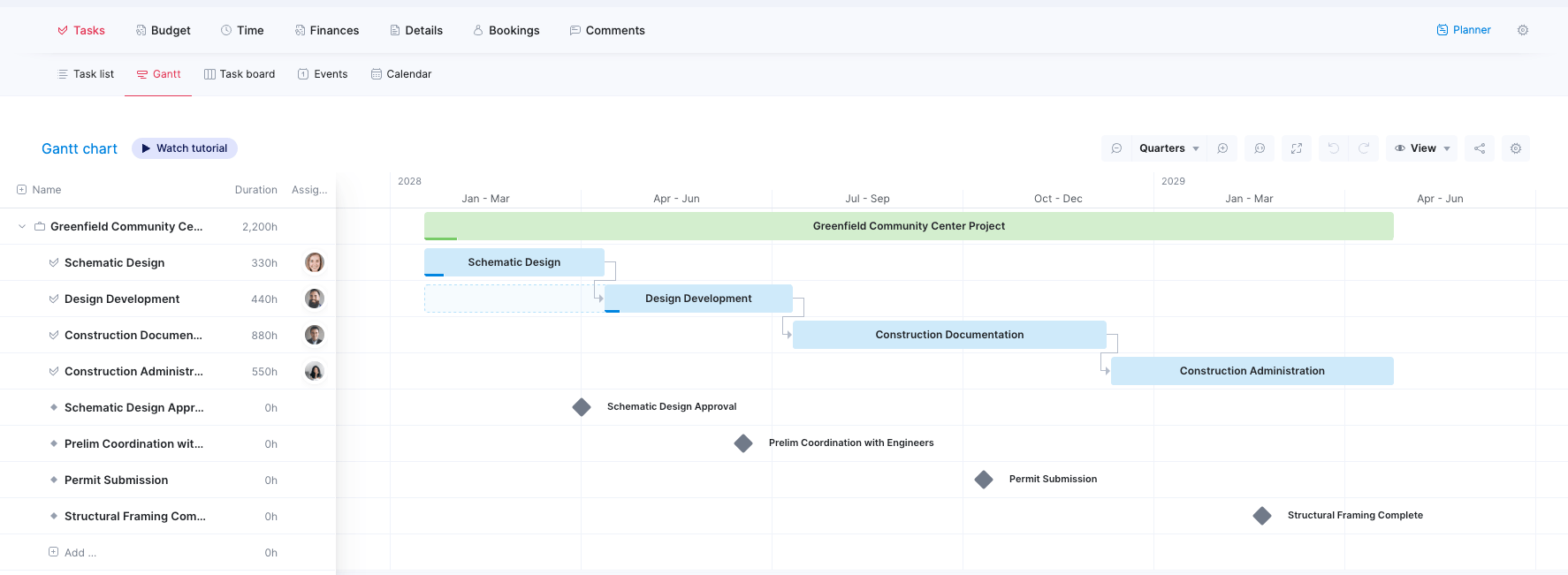
Core features of Scoro:
You can use each app on its own or combine them, and they all share the same project data. For project and resource management, these five matter most:
- Do: Manage day-to-day work with tasks, subtasks, kanban boards, and calendars, so the people you’re scheduling can see what they’re working on.
- Deliver: Plan projects with Gantt charts, dependencies, phases, milestones, and a multi-project timeline, and manage retainers alongside project work.
- Track: Log time through timers and timesheets, with billable time and labor cost applied to every hour. Planned versus logged hours and cost update as time is logged, so you can spot overservicing before a project goes over budget.
- Resource: Book people’s time before work is confirmed, track capacity against demand across short and long horizons, and read billable and non-billable utilization by role. Forecasts of coming quarters help you decide whether to hire, hold, or chase more work.
- Invoice: Generate invoices from logged time, and sync two-way at general-ledger level with Xero, QuickBooks, and Sage Intacct. Invoices and payments move automatically between Scoro and your accounting system.
Potential limitations:
- Scheduling depth alone doesn’t beat dedicated schedulers like Resource Guru or Float
Pricing: Scoro is modular, so you only pay for the apps you use. The Projects & Resources combination (Do, Deliver, Track, and Resource) is $29/user/month, with a minimum of five seats. For the same $29/user/month, you can choose the Quote to Cash combination (Estimate, Deliver, Track, and Invoice) instead. You can also try it free for 14 days or book a demo to see how it works.
2. Resource Guru
Ideal for: teams focused on scheduling, with budgets and billing handled elsewhere
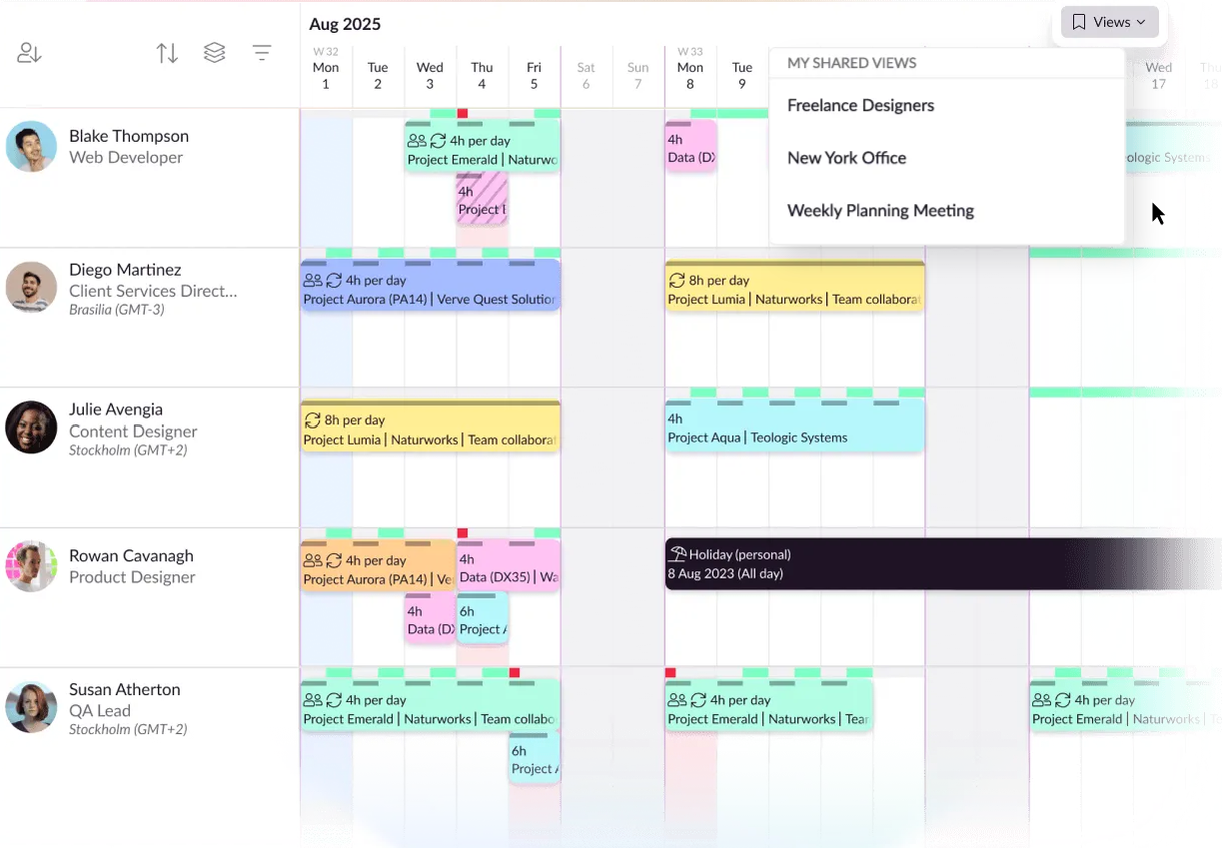
Resource Guru is a dedicated resource scheduling tool built for teams that need clean, fast booking management without the overhead of a full project management layer. It handles leave management, clash detection, and utilization reporting well.
Core features of Resource Guru:
- Drag‑and‑drop booking with clash detection and leave management built in
- Utilization reports by person, team, and project across custom date ranges
- Availability forecasting to see near‑term capacity before committing to new work, with tentative bookings and scenario checks for hiring or outsourcing decisions
- Integrations with project management, accounting, and other tools via API, Zapier, and add‑ons (e.g., Xero, QuickBooks)
Potential limitations:
- Project financial visibility depends entirely on what the connected accounting tool surfaces
- Scheduling and calendar sync challenges
Pricing: Resource Guru offers 4 plans:
- Grasshopper: $5/person/month
- Blackbelt: $8/person/month
- Master: $12/person/month
- Enterprise: Custom pricing
- 30-day free trial available
3. Runn:
Ideal for: Teams that want financial forecasting alongside scheduling, without a full PSA
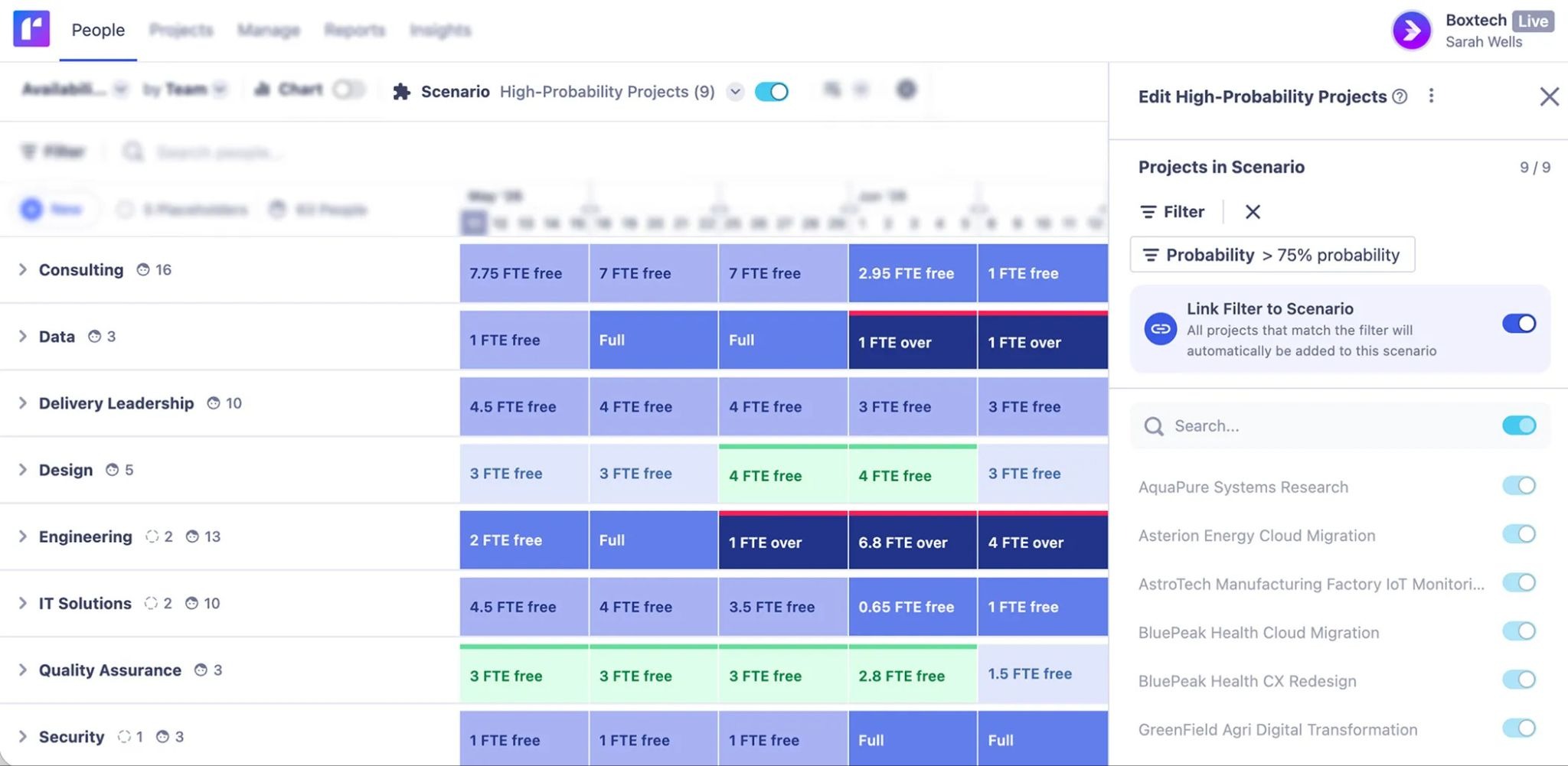
Runn combines resource scheduling with project financial forecasting. Teams get a view of both capacity and budget burn from one interface. It sits between a pure scheduler and a full PSA. It offers strong scenario planning and margin visibility, but no native invoicing or deep accounting integration.
Core features of Runn:
- Resource planning with real‑time capacity and demand across projects, including short‑ and long‑term scenario planning to evaluate hiring or outsourcing options
- Project financial forecasting: budget versus actuals, revenue, people costs, profit, and margin projections at project level
- Integrations with HR tools (e.g., BambooHR, Workday, Gusto) for headcount data, plus API and Zapier for custom workflows
Potential limitations:
- No built-in client invoicing
- CRM and quoting capabilities sit outside Runn, so the estimate-to-delivery connection requires manual setup
Pricing: Runn offers:
- Lite: $7 per resource seat/month
- Standard: $11 per resource seat/month
- Advanced: Custom pricing
- 30-day free trial available
- Plans start at 20 resource seats.
4. Mosaic
Ideal for: Mid-size agencies that want AI-assisted capacity planning on top of a separate billing stack
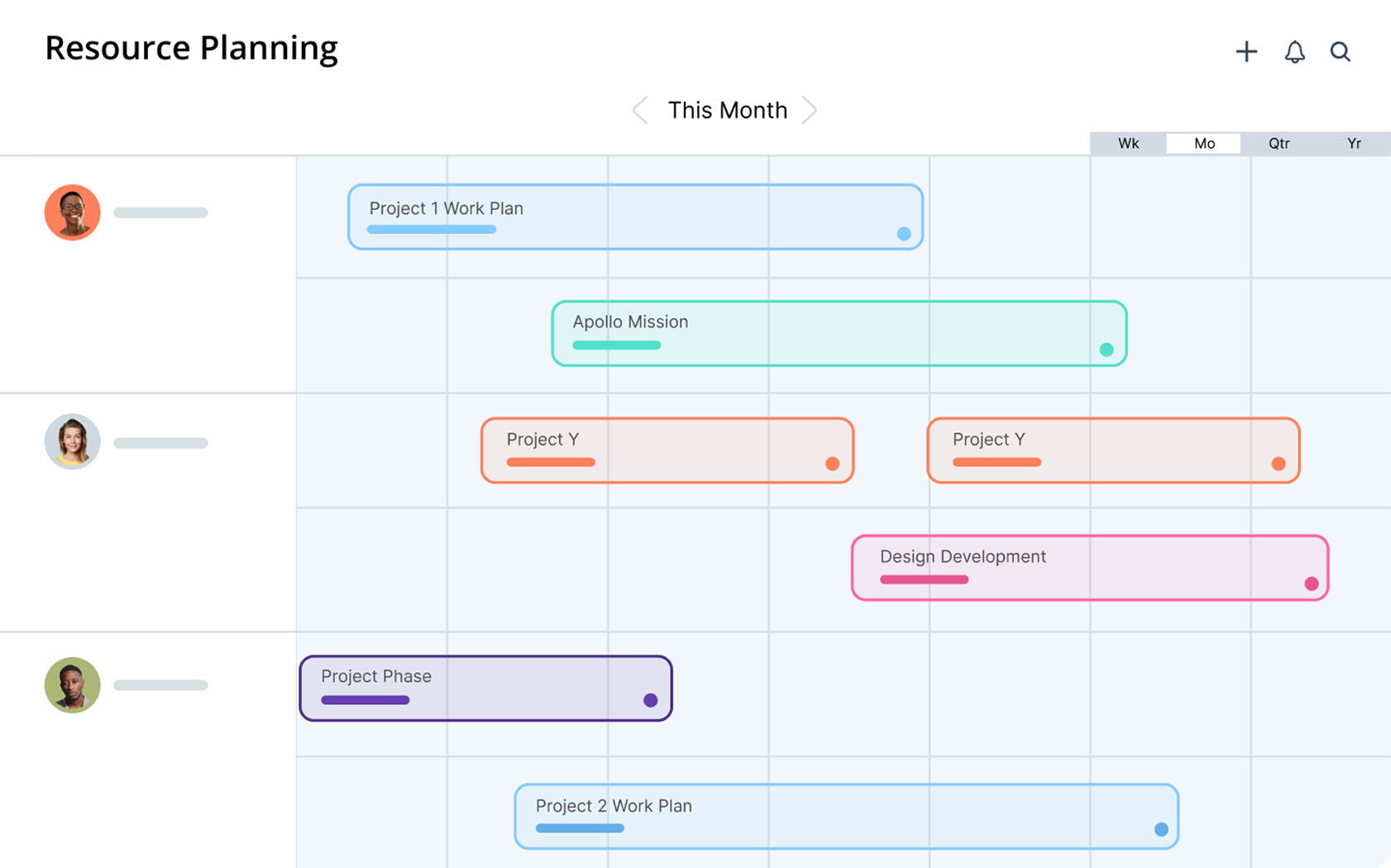
Mosaic is an AI‑assisted resource management platform. It focuses on capacity forecasting and workforce planning. It pulls data from connected project management and financial tools to show utilization and demand signals. It leaves project budgeting, invoicing, and GL-level accounting to those other systems.
Core features of Mosaic:
- AI‑assisted resource allocation that suggests assignments based on skills, availability, and project demand
- Portfolio‑level workload view for operations leaders managing multiple concurrent projects, with heat maps and scenario analysis for different staffing options
- Integrations with Jira, Asana, QuickBooks, and other tools to pull project, time, and financial data
Potential limitations:
- Financial depth depends on connected tools
- Pricing isn’t publicly listed, which makes total cost of ownership harder to evaluate before a demo
Pricing: Mosaic doesn’t publish pricing publicly. Pricing is available on request. A free trial is offered.
5. Teamdeck
Ideal for: small agencies that want scheduling and time tracking in one tool
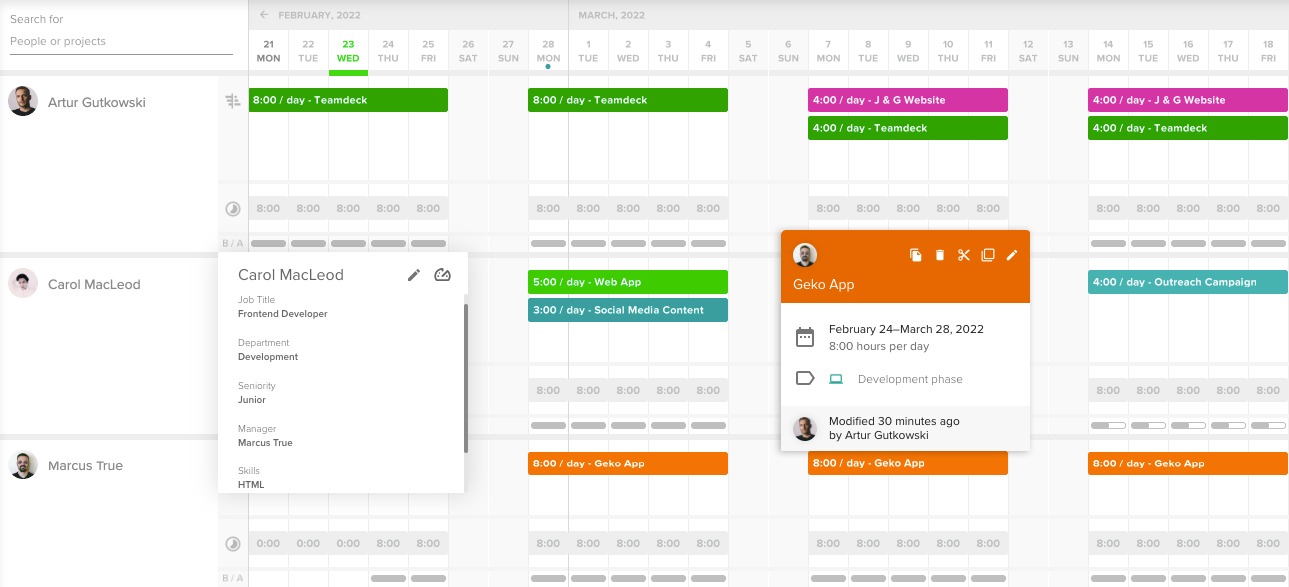
Teamdeck is a lightweight resource management and time tracking tool built for agencies and software teams. It covers scheduling, leave management, and time logging in a single interface, with basic budget tracking and profitability reports, but no native invoicing or deep accounting integration.
Core features of Teamdeck:
- Resource scheduling with availability tracking and leave management
- Built‑in time tracking with timesheets that link to scheduled bookings
- API access for connecting to project management and billing tools
Potential limitations:
- Reporting depth is limited compared to tools with native financial layers
Pricing: Teamdeck offers Light Member seats at $2/month and Full Member seats at $6/month. Enterprise pricing is custom. A 14-day free trial is available.
6. Milient
Ideal for AEC and professional services firms that want scheduling tied to fees, budgets, and invoicing
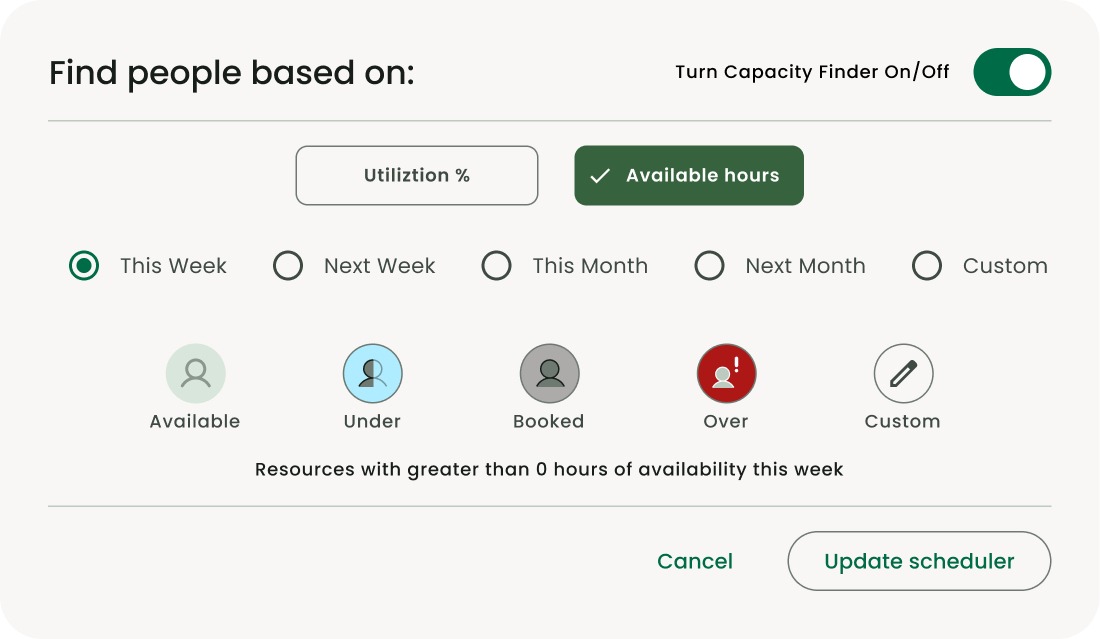
Milient is a project and resource management platform built for architecture, engineering, and consulting (AEC) firms. It connects offers, budgets, resource plans, time tracking, and invoicing in one system. That gives live visibility into project performance and profitability, not just schedules.
Core features:
- Resource and capacity planning with skills‑based allocation, availability filtering, and company‑wide capacity views to support hiring and outsourcing decisions
- Project budgeting and job costing with live budget‑vs‑actuals for hours and fees
- Role‑based rates and project‑level margin tracking as work progresses
- Integrated invoicing and accounting sync: create invoices from logged hours, fees, and phase progress, with two‑way integrations to QuickBooks and Xero
Potential limitations:
- Less tailored for generic creative agencies or software studios
Pricing: For Milient Resource Flow, there are 3 plans:
- Plug & Play: $7/resource/month
- Premium: $18/resource/month
- Business Leader: $54/resource/month
- 14-day free trial available, but no free plan
What should you look for in a Float alternative?
Look for a platform that turns your resource plan into a live, connected view of capacity, budgets, costs, and cash:
- Forward-looking resource planning: Can the tool forecast capacity against demand across short and long horizons? Does it show utilization by person and role, with a clear billable/non‑billable split? Can it give you a reliable signal for when to hire or outsource?
- Estimate-to-delivery continuity: Do quotes and internal cost estimates flow directly into project budgets without re‑keying? Is expected margin visible before work starts, and does it stay visible as the project runs?
- Complete project-cost visibility: Are labor, supplier bills, expenses, and budget burn all tied to the same project record? Can you see true project profitability without assembling data from separate exports?
- Billing and accounting continuity: Do time and expenses feed invoicing directly? Is there two‑way accounting sync at general‑ledger level, so delivery data reaches billing and financial consolidation without manual handoffs?
Manage your operations in one place with Scoro
For operations leaders running service firms where scheduling, budgets, and billing have to read from the same data, Scoro’s Resource app is the direct answer.
A booking sits on the same project record as the quoted budget, the role’s cost rate, and the invoice, so you can see capacity, margin, and cash in one place. You decide whether to hire, hold, or outsource with the numbers already connected, and finance stops chasing you for the data behind them.
Book a demo to get a live walkthrough of Scoro’s scheduling, budgeting, and invoicing features.
FAQ
What is the best Float alternative for project profitability?
Scoro is the strongest answer when project profitability is the driver. A booking in the Resource app sits on the same project record as the quoted budget and logged hours, so margin is visible during delivery. Budget burn, planned versus actual hours, and billable utilization all update in real time.
Can Scoro track both labor costs and external project costs?
The Track app applies role-based or individual cost rates to every logged hour. The Spend app records supplier bills, business expenses, and purchase orders against the project. Both feed the same budget burn view, so the full cost of delivery, internal labor and outsourced work, sits in one place.
Does Scoro require buying the full platform upfront?
Pricing is modular: a customer picks the core apps they need today and adds more as the business grows. The Projects & Resources combination of Do, Deliver, Track, and Resource starts at $29 per user per month. Invoice, Estimate, and other core apps add individually, without re-platforming.
How does Float compare to Scoro on scheduling depth alone?
Float goes deeper on scheduling, because scheduling is its whole product. It has more booking controls than Scoro’s Resource app, such as clash detection and leave management. Scoro covers the core: booking people’s time before work is confirmed and tracking capacity against demand months out. If scheduling is the only problem you’re solving, Float covers more of it. If bookings need to feed project budgets and invoices, Scoro connects them.
What’s the real cost difference between Float alternatives?
Per-seat prices range from $2 to $29 a month, but each one buys something different. Teamdeck’s $2 is a Light Member seat (Full Member seats are $6). Runn charges $7 per resource seat with a 20-seat minimum, so its smallest plan costs $140 a month. Scoro’s Projects & Resources combination is $29 per user with a five-seat minimum, or $145 a month, and covers task management, project delivery, time tracking, and resource scheduling in one system. If you later need quoting or invoicing, you add those apps to the same Scoro plan instead of buying a separate tool and connecting it to your scheduler.