









Architecture firms often start with a basic project tool and spreadsheets. But as projects and teams grow, this setup becomes harder to manage. Budgets, timesheets, schedules, and invoices may be spread across different tools. This makes it harder to track project performance without manually checking and matching the data.
For a principal, the cost often becomes clear too late. A design stage may exceed its budget, but you only find out when the project closes. By then, the profit margin may already be gone. We compare six tools on the workflows that prevent that: project stages, financial visibility, billing, and capacity planning.
The best project management software for architects compared
| Tool | Best for | Work stages and profitability | Invoicing and resource planning |
|---|---|---|---|
| Scoro | Multi-project firms needing project-to-invoice financial visibility | Phase budgets; strong firm-wide profitability and WIP | Fixed-fee, retainer invoicing; Xero, QuickBooks, Sage Intacct, Exact Online; bookings and utilization |
| BQE CORE | Firms wanting phase-level control with native accounting | Phase budgets vs. actuals; P&L, balance sheet, general ledger | Hourly, fixed-fee, cost-plus, percentage billing; staff plans and Gantt charts |
| Deltek Vantagepoint | Large or multi-office firms needing ERP-grade controls | Budget vs. actual; earned revenue; strong for complex projects | Approval-based billing; resource forecasting |
| Milient Project Flow | Firms managing RIBA stages and structured phases | Phases, roles, fees, Gantt milestones; budgeted vs. actual hours | Invoices from hours, expenses, milestones |
| Projectworks | Firms linking project margin to staffing and cash flow | Margin tied to future staffing and revenue forecasts | Fixed-fee, milestone billing; QuickBooks Online, Xero; skills-based capacity plan |
| Monograph | Small and mid-sized architecture firms | Real-time budget burn by phase; MoneyGantt | Phase-percentage invoicing; QuickBooks Online sync; role-based planning |
1. Scoro
Ideal for: Architecture and engineering firms running several concurrent projects that need project-to-invoice financial visibility
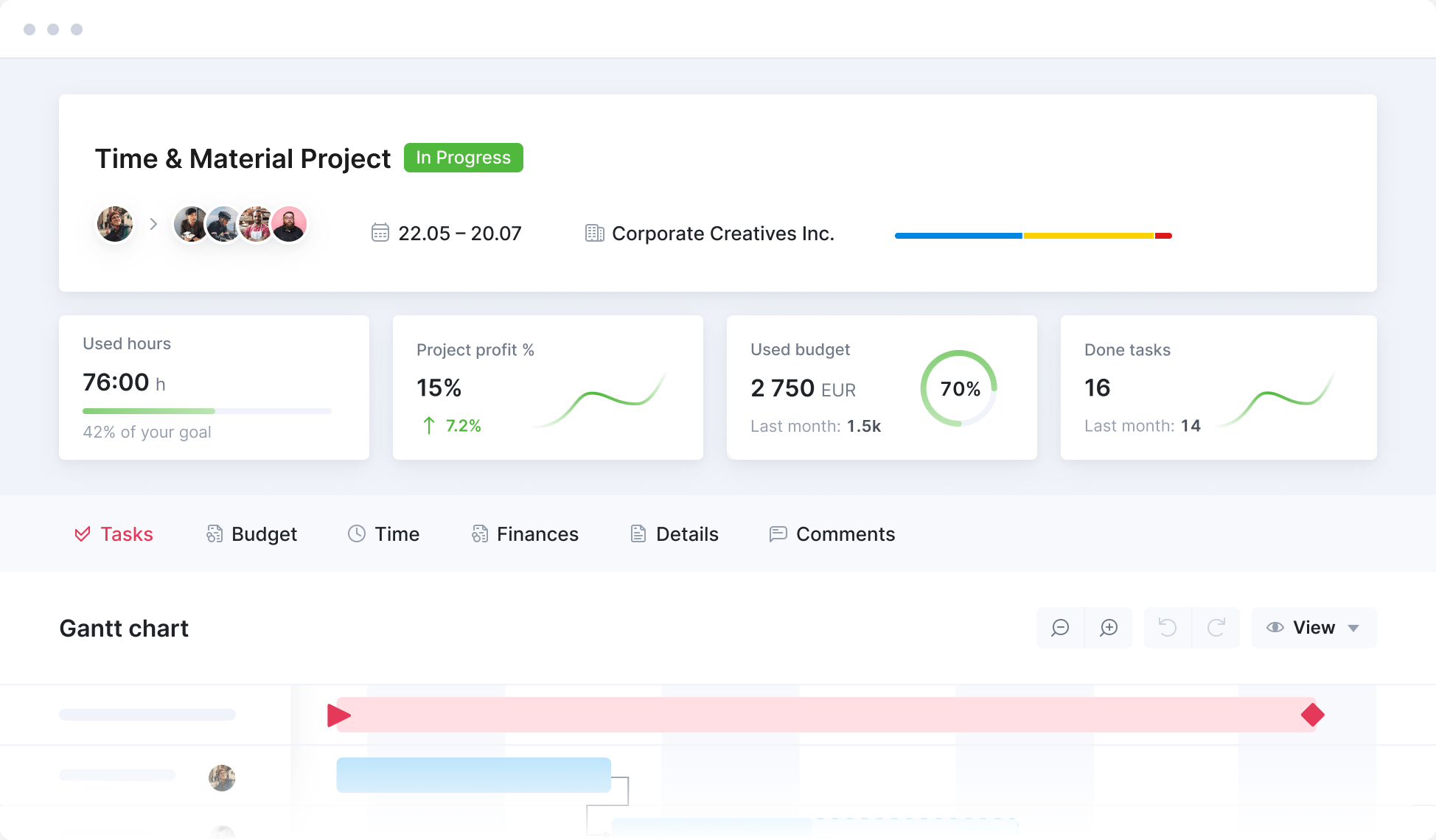
Scoro is an all-in-one platform for professional services firms. It combines project management with the financial and operational tasks of running an architecture firm. Teams can manage quotes, budgets, time, and expenses in one place. Scoro also offers profitability reports, invoicing, resource planning, CRM, and accounting integrations.
Scoro helps principals see how active projects affect the firm as a whole: what has been sold, what has been delivered, what has been billed, what it has cost, and where profit is being created or lost.
How Scoro performs against the four tests:
- Work stages and stage budgets: Create project budgets around phases, milestones, and tasks. Track planned work, time, costs, and billable items as the project moves forward. Scoro supports budgets for individual phases, but its reports across phases are more limited than those of specialist architecture tools.
- Profitability by stage, project, and firm: Track time, labor costs, expenses, revenue, margins, and WIP across projects and the wider firm. Scoro connects project profitability with broader financial performance.
- Invoicing: Turn approved time, expenses, fixed fees, retainers, and time-and-materials work into invoices. Integrations with QuickBooks, Xero, Sage Intacct, and Exact Online help connect project activity with accounting.
- Seeing who’s free and re-planning: Compare project requirements with team availability, bookings, utilization, workload, and time off. Reassign staff or adjust bookings when project schedules change.
Potential limitations:
- Minimum five seats, not suited to solo practitioners.
Pricing: Scoro is modular, so you only pay for the apps you need. The Projects & Resources package, which includes task management, project planning, time tracking, and resource planning, starts at $29 per user per month. All eight core apps plus both core add-ons start from $57/user/month. Start a free 14-day trial.
2. BQE CORE
Ideal for: firms that want detailed phase-level control with native accounting
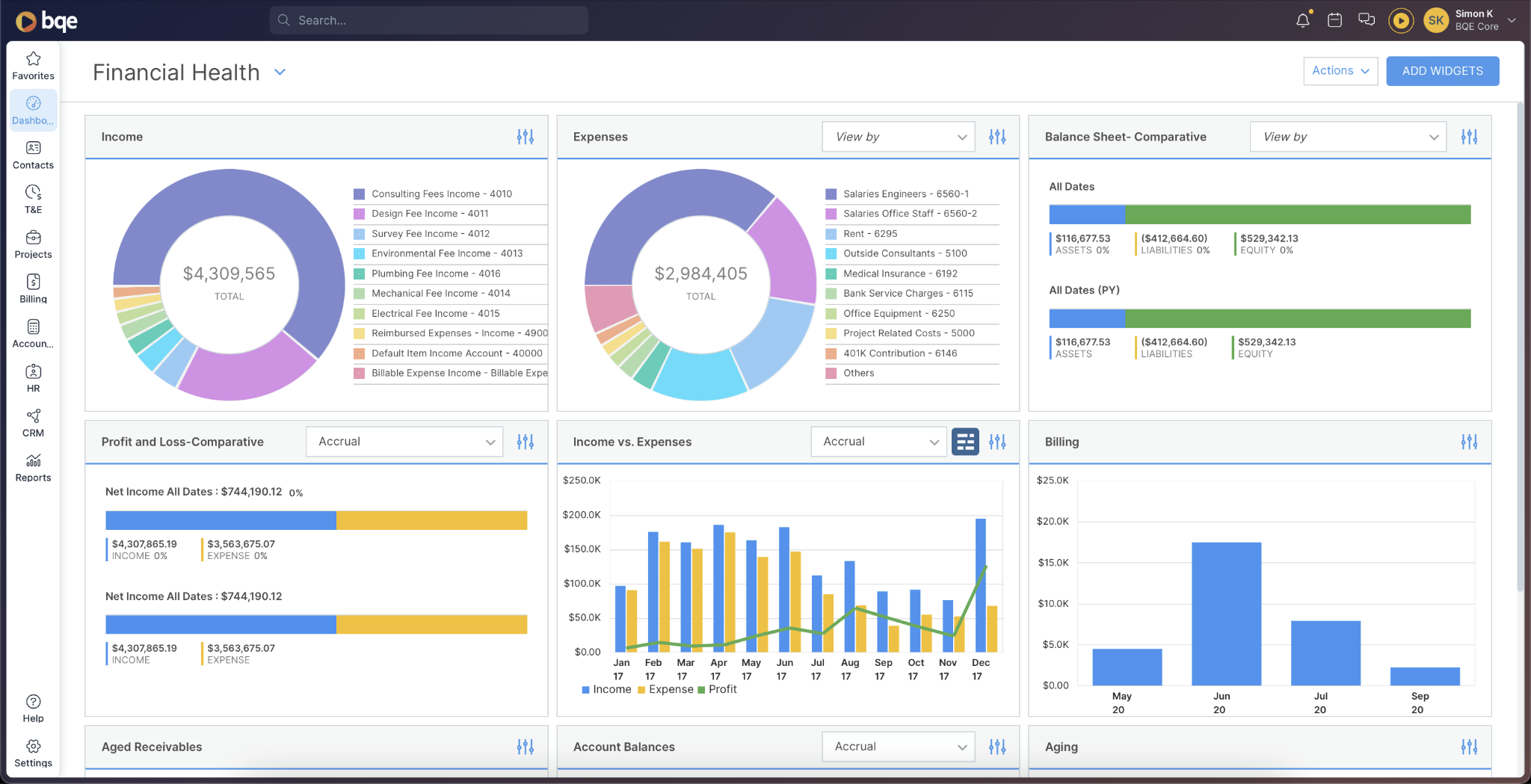
BQE CORE is a practice management platform for architecture and engineering firms. It combines project management, time tracking, billing, resource planning, and accounting. Its key strength is project accounting. Firms can manage budgets, project phases, billing rates, cost rates, and general ledger data in one system.
How BQE CORE performs against the four tests:
- Work stages and stage budgets: Set budgets for individual phases or the overall project, then compare budgeted hours and costs with actual performance. BQE CORE’s budget reports can show hours, billed dollars, spent dollars, and open accounts receivable by project and phase.
- Profitability by stage, project, and firm: BQE CORE combines phase-level budget analysis with native accounting, including profit and loss, balance sheets, trial balance, and general-ledger reporting.
- Invoicing: Support hourly, fixed-fee, cost-plus, unit-cost, percentage-based, and other billing models. Approved time and expenses can be added to invoices automatically or in batches. Firms can also use CORE’s built-in accounting tools or connect it to platforms like QuickBooks and Xero.
- Seeing who’s free and re-planning: Use staff plans, task allocation, utilization data, and interactive Gantt charts to assign people and adjust workloads as schedules change.
Potential limitations:
- Native accounting and detailed phase controls take time to set up.
Pricing: Custom pricing.
3. Deltek Vantagepoint
Ideal for: Large or multi-office firms needing ERP-grade project accounting and controls
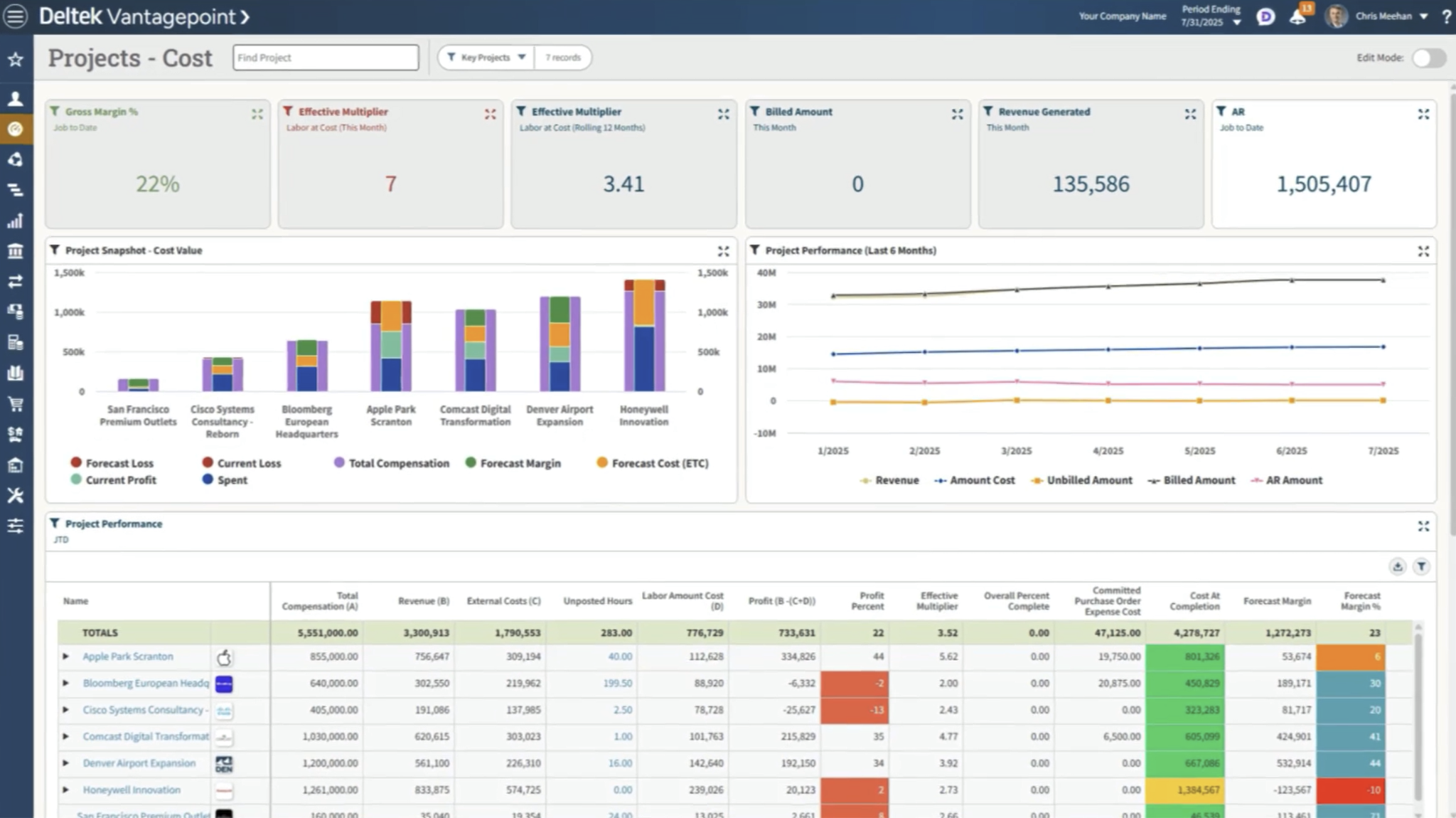
Deltek Vantagepoint is an ERP and professional services platform built for architecture, engineering, and consulting firms. Its differentiator is depth: it connects project management, accounting, resource planning, business development, and firm-wide reporting in one system.
How Deltek Vantagepoint performs against the four tests:
- Work stages and stage budgets: Vantagepoint supports project plans, schedules, budgets, labor resources, expenses, and consultants in one project hub. It is strong for complex project structures, but may be more system than a small firm needs.
- Profitability by stage, project, and firm: Track budget versus actual performance, project costs, earned revenue, utilization, and financial results across the firm.
- Invoicing: Manage client invoices, billing workflows, project costs, and financial reporting in the same ERP environment. Vantagepoint is especially strong where billing rules, approvals, auditability, and complex contracts matter.
- Seeing who’s free and re-planning: Use resource scenarios, schedules, capacity data, and utilization reporting to plan staffing.
Potential limitations:
- Implementation, configuration, training, and administration can be substantial.
Pricing: Custom pricing.
4. Milient
Ideal for: firms managing work by RIBA stages or structured phases, without ERP-level complexity
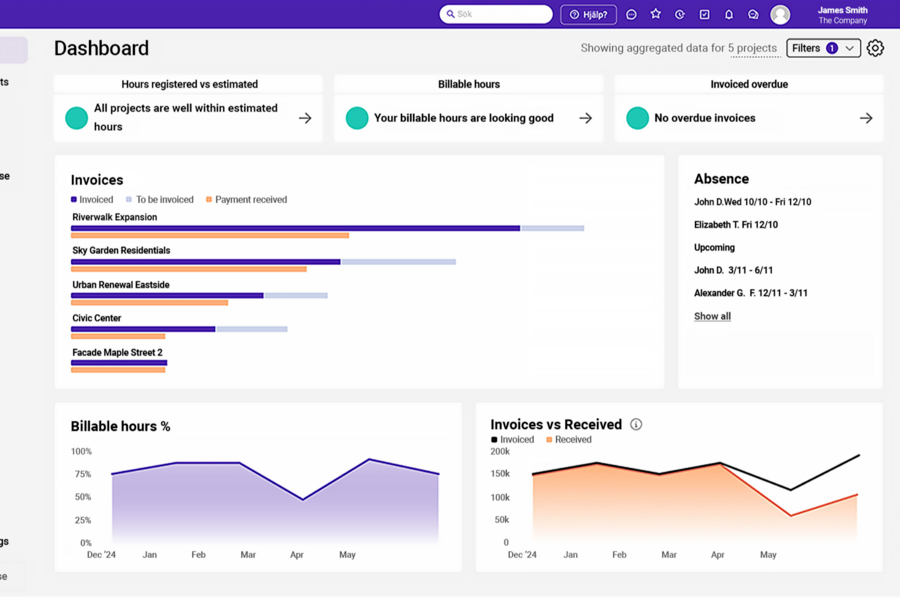
Milient Project Flow is a management platform for architecture, engineering, and construction firms. It helps teams manage project phases, staff, budgets, time, invoices, and profits. It gives firms a clear view of projects, people, schedules, and finances without the added complexity of a full ERP system like Deltek.
How Milient performs against the four tests:
- Work stages and stage budgets: Set up projects with phases, roles, fees, and budgets. Then track progress using Gantt charts and milestones.
- Profitability by stage, project, and firm: Track expected, budgeted, and actual hours alongside fees, costs, invoiced percentages, and project status.
- Invoicing: Generate invoices from recorded hours, expenses, agreed fees, and project milestones. This keeps billing connected to delivery data, although firms should confirm the depth of accounting integrations required for their finance setup.
- Seeing who’s free and re-planning: Use cross-team resource planning to view availability, workload, utilization, and capacity.
Potential limitations:
- Some users report occasional slowness in the platform.
Pricing: Milient has separate pricing for Project Management and Resource Management. Project Management uses custom pricing. Resource Management starts from $7 per resource/month.
5. Projectworks
Ideal for: Firms that need granular project planning with financial controls built into each phase
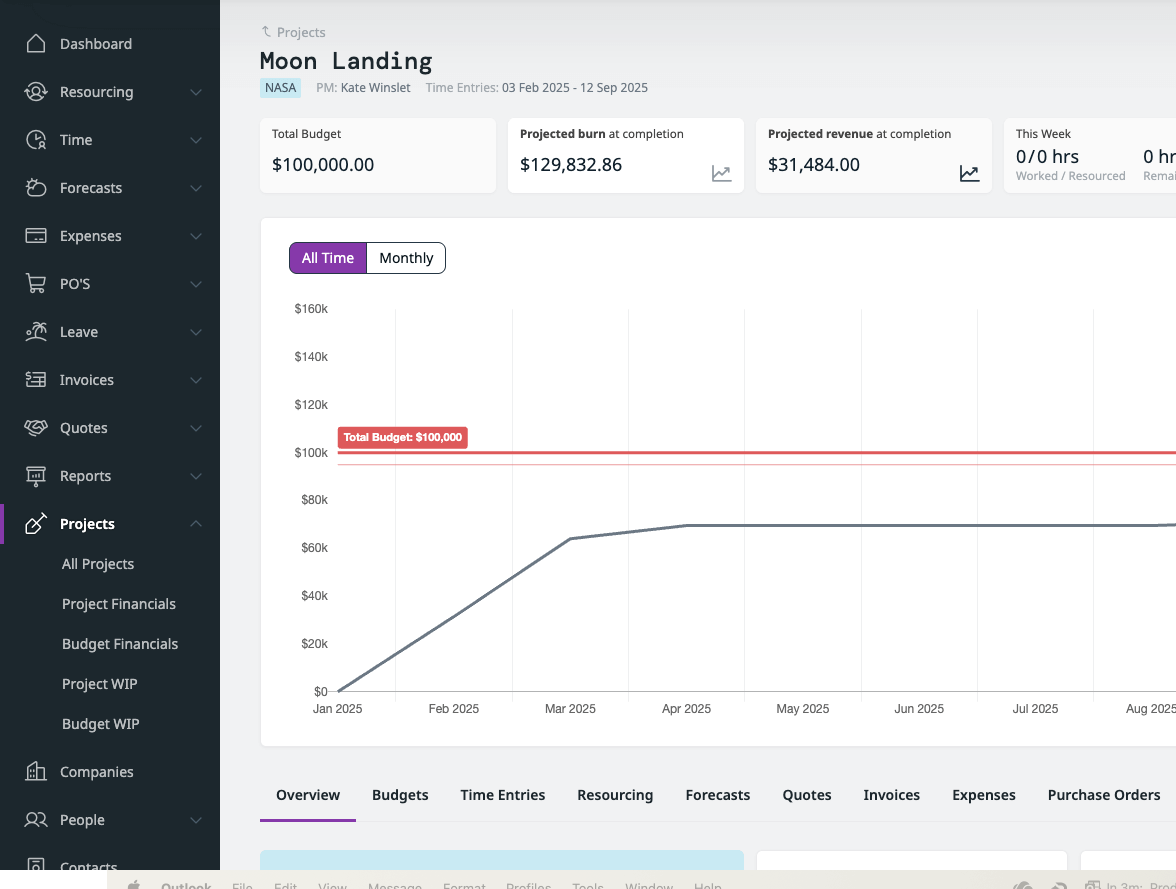
Projectworks is a professional services automation platform. It connects resource planning, time tracking, project financials, invoicing, and forecasting
How Projectworks performs against the four tests:
- Work stages and stage budgets: Projectworks connects planned work with time, expenses, and financial forecasts.
- Profitability by stage, project, and firm: Projectworks stands out for connecting project margin with future staffing and revenue forecasts, not just reporting historical budget performance.
- Invoicing: Create invoices from approved time and expenses, with support for fixed-fee, time-and-materials, percentage, milestone, and mixed billing. It offers direct integrations with Xero and QuickBooks Online.
- Seeing who’s free and re-planning: View availability, workloads, utilization, skills, and future capacity in one resource plan.
Potential limitations:
- Limited project status reporting capabilities.
- Setting up recurring invoices can require extra configuration.
Pricing: Projectworks pricing starts from $17/user/month, with higher plans at $24 and $41. Enterprise pricing is custom.
6. Monograph
Ideal for: Small and mid-sized firms (typically under 50 staff) wanting architecture-specific phase budgeting and billing
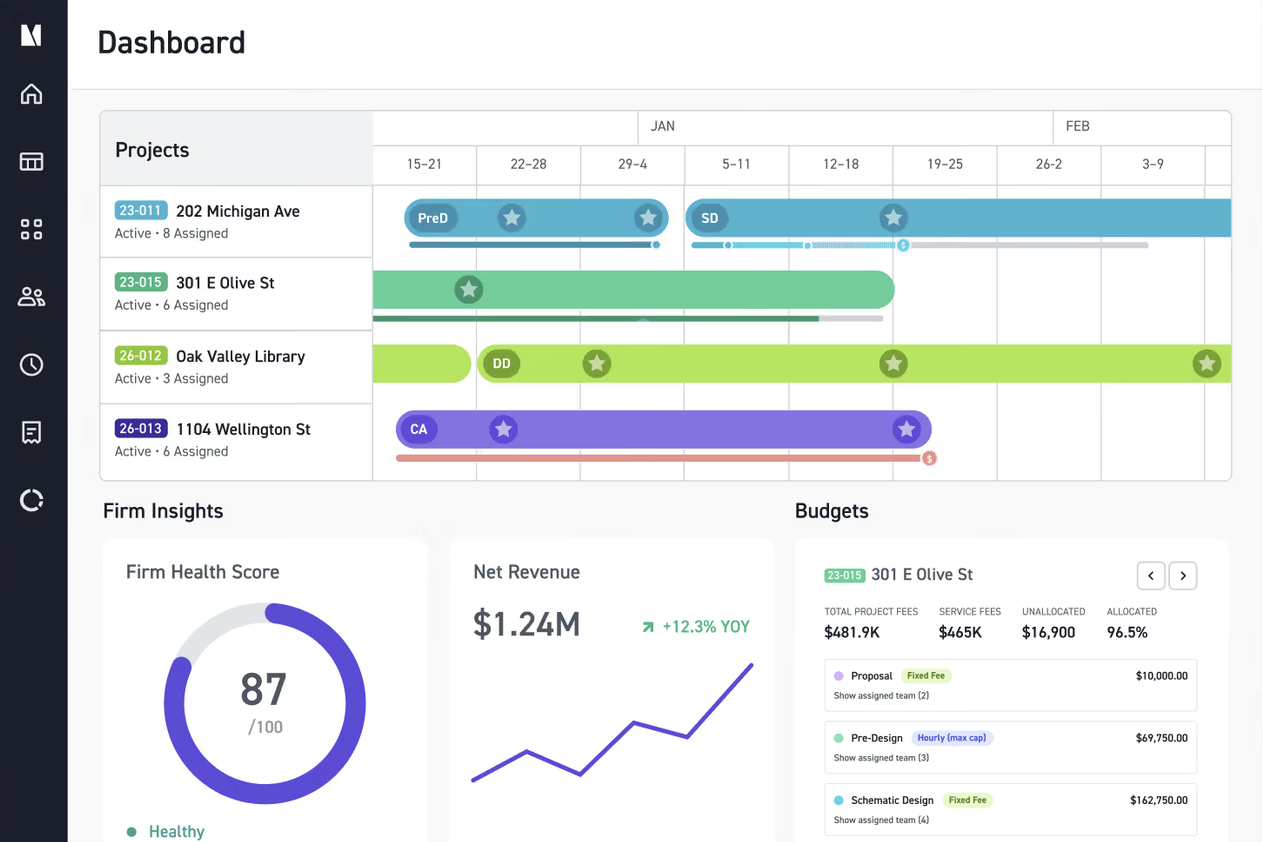
Monograph is an architecture and engineering practice-management platform built around how design firms plan, staff, budget, and bill work. Its differentiator is phase-level visibility: it is designed to show when a specific work stage is consuming too much fee or time.
How Monograph performs against the four tests:
- Work stages and stage budgets: Define phases, milestones, deliverables, and budgets in one project plan. Compare planned hours and fees with actual performance by phase in real time.
- Profitability by stage, project, and firm: See budget burn, hours, consultant costs, and profitability by phase and project. MoneyGantt overlays scope, schedule, and cash for an at-a-glance view of project health. Firm-wide accounting reports still sit in QuickBooks Online.
- Invoicing: Turn approved time, phase percentages, expenses, and consultant costs into invoices. Invoices, expenses, and consultant bills can sync to QuickBooks Online without duplicate entry.
- Seeing who’s free and re-planning: Plan hours by role, assign work across projects, and balance workloads against team capacity. Re-plan staffing when a phase slips or a project’s scope changes.
Potential limitations:
- Its accounting integration is limited to QuickBooks Online.
Pricing: Monograph pricing starts at $60/user/month.
Why architecture firms lose visibility
The visibility problem usually appears at four points in the project lifecycle:
- Setting up work stages and budgets: Can the firm structure a project around its delivery stages and assign a clear fee, hour, or cost budget to each one?
- Tracking profitability as work progresses: Can principals see whether a stage is profitable, whether the project is on track, and how active work contributes to firm-wide performance?
- Knowing when to invoice: Can the system connect project progress, approved hours, expenses, milestones, and fee terms so the firm knows what is ready to bill?
- Re-planning around available staff: Can managers see who is free, identify overbooking, and move people quickly when a stage runs late?
Manage project visibility before profit slips
The right platform brings project stages, budgets, profits, invoices, and staff availability together. Scoro links project work with financial management. It also offers tools for tracking profits, managing invoices and resources, and connecting with accounting software.
Get started with Scoro through a free 14-day trial.
Frequently asked questions
How is architecture project management software different from construction PM software?
Architecture PM software manages fee budgets, work stages, and staff utilization across concurrent projects. Construction PM software focuses on site management, RFIs, submittals, and contractor coordination. The two categories overlap at the construction administration phase but serve different workflows.
Can a firm switch from spreadsheets to architecture PM software without disrupting live projects?
In most cases, yes, though the migration sequence matters. A common approach is to bring historical fee budgets first, then connect time tracking, then move scheduling. Some platforms also let firms start with a smaller set of features and add capability later, so it is worth checking how each tool handles phased adoption.
How do you turn a fee proposal into a project budget without re-entering data?
Use software that builds the quote and the project budget from the same data. Once a proposal is approved, its phases, fees, and hours carry over into the project plan. Teams don’t retype numbers, and the budget they track matches what the client agreed to.
Can project management software forecast revenue and cash flow, not just track past performance?
With budgets, staff bookings, and invoicing schedules in one system, planned hours and upcoming milestones help forecast monthly revenue. Comparing these figures with invoices already sent can highlight potential cash flow constraints weeks before month-end.