











Catch budget overruns while you can still fix them
Track labor costs, expenses and supplier bills against the budget as they come in, see where each project will finish, and step in before an overrun eats your margin.

Track project costs as they come in
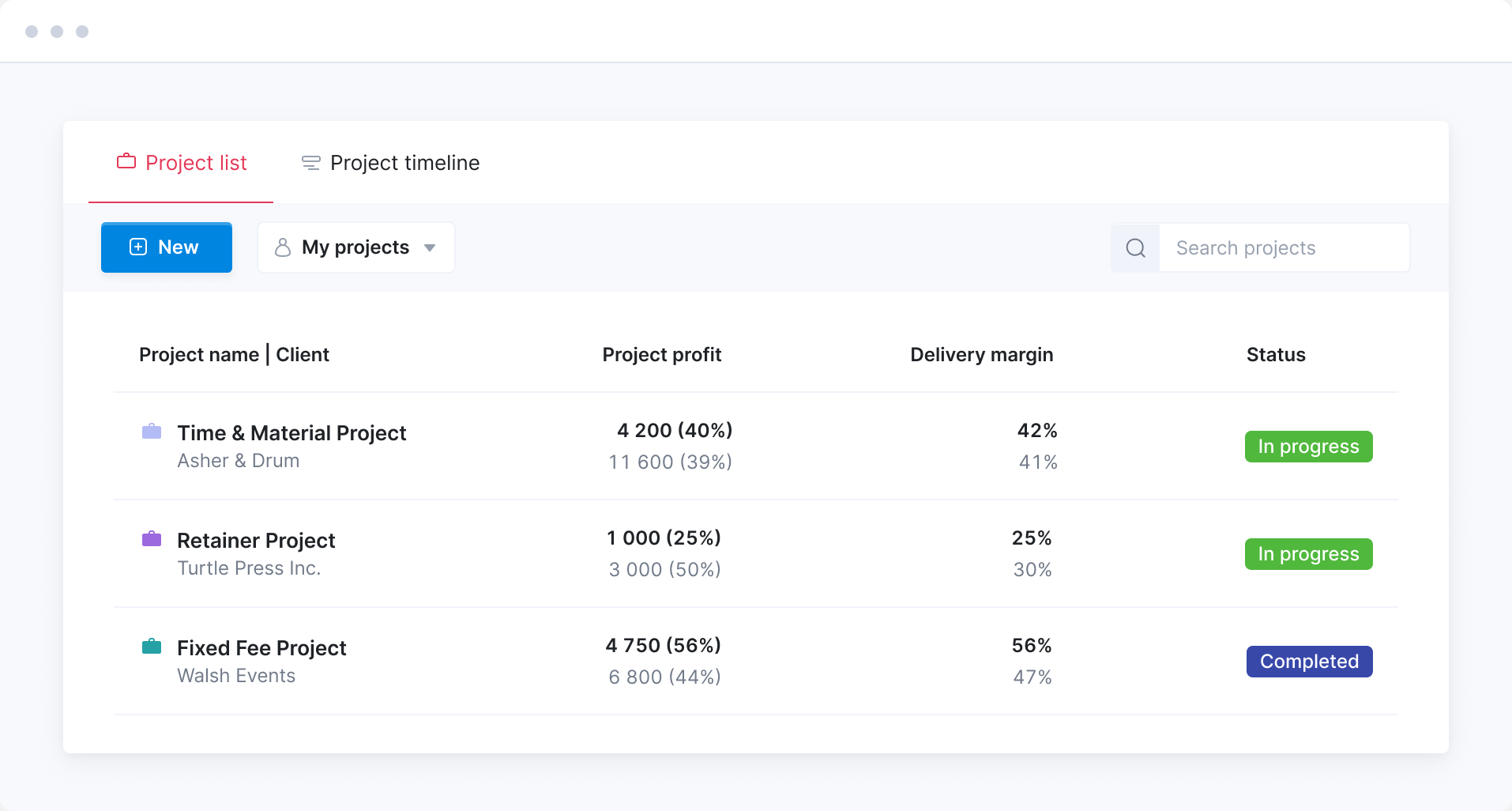
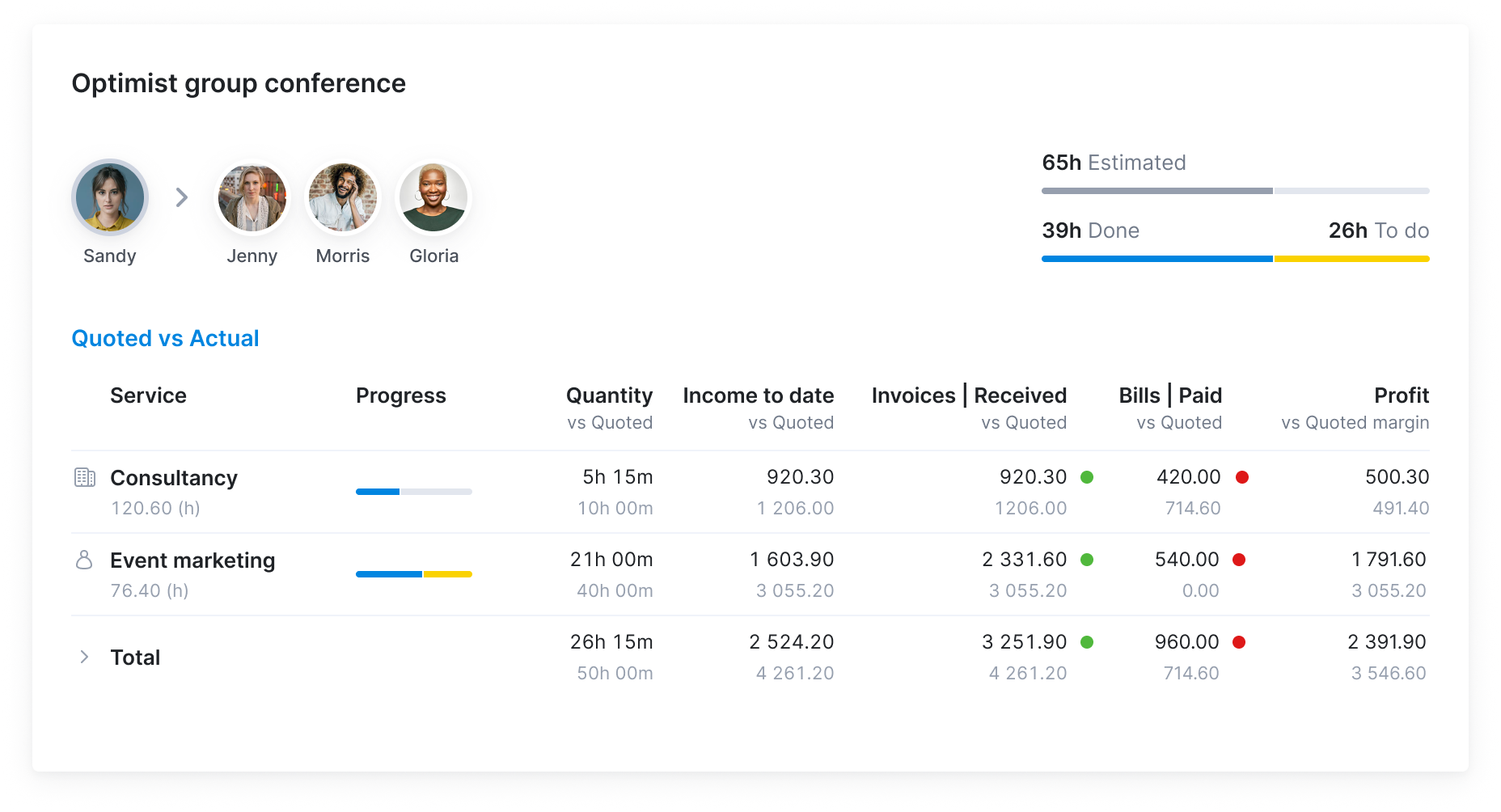
As time, bills, purchase orders and expenses come in, see each project’s profit and delivery margin next to what you quoted. Every project sits in one view, so the ones losing money stand out early.
Forecast where the project will land
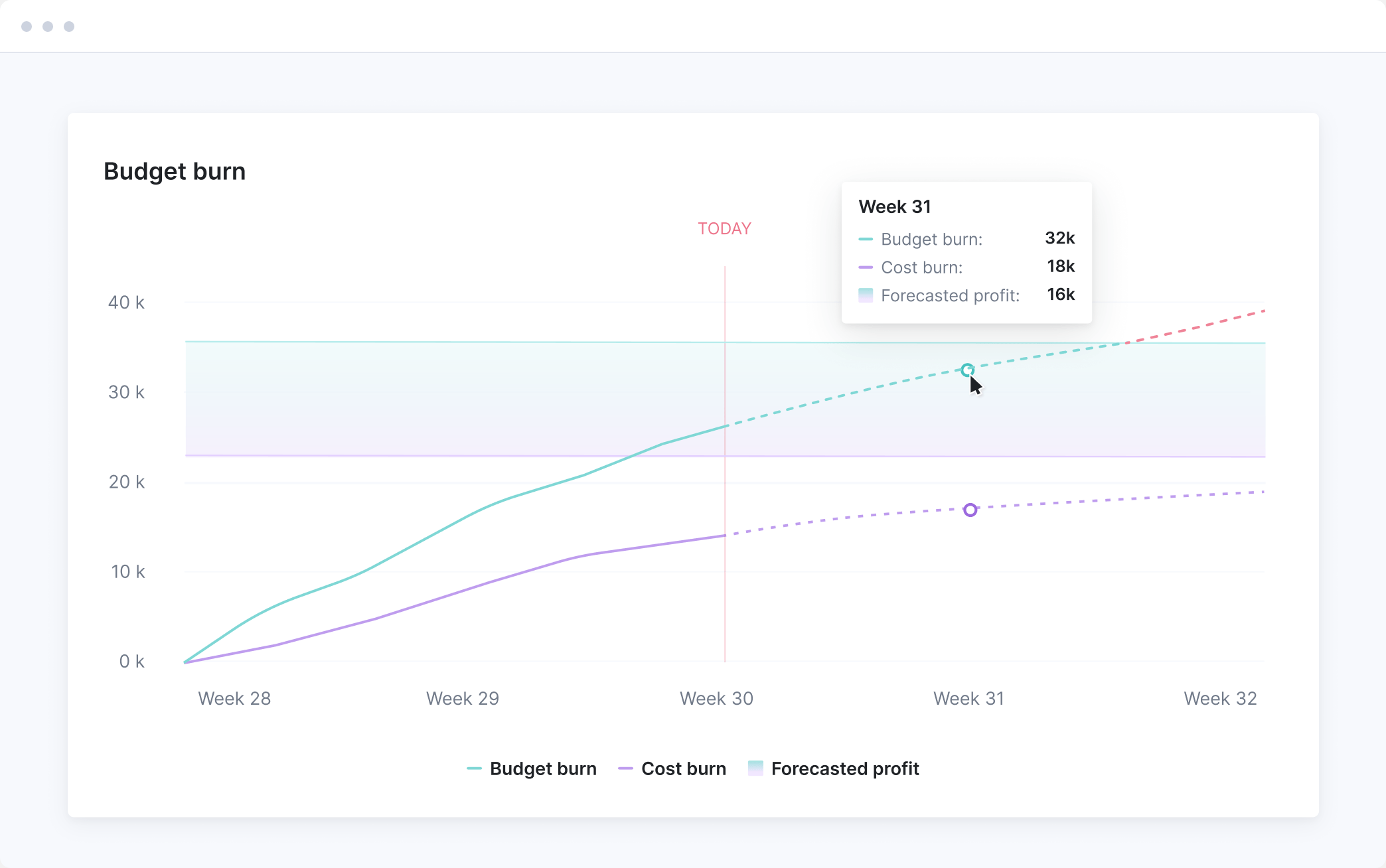
Open any project to see where it’s heading. The forecast shows final cost and profit based on the work still to do, so you can stop overservicing now, not after the margin’s gone.

See where each role's hours are going
Find out who’s behind the overrun. Compare planned and actual hours by role, see exactly where the overservicing sits, and rebalance the work before it eats into any more margin.
Track committed costs with purchase orders
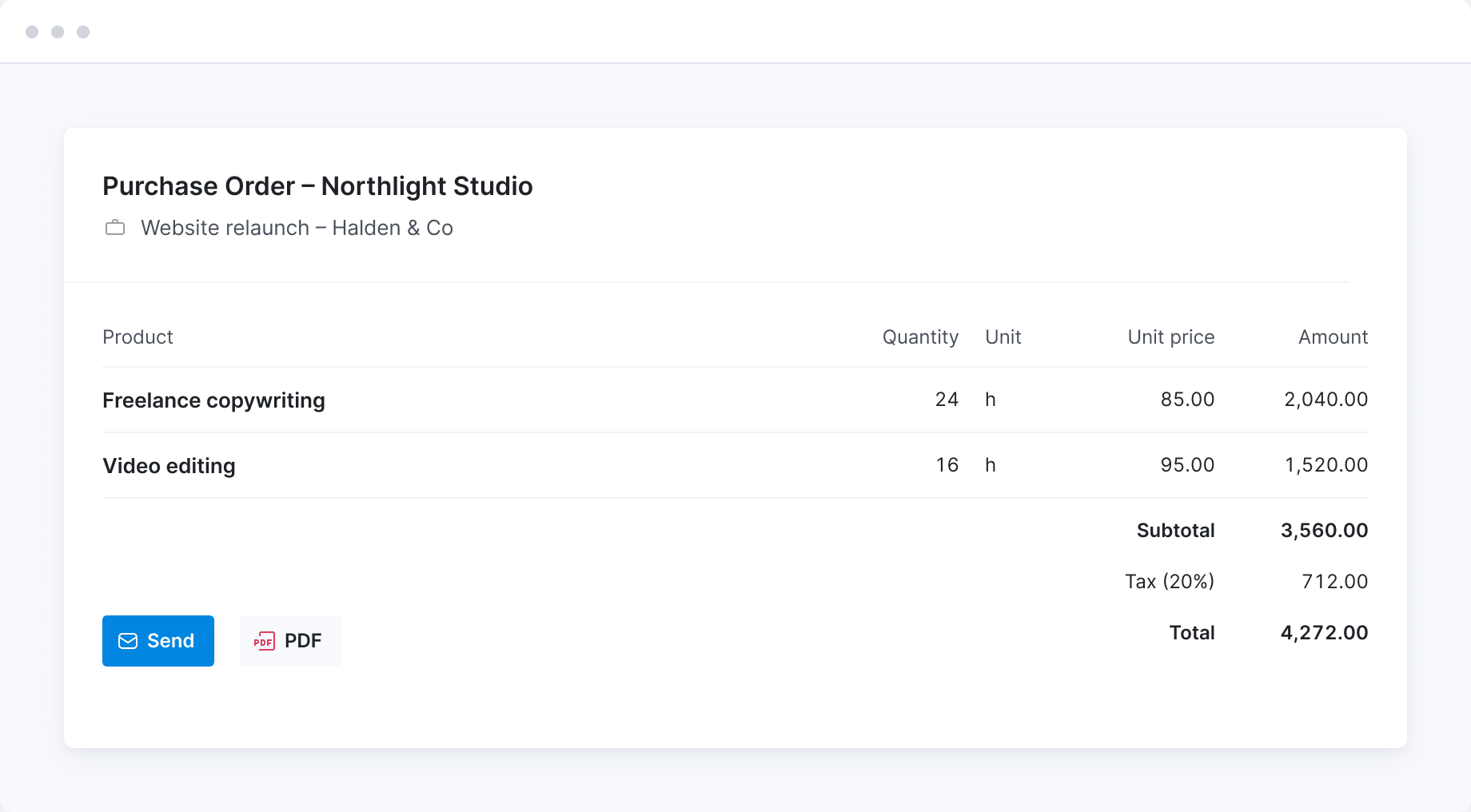
Raise purchase orders against the project and send them to suppliers straight from Scoro. See how much of the cost budget is already committed, before the bills arrive.
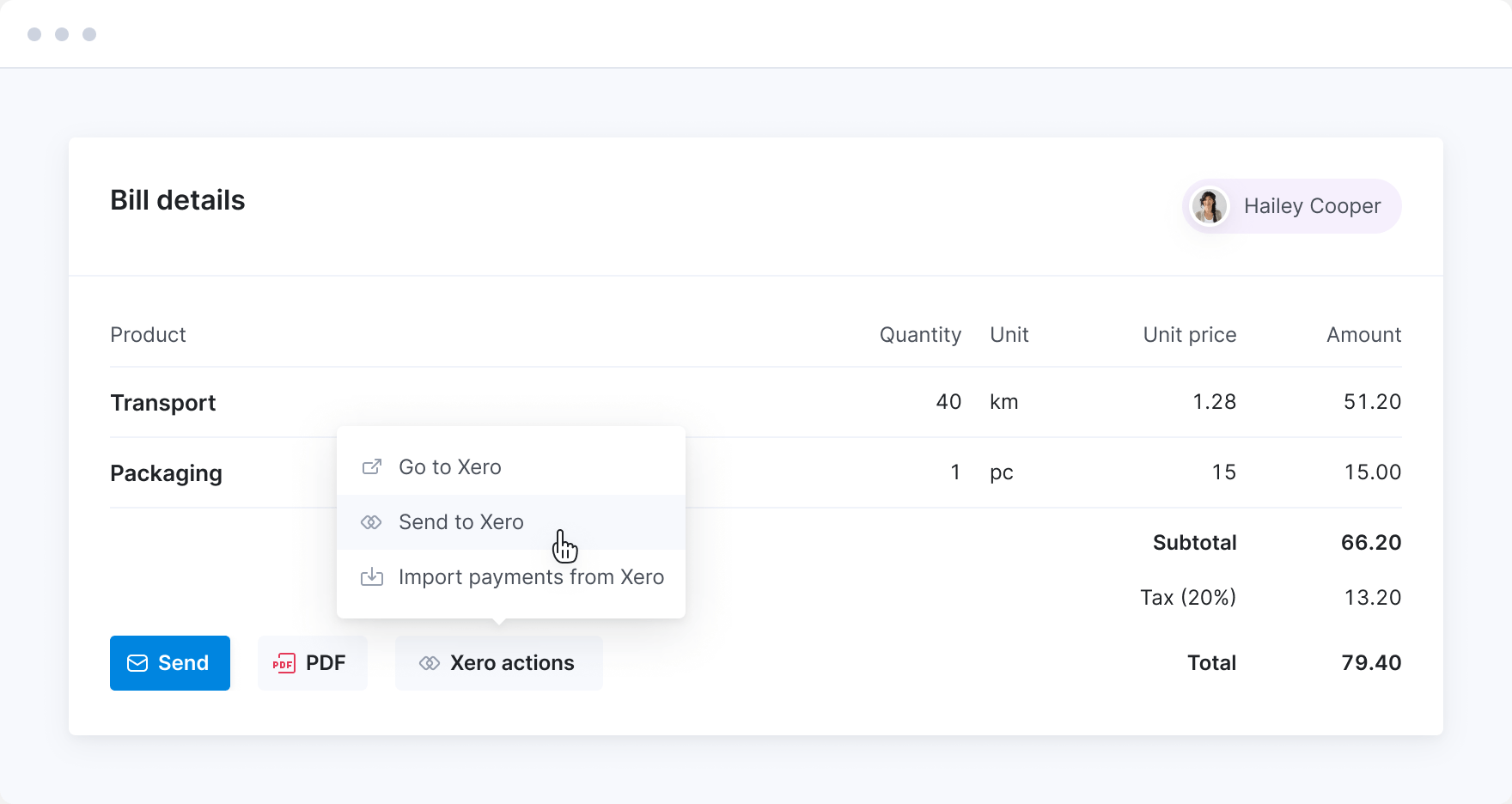
Control outsourced costs
Track supplier bills against the project and sync them with your accounting software, so there’s no double entry. Project managers can see what’s paid and what’s outstanding without asking accounting.
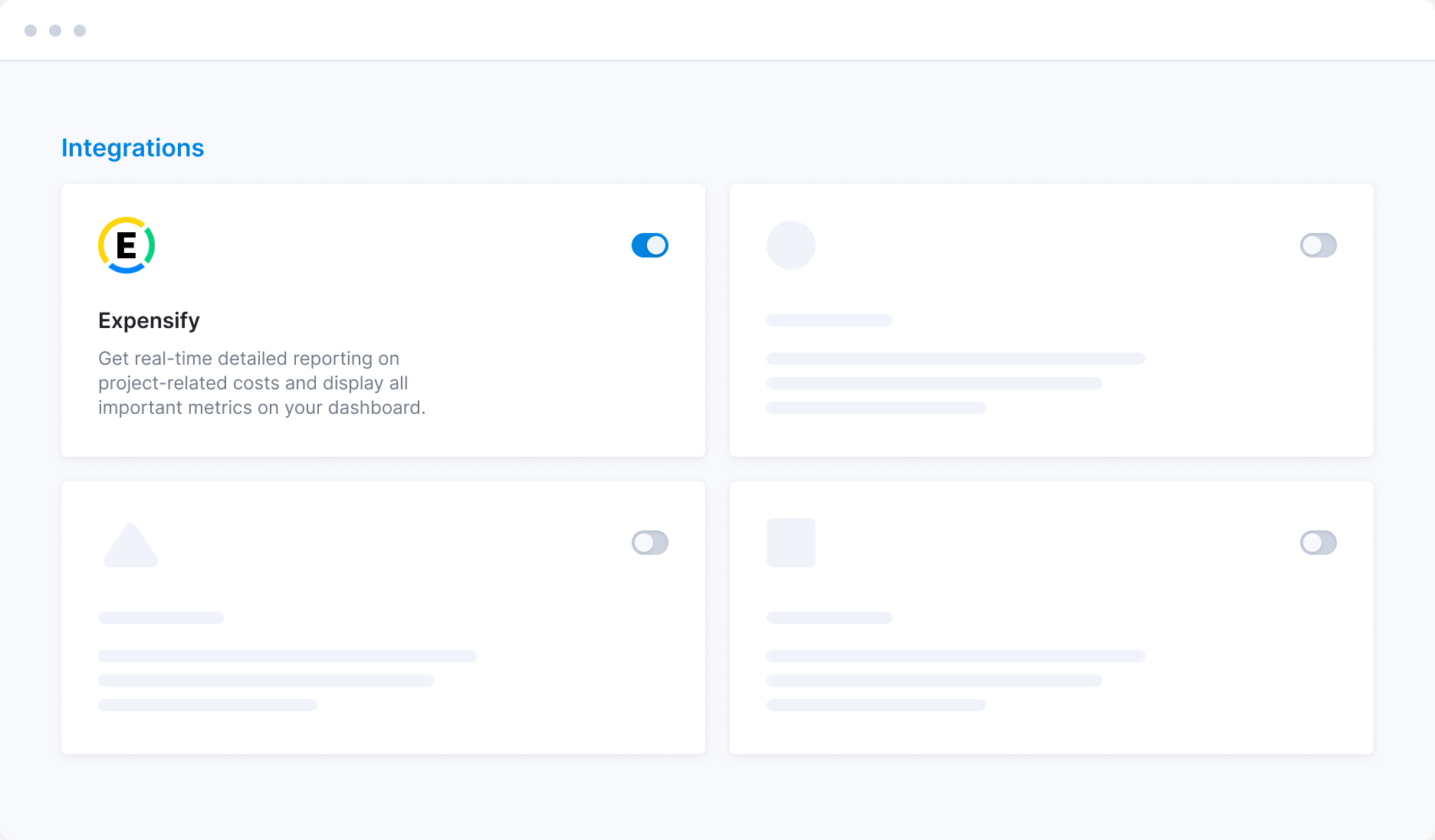
Track travel expenses on every project
Log travel and one-off costs against the project they belong to, so profit figures include everything you spent. Connect Expensify and expenses flow straight into Scoro, with no re-entry.
Often combined with…
Project cost management in Scoro runs on two core apps: Track for time and labor cost, and Spend for supplier bills, expenses and purchase orders. Add any of our other core apps to set the budget, plan the work and bill costs back to the client.
Combine with: Estimate
Track against the budget you sold
The confirmed quote becomes the cost budget, so every hour, bill and expense is measured against what you priced.
Get started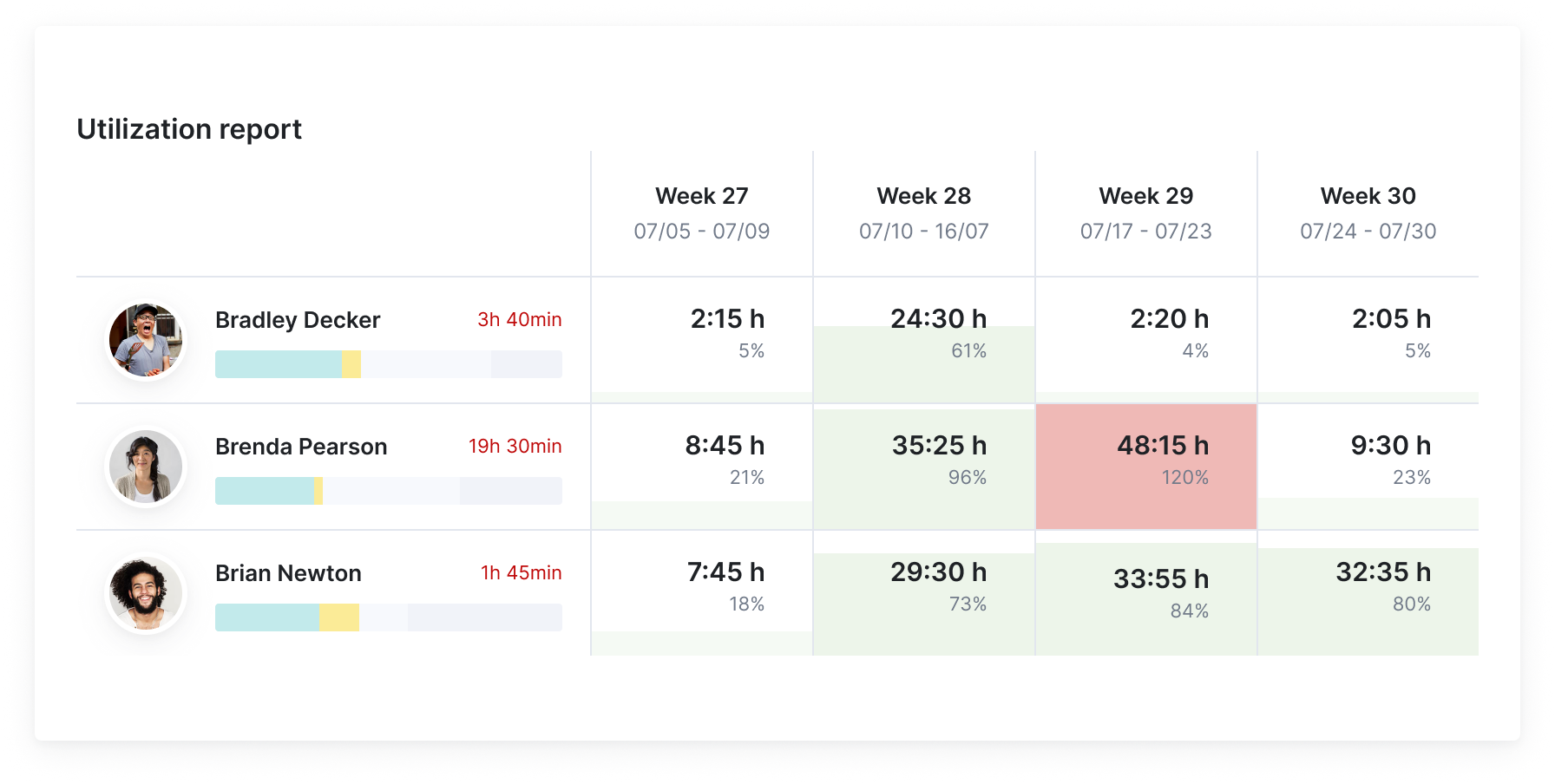
Combine with: Resource
See who's available before you staff
See who's booked and who has free capacity before you assign work, so you staff the project with people who are available instead of bringing in extra help.
Get started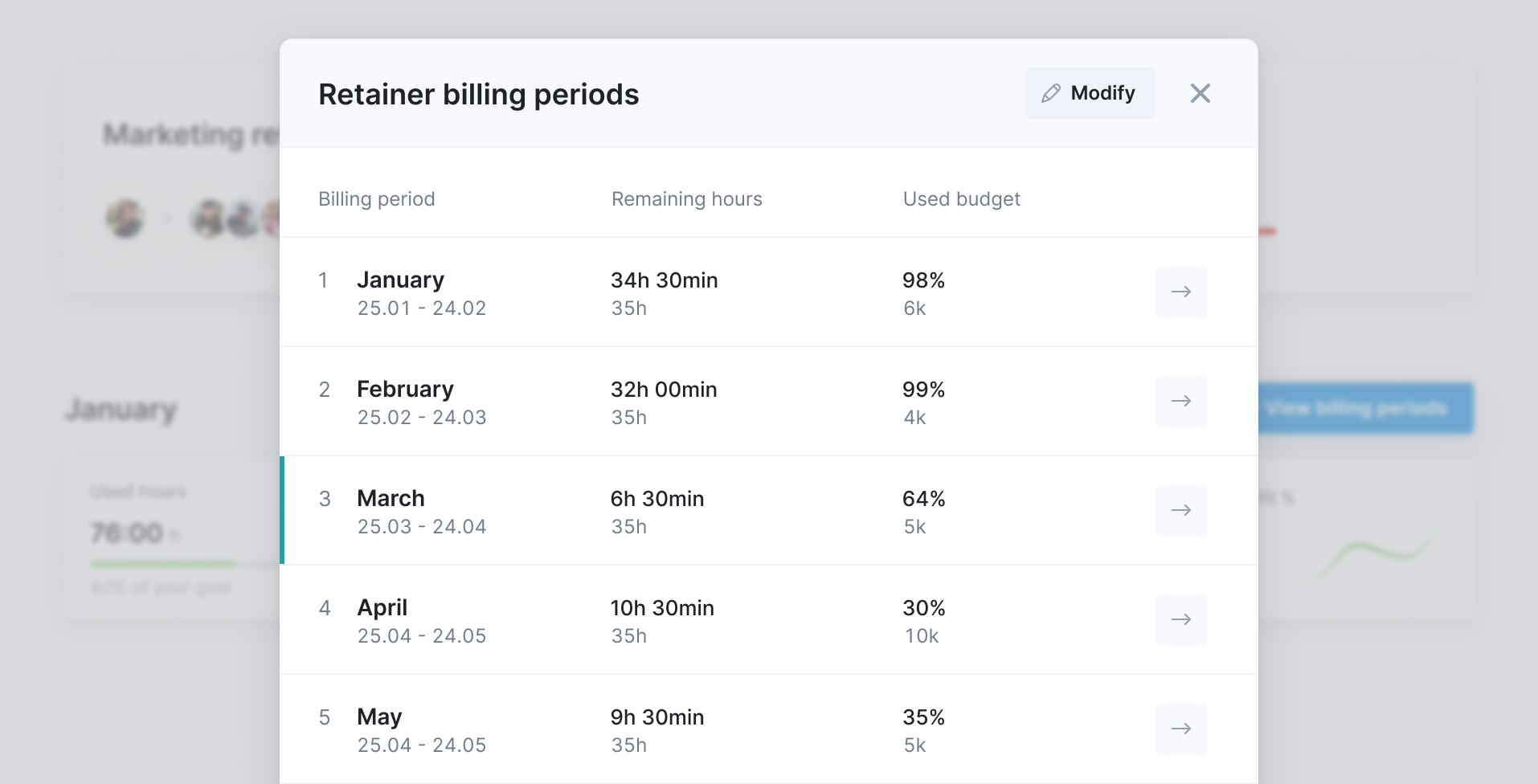
Combine with: Estimate Track Invoice
Keep recurring work profitable
Set a budget for each billing period on a retainer and track time and cost burn against it, so you catch overservicing before the period ends. Roll over unused hours and bill with recurring invoices.
Get started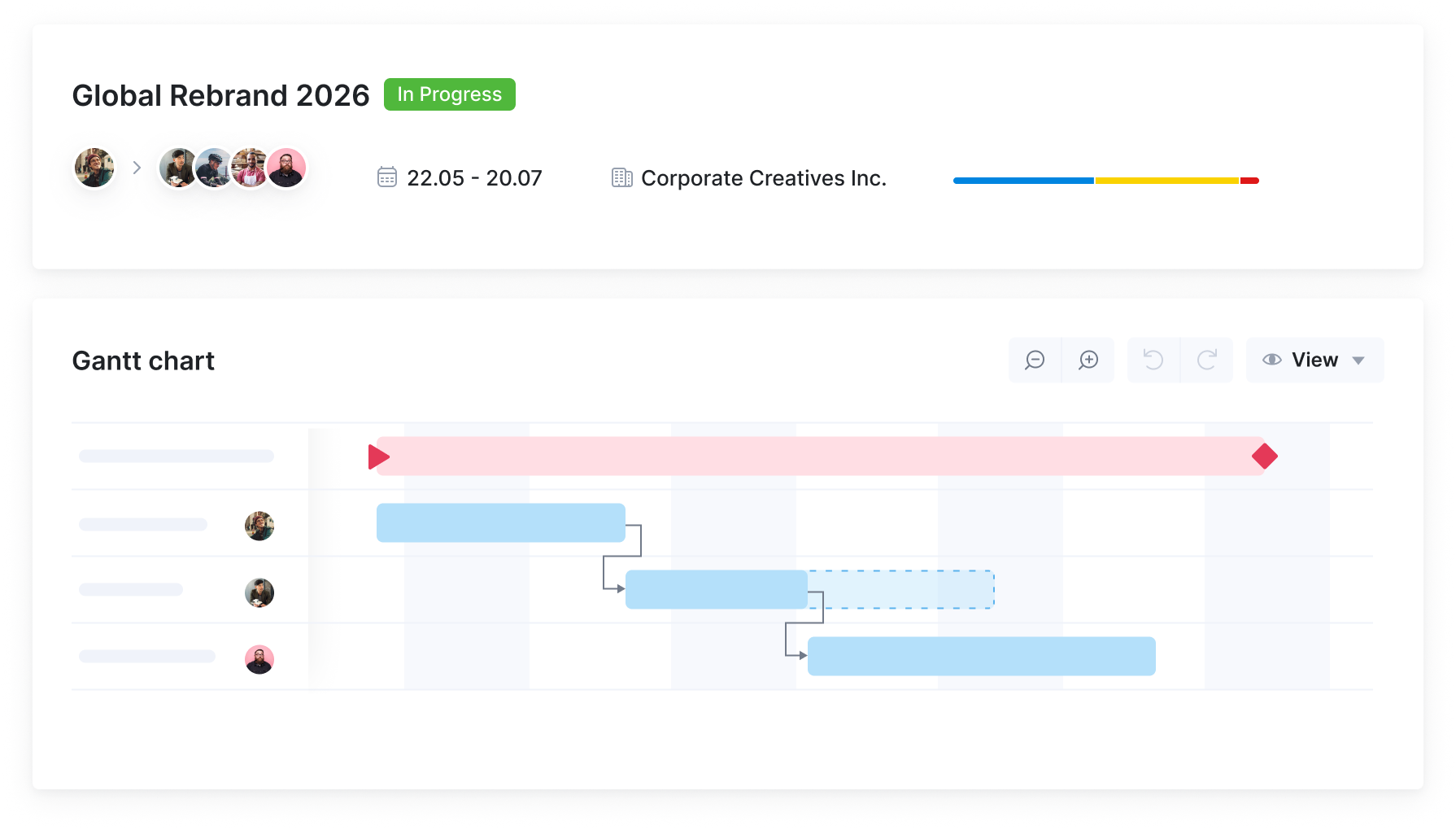
Combine with: Deliver
Stay agile when plans change
Shift tasks or tentative bookings in seconds when timelines move or priorities change. Dependencies update automatically, so you can replan quickly and keep projects on track.
Get startedMeet ELI –
Scoro AI in action
Scoro AI comes to life through ELI – your smart companion, built into Scoro. Powered by AI and Scoro’s advanced data engine, ELI understands natural language, interprets complex business data, and helps you take action fast.
Explore Scoro AI

Why Scoro over point solutions?
Interlinked apps, not a stitched-together stack
Point solutions cover one part of your workflow well, but they don't talk to each other. Every one you add means another integration to maintain or another export to reconcile by hand. Scoro works differently: start with the apps you need today, add more as you grow, and your data interlinks automatically. No re-platforming down the line.
Point solutions
Scattered stack of niche tools
Scoro
Scalable system with consolidated data
FAQs
Scoro works out labor cost from cost rates, using a person’s individual rate first, then their role’s rate, then the site default. It’s applied to time as it’s logged, and if someone changes role, the new rate applies to new time entries only, so past costs don’t shift. Labor cost tracking comes with the Track app.
The budget burn chart builds the cost forecast from everything still to come: bookings, the time left on tasks, scheduled work, bills and expenses. Switch on “Consider purchase orders as committed cost” and open purchase orders count too, so money you’ve already agreed to spend shows up before the bill arrives. The forecast never drops below your budgeted cost, so a project with little work planned yet doesn’t look more profitable than it is.
Yes, set a Watchdog on any project metric, such as budget used or forecasted budget burn, and Scoro emails you when it crosses the threshold you choose.
Yes, each project has a revenue model: fixed fee, time and materials capped at the budget, or time and materials with the budget as a guide only. On fixed-fee and capped projects, the charts turn red as soon as work goes over budget, because every extra hour comes out of your margin.
Yes, once they’re linked to the project. Bills created in Scoro from a purchase order link automatically. Bills synced from Xero, QuickBooks or Expensify are linked afterwards, and anything still unlinked shows as “Not quoted”, so nothing slips through.
Yes, turn on “Project on each line” and each line of a bill or expense can go to a different project, so shared costs like a supplier invoice covering several clients land in the right place.
Yes, permissions separate seeing project income and cost from seeing other people’s labor cost, so project managers can track budgets and supplier spend without seeing individual pay rates.
Track for time and labor cost, and Spend for bills, expenses and purchase orders. Advanced Work or Advanced Financials adds the budget health charts, and Advanced Financials adds the quoted vs actual comparison. Build your combination now.
Connect your favorite tools
Have some other vital tools you wish to sync with Scoro? Integrate what you need and harness the power of consolidated data in Scoro.




















































































































Start a free trial
Tour the product and try Scoro for free for 14 days, no credit card required.
Try for free
The proof is in the results
It’s the most advanced quote-building process we saw. The way quotes then feed into a project is very powerful. It forces you to think about your project in detail from the quoting stage at the beginning right through to the end.
Lachlan Sellar, Head of Distributed Operations Collaborate GlobalProject profitability has increased by 33% with Scoro, thanks to real-time project profitability tracking.
Luis Perez, Head of FP&A DGA GroupWith Scoro, project profitability has increased by over 20%. We now have real-time visibility into budgets, utilization, and scope changes.
Meggan van Harten, Co-CEO Design de PlumeThe ability to provide real-time project status and time usage to clients helps avoid unrealistic expectations for project delivery. It enables a proactive approach to managing projects with scope creep. We can preempt overspending before it occurs.
Louise Munro, Senior Account Manager Yellow CherryWe can now be highly accurate on project profitability because of Scoro.
Colleen Kelley, President of Management Consulting Stratford GroupWe chose Scoro for its user focused design and versatility that make it easy to set up quotes, projects, and invoices, create tasks and plan team members’ work.
Stefanie van der Leegte, Managing Director NOSUCHScoro's highly customizable system perfectly matches our company's structure and gives a real-time overview of our work, sales and finances.
Bart de Wilde, Senior Account Manager Cross Media