










Most comparison guides like this are written by someone trying to sell you one of the tools on the list. This one is too. We’re Scoro, and we’re on the list.
The difference with out list:
We’ll tell you when we’re not the right answer. Some firms here would be better served by Monograph or BQE Core, and we’d rather say that upfront than have you find out after a three-month implementation.
Some tools here were built specifically for A&E. That distinction matters, and we’ll flag it throughout.
Why we selected these tools
We spoke with principals, operations managers, and finance leads at A&E firms across 19 sales calls.
And before we looked at any software, we looked at the problems they were trying to solve.
Five kept coming up:
- Can you see where a project is bleeding margin, before invoice time? Most tools show you margin after the fact. We looked at which ones flag over-budget phases while the project is still live.
- Do you know when to invoice, and what’s still outstanding? Most firms know how to send an invoice. The harder part is knowing when a milestone has been hit and how much is still outstanding. We looked at how each tool handles that.
- Can you see who’s available, and who’s overloaded? Principals need to know capacity before committing to a project phase. We looked at resource visibility, not just task lists.
- Is your project data in one place, or still in a spreadsheet? Ten of the nineteen firms we spoke with were manually reconciling data across tools. We looked at whether each platform genuinely consolidates, or just adds another system.
- Does your accounting data flow both ways? Tools that promise to eliminate admin often introduce a different kind of it. We looked at which integrations are live and bidirectional.
1. Monograph
- Best for: A&E firms (5–60 staff) running on spreadsheets + QuickBooks
- Pricing from: $25/user/month
- Free trial: Available on request
Overview
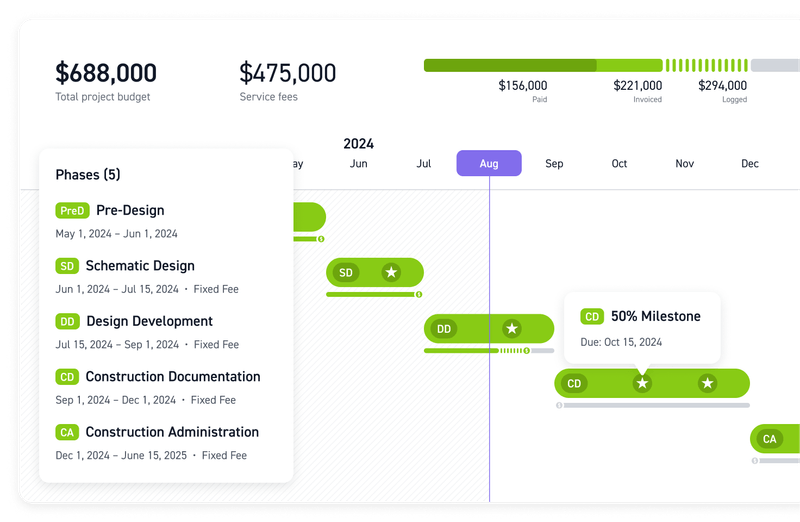
Monograph is a project management and financial tracking platform built exclusively for A&E firms. Founded by architects, it covers project budgeting, time tracking, resource planning, and invoicing—with a visual fee burn tool called the Money Gantt that connects project schedules to real-time cash flow.
Its customer base is primarily smaller firms. And Monograph’s own FAQ on their homepage states that the majority of customers are US-based firms with 3–30 employees, with customers ranging up to 100+. It does not offer multi-entity support, a CRM, or multi-currency invoicing.
| Verdict | Notes | |
|---|---|---|
| Project & fee visibility | ✅ Strong | The Money Gantt shows fee burn by phase in real time, updated daily from timesheets. The Dashboard flags phases over budget and phases trending over budget before they get there. |
| Billing & invoicing | ✅ Strong | Phase-based invoicing is built in. See their “Building your invoice” help center article for more info. QuickBooks Online integration is US-only. Xero export is CSV only. No live sync. |
| Resource planning | ✅ Strong | The Staffing module shows team allocation up to 12 months ahead across projects and phases. Overloaded team members are flagged with a direct link to a filtered people view. |
| Reporting | ⚠️ Plan-gated | 20+ report types available across performance, revenue, profit, and invoicing. Forecasting, advanced reports, and staffing features require the Grow plan. Not available on the entry-level Track plan. |
| Integrations | ⚠️ Limited | QuickBooks Online (US only, live sync), Xero (CSV export only, no live sync), Stripe for payments, Google and Outlook calendar sync. No open API. |
Also worth noting
- AI features: Added in Summer 2025. AI project change summaries, email-to-task conversion, and meeting transcription. No dedicated AI analytics or staffing intelligence.
- Security: No published SOC2 or ISO 27001 certifications found. No open API. Data is hosted in the cloud; specific security certifications are not listed on the Monograph support site.
What customers say
What they praise (source: Capterra):
- Phase-based profitability visible mid-project, not at invoice
- Exceptional onboarding and support responsiveness
- Simple and clean UI
What they flag:
- Reporting is shallow for cross-portfolio financial analysis
- QuickBooks-only live sync is a recurring dealbreaker for firms on other platforms
- Teams that grow past 50–100 people report hitting feature ceilings
The trade-offs
| The Deal-Maker | The Deal-Breaker |
|---|---|
| The Money Gantt replaces a monthly spreadsheet reconciliation with a daily habit. Principals at 20-person A&E firms can see which phases are burning fee faster than planned, updated in real time from timesheets. | QuickBooks Online is the only accounting integration with live sync. Firms on Xero must export invoices manually via CSV. No live sync. Which undermines the core promise of eliminating admin. |
2. BQE Core
- Best for: A&E firms that need the deepest native feature set without dependency on a third-party accounting tool
- Pricing: from Not publicly listed. Custom quote required
- Free trial: 15-day free trial available
Overview
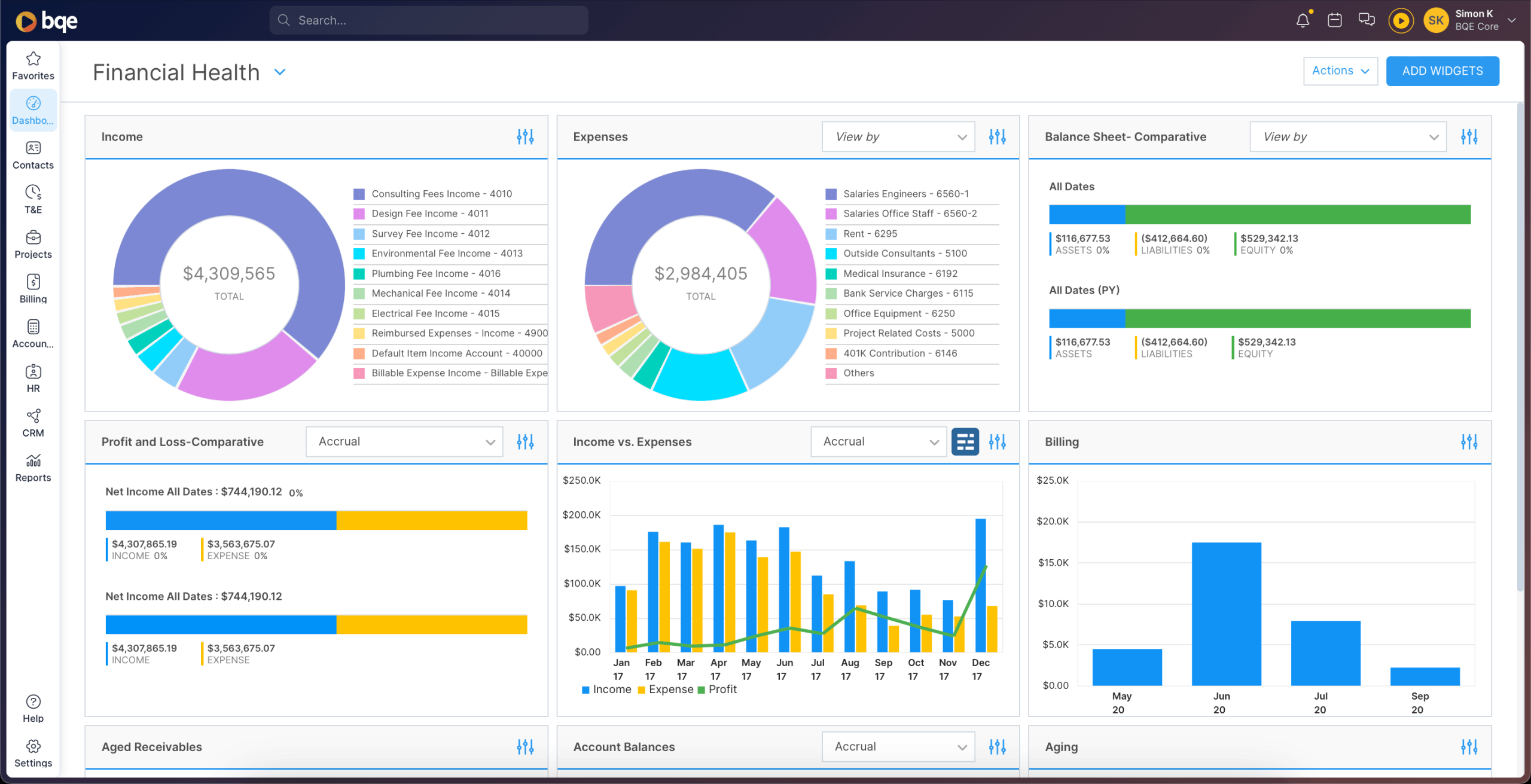
BQE Core is a professional services platform built specifically for A&E firms. It covers project management, time tracking, billing, resource planning, and—optionally—a full accounting module including general ledger, accounts receivable, and bank reconciliation.
The A&E focus is reflected in the product structure: phase hierarchies, billing schedules, and firm-wide benchmarking metrics like net multiplier and overhead multiplier are built in as defaults, not configurations.
It also integrates with QuickBooks Online, QuickBooks Desktop, Xero, and MYOB AccountRight alongside its own native accounting module.
| Verdict | Notes | |
|---|---|---|
| Project & fee visibility | ✅ Strong | Projects support up to 4 levels of phase hierarchy. Contract Billed, Remaining Contract, and Budget Spent are visible at the phase level in real time. Phases that exceed budget are flagged with red icons in the Project Center. |
| Billing & invoicing | ✅ Strong | The Billing Schedule feature lets firms define milestone billing dates per project. 20+ invoice templates available. Built-in accounting module means no dependency on a third-party accounting platform. |
| Resource planning | ✅ Strong | The Project Planner provides a cross-project view combining a Gantt chart and resource scheduling matrix. Over-allocation turns bars red. PTO requests auto-block availability. |
| Reporting | ✅ Strong | 50+ dashboard widget types. Includes A&E-specific metrics: realization rate, net multiplier, overhead multiplier. Power BI integration available. |
| Integrations | ✅ Strong | QuickBooks Online, QuickBooks Desktop, Xero, MYOB AccountRight, DocuSign, Office 365/Outlook, Google Calendar, Power BI, Zapier, and open API. SAML 2.0 SSO via OneLogin available on request. |
Also worth noting
- CORE Intelligence: Voice-based AI assistant via Google Assistant. Query project metrics, profitability, and to-do lists by voice or text.
- SAML 2.0 SSO: Federated Single Sign-On via OneLogin. Available on request for firms with existing identity management systems.
What customers say
What they praise (source: Capterra):
- All-in-one platform covers project, time, billing, and optional built-in accounting. Eliminating the need for a separate accounting tool
- Support team widely praised as knowledgeable, responsive, and proactive during onboarding
- Phase-by-phase time tracking, milestone billing schedules, and A&E-specific metrics (net multiplier, realization rate) built in as defaults
What they flag:
- Interface can be slow and buggy under load. Multiple reviewers describe it as time-consuming to navigate.
- Steep learning curve: multiple reviewers describe navigating the platform as effortful, and non-admin staff cannot create their own custom reports
- Price increases over time flagged by long-term users; a small number of reviewers describe the platform as overpriced for smaller firms given the complexity overhead
The trade-offs
| ✓ The Deal-Maker | ✗ The Deal-Breaker |
|---|---|
| The optional built-in accounting module—general ledger, AR, AP, bank reconciliation—means A&E firms that want to consolidate on a single platform and eliminate their separate accounting software can do so. No other tool in this comparison offers this. | Feature depth comes at a real usability cost. G2 reviewers flag slow page loads and lag under load in 9+ mentions; the learning curve is steep enough that non-admin users are locked out of custom reports. Firms that prioritise a modern, fast UI will find day-to-day use in BQE Core effortful. |
3. Scoro
- Best for: Firms where pain has moved from project-level to business-level. Multiple studios, multi-entity reporting, BD pipeline that needs proper CRM.
- Pricing: from $17/user/month (Core plan)
- Free trial: 14-day free trial available
Overview
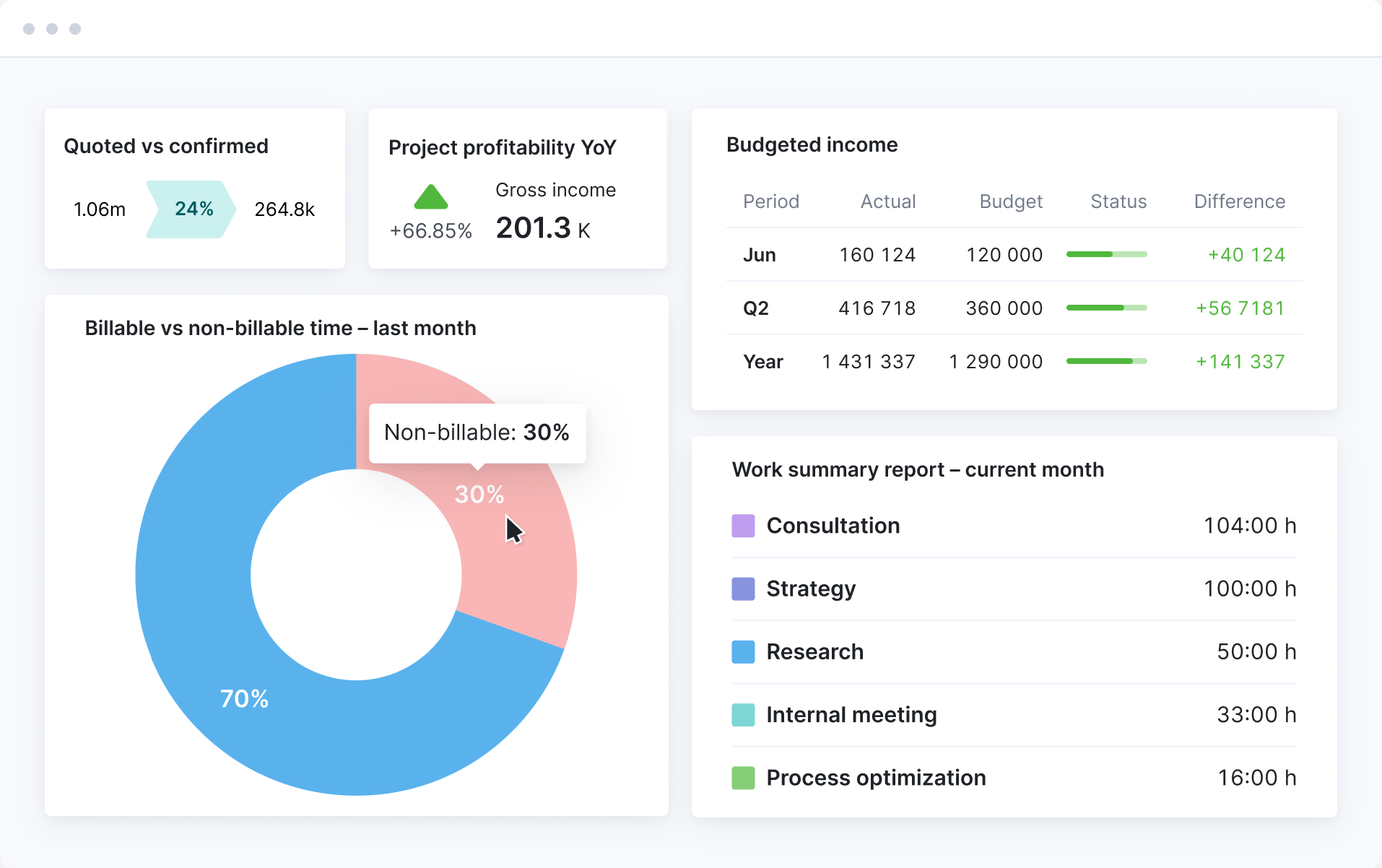
Scoro is a professional services automation (PSA) platform covering the complete business lifecycle—CRM and quoting, project and resource management, time tracking, invoicing, and multi-entity reporting—in a single platform.
It wasn’t built specifically for architecture and engineering, and we won’t pretend otherwise. But, what it was built for is the moment a professional services firm outgrows its specialist tool: when a single-entity project management platform no longer holds together a business that has multiple studios, and reporting needs that go well beyond project financials.
| Verdict | Notes | |
|---|---|---|
| Project & fee visibility | ✅ Strong | The Quoted vs. Actual table shows planned vs. actual at the phase and role level. A burn-up chart with forecast line shows budget trajectory mid-project. |
| Billing & invoicing | ⚠️ Adequate | Partial invoicing lets you invoice a percentage of a quote or select specific phases to bill as the project progresses. No automatic invoice trigger when a milestone is marked complete. Partial invoicing is a paid add-on. |
| Resource planning | ✅ Strong | Confirmed and tentative bookings with a portfolio-level capacity heatmap. A Waiting List holds bookings that exceed current capacity. |
| Reporting | ✅ Strong | 50+ pre-built reports. Includes a WIP report, period-over-period financial comparisons, and real-time customisable dashboards. |
| Integrations | ✅ Strong | Xero (live sync), QuickBooks Online, Sage Intacct (paid add-on on higher plans), Zapier, and open API. SSO supported; GDPR compliant. |
Also worth noting
- MCP server: Launched October 2025, fully live December 2025. The only tool in this comparison with an MCP server. Connects Scoro to Claude, ChatGPT, and other LLMs, enabling natural language queries and actions across your Scoro data without leaving your AI tool.
- Multi-currency & multi-entity: Invoice clients in different currencies and manage multiple studios or legal entities within a single Scoro account, with consolidated cross-entity reporting. Documented in Scoro’s multi-currency support.
- ISO 27001 certified: Third-party certified information security management. GDPR compliant. 2FA and SSO available at company level.
What customers say
What they praise (source: Capterra/G2):
- End-to-end visibility from quote to invoice in one platform—quoting, project tracking, resourcing, and reporting all connected
- Dashboards and reporting give finance and operations leaders a real-time view of margins, utilization, and business performance
- Highly customisable workflows and fields; firms managing 25+ concurrent projects praise the multi-project oversight
What they flag:
- Steep learning curve; teams report spending meaningful time configuring the platform before getting full value from it
- Xero integration has double-entry issues for some users; pricing is high for smaller teams relative to simpler tools
The trade-offs
| The Deal-Maker | The Deal-Breaker |
|---|---|
| The only tool in this comparison that gives a complete business view: CRM pipeline, project delivery, resourcing, invoicing, and cross-entity reporting in one platform. For multi-studio firms where the finance director and principals currently look at different dashboards that don’t reconcile, Scoro is the one of the best options here that collapses that into one source of truth. | We don’t speak A&E’s billing language natively. Milestone billing and AIA-style invoice structures require configuration rather than being a named default. For firms where phase-based billing conventions are the daily pain point, the setup overhead may not justify the switch. |
4. BigTime
- Best for: Growing A&E firms that have outgrown Monograph or BQE Core, need Sage Intacct integration, and want explicit milestone and % complete billing options.
- Pricing from: Not publicly listed. Custom quote required
- Free trial: 14-day free trial available
Overview
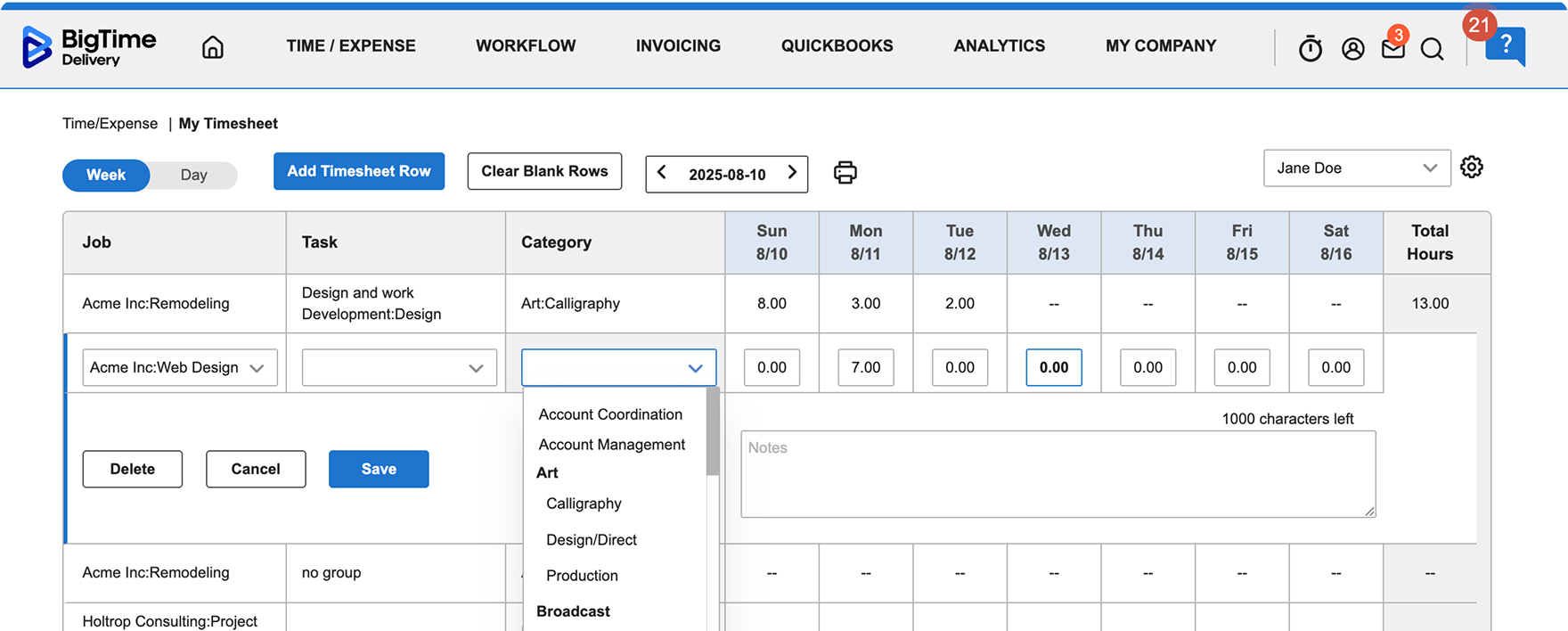
BigTime is another PSA platform covering time tracking, project budgeting, billing, resource management, and reporting. Architecture and engineering is a named vertical, with A&E firms among its documented customer base.
Like Scoro, BigTime wasn’t built for A&E specifically, but the billing features map more closely to how A&E firms contract than Scoro or Productive do. With explicitly named Milestone Billing and % Complete Billing options per task or phase.
It sits between the A&E-native tools and the broader generalists, and is a credible step up for firms that need Sage Intacct integration or more sophisticated cross-portfolio reporting.
| Verdict | Notes | |
|---|---|---|
| Project & fee visibility | ✅ Strong | Per-task fee and hours budgets. The Project Dashboard shows real-time burn, billing realization, and budget status across VITALS and FINANCIALS tabs. |
| Billing & invoicing | ✅ Strong | Milestone Billing and % Complete Billing are explicitly named options per task or phase. Supports QuickBooks Online and Desktop and Sage Intacct. |
| Resource planning | ⚠️ Add-on required | Foresight provides AI-driven resource matching, capacity heatmaps, and demand planning. Separate paid module, not included in base BigTime. |
| Reporting | ✅ Strong | Portfolio dashboards with utilization, realization, and profitability metrics. The Data Hub (paid add-on) exports to Power BI. Natural language querying available via BigTime AI. |
| Integrations | ✅ Strong | QuickBooks Online and Desktop (bidirectional), Sage Intacct (deep, bidirectional), Jira, Salesforce. SSO via Okta, Google, Microsoft Entra ID, OneLogin. MFA supported. Open API. |
Also worth noting
- BigTime AI Assistant: Natural language queries across reporting and data. Available on all plan tiers. AI-powered staffing recommendations available via the Foresight add-on.
- SSO & MFA: Supports Okta, Google, Microsoft Entra ID, and OneLogin. MFA available across plans.
What customers say
What they praise (source: Capterra):
- Time entry and billing workflow is fast, intuitive, and easy for engineers and project staff to adopt with minimal training
- QuickBooks integration works smoothly; milestone and % complete billing options are explicitly named and well-implemented per phase
- Strong customer support; dedicated Customer Success Manager at higher tiers
What they flag:
- Report customisation consistently frustrates users. Many rely on Excel exports for cross-portfolio analysis
- Mobile app is unreliable and inconsistent compared to the web interface
- Pricing sits at the higher end of this comparison; reviewers on both G2 and Capterra note the cost relative to the feature set, particularly for smaller teams
The trade-offs
| The Deal-Maker | The Deal-Breaker |
|---|---|
| Milestone Billing and % Complete Billing are explicitly named per-phase options. Not approximations or workarounds. For A&E firms billing against fixed-fee project phases, this is the most directly documented implementation in this comparison. Sage Intacct integration is deep and bidirectional. | Reporting customisation is the consistent weak point across Capterra and G2 reviews. If your finance director needs cross-portfolio analysis beyond standard dashboards, expect Excel post-processing rather than answers inside BigTime. |
5. Productive
- Best for: Design-led studios blending architecture with other disciplines, billing a mix of retainers and fixed fees, running on Xero.
- Pricing from: Pricing from: $11/user/month (Essential plan)
- Free trial: 14-day free trial available
Overview
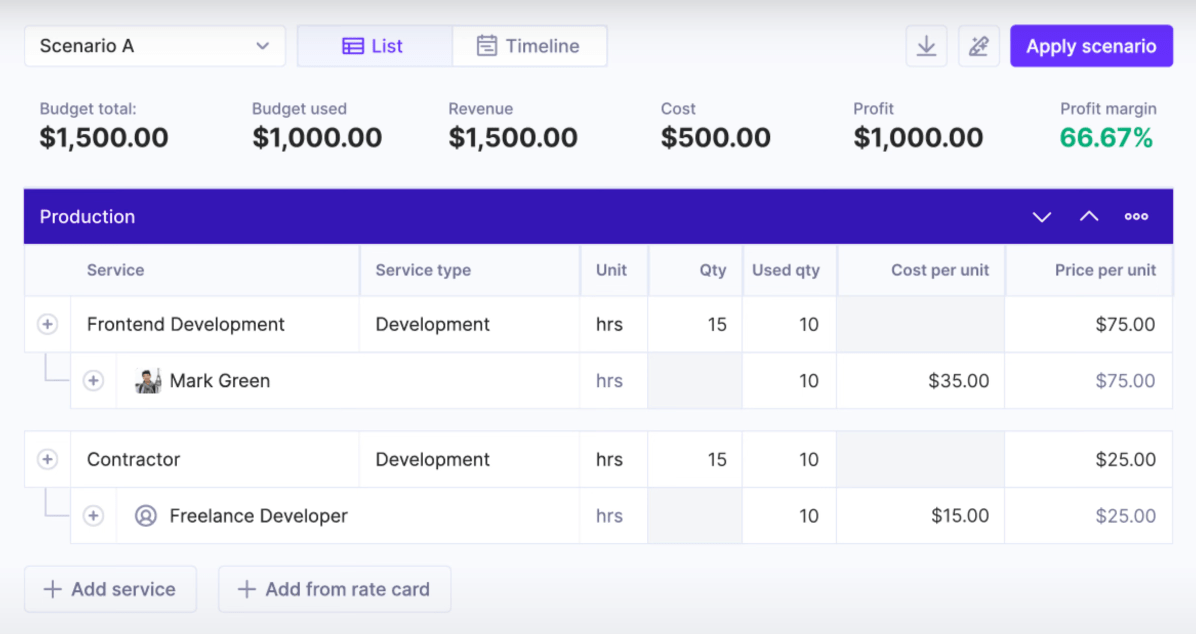
Productive is a PSA platform built primarily for digital agencies and consultancies. It covers project management, time tracking, budgeting, resource planning, and invoicing. With integrations with Xero, QuickBooks, Slack, and HubSpot.
Architecture and engineering is listed as a supported vertical, but the product was not designed around A&E workflows.
Firms that blend architecture with creative or brand work, bill a mix of retainers and fixed fees, and run on Xero will find it a stronger fit than traditional A&E firms tracking fixed-fee phases against AIA contract structures.
| Verdict | Notes | |
|---|---|---|
| Project & fee visibility | ⚠️ Adequate | Phases can be represented as sections within a budget or as separate budgets per phase. There is no dedicated phase structure with fixed-fee allocation or fee burn visibility by phase. That requires manual configuration. |
| Billing & invoicing | ✅ Strong | Automations can generate invoice drafts when a budget status changes to Delivered. Milestone billing setup is documented. Xero and QuickBooks Online integrations require the Professional plan ($25+/user/month). |
| Resource planning | ✅ Strong | Colour-coded capacity heatmap shows overbooked and underutilised team members. Tentative bookings for unconfirmed projects. Placeholder roles for positions not yet filled. |
| Reporting | ✅ Strong | 50+ report templates. AI-generated reports via natural language input. SQL queries via Polaris. Auto-delivery to Slack or email on a schedule via Pulse. |
| Integrations | ✅ Strong | Xero (payments sync automatically; invoices sent manually), QuickBooks Online, Jira, Slack, HubSpot, BambooHR, Google Calendar, Zapier, and open API. SOC2 Type II certified. |
Also worth noting
- AI Assistant: Available on all plans: AI-generated reports, automations, filters, task creation, expense prefill, and Slack AI summarisation.
- SOC2 Type II certified: Third-party audited security compliance, maintained with ongoing automated monitoring via Vanta.
What customers say
What they praise (source: Capterra):
- Clean, intuitive UI that makes budgeting, time tracking, and scheduling genuinely easy for the whole team to use daily
- Account management and support team consistently praised for responsiveness and dedication to customer success
- Xero integration is smooth and reliable; retainer and fixed-fee project tracking work naturally within the platform structure
What they flag:
- Resourcing module has reported bugs and can be unreliable for forward capacity planning
- Cross-source reporting—connecting data from different modules into a single view—is complex and limited
- Pricing is high for smaller teams; some reviewers note that budget calculations don’t always align with their own figures, requiring manual reconciliation
The trade-offs
| The Deal-Maker | The Deal-Breaker |
|---|---|
| The cleanest UI in this comparison. Budgeting, time tracking, and resourcing are genuinely integrated. For design-led studios blending architecture with other disciplines (branding, interiors, digital), the retainer and fixed-fee reporting is more natural than the A&E-native tools, and the Xero integration is first-class. | It was not built for A&E. There is no native concept of AIA billing, phase hierarchies, or architecture-specific project structures. Firms that bill by project phase against design contracts will need to approximate their workflow inside Productive’s more generic structure. |
How to choose
The right tool depends less on feature lists and more on where your firm’s pain actually sits.
| Tool | Best for |
|---|---|
| Monograph | Smaller A&E firms (5–60 staff) currently running on spreadsheets and QuickBooks. Pain is project-level: principals losing track of fee burn by phase, manual monthly reconciliation. |
| BQE Core | A&E firms that need the deepest native feature set. Phase hierarchies, built-in accounting, A&E-specific benchmarking metrics. And want a single platform without dependency on a third-party accounting tool. |
| Scoro | Firms where the pain has moved from project-level to business-level: multiple studios, multi-entity reporting, a BD pipeline that needs proper CRM, and financial visibility that rolls up across the whole firm. |
| BigTime | Growing A&E firms that have outgrown Monograph or BQE Core, need Sage Intacct integration, and want explicit milestone and % complete billing options without moving to a generalist platform. |
| Productive | Design-led studios that blend architecture with other disciplines, bill a mix of retainers and fixed fees, and run on Xero. Not a natural fit for traditional A&E firms tracking fixed-fee phases against AIA contract structures. |
Build your shortlist
Not sure what tool to pick? Copy this prompt into your LLM of choice (with web search enabled) to get a shortlist built around your firm specifically.
I'm a principal at an architecture and engineering firm evaluating PSA/firm management software. Before you give me any recommendations, I need you to ask me questions first — don't skip straight to a list of tools.

## Step 1: Ask me about my firm

Ask me the following questions one at a time, waiting for my answer before moving on:

1. How many staff do you have, and roughly how many are fee-earners vs. admin?
2. What's your primary project type — fixed-fee, time & materials, or a mix? And do you work on AIA contracts?
3. What accounting software are you using today, and are you open to replacing it?
4. What's your biggest operational pain right now — is it project financials, resource management, billing and invoicing, reporting, or something else?
5. Do you have multiple offices or entities, or are you a single studio?
6. Do any of your clients require ISO 27001 or SOC 2 security certification from your vendors?
7. What tools have you already looked at or ruled out, and why?

## Step 2: Confirm my profile back to me

Once I've answered all seven questions, summarise my firm back to me in 3–4 sentences and ask me to confirm or correct anything before you proceed.

## Step 3: Research and recommend

With web search enabled, research the PSA tools that fit my profile. Focus your research on:

- Monograph (monograph.com)
- BQE Core (bqe.com)
- Scoro (scoro.com)
- BigTime (bigtime.net)
- Productive (productive.io)

For each tool that's a genuine fit for my profile:

**Pricing**: Visit the pricing page and report the actual per-user monthly cost (annual billing). Flag anything A&E firms need that's locked behind a higher tier. If pricing isn't public, say so — don't guess.

**Fit assessment**: Given what I told you about my firm, explain in 2–3 sentences why this tool does or doesn't fit. Be specific — reference my actual answers, not generic descriptions of the tool.

**Honest trade-off**: What's the one thing this tool does better than the alternatives for a firm like mine? What's the one thing it won't do well?

## Step 3b: Go outside the list

The tools above are a starting point, not the full market. Based on my profile, search for any other PSA tools that may be a better fit.

If you find something that fits my profile better than anything on the original list, say so plainly. The goal is the right tool for my firm, not validation of any particular shortlist.

## Step 4: Give me a ranked shortlist

End with a shortlist of 2–3 tools in priority order for my situation — from any tool you've evaluated, not just the original five. For each, write one sentence on why it's the right fit and one sentence on the biggest risk.

Then tell me: what's the one question I should ask in a demo that vendors hate answering?

## Ground rules

- If you're not sure whether a feature exists or is live, say so — don't invent it.
- If pricing has changed since your training data, flag it and tell me where to check.
- Don't recommend a tool just because it has a good marketing page. Base it on my answers.
- If none of the tools fit my situation well, tell me that too.
Score your shortlist
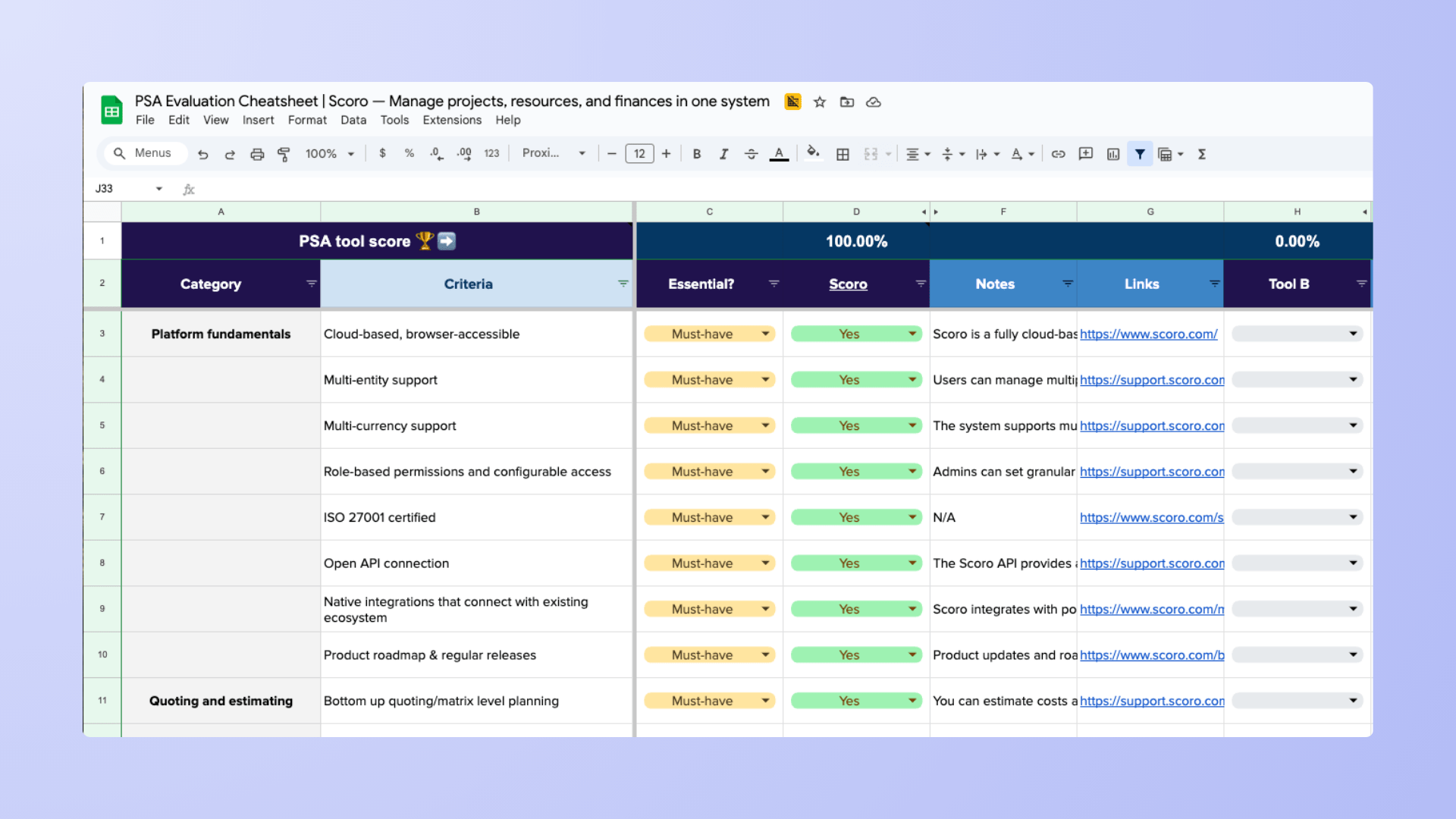
Once you have 2–3 tools worth comparing, the PSA Evaluation Cheatsheet moves you from “which tools look right” to “which tool is actually right.”
Score each one across Platform Fundamentals, Quoting, Resource Planning, and more—with Yes / Partial / No scoring and automatic match percentages—before you spend time on demos.
You can also feed the cheatsheet criteria into the research prompt for a deeper AI-assisted comparison.