










The Easter egg hunt might be over, but we’ve saved some productivity-boosting treats for you! With the official launch of our AI-powered ELI assistant, Scoro is becoming a workspace where AI can work beside you like a teammate – scheduling your day, updating projects and tasks, surfacing insights, and more. We’re also introducing more granular control over your billable time and a brand-new hub for building custom apps with Scoro.
See what’s new in Scoro!
Meet ELI assistant – your AI-powered teammate
There’s no shortage of AI tools promising to make work easier. But most of them can only work with what you feed them – a document here, a question there. They don’t know your budget, they don’t see your pipeline, and they certainly don’t understand why a project is stalling.
The way we see it, the AI that actually helps professional services move faster needs to be well-rooted in your operational data and understand how your business actually runs.
This is why we’ve built ELI.
ELI is the face of Scoro AI. You may already know ELI as the chat assistant for quick insights and product Q&A – but that was just a warm-up. It has now leveled up big time.
This new version of ELI goes far beyond answering questions – it’s becoming a teammate that understands your business data and can take action on your behalf. All through a single, centralized chat window that you can resize and keep open as you work.
And it’s now live for all Scoro customers.
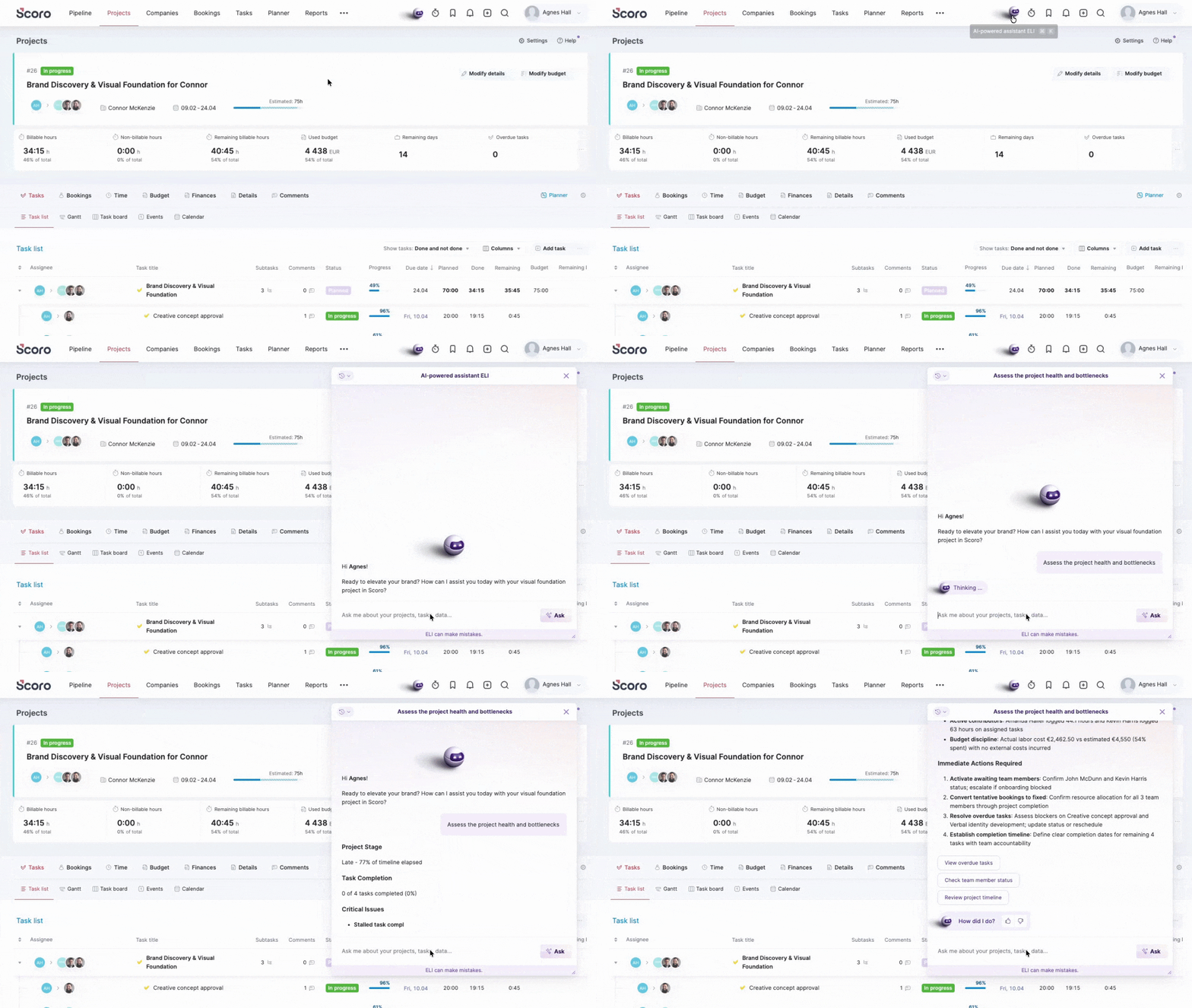
So what can you actually do with it?
ELI is still learning, but it already handles a solid range of tasks across project management, insights, and everyday actions. Just ask in plain language, the way you’d message a colleague.
Here are some ideas to get you started:
For project managers:
- “Assess the health and bottlenecks of Project X.”
- “Schedule a standup for the project team tomorrow at 10 am and list the bottlenecks as agenda points.”
- “Break this task into seven subtasks.”
Staying on top of delivery usually means jumping between views, chasing updates, and piecing things together manually. ELI removes that overhead. You can skip the view-hopping and schedule meetings, review missing time entries, or update tasks from one place.
For ops managers:
- “Which projects are at the highest risk right now?”
- “Which projects have seen no activity in the last 14 days?”
You already have the dashboards and bookmarked reports to track delivery health. ELI now helps you get the answer even quicker – ask a question in plain language instead of navigating to the right view and applying filters. And once you see what needs attention, you can reassign tasks, add comments, or close things out right in the same conversation.
For leadership:
- “Do we have enough resource availability to cover the current pipeline for the next quarter?”
- “Which clients brought in the most revenue last year?”
The data is already in Scoro. ELI just gets you there faster – pipeline health, capacity vs. demand, client profitability, without clicking through views or asking someone to pull the numbers.
For everyone:
- “Log 2 hours under Task X.”
- “Mark all tasks under this project as done.”
ELI handles the small stuff that adds up: logging time, updating several tasks at once, and figuring out what’s next. The kind of work that isn’t hard but eats ten minutes here, five minutes there.
What’s coming: ELI gets a team
Today, ELI is a generalist with a broad understanding of your project lifecycle.
Next, we’re building a team around ELI: specialized AI agents that go deeper into specific areas like resource planning, project delivery, and revenue management. As these specialists come online, ELI will gradually shift from doing everything itself to coordinating – routing your requests to the right expert behind the scenes and making sure the best agent is on the case.
Over time, as more specialists come together, you’ll have a full AI-powered operations layer that covers more and more of the work for you.
First specialist agents are expected later this year. For now, get to know ELI and put it to work.
How to get started
ELI is included in each Scoro plan with a set of free credits. Every request uses credits based on its complexity – a quick lookup costs less than a multi-step action. If you run out, you can purchase additional credits or wait for your monthly refresh. See more about pricing.
We’d love for you to try ELI out! It won’t know everything yet, and that’s expected. Use up those credits, and leave feedback directly in the ELI assistant window when something works well or falls short, so we can continue to improve your experience.
For site admins: Control team access via permission sets in Settings > Administration > Permission sets.
Note on ELI chat: As the ELI assistant can also answer your questions about how Scoro works, we’ve removed the standalone ELI chat window from the Help Station. You can continue to ask any Scoro-related questions directly to the ELI assistant – even when you’ve used up your credits!
Billable time improvements
We’ve improved the billable time settings in Scoro to give you more control over how your team’s billable work is captured, significantly reducing manual admin work for project managers.
Previously, Scoro always marked time entries exceeding a task’s planned duration as non-billable. Now, you can use the new Cap task billable time at planned duration toggle under Settings > Work and projects > Billable time to define what billable status should be applied to that excess logged time:
- When enabled, Scoro maintains the current behavior where time logged beyond the planned duration is marked as non-billable by default.
- When disabled, all time logged under a billable task is marked as billable by default, regardless of the planned duration. This ensures no revenue “slips through the cracks” when projects exceed their initial estimates.
This new toggle affects tasks with the billable status set to Yes – the logic for tasks with a Custom billable duration remains unchanged. Regardless of how you’ve set the toggle, you can always modify the billable status of the time entries.
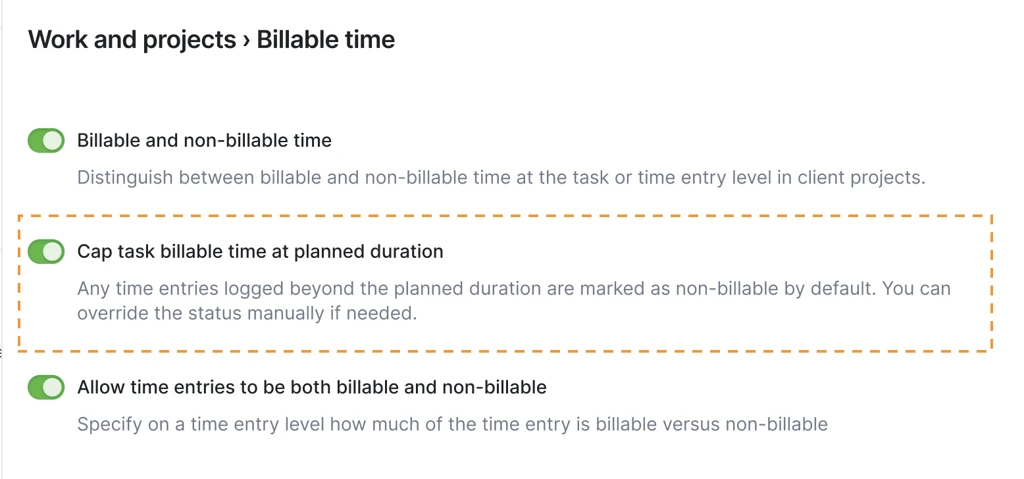
Additionally, since this new setting covers all time-logging methods, including the time tracker, we have removed the redundant Automatically mark time entries as billable when using the time tracker toggle in the billable time settings.
Heads-up for site admins: The new toggle is enabled on all Scoro sites by default. If your team prefers the uncapped logic, head to Settings > Work and projects > Billable time and disable it.
Detailed work report improvements
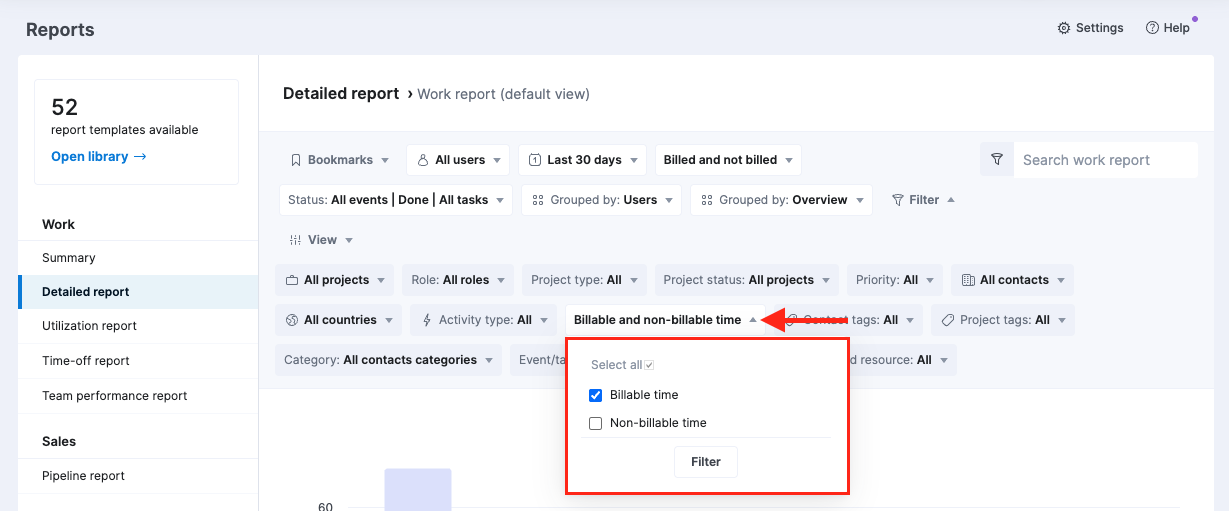
If billable time is enabled on your site, you can now filter activities in the detailed work report by billable status to isolate revenue-driving activities. This new filter applies to both planned and done time entries.
Scoro Developer Portal – build your apps with Scoro
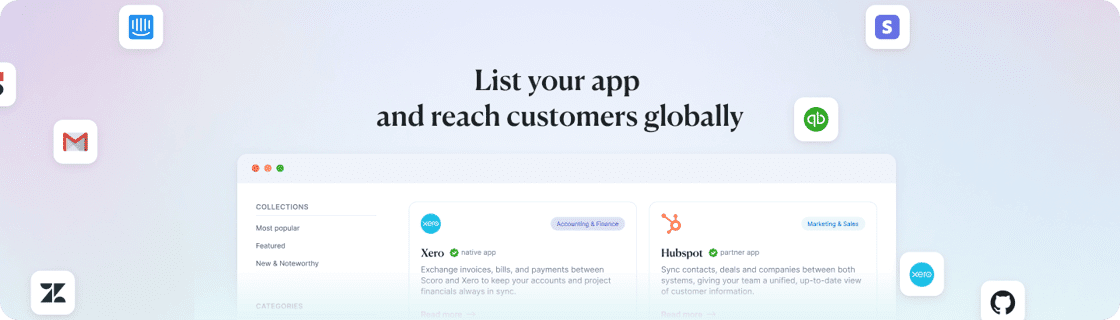
Building apps with Scoro just got a whole lot easier! 👷 We’ve launched the Scoro Developer Portal, a new central hub for registering and managing your custom integrations, making the setup process much more straightforward.
With this new portal, you can build:
- Custom internal solutions: Create private integrations tailored specifically to your organization’s unique needs.
- Public integrations with Scoro: Register and promote your solution in the Scoro App Store to thousands of consultancies, agencies, and professional services using Scoro for project, resource, and financial management.
There are no fees to sign up for our Developer Portal and to build, launch, and list your app on Scoro App Store. We provide API access, documentation, and go-to-market support at no cost.
While private apps can be used without Scoro team’s review, all public apps go through a review process before they can be enabled in the Scoro App Store.
Ready to start building? Head straight to the Developer Portal to start your project. For more information, see our step-by-step Help Center guide on creating and submitting apps, or explore our Integrate with Scoro page.
Already built your own app? Register your custom solution that other Scoro users could benefit from in the Developer Portal.
Upcoming webinars
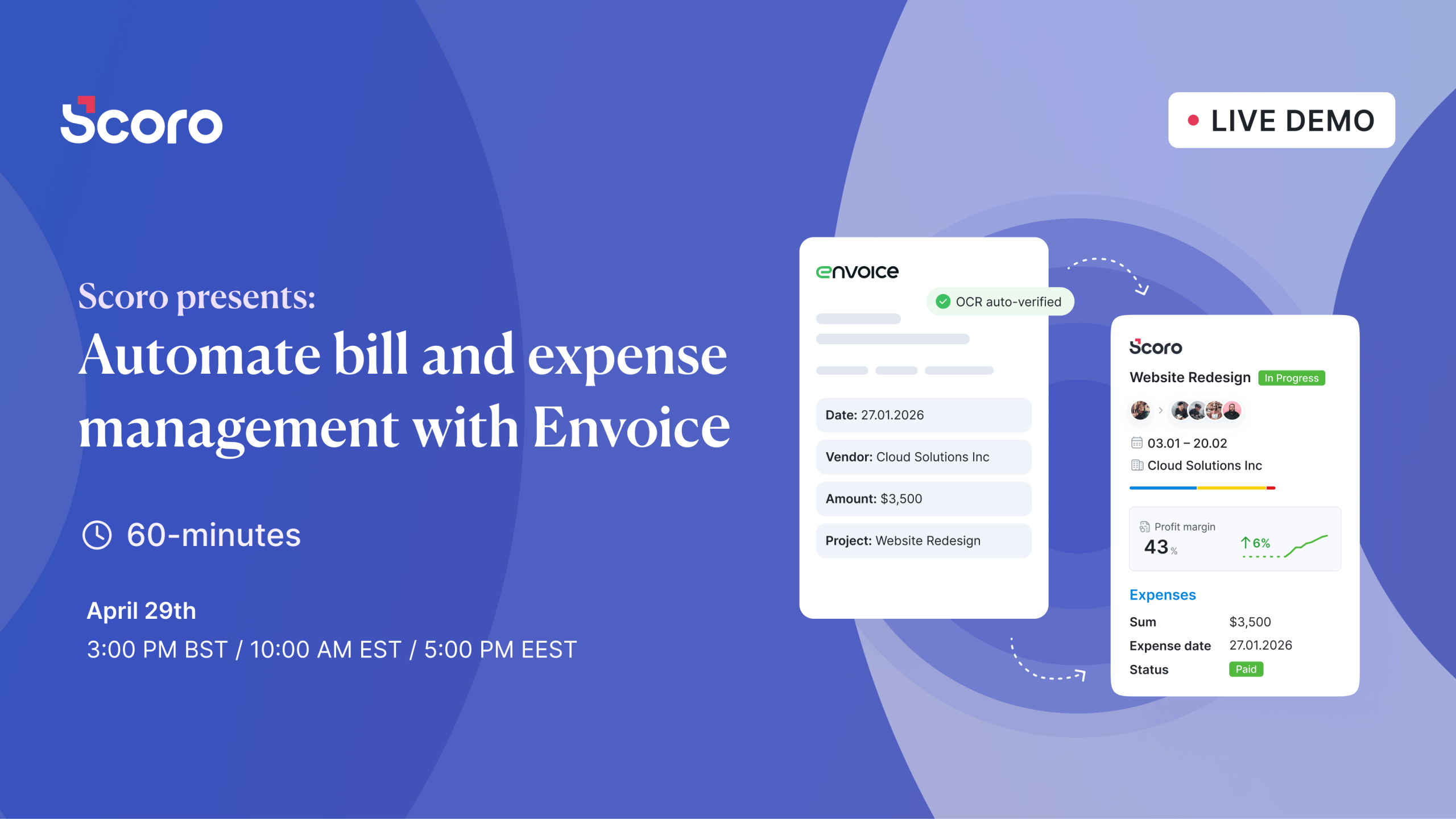
Scoro presents: Automate bill and expense management with Envoice
April 29th, 10 AM EST / 3 PM BST / 5 PM EEST
Join us for a live webinar on April 29th, where we’ll introduce Envoice, an AI-powered bill and expense management platform with native integration to Scoro (coming very soon)! In this live walkthrough, we’ll show you can automate your entire accounts payable process: from bill and expense capture, through coding and approvals, to real-time sync with your project budgets and accounting ledger.
We’re working on…
- Avalara integration. Integrate Scoro with Avalara to automate your entire accounts receivable workflow – from invoice creation and billing in Scoro to compliance-ready delivery through Avalara’s global network.
❗Don’t worry if your Scoro site hasn’t been updated yet – the update is rolling out gradually over the next few weeks.
We do our very best to make Scoro better every day, so we appreciate your feedback! Share your thoughts with us via our contact form.
Wishing for your improvement ideas to come to life on your Scoro site? Send us feedback.
What to do next?
- Join our referral program to invite others to try out Scoro and earn monetary rewards of up to 1800 USD when they become a Scoro customer!
- Visit our Help Center to find in-depth guides about all Scoro features.
- Listen to our podcast The Handbook by Harv Nagra, an Ops Consultant and Ex-Agency Leader, where he dives into engaging conversations with operations experts to discuss and explore the behind-the-scenes and latest trends and innovations in the professional services space.
- Subscribe to The Handbook newsletter to get the latest info on agency challenges and solutions delivered directly to your inbox.