










Wondering what AI in project management can actually do? This article breaks down what it is, what it looks like in practice, how to tell whether your firm is ready, and which tools to consider.
What is AI in project management?
AI for project management uses AI to read your live project data from your project management tool of choice, so it can answer questions about your projects or take routine actions like updating project plans and reassigning who works on what.
What AI in project management looks like in practice
You’ll meet three kinds of AI in project management. AI assistants, AI agents, and Model Context Protocol (MCP). Let’s go through each one.
AI assistants
AI assistants read your project data and answer questions or summarize it. They don’t change anything.
For example, an operations lead might ask which services are running the best margins; a project manager, whether a project’s on track to hit its deadline. You ask in plain language, and it surfaces the answer from your live data in seconds. Instead of opening multiple project views or sifting through the data yourself.
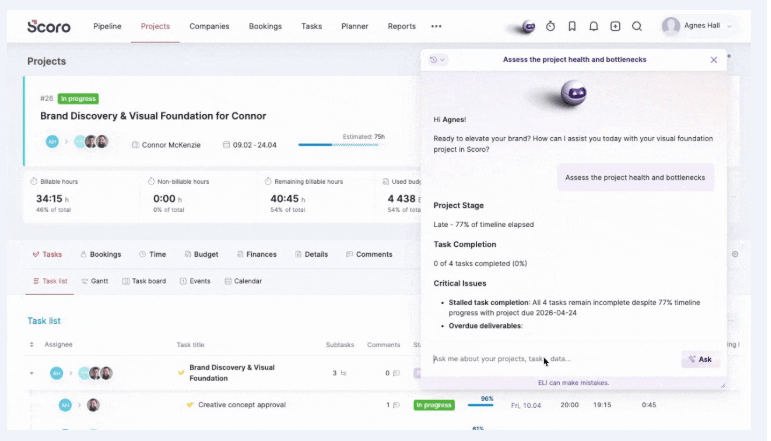
In Scoro, that assistant is ELI. Ask it in plain language, and it works from your live Scoro data to answer.
For example, you can ask it to:
- Spot projects heading for trouble — “Which projects are at the highest risk right now?”
- Check capacity before you commit — “Can we take on 20% more work next quarter, or where would we hit a wall?”
- Find your margin problems — “Which of our services have the healthiest margins, and which have the worst?”
- Audit what’s overdue — “Give me every overdue invoice with the amount and days overdue.”
- Catch up after time off — “I’ve been off for two weeks. Summarize progress on ongoing projects and flag anything that needs me.”
Or ask about the project health and bottlenecks of a single project and it returns the critical issues, the positive signs, and the immediate actions to take.
But an assistant stops at the answer. It can tell you a project’s over budget, but it can’t reschedule the work, reassign people, or fix the timesheet. For that, you need an agent.
AI agents
AI agents go a step further. They can act on your data. Think of an agent as a coworker you hand a job to. One that does the work and reports back, creating, updating, and reallocating things directly in your system.
The payoff here is the busywork. The chasing, the closing out of overdue tasks, the re-entering of the same change across a dozen tasks. The afternoon that every change to a project plan usually eats, an agent just does it.
In Scoro, ELI is the agent too. For example, you can tell it to:
- Fill in your timesheet — “I spent 3 hours on the Connor project and 2 on admin today — log it.”
- Schedule a review with the right people — “Book a project review next week if everyone’s free, and set an agenda from what’s slipping.”
- Draft a quote from a client’s email — “Put together a quote based on this client’s email: [paste it in].”
The bigger wins are the multi-step jobs. Say a client pushes the kickoff back a month. In most project management tools that means opening every task and moving it by hand.
Instead, you tell ELI, “This project’s been postponed four weeks. Move every task’s start date back four weeks and put them on hold.” It confirms what it’s about to change, then shifts every open task and updates the statuses in one pass, leaving anything already completed alone.
And it’s worth pointing out that ELI only does what you asked, confirms before it acts, stays within your permissions, and logs every change it makes.
Want to see ELI in action?
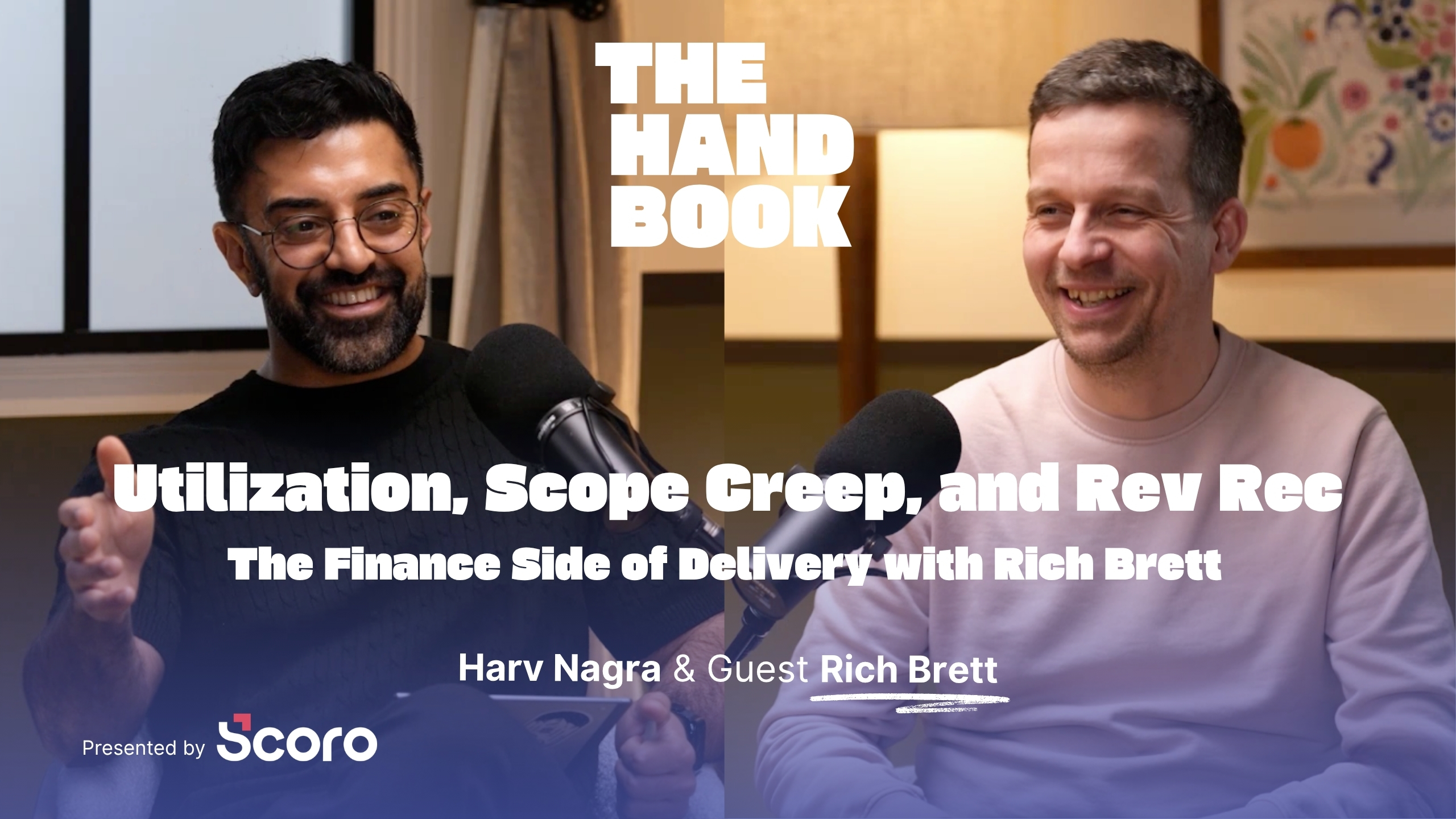
Watch our ELI demo webinar below, hosted by Harv Nagra, Head of Brand Comms at Scoro. It walks through all of these live: the four-week postponement, the meeting scheduling, and a full quote built from a client’s email.
MCP
MCP (Model Context Protocol) is a way for AI tools like Claude and ChatGPT to connect to the systems you use and take real actions in them.
On their own, AI assistants or agents only work inside its own product. So when a task crosses systems, you’re the one moving between them, reading the client email here, updating the project there, chasing the Slack thread somewhere else.
MCP closes that gap. For example, it lets you ask ChatGPT to reach into Scoro and your other tools and pull one job together, without you leaving the chat. You could:
- Delegate admin by voice on the go. Just out of a meeting that ran over? Tell ChatGPT on your phone to extend the meeting in Scoro, schedule the follow-up with the right people, and add an agenda.
- Turn a client call into updated tasks. Finish a call with a list of action items, and ChatGPT summarizes them into the right Scoro task so your team sees the next steps instantly.
- Run one project across all your tools. Managing a web project spread across Gmail, Slack, Jira, and Scoro? ChatGPT pulls the context together, flags the risks, sets up the catch-ups to clear them, and sends the client follow-ups, all from one prompt.
Throughout, you stay in control of what each AI tool can see and change. Each user sets their own permissions, from read-only to taking actions.
Pulling data from it and taking actions in it, not just answering questions about it.
Are you ready to adopt AI into your project management processes?
Every capability above depends on one thing. AI having access to clean, connected data.
That’s the catch for most firms. Your data is probably spread across a project management tool, a separate resourcing tool, a time tracker, and a few spreadsheets. And an AI inside any one of them only sees that tool’s data.
Say your PM tool has an agent, and you ask it to push a delayed project back four weeks and rebalance the team. It can move the tasks, they live in the tool, but it can’t rebalance the team. Who’s booked on what is in your resourcing tool, the logged hours in another. So it does half the job and stops.
So the real question before adopting AI isn’t which tool to buy, it’s whether your data is connected enough for any of it to work.
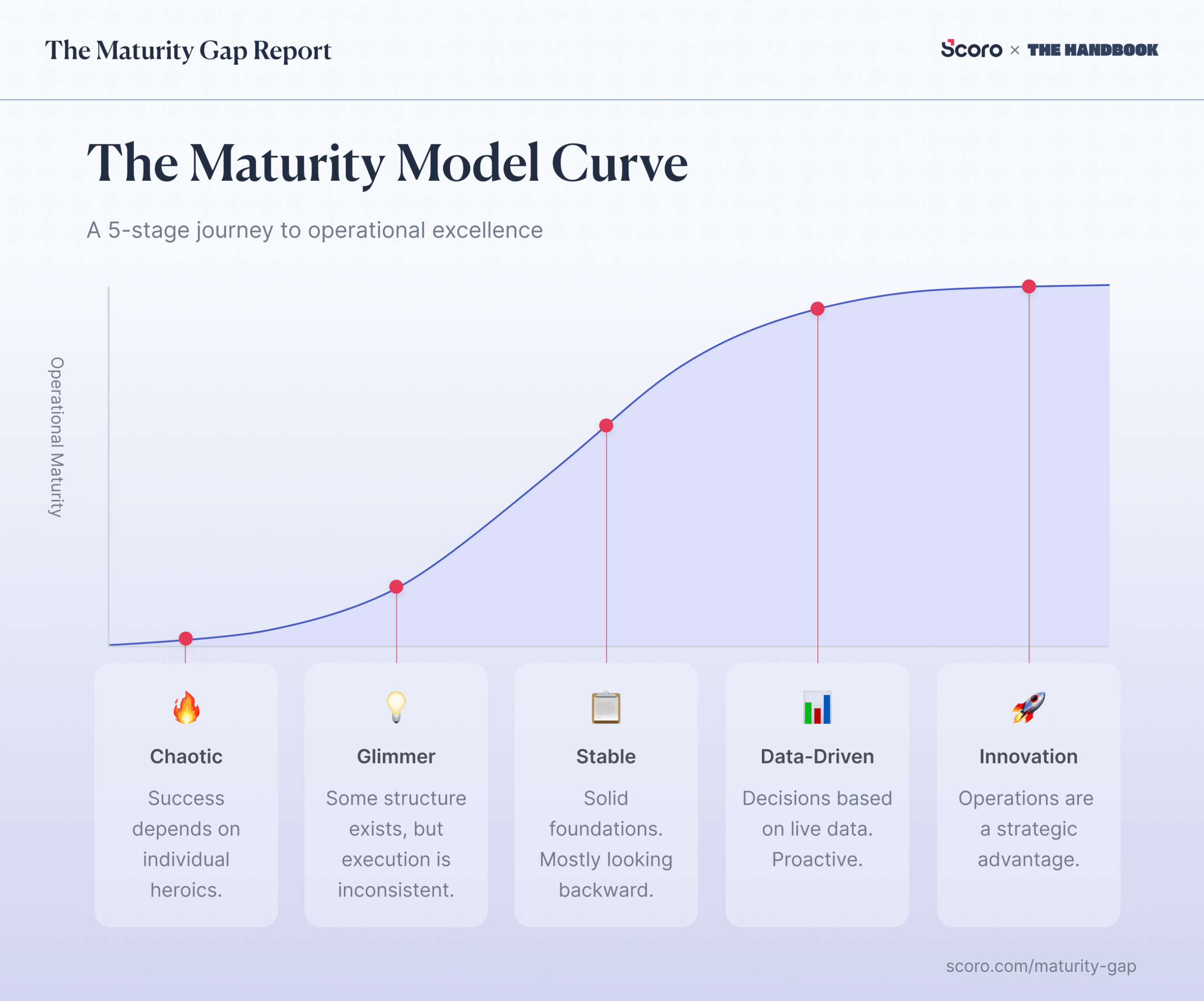
To help firms figure that out, Harv built a business maturity model: five stages from scattered spreadsheets to a fully connected system.
- Chaotic (Stage 1) — everything in spreadsheets and free tools; copy-paste is the integration.
- Glimmer (Stage 2) — some structure appears, but execution is still inconsistent.
- Stable (Stage 3) — consolidated onto better tools, but they still work as islands, so you’re reporting on last month.
- Data-Driven (Stage 4) — systems are connected and data’s reliable enough to forecast from, not just react to.
- Innovation (Stage 5) — the stack becomes one operating system; data entered once powers every workflow.
AI in project management is a Data-Driven (Stage 4) capability. The first stage where an AI can see a whole project, the work and the finances, in one place.
Most firms aren’t there. Only 1 in 5 run operations in a single connected system, while the other 80% stitch work, time, and finances across disconnected tools.
Not sure where you sit? Our Business Maturity Quiz scores your operations in minutes and shows you which stage you’re in. And what to fix to move up, so you can successfully bring AI into your project management workflows.
Which AI project management tools should you consider?
The tools you should consider aren’t standalone PM tools, but connected professional services automation (PSA) platforms built for managing projects, resourcing, and finance in one place, so AI can see across all of it.
Below are four PSA platforms with AI built in. What separates them is which kind of AI they have, what it can reach, and how much the roll out takes.
| Tool | AI Functionality | What it reaches | Adoption consideration |
|---|---|---|---|
| Scoro | ELI, a built-in AI assistant, plus an MCP server | Pipeline, quotes, projects, bookings, time, costs, and invoices in one system, with accounting integrations including Xero, QuickBooks, Sage Intacct, and Exact Online | ELI works from the connected Scoro record; setup includes configuring your services, pricing, and role rates |
| Kantata | Expertise Agent, which answers questions and orchestrates actions | Delivery and resourcing natively, with Salesforce integration for pipeline data | Built around Kantata’s professional-services knowledge graph |
| Accelo | Native AI assistant with MCP connections to ChatGPT, Claude, Gemini, and Copilot Studio | Projects, resources, and financials natively, with accounting integrations including QuickBooks Online and Xero | MCP lets teams query live Accelo data from external AI tools |
| Productive | AI Assistant plus configurable Agents that run on schedules or triggers | Projects, budgets, resourcing, reporting, and financials, with MCP connectors for external services | Agents and connectors are available on the Ultimate plan and use explicit permissions |
For the full breakdown, features, pricing, and how each one’s AI actually performs, see our comparison of the best AI PSA tools.
Connect the data, then add AI
Every example in this article works because the data is connected. When it’s all in one system, AI can answer questions about it and act on it. And when it’s split across different tools, AI only sees part of the picture and does half the job.
As Andrew McBarnett, Group Financial Director at Lucid Group, puts it, if your data is disconnected or messy, AI will only “help you reach the wrong conclusion faster.”
Lucid spent years building single sources of truth across accounting, project delivery, and expenses before adding AI. Today, 44% of its finance work is automated or AI-assisted.
Andrew walks through how they did it in his episode of The Handbook.
So the order matters, Connect your data first, then add the AI.
- Already exploring tools? Book a Scoro demo to see what ELI and our MCP server can do with your project, resourcing, and financial data in one place.
- Not sure where your firm sits? The Business Maturity Quiz shows you which stage you’re at and what to fix to move up.