














Project management made simple
Automate and simplify every aspect of project management—from scoping and planning to delivery and financial tracking.

Deliver any project successfully
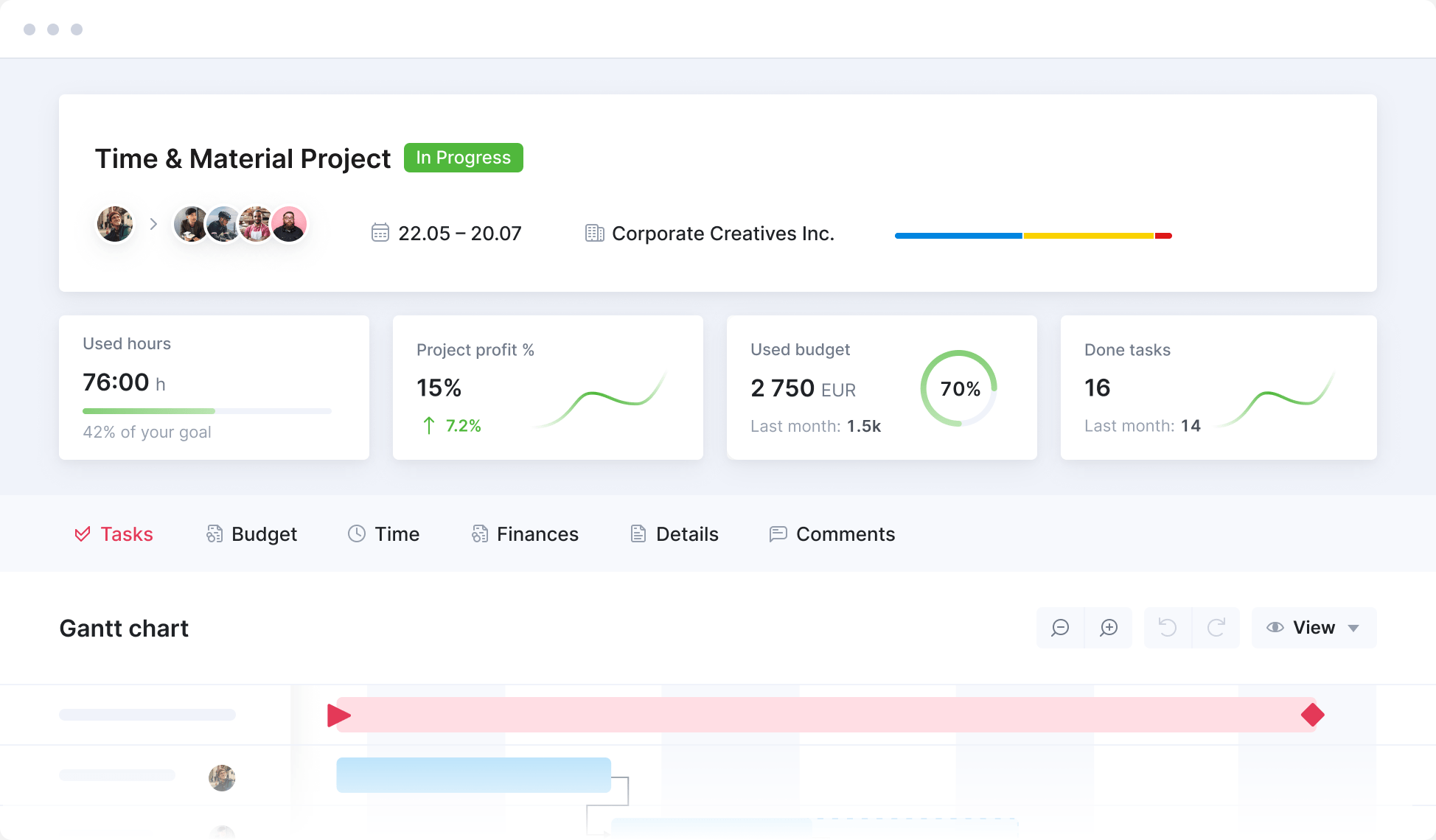
From fixed-fee, time and material to retainer projects. Manage every aspect of your projects within a single system, from sales and planning to delivery and invoicing.
Save time on project planning
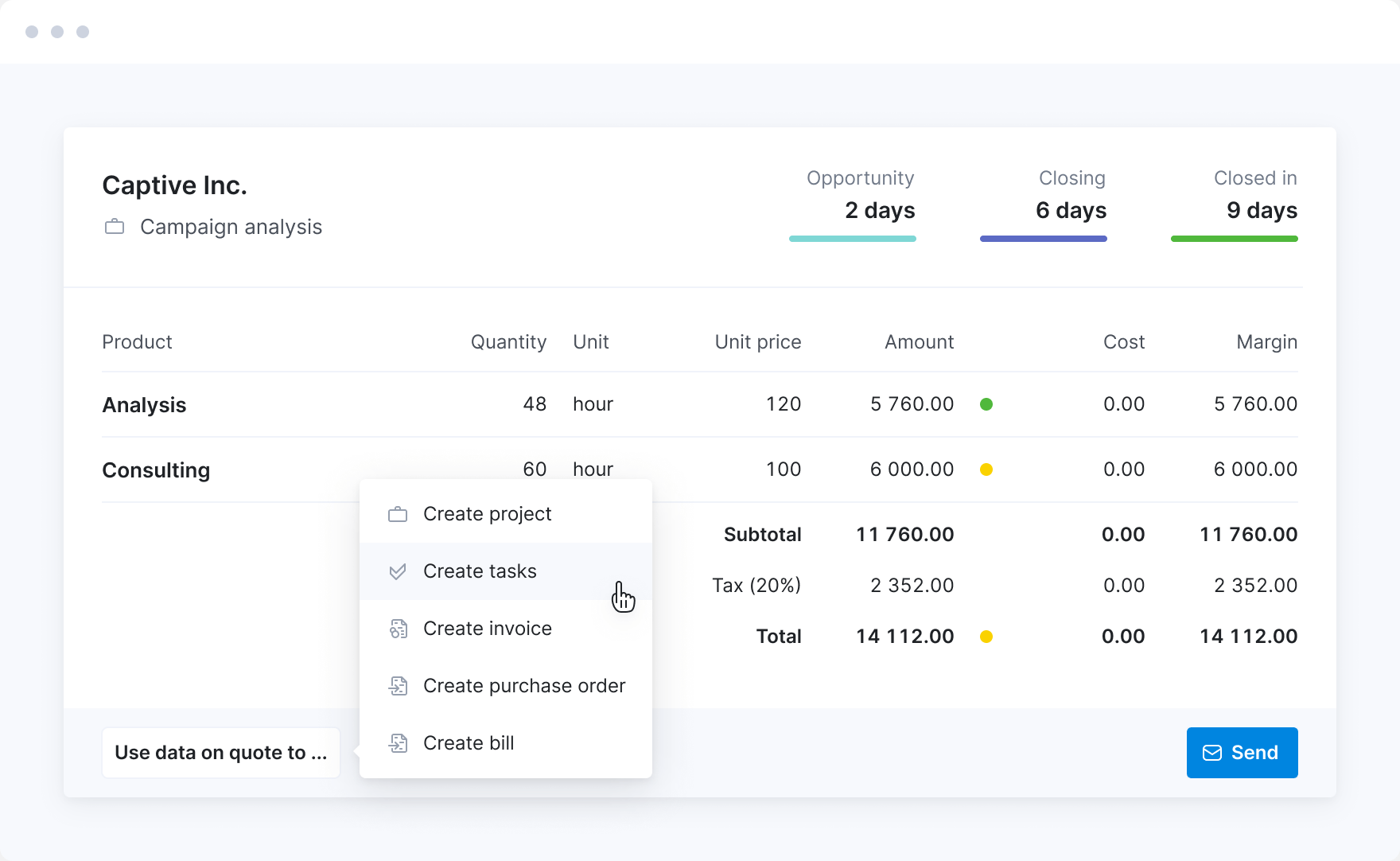
Convert approved quotes into complete project plans in a few clicks. Or use templates to set up projects. Have all the necessary tasks and milestones set up in mere seconds.
Assign work
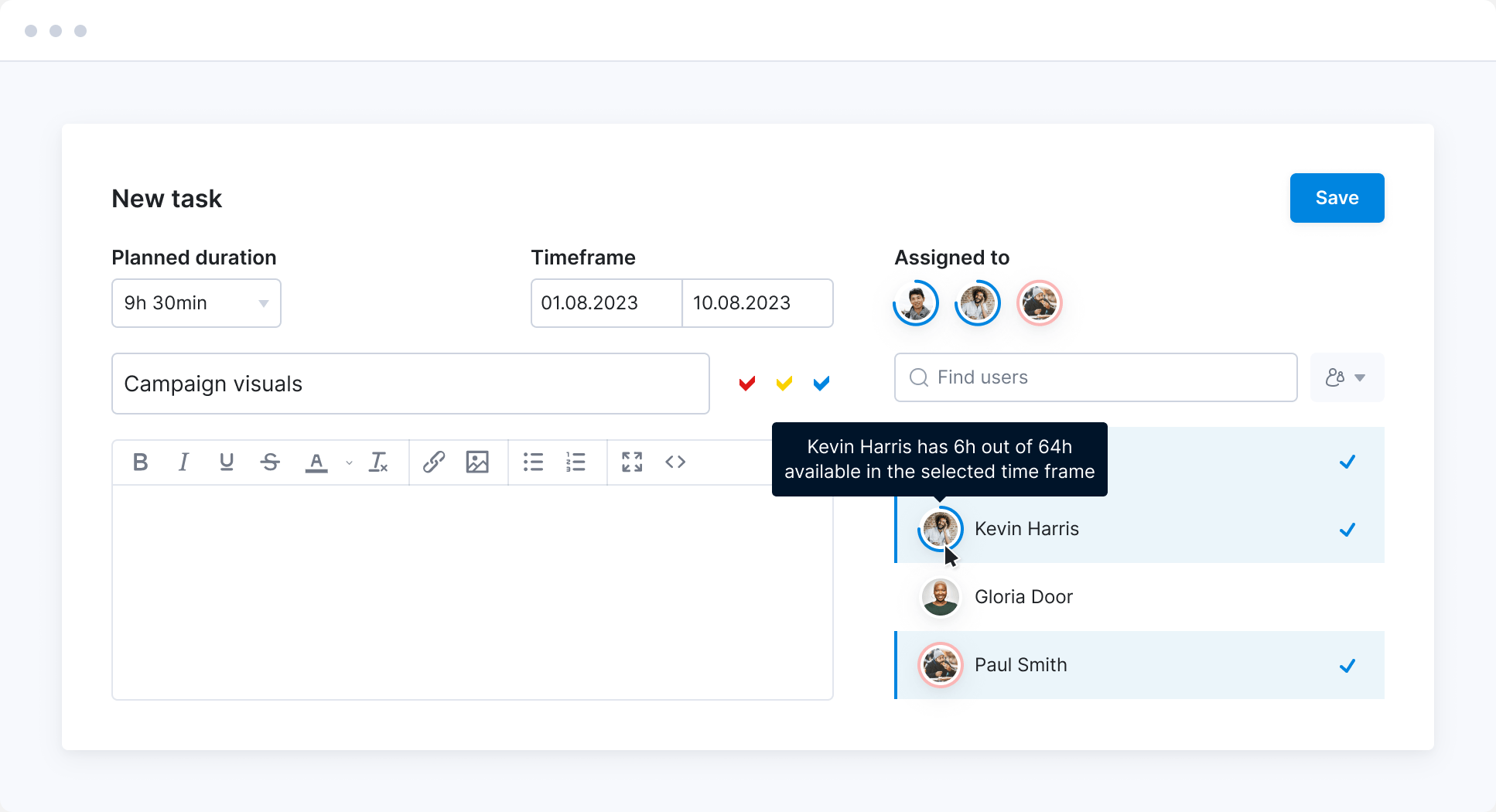
Get a clear overview of who is available to work on a project. Distribute work based on true capacity and existing commitments.
Manage work your way
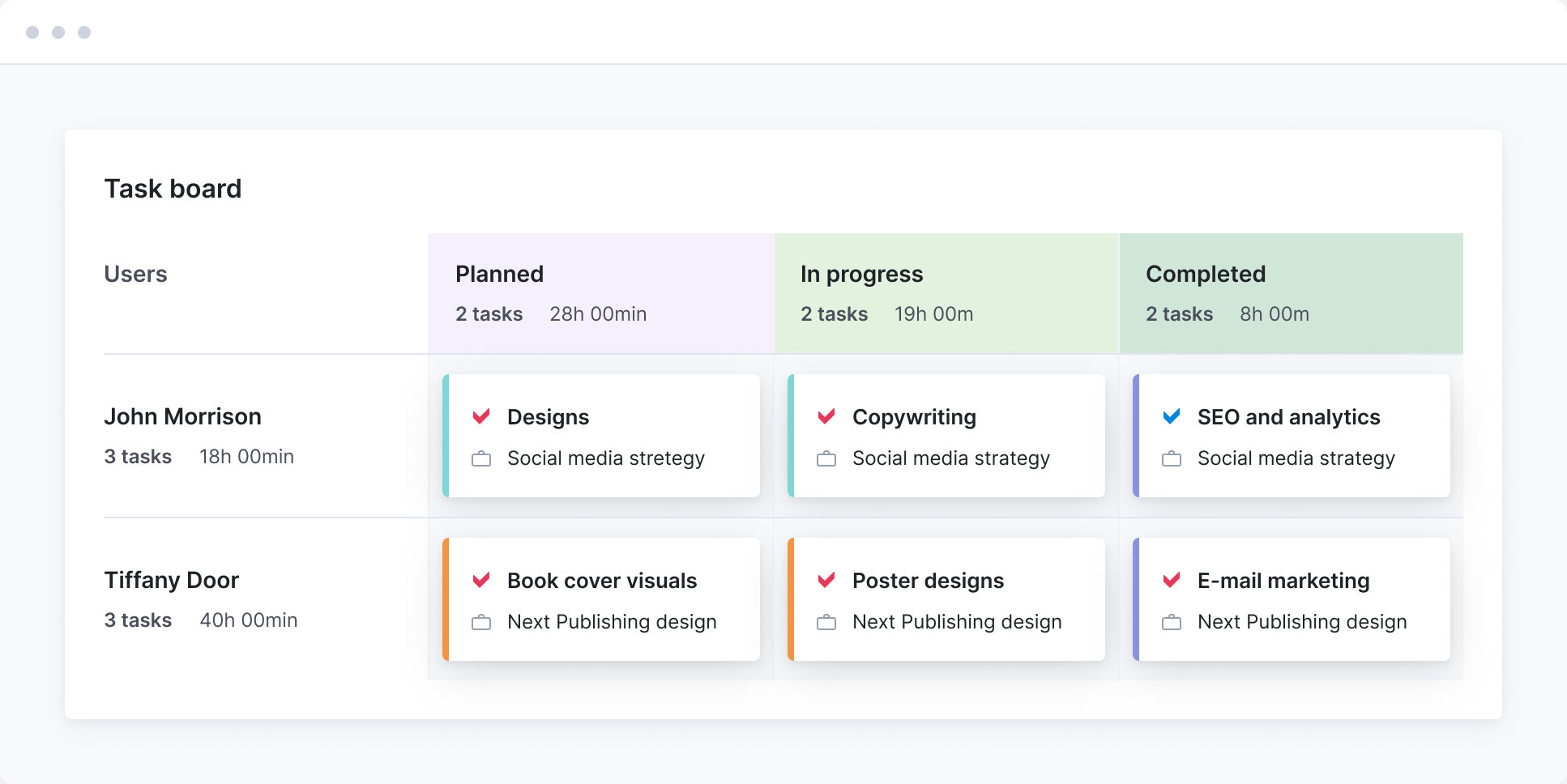
Organize tasks using the Gantt chart, Kanban boards, task lists, or the Calendar view. Whichever way is best for you to keep everyone accountable and on the same page.
Collaborate with the team
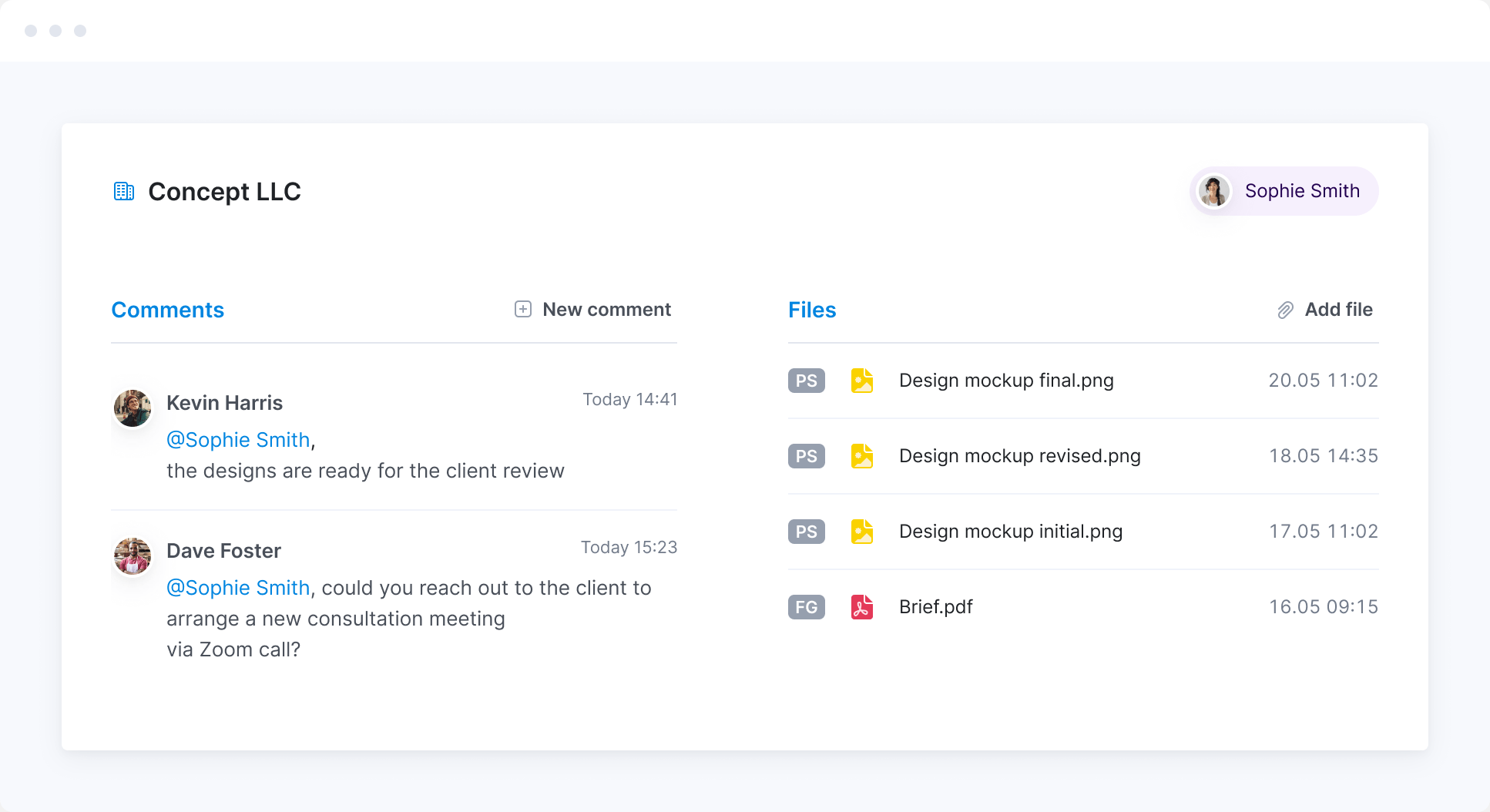
Communicate and share files right where your team works. Ensure everyone can instantly access the data and tasks relevant to them.
Collaborate with customers
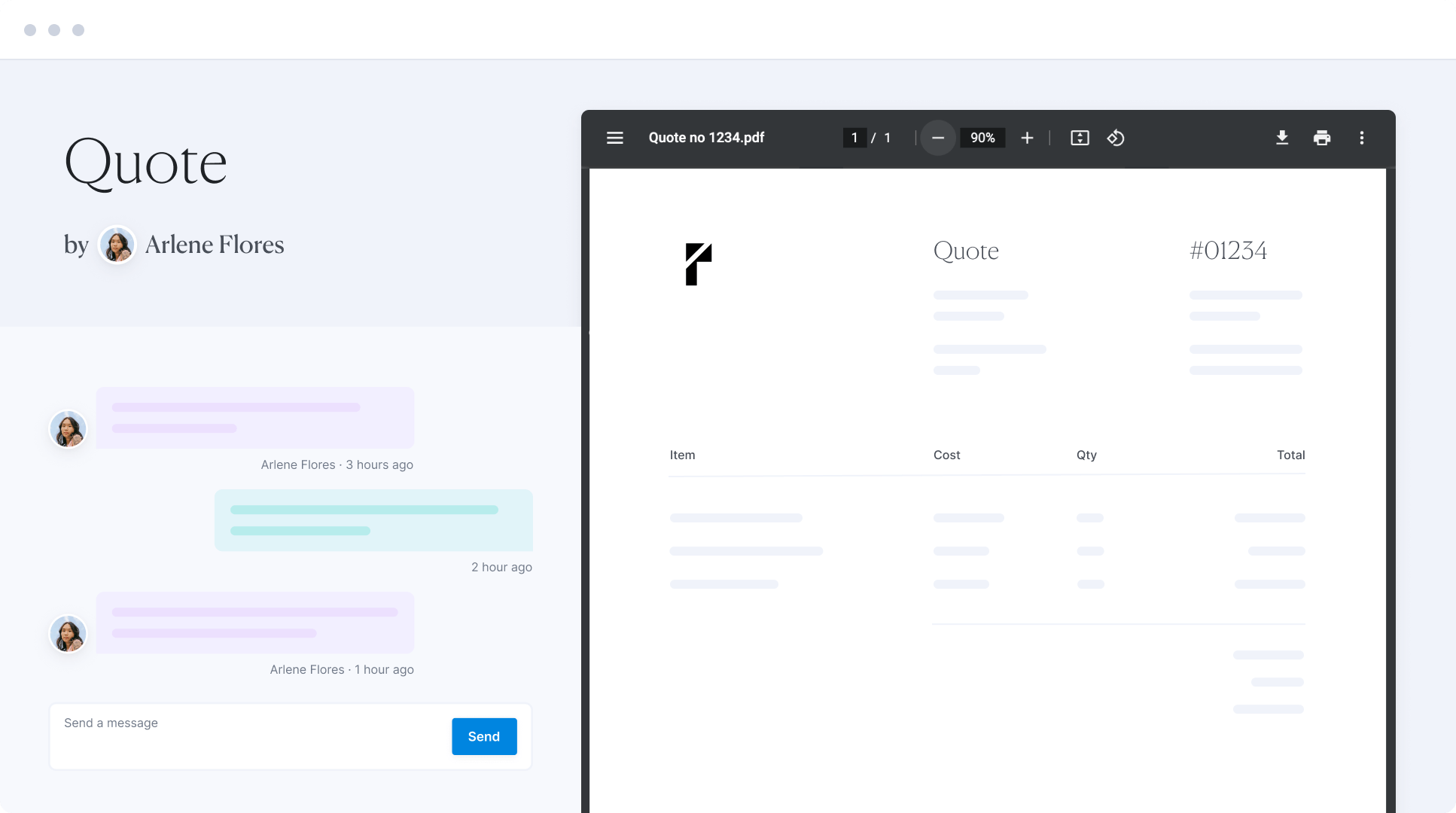
Share quotes with customers via a link to get their feedback and approval in seconds. Share the Gantt chart externally to align project timelines and communicate progress. Ask customers to join your workspace and collaborate through the Customer Portal.
Stay within the budget
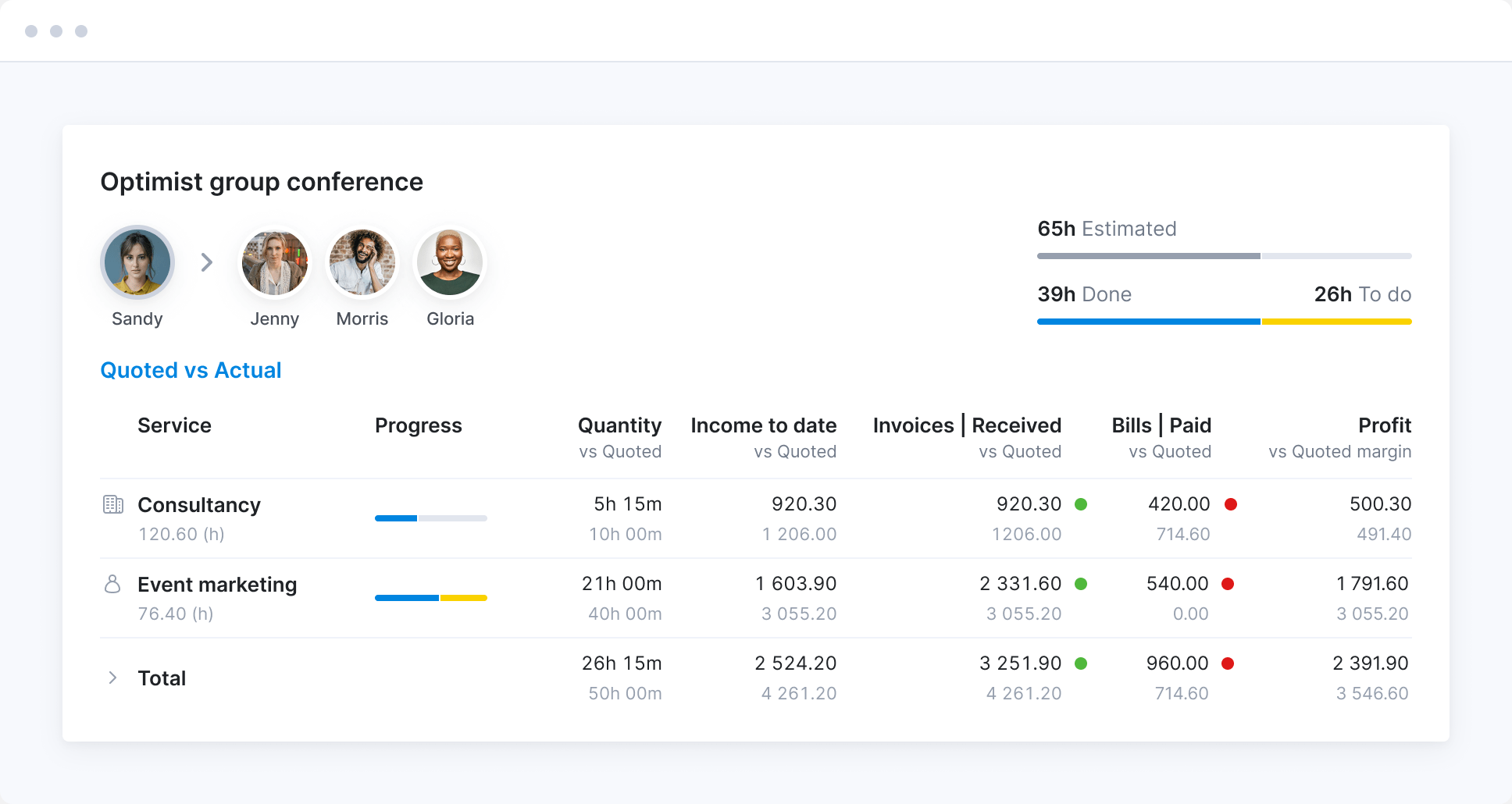
Use a confirmed quote as a basis for project budget. Compare estimated income, cost, and time with actual results. Act promptly to avoid overservicing.
Manage outsourced cost
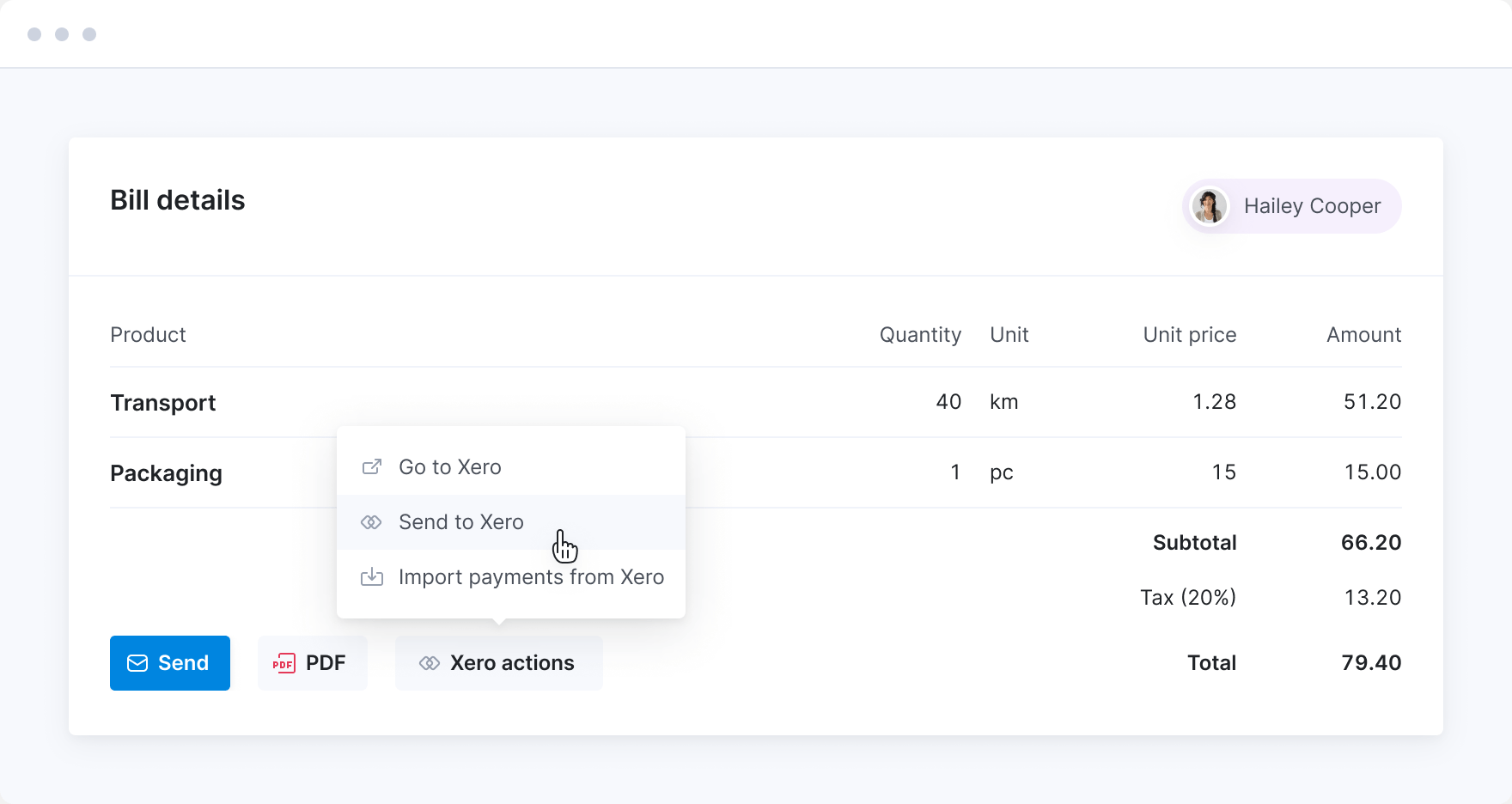
Issue purchase orders to keep track of your supplier agreements and to reserve budget. Track bills from suppliers or freelancers to get the full visibility of project cost.
Stay on top of your portfolio
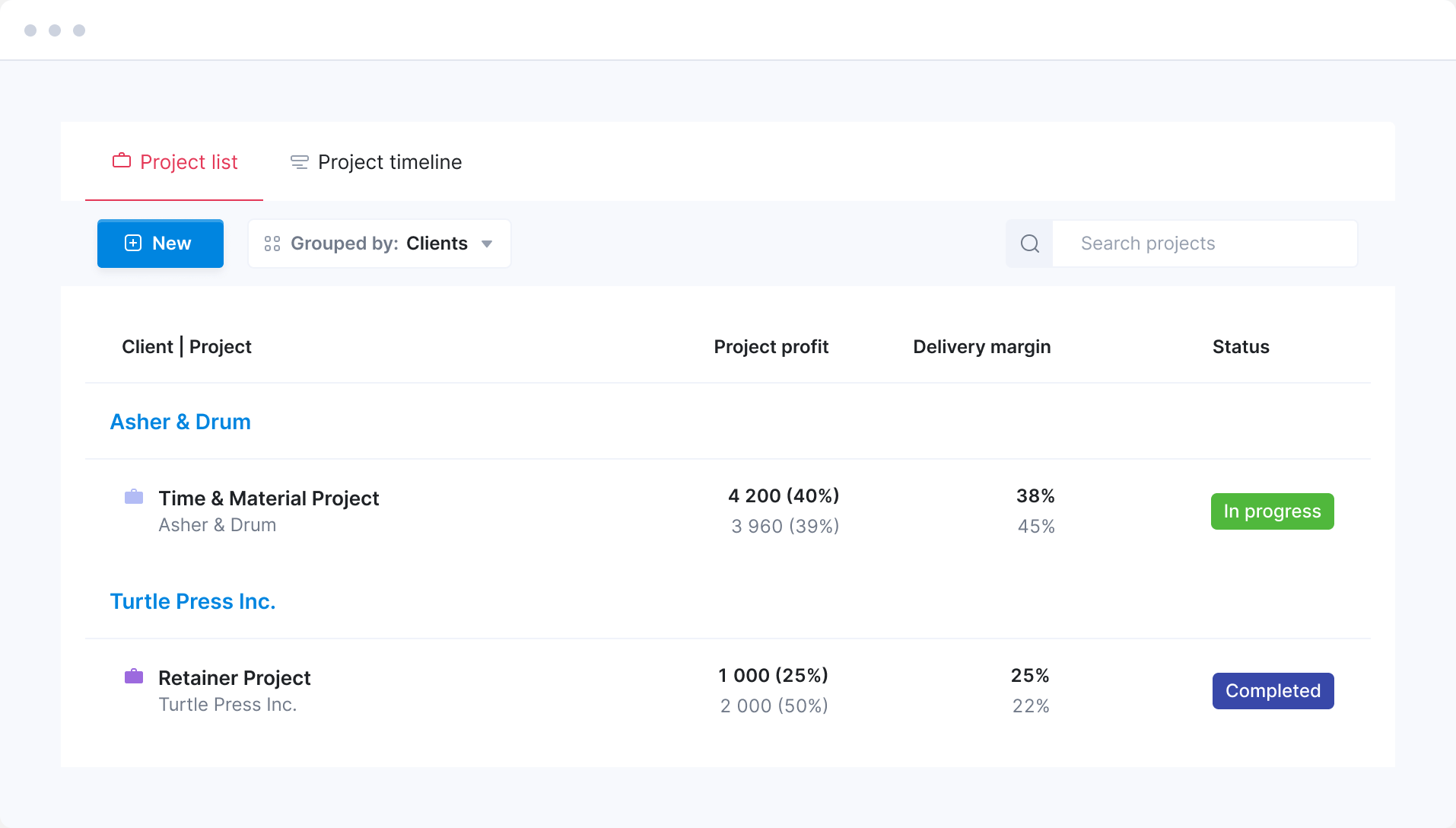
Monitor the progress of your projects in real-time and across the portfolio. Compare actual time and budget burndown to estimates. Spot projects that require your immediate attention.
Automate invoicing and payment collection
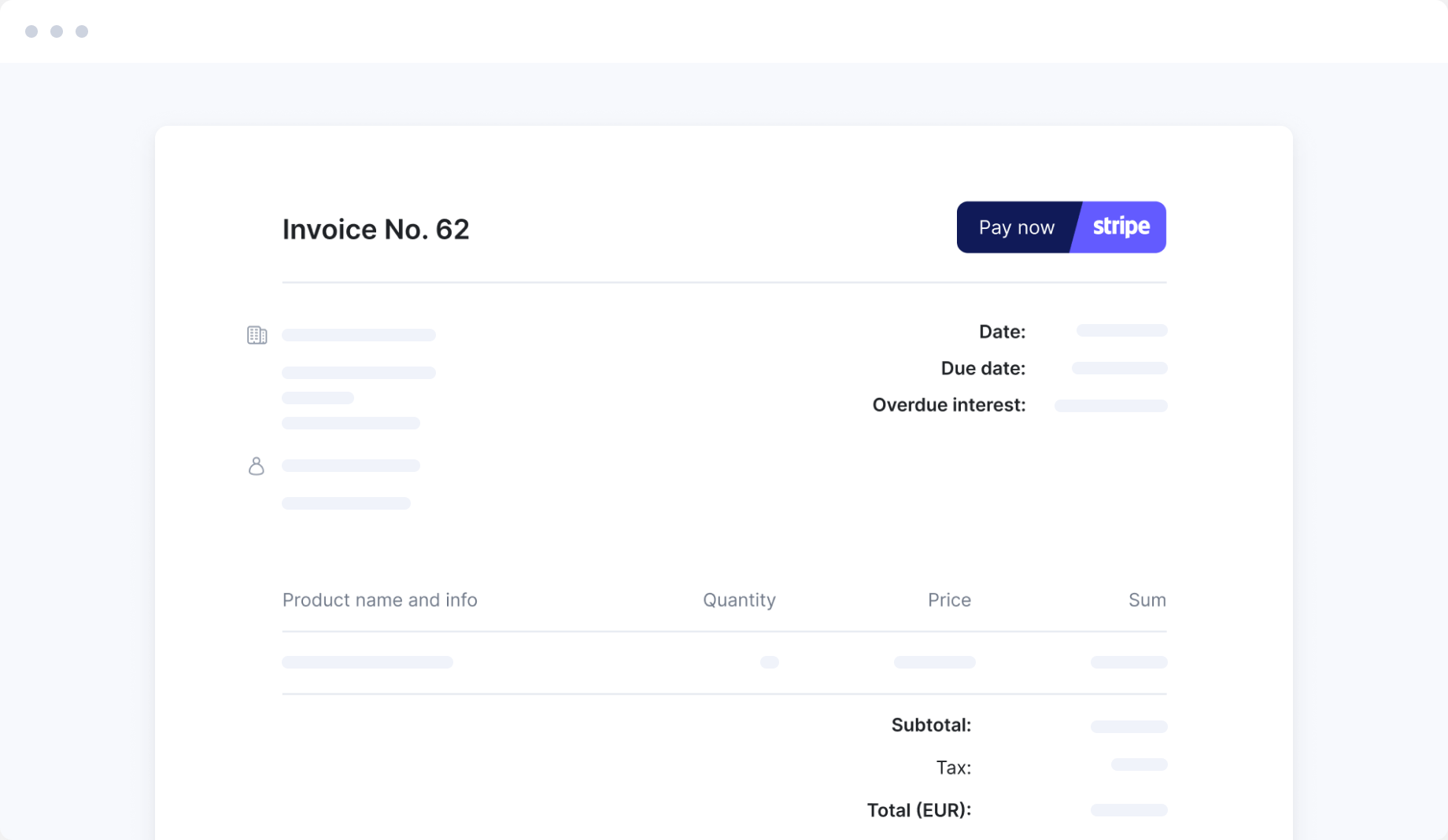
Save time on compiling invoice data and coordinating with the accounting team. Simply sync Scoro with your accounting tool. Generate invoices within Scoro, and see how the data seamlessly flows to your accounting system. Payment updates will sync back to Scoro, providing you with a real-time view of your cashflow.
Track what matters
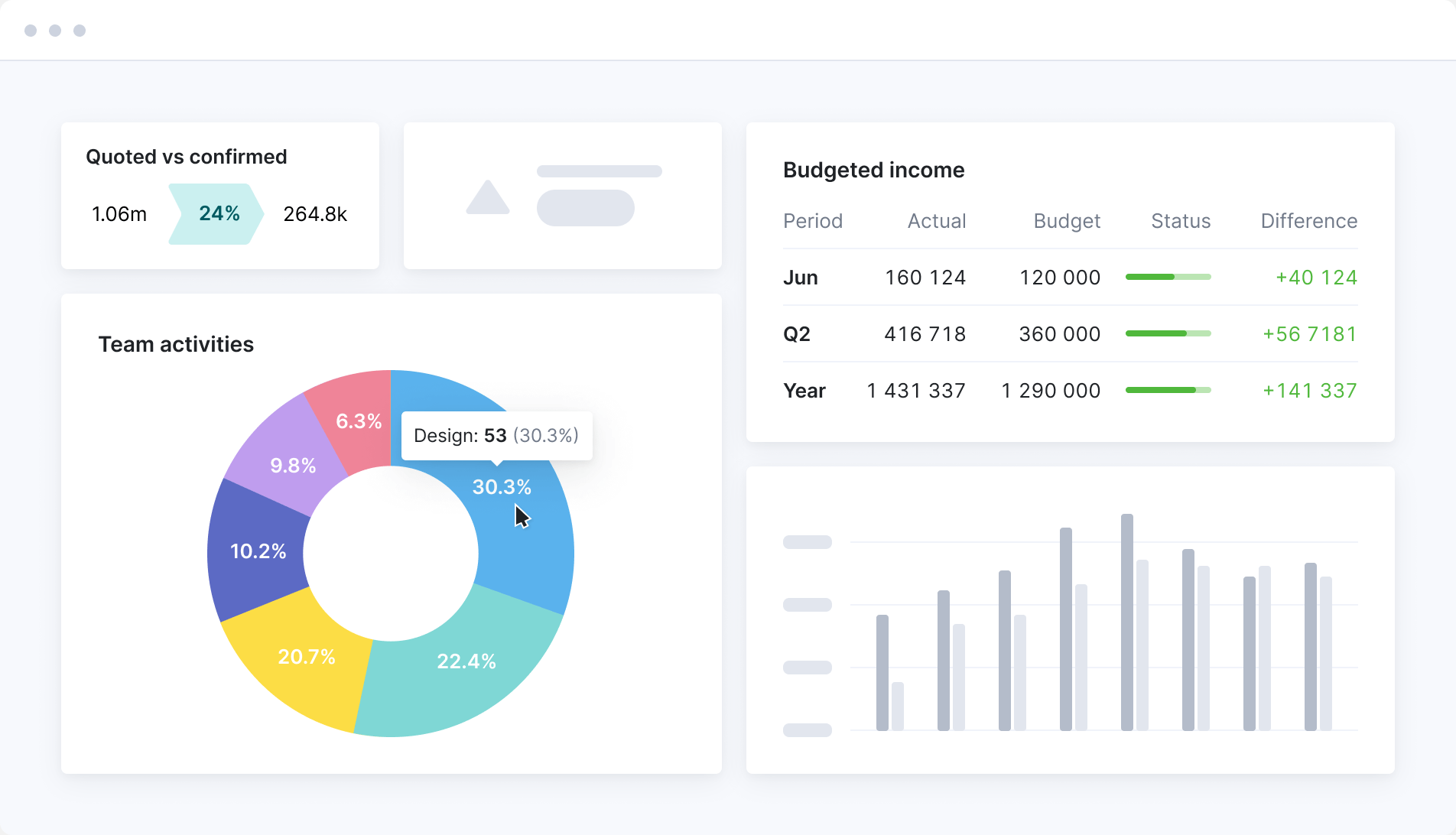
Consolidate all your KPIs and metrics in one or more dashboards to stay on track with individual, team, or company-wide goals. Set up alerts to quickly prioritize what’s important.
Meet ELI –
Scoro AI in action
Scoro AI comes to life through ELI – your smart companion, built into Scoro. Powered by AI and Scoro’s advanced data engine, ELI understands natural language, interprets complex business data, and helps you take action fast.
Explore Scoro AI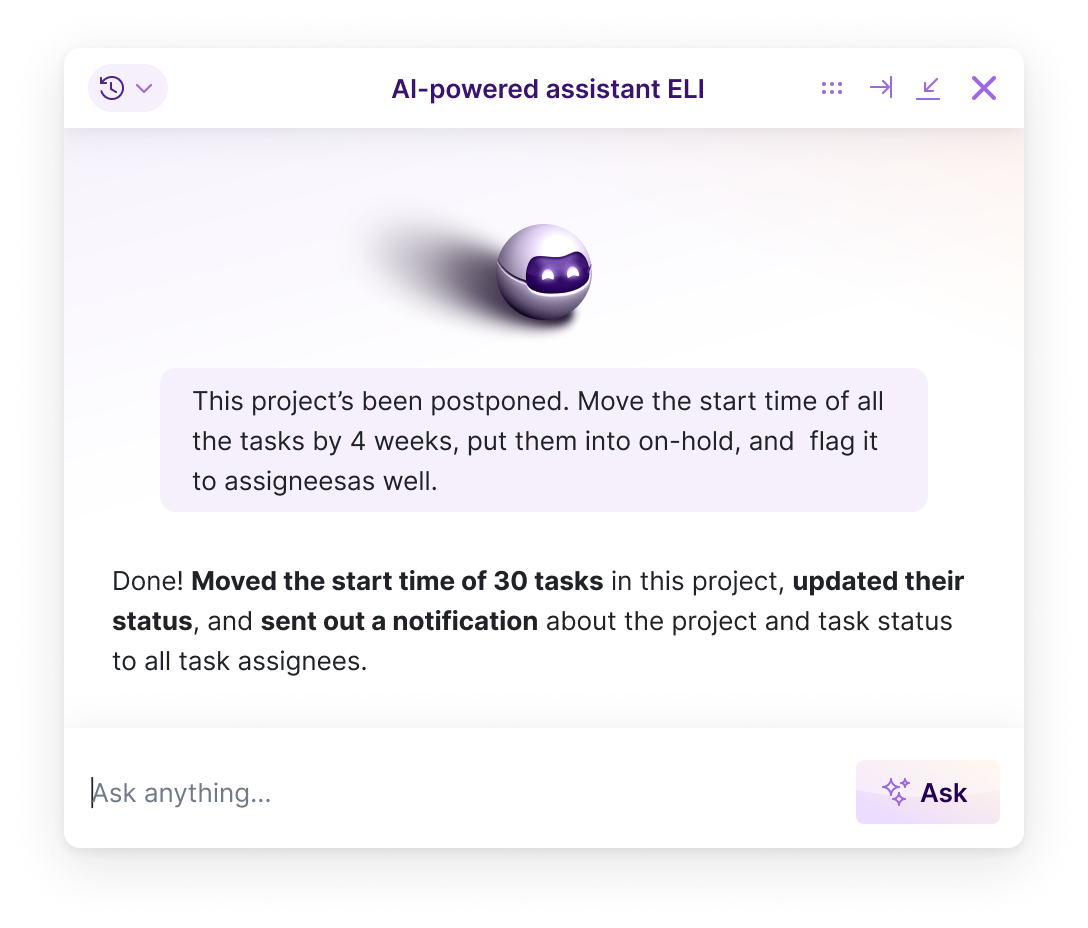

FAQs
Yes. Break each deliverable down by role and effort in the estimation matrix—who does the work and how many hours—and Scoro works out the cost and margin from your role rates as you go.
The client sees a clean list of deliverables and prices; the cost and margin sit on the internal side, which they never see. So you know whether a project is worth taking on before the quote goes out, not after it’s delivered.
Those same deliverables become the project’s tasks when the quote’s confirmed, so the quote is also your first plan.
Almost instantly. Turn a confirmed quote into a project and Scoro carries everything across: the quote’s sections become the project’s phases and milestones, and the quoted services become the tasks, already scoped with the hours you priced. There’s no rebuilding the plan in a separate tool. The work you quoted is the work you deliver, and it starts tracking against budget from day one.
Yes. Build a template for each type of project you run often, with its phases, milestones and standard tasks.
Start a new project from it and the tasks are created and assigned, and the timeline builds on the Gantt chart. One setting makes each phase depend on the one before, so moving a date shifts the rest.
Yes. The Gantt chart lays out your project’s phases, tasks and milestones on a timeline. Link tasks with dependencies to set the order they run in—which task has to finish before the next can start—and when one slips, drag it to its new dates and everything downstream reschedules itself. So the timeline always shows a realistic finish date, not the one you planned on day one.
Yes. If your team works in a pipeline, the task board moves tasks through status columns you set up yourself—planned, in progress, done, or whatever stages your work runs through—and people pull the next task as they free up.
If you’d rather a list, the task list lets you filter by person, due date, status or project, sort overdue work to the top, and group by person to see what each team member has on.
There’s a calendar view too. Whichever you pick, it’s the same tasks underneath, so the team works the way it likes and you still see everything in one place.
Yes. When you pick who does a task, a ring around each person’s avatar shows how much capacity they have. Hover over it to see their available hours and whether the task fits in the time you’ve given it. So you hand work to people who have room, rather than finding out later you’ve overloaded someone.
Assign a whole task or split subtasks across people to even out the load, and either plot the work on the Gantt chart or drop it into a Kanban backlog people pull from as they free up.
Yes. The project list is your portfolio view: every project in one place, with the columns you choose. Including income, cost, profit, due date, project manager, status.
Filter it to just your own projects, group it by status or client, and sort by whichever column you’re watching. Each project’s progress bar turns red once it’s used or planned more time than you estimated, so the ones slipping stand out without you opening a single one.
Save the view you check each morning as a bookmark and it’s one click from anywhere in Scoro.
Yes. Every project has a progress bar that compares time logged against your estimate, and it turns red the moment the team has logged, or planned, more time than you budgeted. Open the project and the Quoted vs Actual table breaks it down service by service, so you can see exactly where it’s slipping.
Yes. The Quoted vs Actual table compares what you quoted against what’s actually been spent, service by service and role by role. So you can see exactly which service is running long or which role is over its hours, rather than just knowing the project as a whole is over.
Yes. The budget burn chart forecasts where the project will land on cost and profit based on the work still to do, so you can catch over-servicing while there’s still time to fix it. If it predicts you’ll go over, it shows red before you actually get there.
Yes. Set a Watchdog alert on a project and Scoro emails you when it crosses a threshold you choose. Hours used, budget spent, or forecasted burn. So you find out the moment a project needs attention instead of having to keep checking it yourself.
Yes, and you can keep it as simple or as thorough as you like. At its simplest, enter a supplier’s bill or a freelancer’s invoice against the project and the cost sits alongside your team’s time. Upload the document and ELI, our AI assistant, fills in the details for you, so there’s barely any data entry.
If you want more control, raise a purchase order first, when you agree the cost. That commits it against the project’s budget before the bill arrives, so you can see what’s already spoken for. When the supplier invoices you, the purchase order becomes the bill.
Yes. Send a quote as a link the client approves in their browser, and share a snapshot of the Gantt chart by link so they can see timelines without a login.
Comments and files sit on the work itself, so the team isn’t updating each other over email. If you want the client closer in, the customer portal lets them into their own projects to follow progress.
Yes. Scoro has a built-in AI assistant called ELI that works on your live project data, so you can ask in plain language instead of digging through views. Ask which of your projects are at highest risk, whether you’ll hit a deadline at the current pace, which projects have gone quiet this week, or what’s changed on a project in the last 24 hours, and it answers from live data.
Every plan includes free AI credits. Learn more about Scoro AI.
Yes. ELI doesn’t just answer, it acts. From the project header, one click runs a health check that reads budget, resourcing and progress and flags the risks. Then you can hand it the legwork: reschedule a postponed project’s tasks in one go, chase whoever hasn’t logged time this week, or comment on every overdue task asking for an update.
ELI works within your existing permissions, so it can only do what you could yourself. Learn more about Scoro AI.
Connect your favorite tools
Have some other vital tools you wish to sync with Scoro? Integrate what you need and harness the power of consolidated data in Scoro.






















































































































Start a free trial
Tour the product and try Scoro for free for 14 days, no credit card required.
Try for free
Why Project Managers love Scoro
With the ability to manage dynamic timelines and deliverables at the client level, Scoro has been instrumental in our project management process.
Amber Hosek, Client Success Manager Boulder InsightScoro has made our life much more structured and efficient, as all the data is in one system. Before, we had to reach out to our colleagues, or find information from spreadsheets. You can imagine how much time we have saved now!
Bart de Wilde, Senior Account Manager Cross MediaNow everything is just one click away in Scoro. There may be hundreds of hours on the task list, but we know that we’ve got time booked for all of them, and we don’t have to worry about it constantly. How our time is used is very clear and visible.
Anna-Kaisa Reed, Art Director Aava & BangScoro has enabled us to take our companies time-tracking on the next level – we’ve improved our time management 100% and as a result eliminate unplanned overtime.
Tycho Derks, Project Manager Bombs AwayWe can now be highly accurate on project profitability because of Scoro.
Colleen Kelley, President of Management Consulting Stratford Group