










The numbers your accounting software can't give you
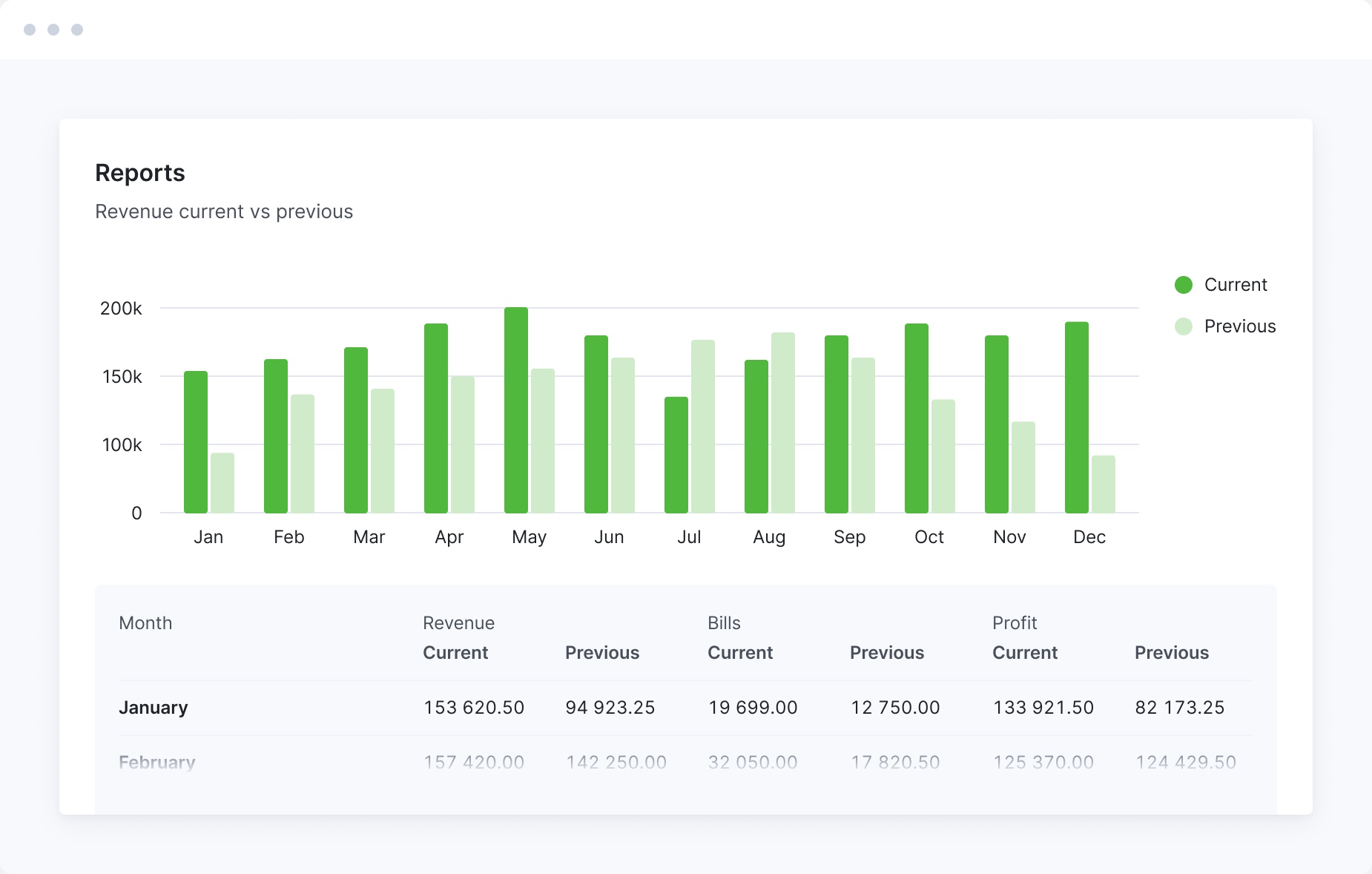
Compare revenue, bills and profit month by month, built up from every project and timesheet, not just the ledger. Your accounting software keeps the books. Scoro shows which work makes money.

Report what you earned, not just what you invoiced
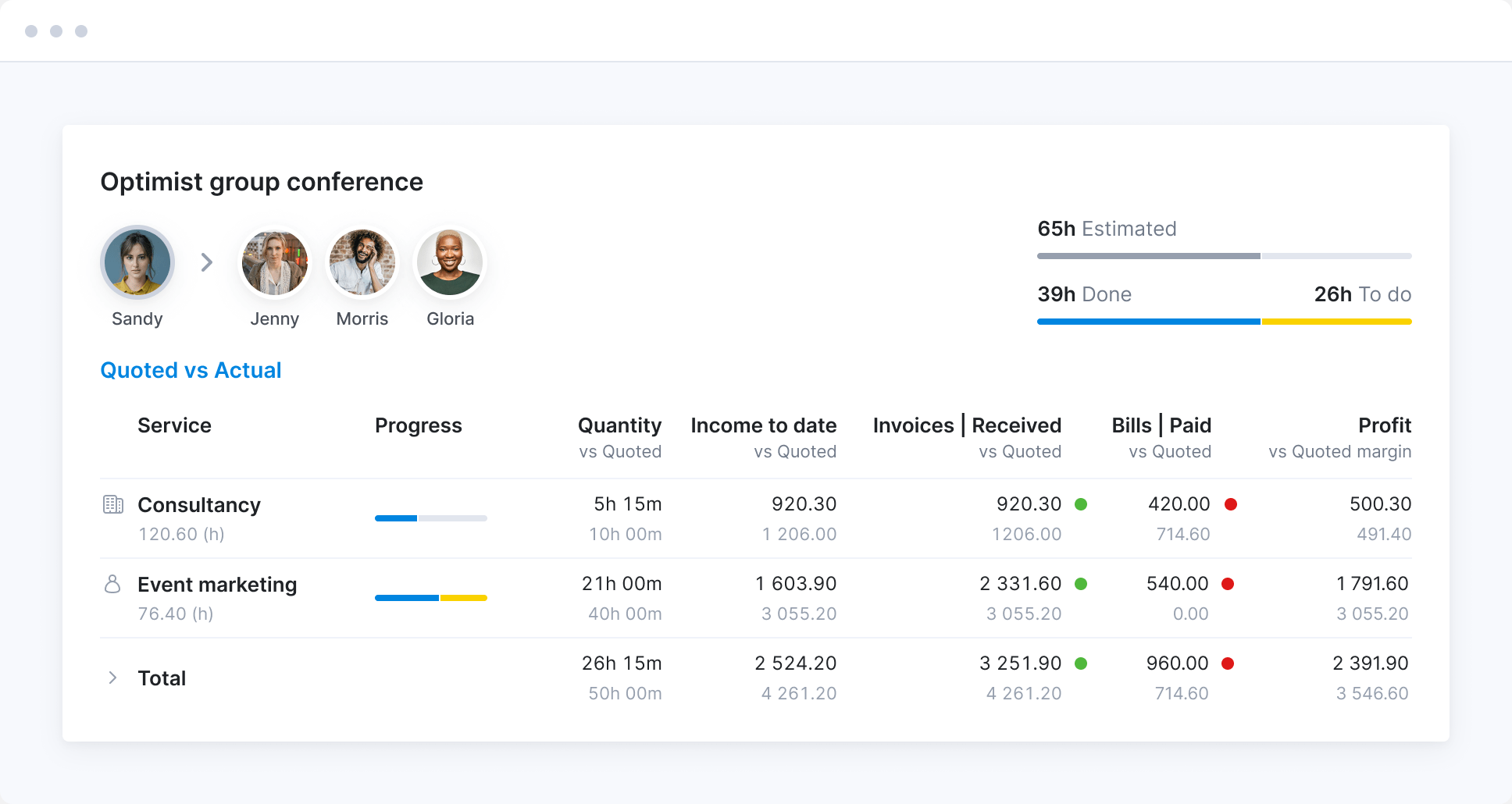
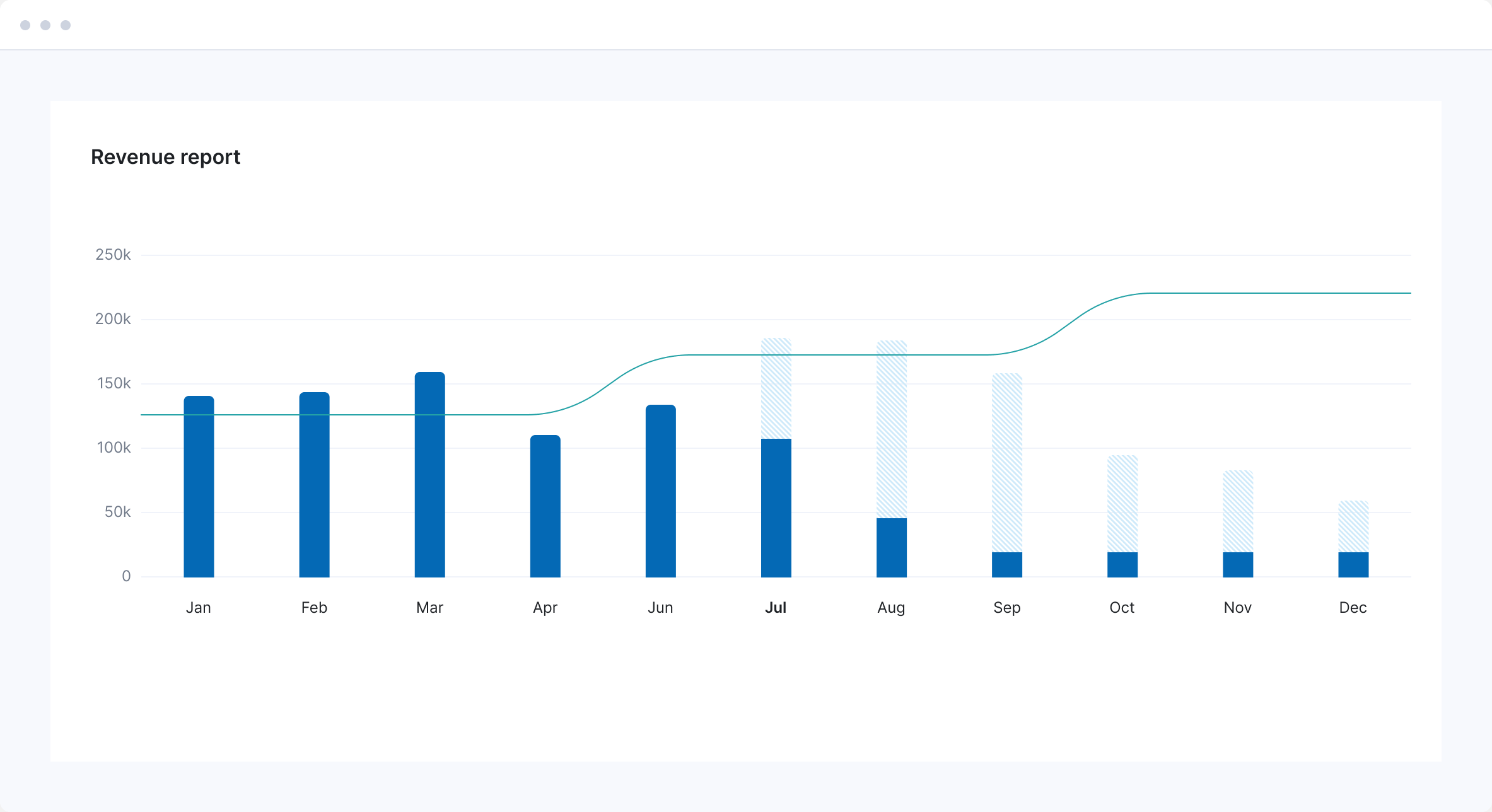
Recognize revenue as the work gets done, not when it’s invoiced. See what’s still waiting to be billed, and close the month on what you’ve actually earned.
Report on revenue, cost and profit without spreadsheets
Pick from ready-made reports on revenue, cost and profitability, or build a dashboard with the finance metrics you track most, so the numbers are ready for every meeting.
Invoice straight from the work
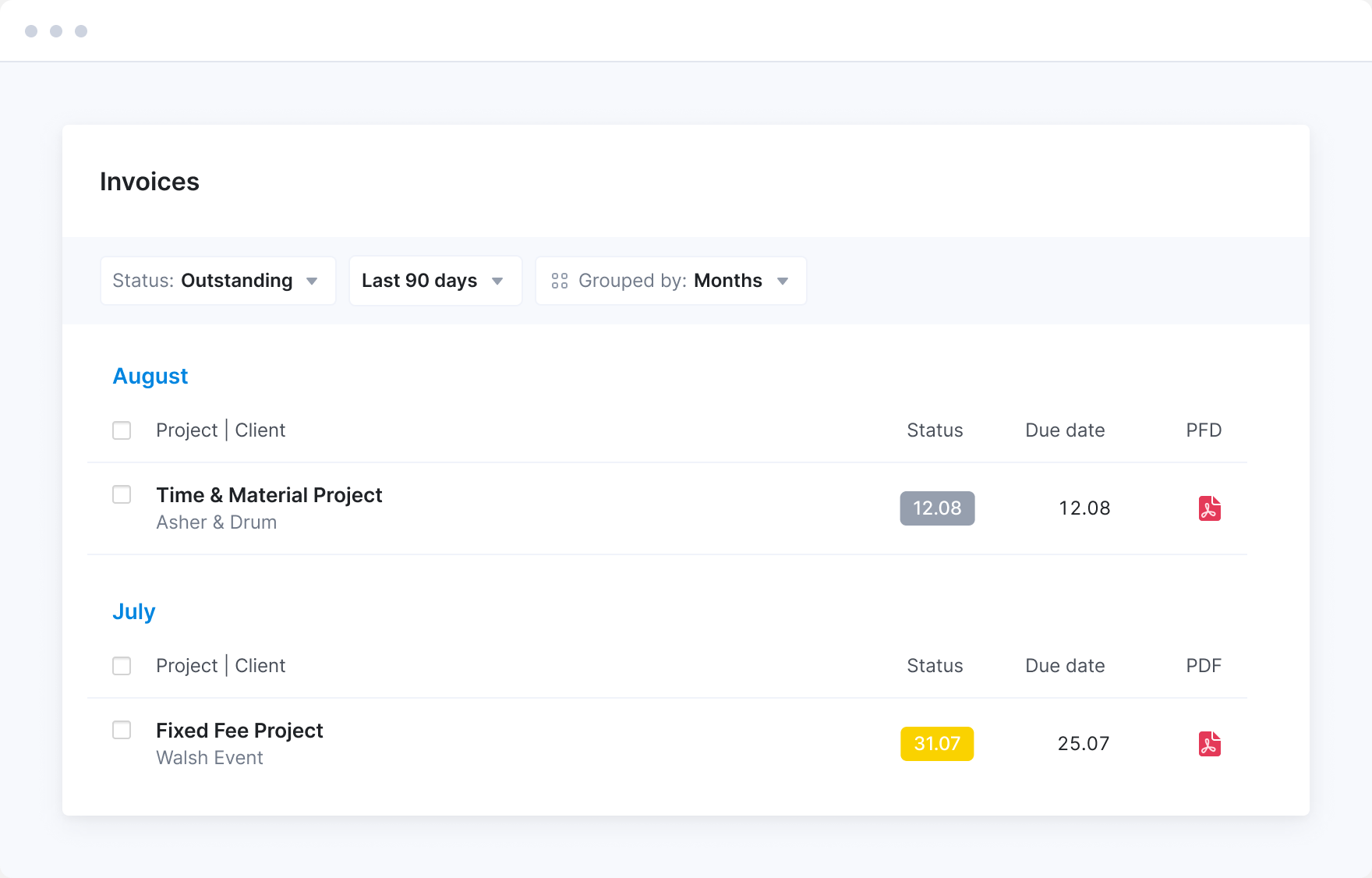
Bill fixed fees from the signed quote, time and materials from the hours and costs your team logs, and retainers automatically every period. Every invoice comes from the project, so billable work doesn’t slip through.
Get overdue invoices paid sooner
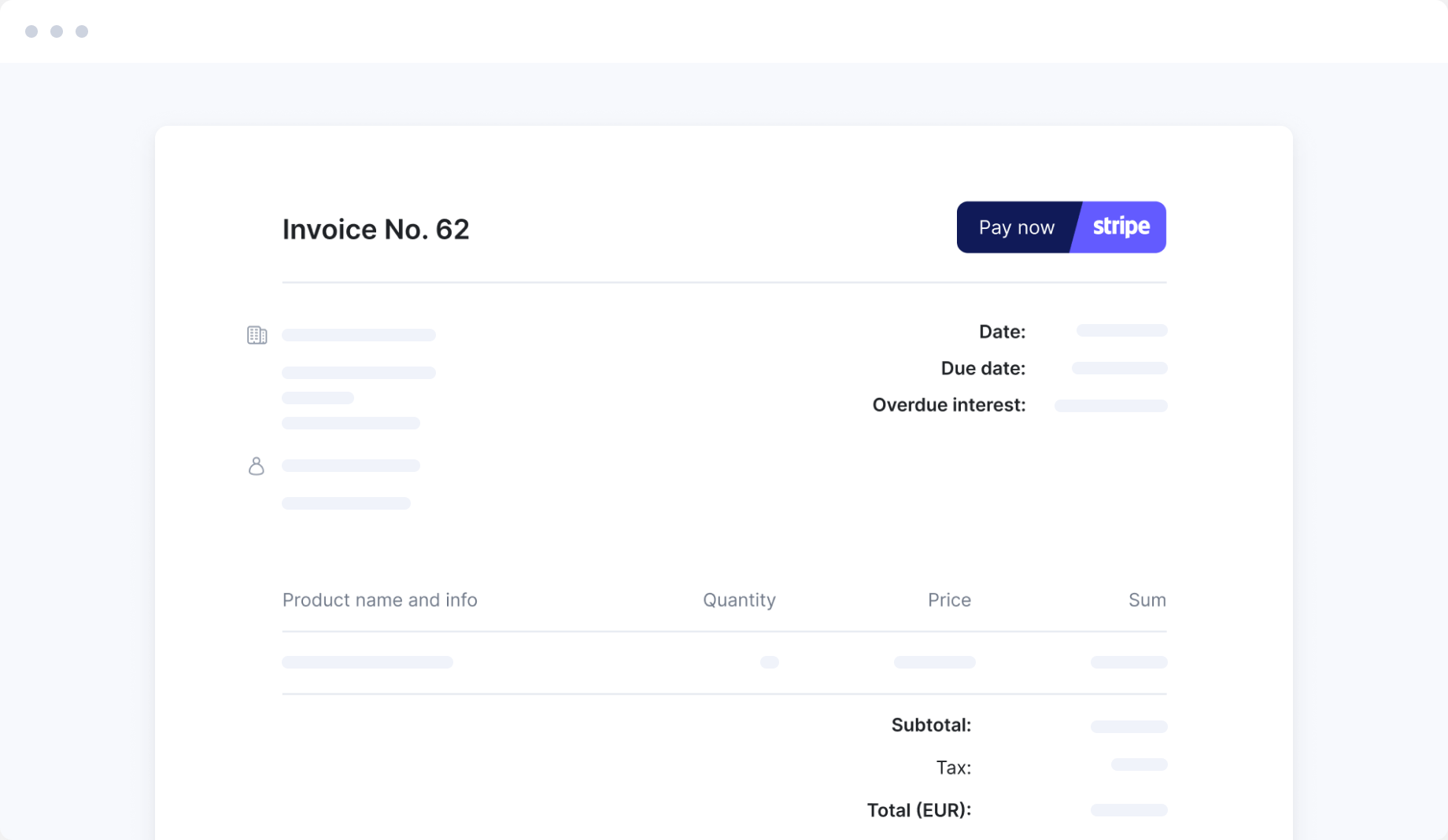
See who owes you what in one view. Reminders go out before and after due dates, clients can pay by card through Stripe, and project managers can check payments without asking you.
Approve high-value documents before they go out
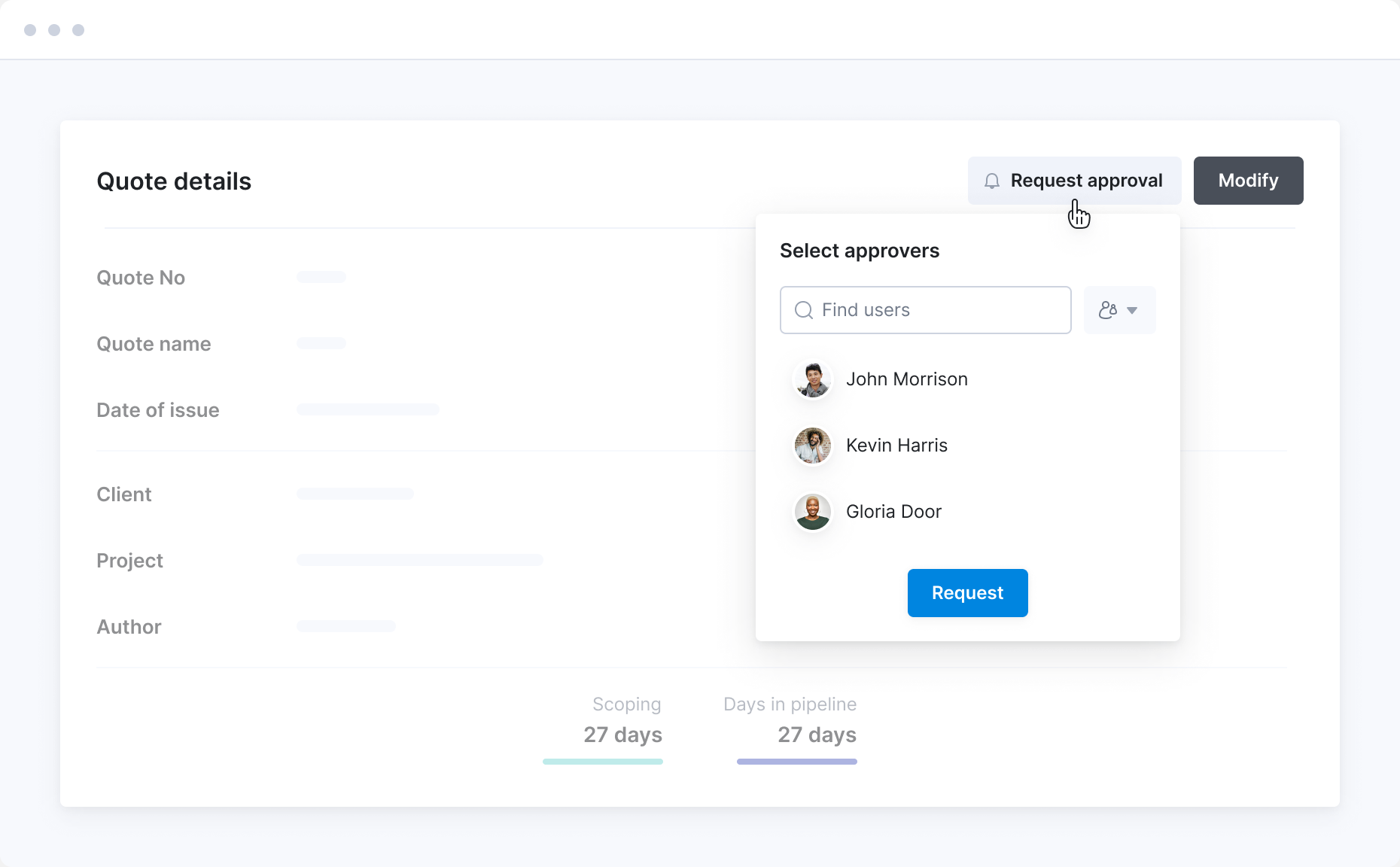
Set a value threshold, and any quote, invoice or purchase order above it needs sign-off before it’s sent. The approver is notified, so nothing big reaches a client or supplier until the right person has checked it.
Sync with your favorite finance tools
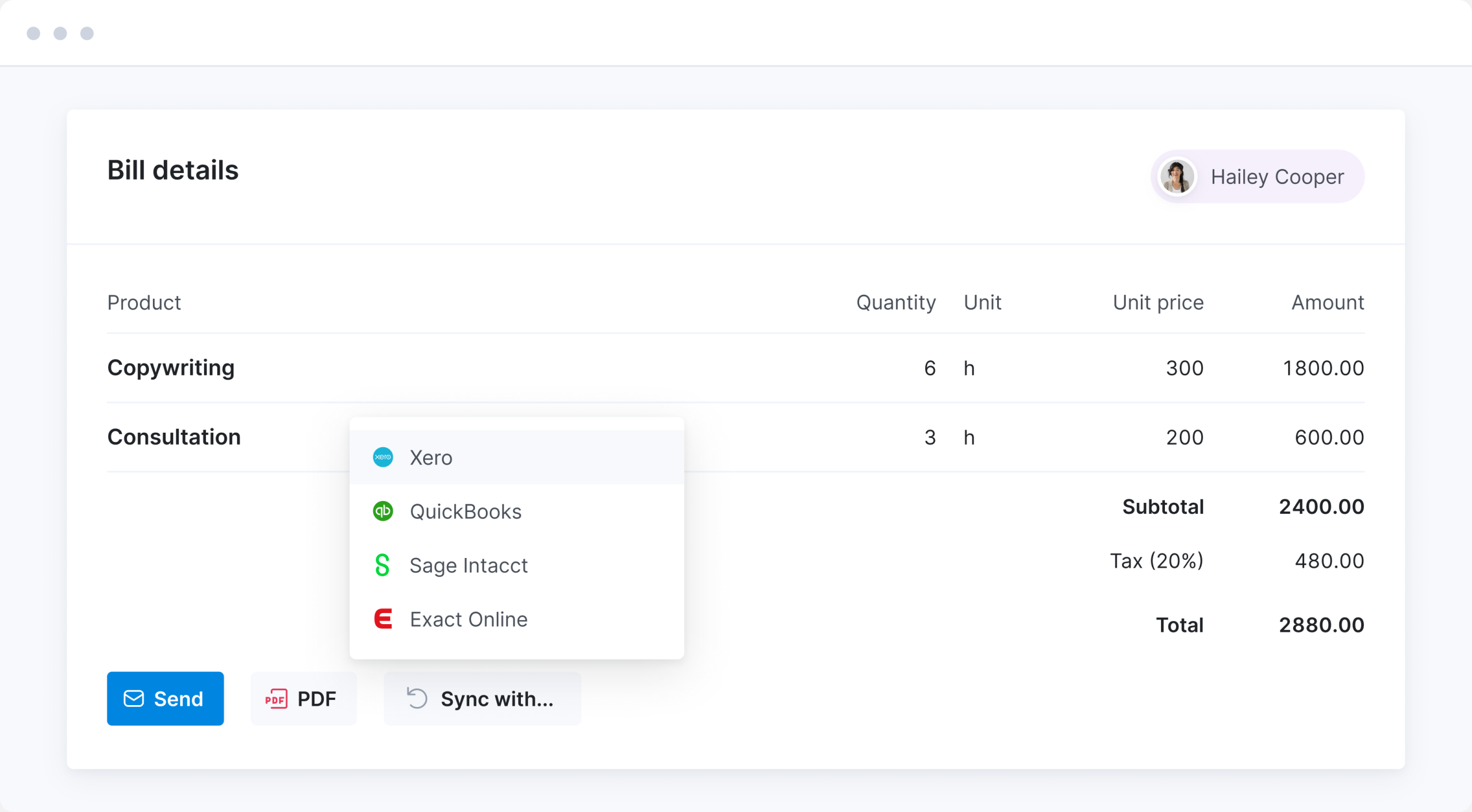
Invoices, bills, payments, contacts and products sync with Xero or QuickBooks Online, using your chart of accounts and tax rates. No double-entry, and project managers can see what’s been paid.
Meet ELI –
Scoro AI in action
Scoro AI comes to life through ELI – your smart companion, built into Scoro. Powered by AI and Scoro’s advanced data engine, ELI understands natural language, interprets complex business data, and helps you take action fast.
Explore Scoro AI

Why Scoro over point solutions?
Interlinked apps, not a stitched-together stack
Point solutions cover one part of your workflow well, but they don't talk to each other. Every one you add means another integration to maintain or another export to reconcile by hand. Scoro works differently: start with the apps you need today, add more as you grow, and your data interlinks automatically. No re-platforming down the line.
Point solutions
Scattered stack of niche tools
Scoro
Scalable system with consolidated data
Connect your favorite tools
Have some other vital tools you wish to sync with Scoro? Integrate what you need and harness the power of consolidated data in Scoro.


















































































FAQs
Scoro recognizes revenue as the work is delivered, not when it’s invoiced. Earned revenue is completed time at its selling price, plus outsourced services invoiced that month. Recognized revenue fills in from that automatically, and you can adjust it by hand before you close the month.
Yes, the WIP report shows each project’s work in progress: billable time and costs, earned revenue, and forecasted cost, revenue and profit. Its chargeable sum is the income budget multiplied by actual cost over budgeted cost, so it reflects how far through the budget the project really is. It exports to CSV or Excel for month-end.
Yes, lock invoices up to a cutoff date, and anything dated on or before it can’t be changed or deleted without the “Modify locked invoices” permission. Time locking does the same for timesheets, so the hours behind a closed month stay as they were. Time locking comes with Advanced Work.
No, your accounting software stays the books. Scoro holds the project numbers your ledger can’t, like time, costs, earned revenue and margin by project, and syncs invoices, bills and payments with your ledger so both show the same figures.
The Xero and QuickBooks Online integrations pull your chart of accounts and tax rates from the accounting side, so Scoro uses the same codes as your ledger. Invoices, bills and products can sync in either direction, and payments flow back into Scoro. Both integrations come with the Invoice and Spend apps. Exact Online is also available, and Sage Intacct is a paid integration.
Yes, accounting objects break income and expenses down by department, project or product. Link an object to a product and it’s applied automatically whenever that product goes on a quote or invoice, so nobody has to code each line by hand.
Yes, a prepayment invoice bills an agreed percentage up front and keeps it as a balance on the client. Later invoices can be deducted from that balance in full or in part, as long as they’re in the same currency.
Yes, multiple currencies let you invoice clients in their own currency, with exchange rates updated daily from the European Central Bank. Additional entities, a paid extra, let you run each company’s finances separately and report on the group.
Yes, permissions decide who can see project income and cost, other people’s labor cost and reports like WIP. Project managers can run their projects without seeing the numbers only finance should.
ISO 27001 certified and handles personal data in line with GDPR. On the Enterprise platform, you can add single sign-on and automated user provisioning through Okta, Microsoft Entra ID or OneLogin.
Invoice for billing, and Advanced Financials for revenue recognition, the WIP report, currencies and approvals. Track and Spend bring in the time and costs behind profitability. Build your combination.
Start a free trial
Tour the product and try Scoro for free for 14 days, no credit card required.
Try for free
The proof is in the results
It’s the most advanced quote-building process we saw. The way quotes then feed into a project is very powerful. It forces you to think about your project in detail from the quoting stage at the beginning right through to the end.
Lachlan Sellar, Head of Distributed Operations Collaborate GlobalProject profitability has increased by 33% with Scoro, thanks to real-time project profitability tracking.
Luis Perez, Head of FP&A DGA GroupWith Scoro, project profitability has increased by over 20%. We now have real-time visibility into budgets, utilization, and scope changes.
Meggan van Harten, Co-CEO Design de PlumeThe ability to provide real-time project status and time usage to clients helps avoid unrealistic expectations for project delivery. It enables a proactive approach to managing projects with scope creep. We can preempt overspending before it occurs.
Louise Munro, Senior Account Manager Yellow CherryWe can now be highly accurate on project profitability because of Scoro.
Colleen Kelley, President of Management Consulting Stratford GroupWe chose Scoro for its user focused design and versatility that make it easy to set up quotes, projects, and invoices, create tasks and plan team members’ work.
Stefanie van der Leegte, Managing Director NOSUCHScoro's highly customizable system perfectly matches our company's structure and gives a real-time overview of our work, sales and finances.
Bart de Wilde, Senior Account Manager Cross Media