











Gain complete control over your project finances
Gain unparalleled visibility into project accounting, revealing the true impact of each project and client on delivery profitability.

Why choose Scoro?
Eliminate double-data entry
Sync with your finance tools for accurate payment information and speedy cash collection.

Cover any billing scenario
Create recurring invoices, bill for time spent and cost incurred, or issue invoices for fixed-fee projects.

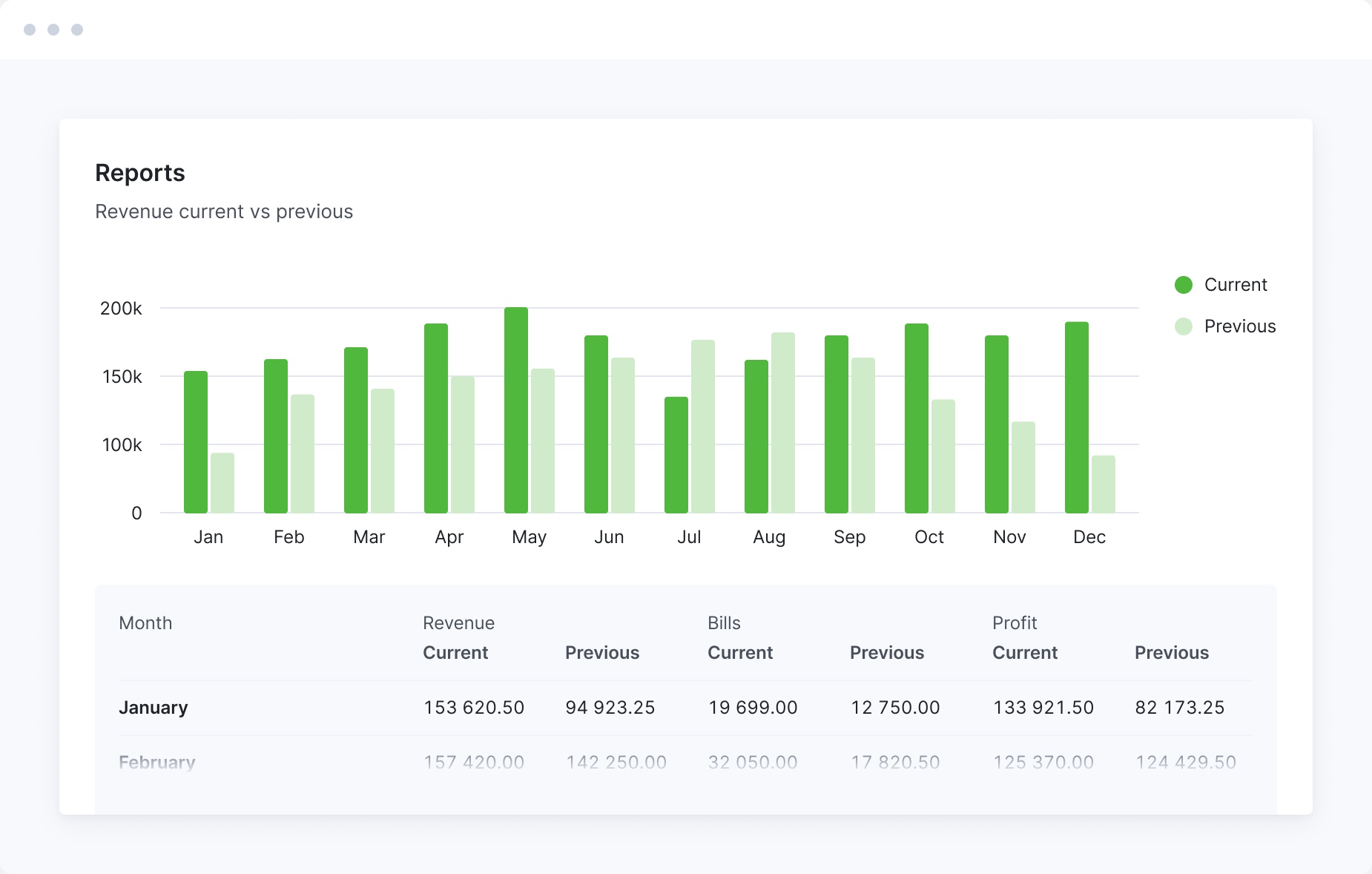
Automate financial reporting
Dive into expert-built reports covering revenue, cost, and sales. Identify unprofitable clients, projects, services, or teams.
Save hours by eliminating manual status updates
Ditch constant back-and-forths with project managers to gather correct invoicing data. Everything you need is in one system, allowing you to create invoices with a few clicks. Meanwhile, project managers can easily track payments and outstanding balances without relying on updates from the accounting team.
Automate fixed-fee invoicing
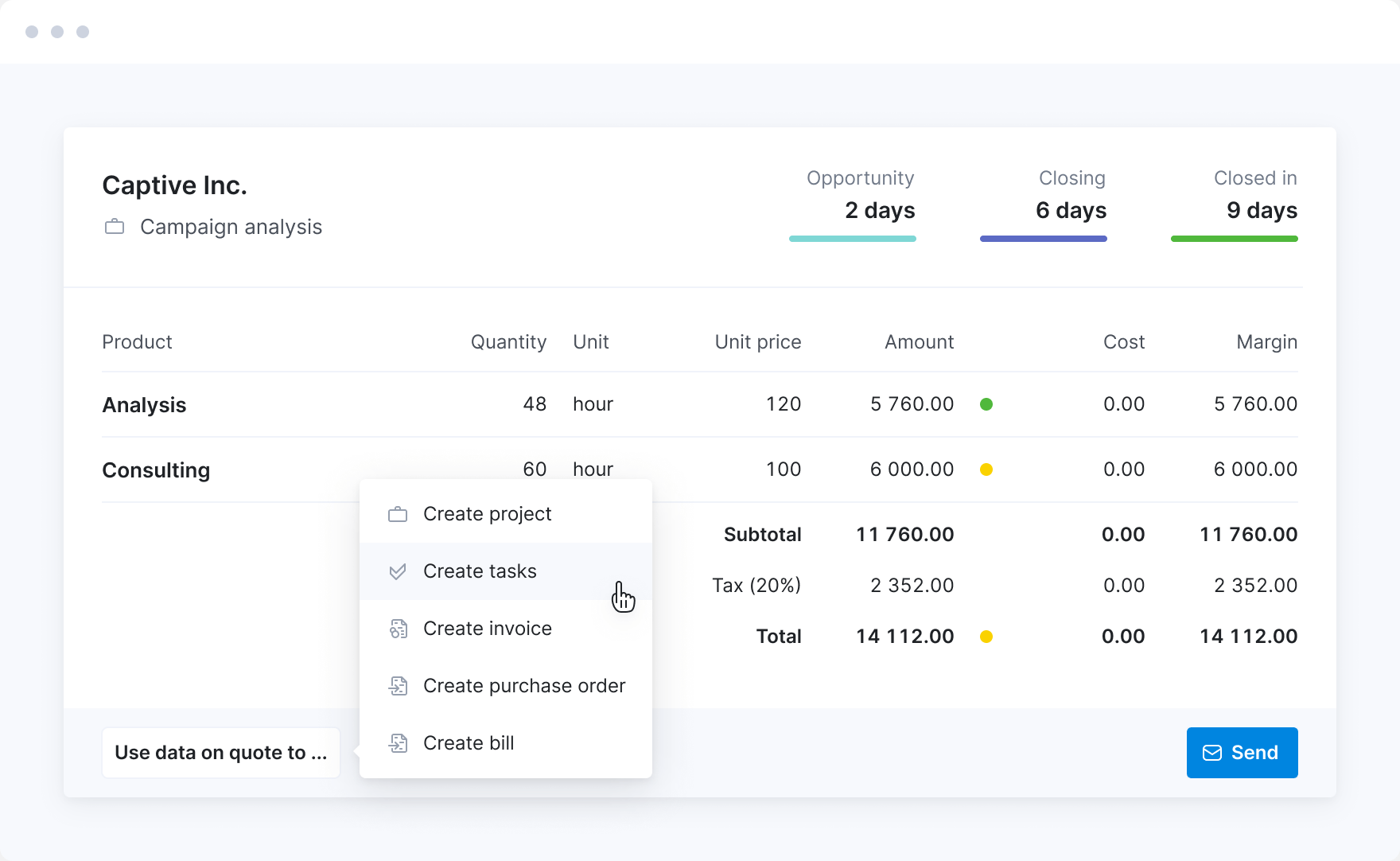
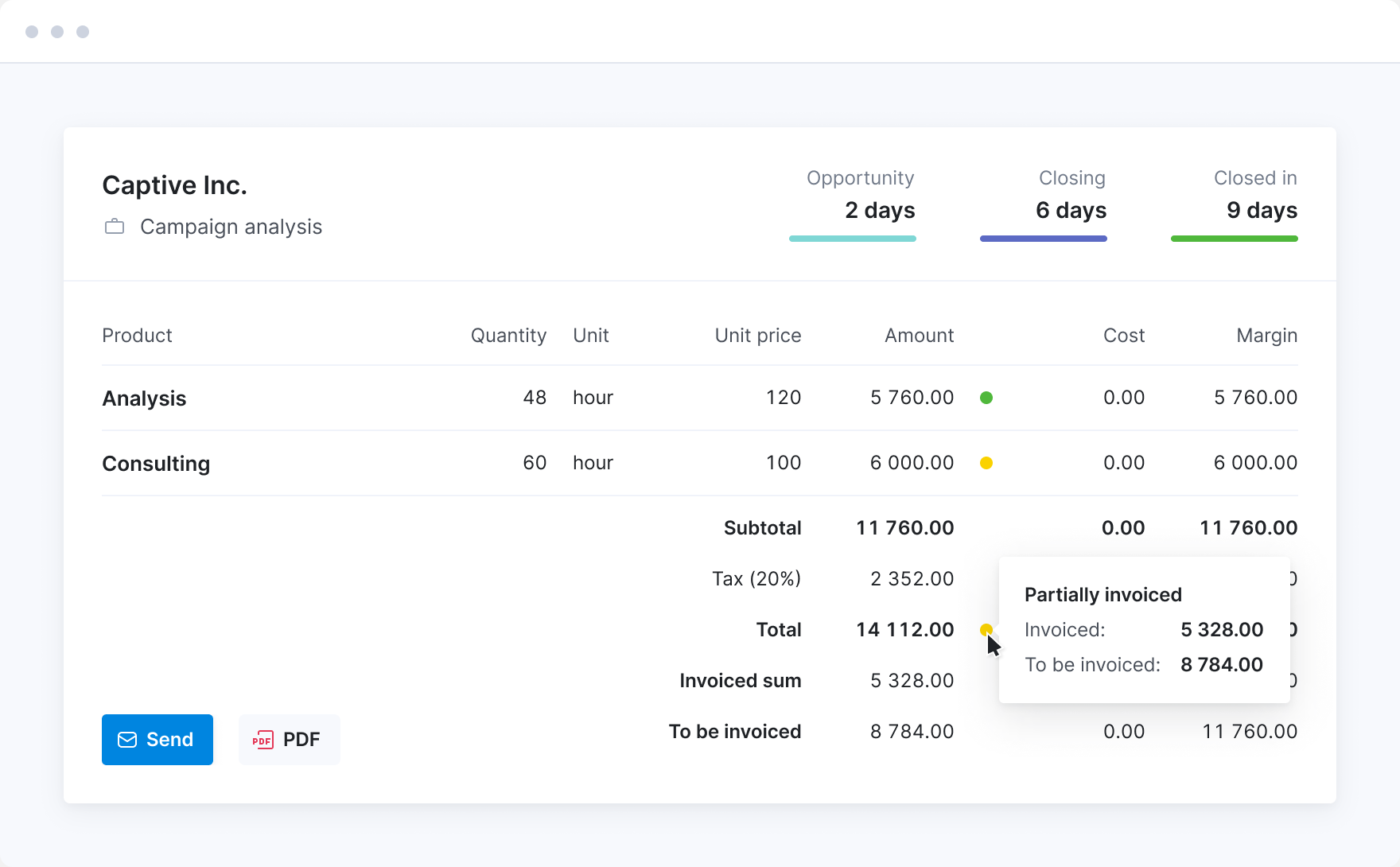
Convert confirmed quotes into invoices to bill exactly what was agreed upon. Use partial invoicing to invoice for a proportion of your work as the project progresses.
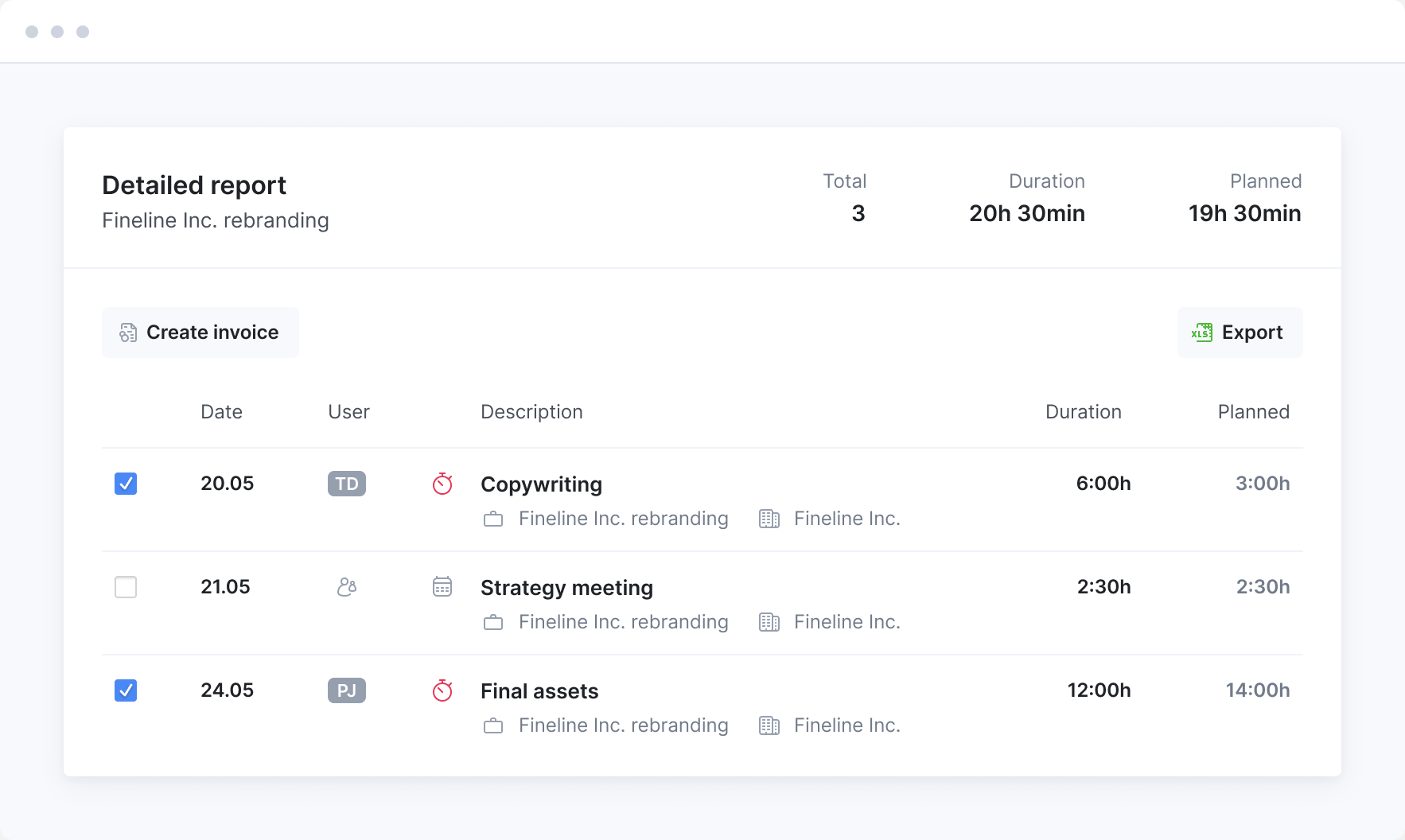
Bill time and materials projects
Create invoices based on time spent and cost incurred in just a few clicks. Make sure all your work, including client meetings, gets billed.
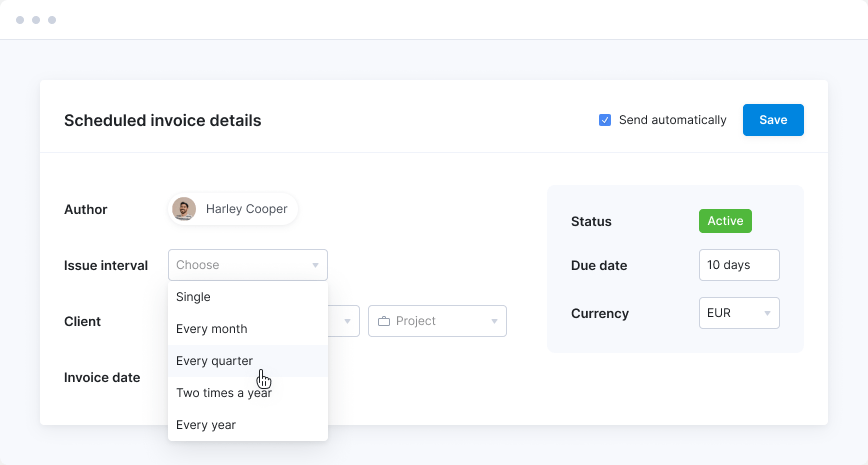
Automate retainer invoicing
Set up scheduled invoices for clients who pay the same amount each month. Invoices will be generated and issued automatically every period.
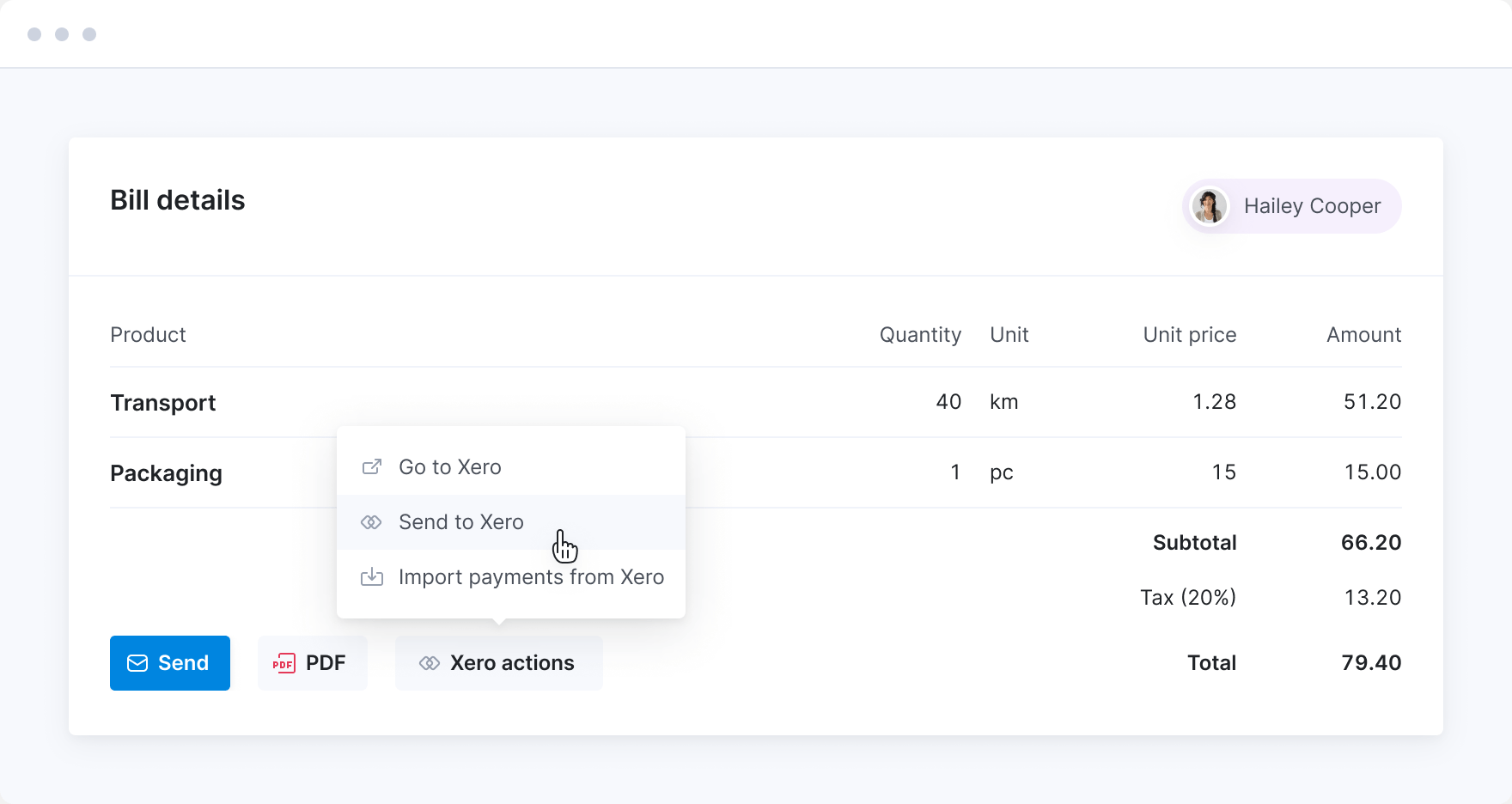
Sync with your favorite finance tools
Automatically send financial data to and from your accounting software, reducing manual data entry. Sync sales and purchase invoices, contact information, product details, and finance accounts. Have a clear financial overview in both systems.
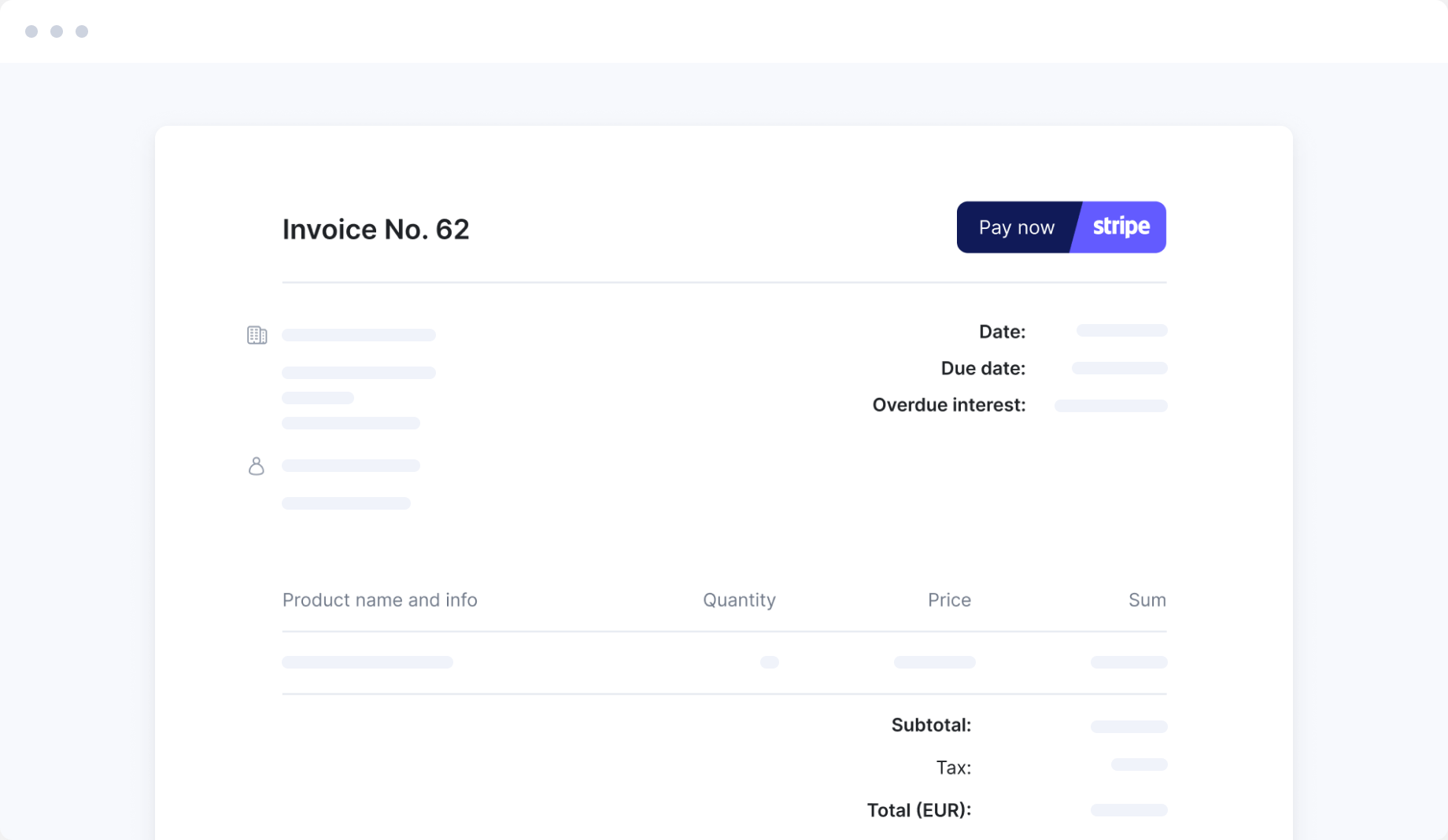
Speed up payment collection
Accept payments from anywhere quickly and securely with Scoro’s native Stripe integration. Set up late payment reminders to maintain a healthy cash flow.
Control project costs
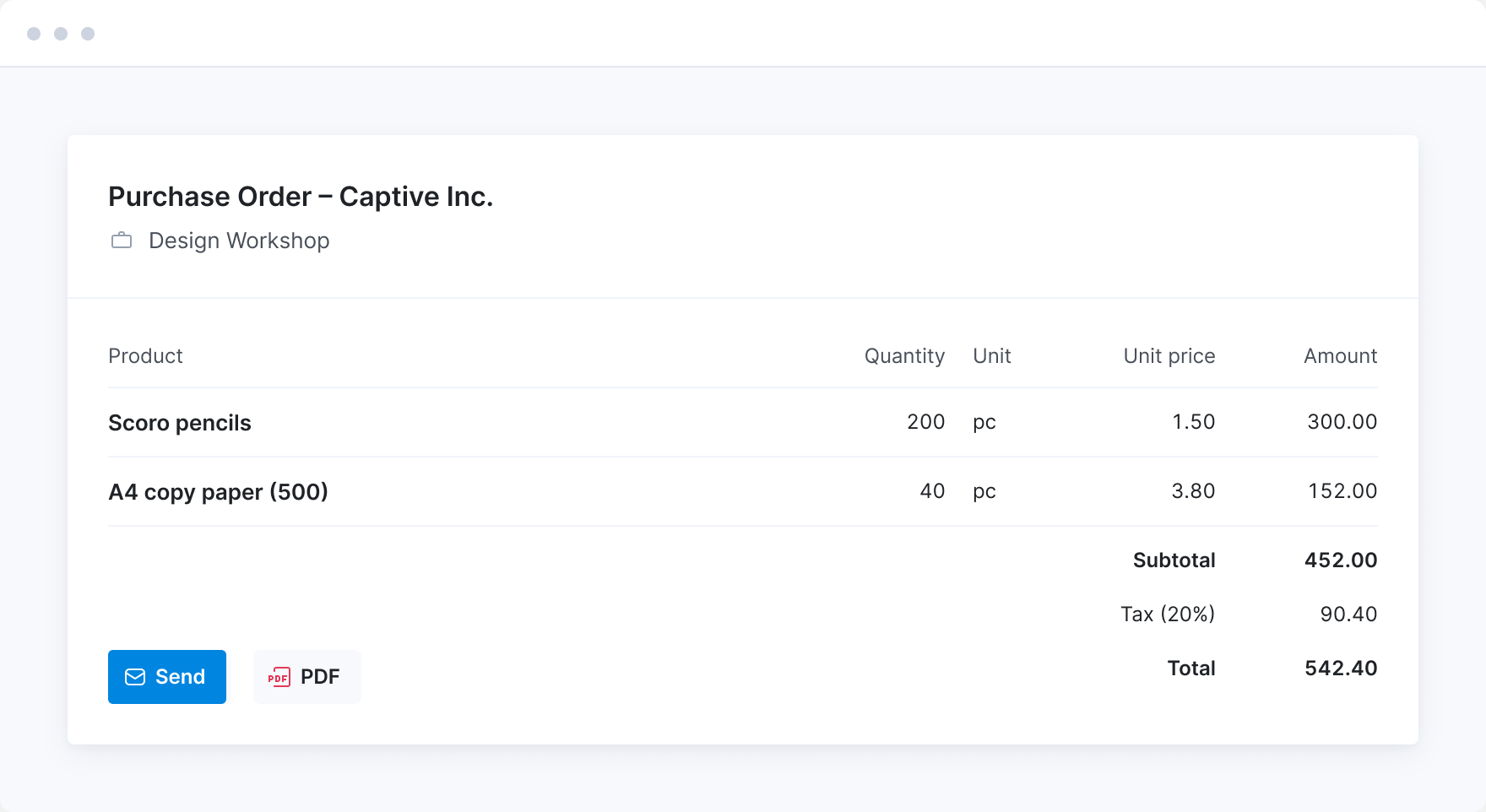
Manage labor costs, expenses, and supplier bills in one platform. Issue purchase orders to keep track of your supplier agreements. See what you’ve ordered and understand how much of your cost budget is already allocated.
Run your business globally
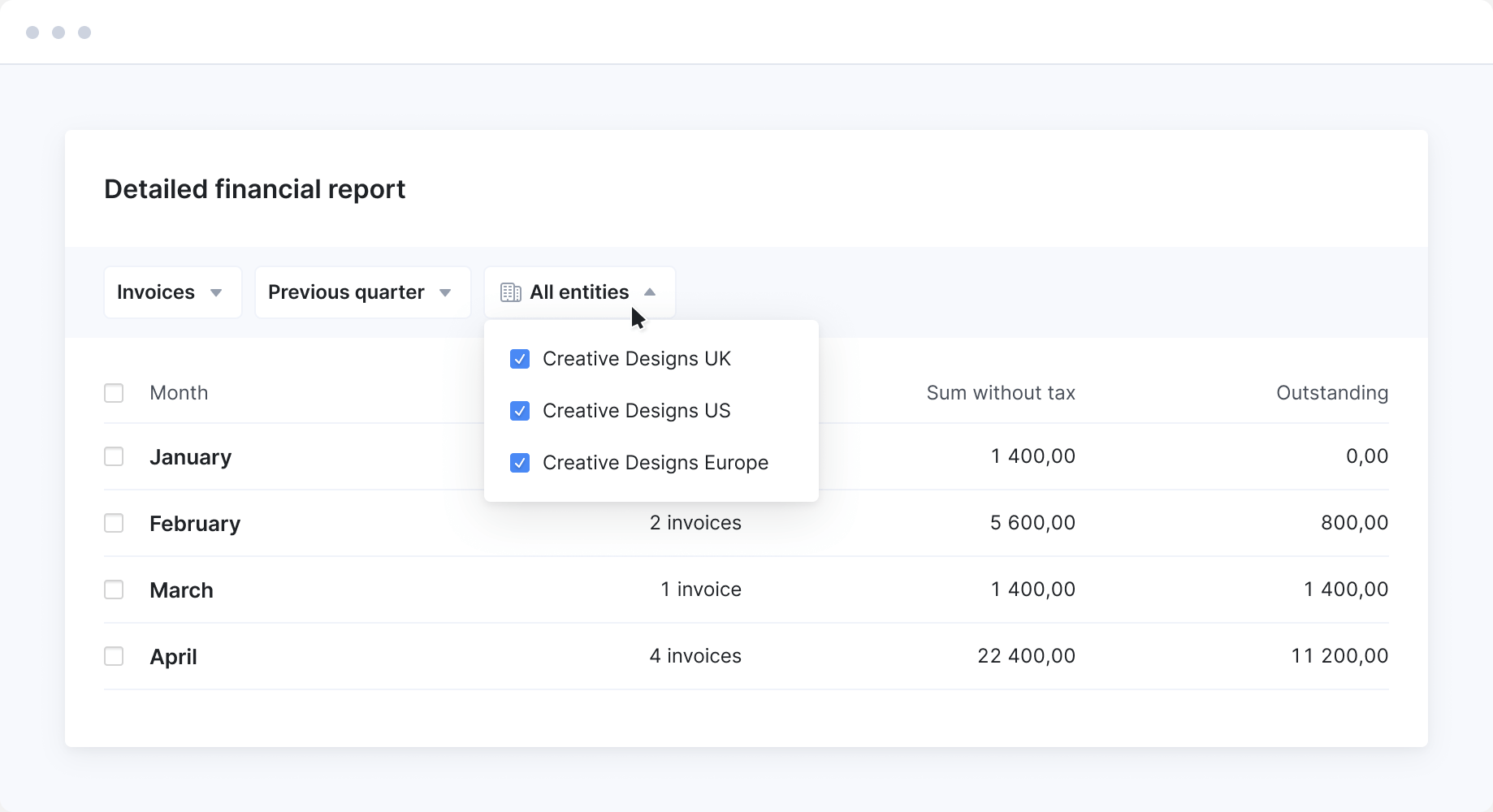
Manage finances in multiple currencies and invoice customers in different markets. Do you have global offices? Each entity can run its financials separately while you enjoy group-level reporting and collaboration.
Make sure you're profitable
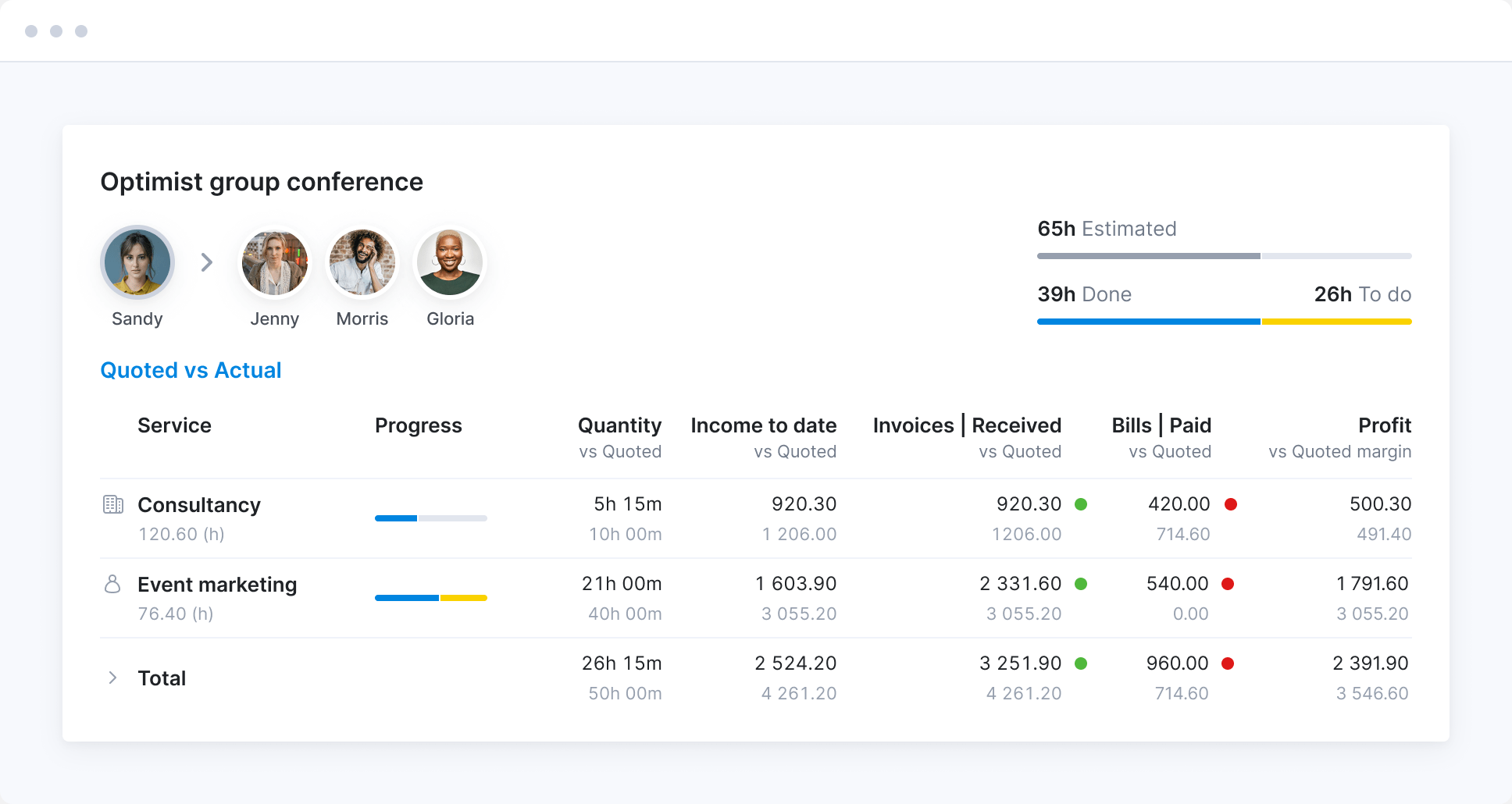
Enhance the regular finance reports with Scoro’s in-depth insights. Identify the projects, clients and services that drive the most profit and understand their true impact on your bottom line. Find ways how to boost margins, like increasing prices or cutting unprofitable services.
Forecast billing
Know exactly how much you have already invoiced and what’s left. Create a billing forecast for booked work to ensure a steady cash flow.
Track what matters
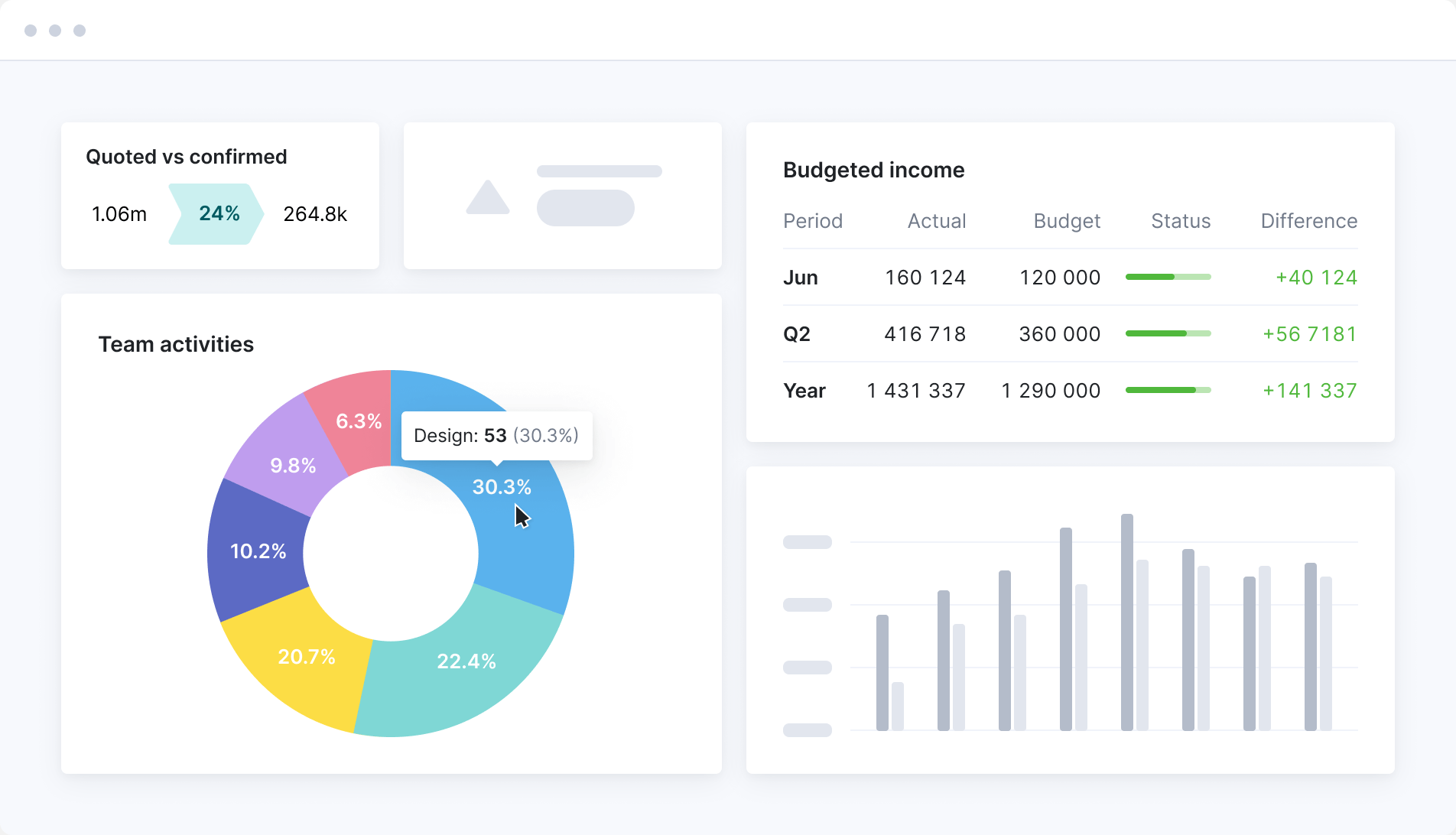
Consolidate all financial KPIs and metrics in one or more dashboards to stay on track with company-wide goals. Quickly prioritize what’s important and proactively make decisions based on real-time insights.
Meet ELI –
Scoro AI in action
Scoro AI comes to life through ELI – your smart companion, built into Scoro. Powered by AI and Scoro’s advanced data engine, ELI understands natural language, interprets complex business data, and helps you take action fast.
Explore Scoro AI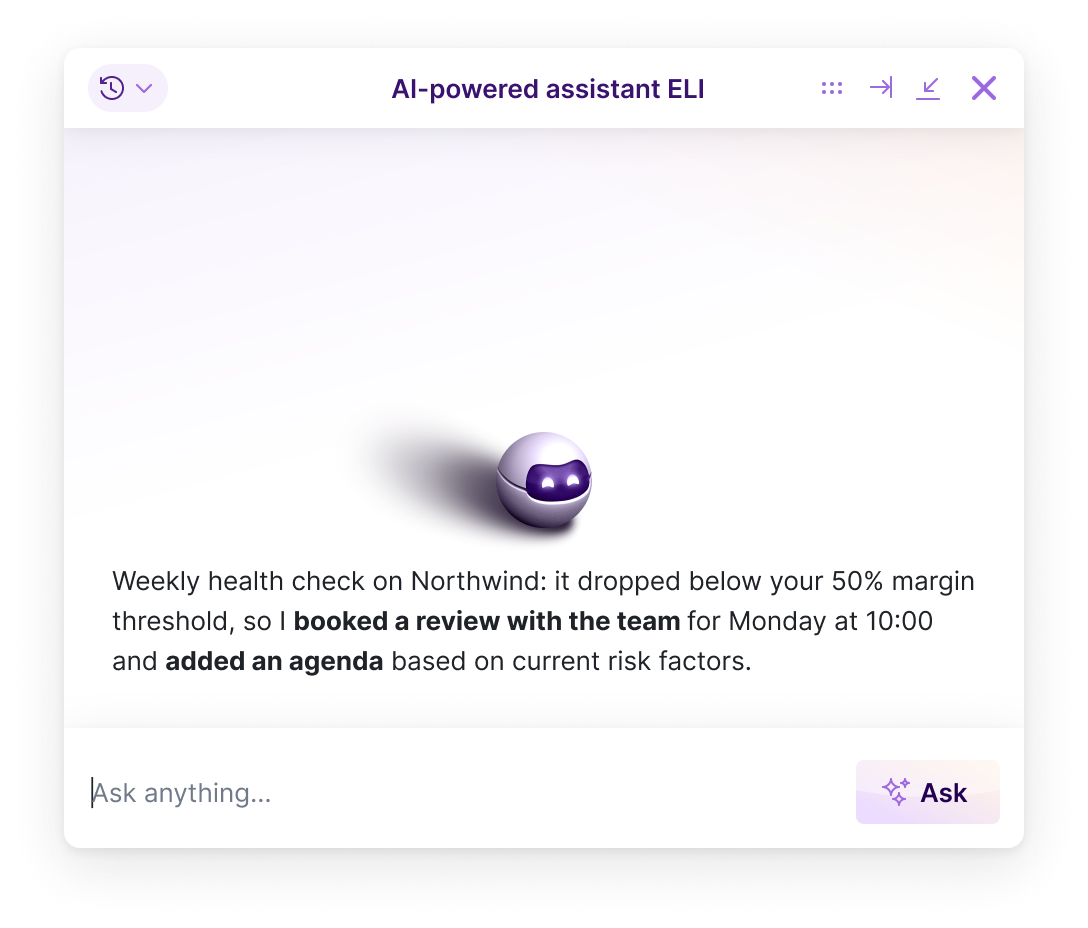

FAQs
Scoro is a professional services automation (PSA) platform that runs quoting, projects, time, billing and reporting in one place. Rather than one fixed product, it’s eight core apps you combine to fit how you work:
- Do — plan and manage tasks, to-do lists and daily work across the team
- Deliver — run projects with phases, milestones and Gantt timelines
- Track — log time and track what work costs
- Resource — plan capacity and see who’s free or overbooked
- Sell — manage contacts, deals and the sales pipeline
- Estimate — build quotes and budgets, and plan margin before work starts
- Spend — track supplier bills, expenses and purchase orders
- Invoice — bill clients and get paid, with recurring and partial invoicing
Start with the ones you need today, add more as you grow, and because it’s one system, your data’s already connected.
Professional services firms that deliver client work by project, retainer or hourly billing. Agencies, consultancies, and engineering, architecture and advisory firms. What they have in common is that they sell people’s time and need one source of truth for their projects, people and finances, instead of piecing it together across separate tools.
Scoro is used by businesses from around 5 people up to groups of 300+, across offices in several countries.
Because it’s modular, you run the same system whatever your size, on the combination of apps that fits:
- A small studio might run two apps, like time tracking and invoicing
- A mid-sized firm typically runs the full quote-to-cash flow
- A large group adds multi-entity reporting, single sign-on and user provisioning
You start with what you need and add as you grow, so there’s no switching systems later. See customer stories.
Scoro is built from eight core apps you mix and match, rather than one fixed package, so you start with only the apps your workflow needs and pay per user for those.
As you grow, add more apps without switching platforms or re-implementing anything.
Pricing starts at $17 per user per month with a five-user minimum, and annual billing takes 13–17% off. See full pricing.
Most teams start with one of our ready-made app combinations, usually Quote to Cash—Estimate, Deliver, Track and Invoice—at $29 per user per month, which connects quoting, delivery, time and billing.
For the finance-specific capabilities, add the Advanced Financials layer on top: that’s what unlocks revenue recognition, WIP and multiple currencies, without needing the full platform. If you also manage supplier costs and purchase orders, add Spend for cost management. See full pricing.
Yes, all four. Invoices, bills and payments move between Scoro and your accounting system, so you’re not entering them twice. Raise an invoice in Scoro, send it, and when it’s paid the payment shows up against the project in Scoro. No need to open the accounting system to check.
Your chart of accounts and tax rates come from the accounting side, so the numbers always match your ledger. You decide what syncs, which direction, and how often.
Xero, QuickBooks and Exact Online come with the Invoice app; Sage Intacct is available as a paid add-on. Each one sets up a bit differently. Check the integration page for details: Xero, QuickBooks, Sage Intacct, Exact Online.
Yes. Each entity keeps its own books, quotes and invoices, and group-level reporting pulls everything together, so you get consolidated numbers without exporting from each entity by hand.
And because resources are shared across the group, people from different offices can work on the same project with full visibility of it. So a multi-office team runs as one, not as silos passing work back and forth.
DGA Group runs Scoro across seven entities and cut group reporting from six weeks to two. Read the story.
Yes, across all your financial documents. Quotes, invoices, bills and expenses can all be raised in any currency, with exchange rates updated daily from European Central Bank reference rates. If you run offices in different countries, each entity can have its own default currency, and it all rolls up into one group-level view.
Yes. Access is controlled by permission sets. You create sets like Finance, Management or Delivery and decide exactly what each one can see and do across the system. So project managers and specialists can work on their projects without seeing the cost, margin and rate data behind them.
Yes. Accounting objects let you break income and expenses down by department, product or cost center, so you can see where money is coming from and going beyond just project and client. Link an object to a product and it’s applied automatically whenever that product goes on a quote or invoice.
Can we set approval rules for high-value documents?
Yes. You can set a value threshold above which quotes, invoices and purchase orders need sign-off before they go out. Anything over the threshold gets a “needs approval” status automatically, and the designated approver is notified to review it, so a big quote or invoice can’t reach a client until the right person has checked it. It’s part of the Advanced Financials layer. See how approvals work.
The one to know is the detailed financial report. It’s not a single fixed report but a builder, so you slice the data however you need.
Pull overdue and outstanding invoices, invoiced revenue for any period, the value of confirmed quotes (how much work you won), outstanding bills you’ve yet to pay, and project margin, all from the same place. Group by client, project or project manager—or double-group, like client then country—and compare periods, say confirmed quotes this month against the same month last year.
Alongside it, the Reports Library has around 50 ready-made templates across revenue, cost, profitability and utilization, plus the WIP report for unbilled work. Everything updates in real time, so a report is current when you open it.
Yes. Scoro recognizes revenue as the work is delivered, not when you invoice or get paid, so you always see what a project has actually earned.
Every month, Scoro works out earned revenue—completed time at its selling price, plus any outsourced services invoiced that month—and fills in recognized revenue for you automatically.
If you’ve delivered more or less than the numbers show, you can adjust it by hand. Whatever’s left of the budget is forecast across the coming months, so recognition and forecasting stay in step. Learn more.
Yes. Scoro’s revenue forecast pulls confirmed work and your sales pipeline into one view, so you can see what the coming months look like. Including deals that haven’t closed yet.
Pipeline quotes are spread automatically across each quote’s estimated duration, and you can weight them by how likely each is to close, so the forecast reflects what’s realistic rather than best case.
For confirmed projects, Scoro forecasts the remaining budget across the coming months based on working days and scheduled work. It does the calculations for you, and you can override any month by hand if you know better.
At Saentys, revenue forecasting used to take the finance director two full days a month, exporting project lists and chasing spreadsheets from each account manager. It now happens in real time. Read the story.
Yes. You can see what’s been invoiced, what’s paid, and which clients are overdue and by how much, without opening your accounting system. An “overdue invoices by client” report gives you the chase list, and you can set up automated payment reminders so credit control isn’t a manual job.
Yes. Fixed-fee work bills straight from the quote, and you can invoice in parts as a project progresses. Either a percentage of the quote or specific deliverables as each phase completes. Retainers bill each period, and recurring invoices can be scheduled to generate automatically. Time-and-materials work bills from the actual hours and costs logged. See how billing works.
Yes, at every level. See profit by project—income minus external and labor cost—and group it by client to spot who’s above or below your average margin.
You can also break it down by project manager to see who manages scope and budget best, or open a single project’s quoted-versus-actual table to see which services went over budget. So you can find where the margin is, and where it’s leaking.
Yes. Bills and expenses are logged against the project they belong to, so internal and external cost sit in one place.
Raise a purchase order and the committed cost is reserved against the project’s cost budget before the bill arrives. So you can see how much of the budget is already spoken for while you can still act on it. When the supplier invoices you, you turn the PO into a bill, and recurring supplier costs can be scheduled so they’re not re-entered each month.
For most customers, a few days to a few weeks, depending on team size and how complex your setup is. That includes importing your existing data (contacts, projects, invoices) and getting to know the system.
Businesses of up to 15 people set Scoro up themselves using our guides, video tutorials and product tours, with ELI on hand inside the product to answer questions.
Up to 25, our experts are available for Q&A sessions and email consultations. From 26 people, our onboarding team takes the lead: mapping your workflows, configuring the site, migrating your data and training your team. See onboarding options.
Each of those tools covers only part of your workflow. None handles the full quote-to-cash process, so firms end up running three or four in parallel. Every one you add is another integration to maintain or another export to reconcile by hand.
With Scoro you start with the core apps you need and add more as you grow. The data connects automatically, so there’s no re-platforming later, and you’re not paying for the full platform before you’re ready to use it.
SAENTYS, a 50-person design and marketing agency, moved off Asana, Deltek Traffic Live and spreadsheets. Revenue forecasting that took two full days a month is now real-time, and invoicing is ten times faster. Read the full story.
Most PSA platforms sell you the whole suite: you pay for every module whether you use it or not, and you have to set the whole thing up before any of it is useful.
Scoro is built as eight core apps. You take the ones that fit how you work today, two, four or all eight, and pay for those only. Add the rest as you grow, and because the data already connects across everything you’re running, nothing gets re-implemented when you do.
Most businesses start with one of three combinations:
- Time-billing — turn logged hours into invoices and never lose a billable minute
- Projects & Resources — plan projects, assign resources, and see what time means in revenue
- Quote to Cash — estimate, deliver, track and bill in one connected flow
Whichever you start with, the data connects across all of it. Start building your combination.
Yes. You stop paying for several overlapping tools and the work of connecting them. NOSUCH replaced all its previous tools with Scoro and cut its tech-stack cost by 50%, saving around €2,500 a month. You pay per user only for the apps you use, so the platform sizes to the business rather than the other way round. See full pricing.
Yes. Scoro is ISO 27001 certified and GDPR compliant, with single sign-on, user provisioning and granular permissions. So financial and commercial data is visible only to the people who should see it, and delivery teams see what’s relevant to them without the numbers behind it.
Yes. ELI is built into Scoro and works on your live data, so you can ask finance questions in plain language instead of building a report. Ask which clients brought in the most revenue last year, which projects ran over budget, which services have the best margins, or how this quarter compares to last, and it answers from your actual numbers.
Every plan includes free AI credits. Learn more about Scoro AI.
Yes. ELI doesn’t just answer, it acts. Ask it to pull together a report you don’t already have, draft a follow-up, add a comment, or chase the team for time that hasn’t been logged before you invoice, and it does the task rather than telling you how.
ELI works within your existing permissions, so it can only touch what you could yourself. Learn more about Scoro AI.
Yes, on every plan. The Scoro MCP server connects your site to AI tools like ChatGPT, Claude and Copilot Studio, so you can pull data and take action in Scoro without leaving your AI chat.
It also works across tools. Connect Scoro alongside Slack, Gmail or Jira and you can ask one question that draws on all of them. Learn more about the MCP server.
Yes. Scoro has an open API available on every plan, so you can connect it to systems that don’t have an off the shelf integration. See the API documentation.
Connect your favorite tools
Have some other vital tools you wish to sync with Scoro? Integrate what you need and harness the power of consolidated data in Scoro.






































































































Start a free trial
Tour the product and try Scoro for free for 14 days, no credit card required.
Try for free
Your peers are reaping the benefits
Scoro saves us at least two days of work every month on revenue forecasting. The live data means we don’t need to prep for meetings. We just open Scoro and access the reports, which are up to date and reliable.
Julia Longo, Finance Director SAENTYSThe management team now has real-time visibility to the accounts receivables. Previously that resided with the accounting team in Quickbooks.
Colleen Kelley, President of Management Consulting Stratford GroupScoro integrates natively with our other tools, bringing all of our data into one flow. It’s now consistent, accessible globally, and provides a single source of truth.
Luis Perez, Head of FP&A DGA GroupScoro's highly customizable system perfectly matches our company's structure and gives a real-time overview of our work, sales and finances.
Bart de Wilde, Senior Account Manager Cross MediaAt the start of every day, I have two browser tabs set to open up automatically – Scoro and Quickbooks. And I always go straight to the dashboard to check in on things – it’s central to what we’re doing.
Matt Stevenson Dodd, Managing Director Trust ImpactScoro's gives us real-time insights into resource utilization and capacity across our entire practice. We now make proactive, data-driven decisions.
Lachlan Salt, Director, Finance, Risk & Governance We Are BestScoro gives us a clear view of how we use our time. When we started, there were significant gaps in how much time we put in and how much we billed the clients. Now, we are more profitable then ever.
Triinu Toomela, Owner Soulteam