













Unlock operational efficiency
Manage your projects, teams, and clients from one place. Improve collaboration, balance workloads, and boost team productivity. Gain complete visibility over your business processes, pinpoint scope creep, and quickly resolve bottlenecks.

Why choose Scoro?

Optimize operations
Choose just one software to standardize all processes from quoting to delivery to invoicing.

Balance workloads
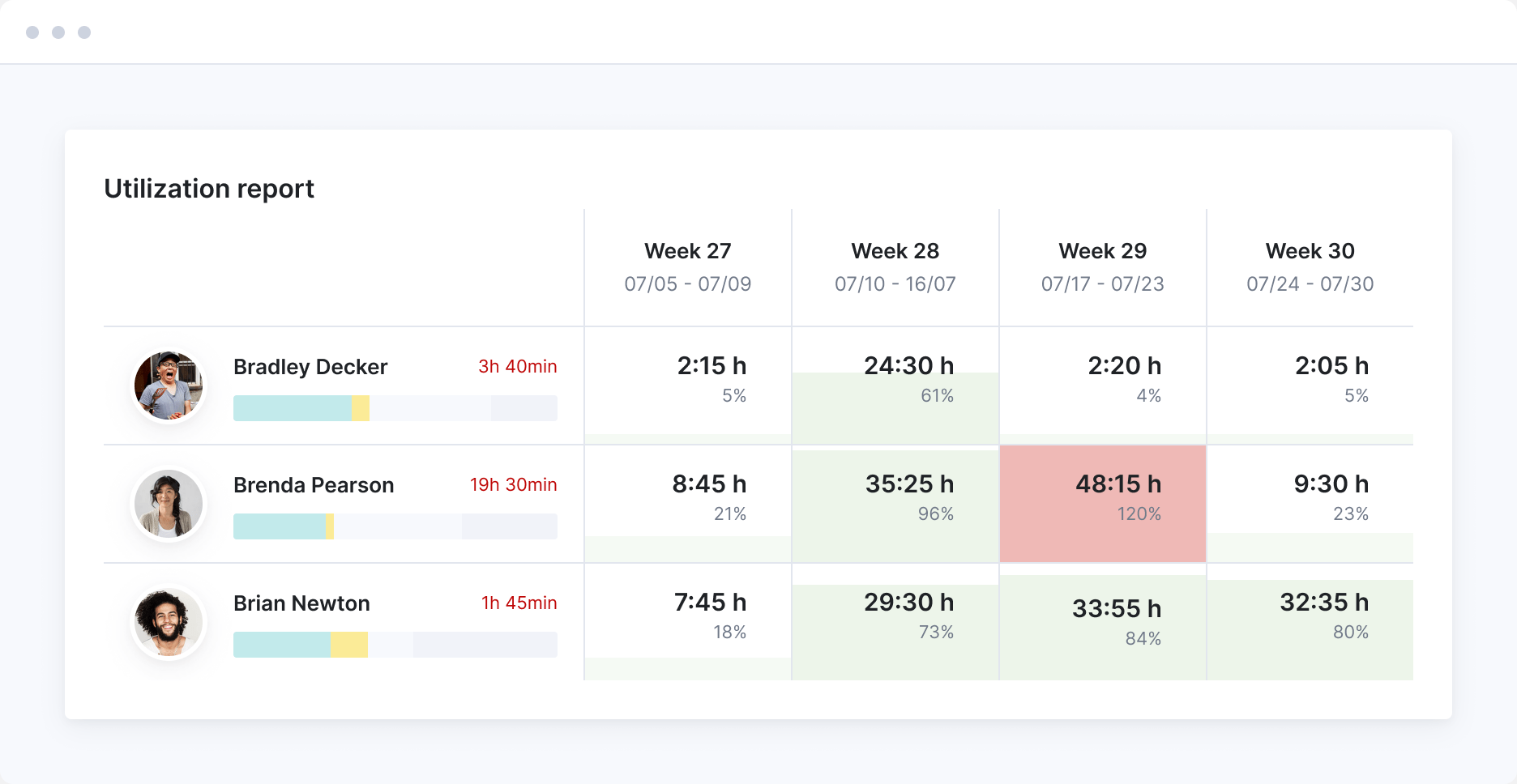
Spot resource shortages before they happen. Make hiring decisions to balance workloads.

Use real-time insights
Know when to charge more, work more, improve efficiency, or cut costs.
Plan and forecast resources
Spot resource shortages before they happen. Make proactive decisions on outsourcing or hiring to balance your team’s workloads. Know when to line up more projects to keep your team productive.
Centralize project management
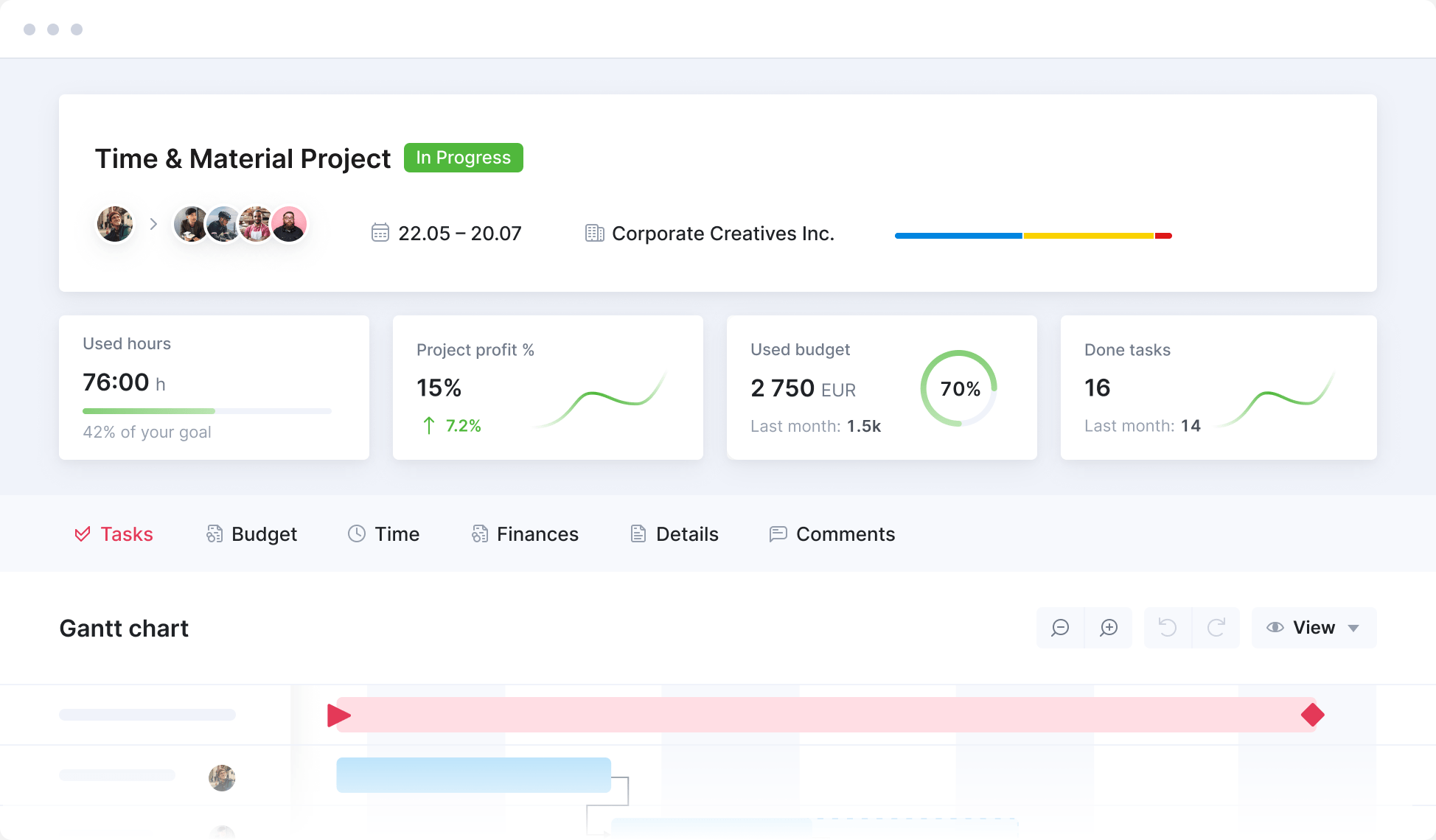
Monitor the progress of projects in real-time and across the portfolio. Know exactly how each is progressing budget and time-wise. Focus on the ones that require your immediate attention.
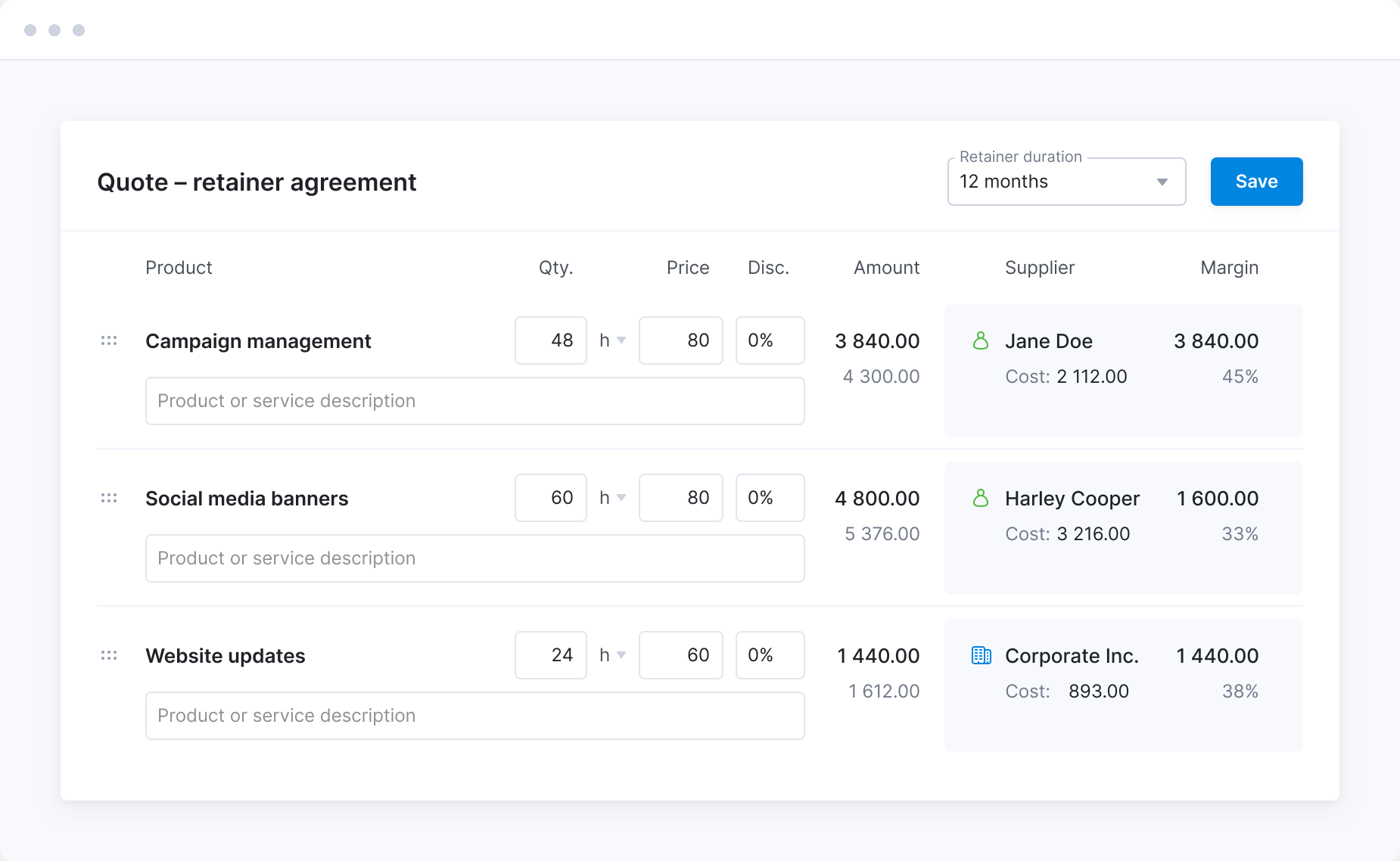
Standardize quoting and budgeting
Predefine your product offer to standardize proposal creation. Make sure your projects are set up for success by having everyone price the services in the same way. Avoid unexpected discounts or unrealistic scope estimates.
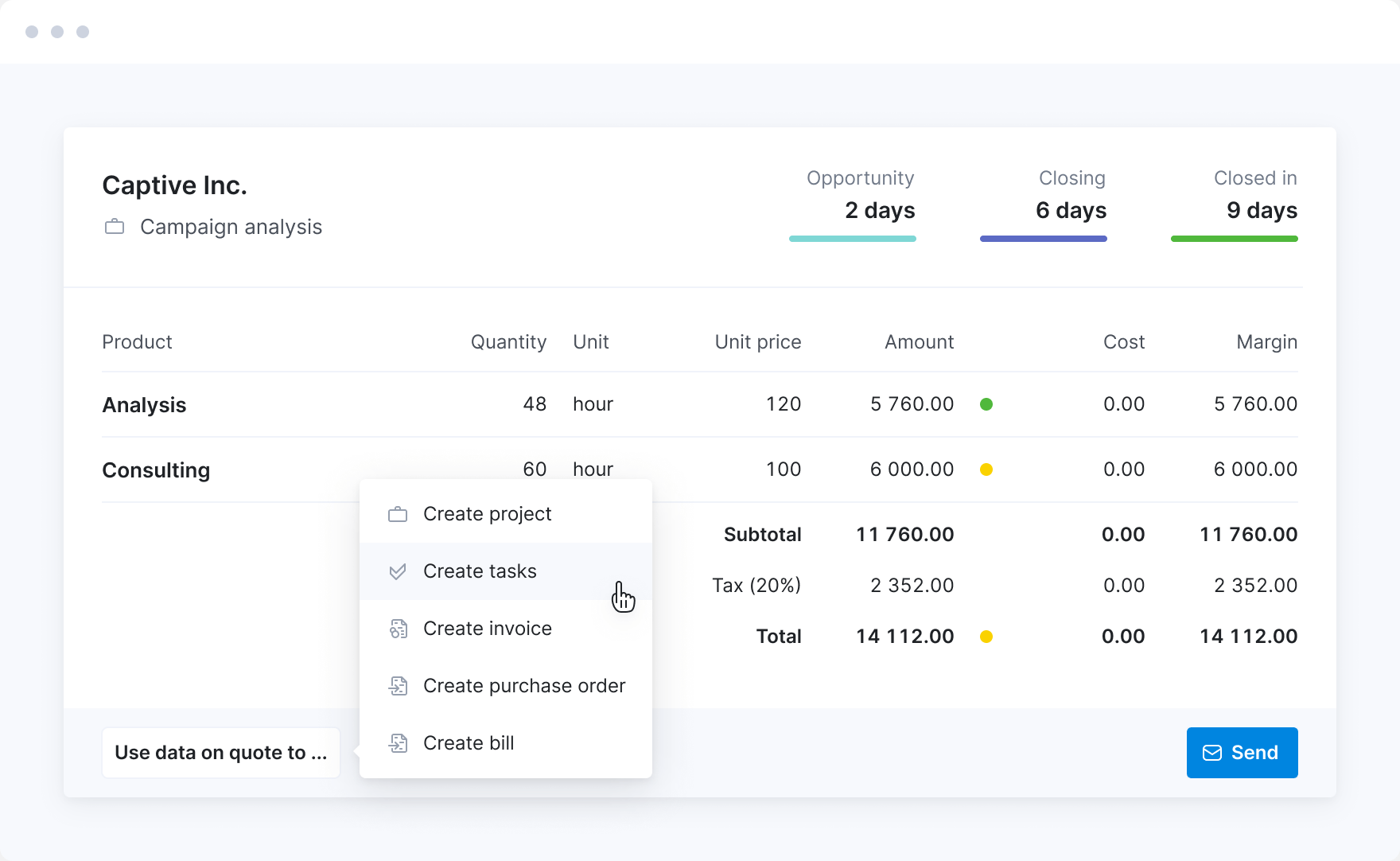
Save time on project planning
Save your team’s time and ensure delivery consistency by creating project templates to cover standard scenarios. This way, project managers can set up all the necessary tasks and milestones in seconds.
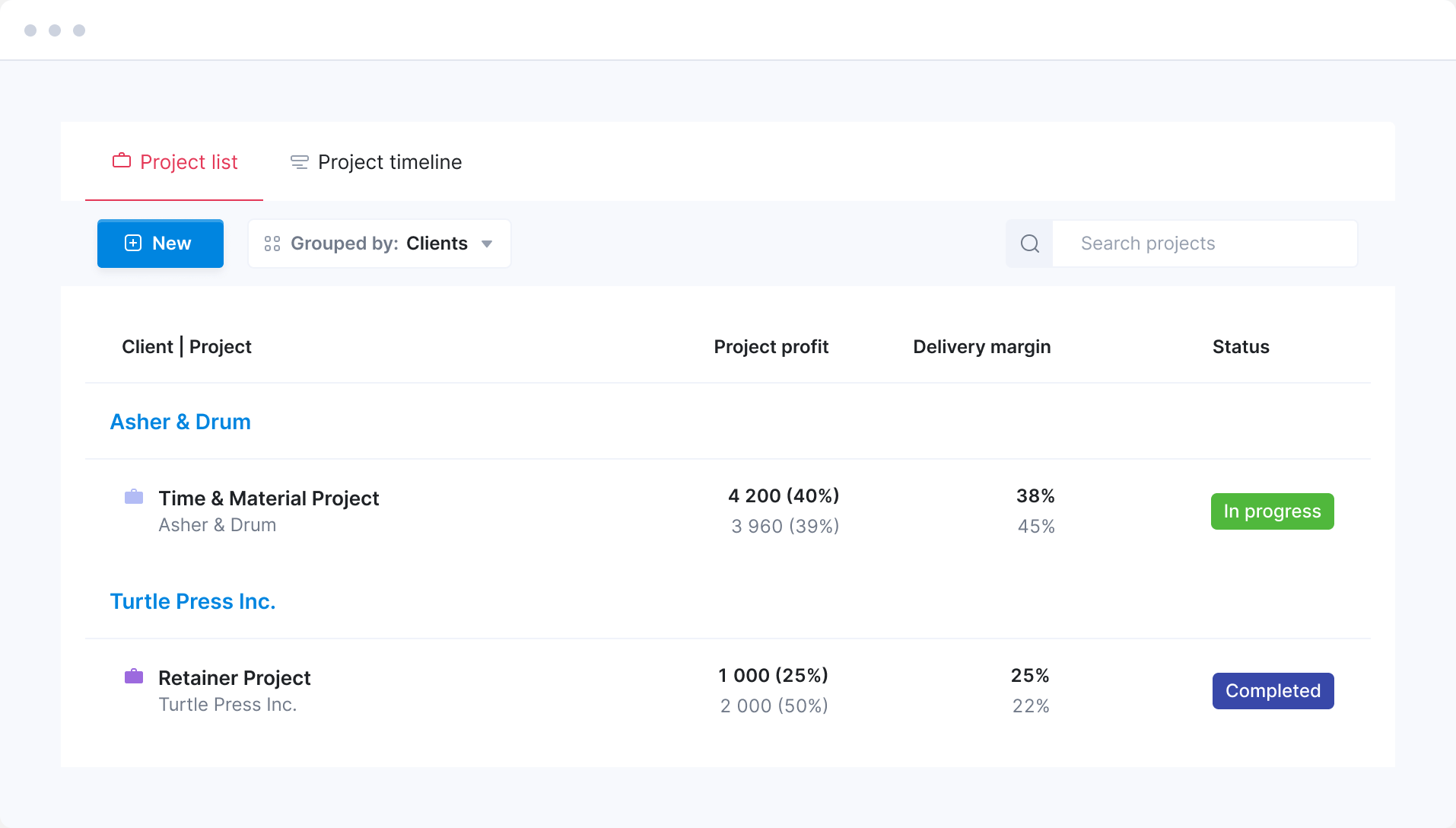
Learn from the past
Analyze the performance of the entire project lifecycle—from sales and planning to delivery and invoicing. Quickly spot which clients, projects, services, or teams are more profitable or where you tend to overservice. Know when to charge more, quote more hours, or cut costs.
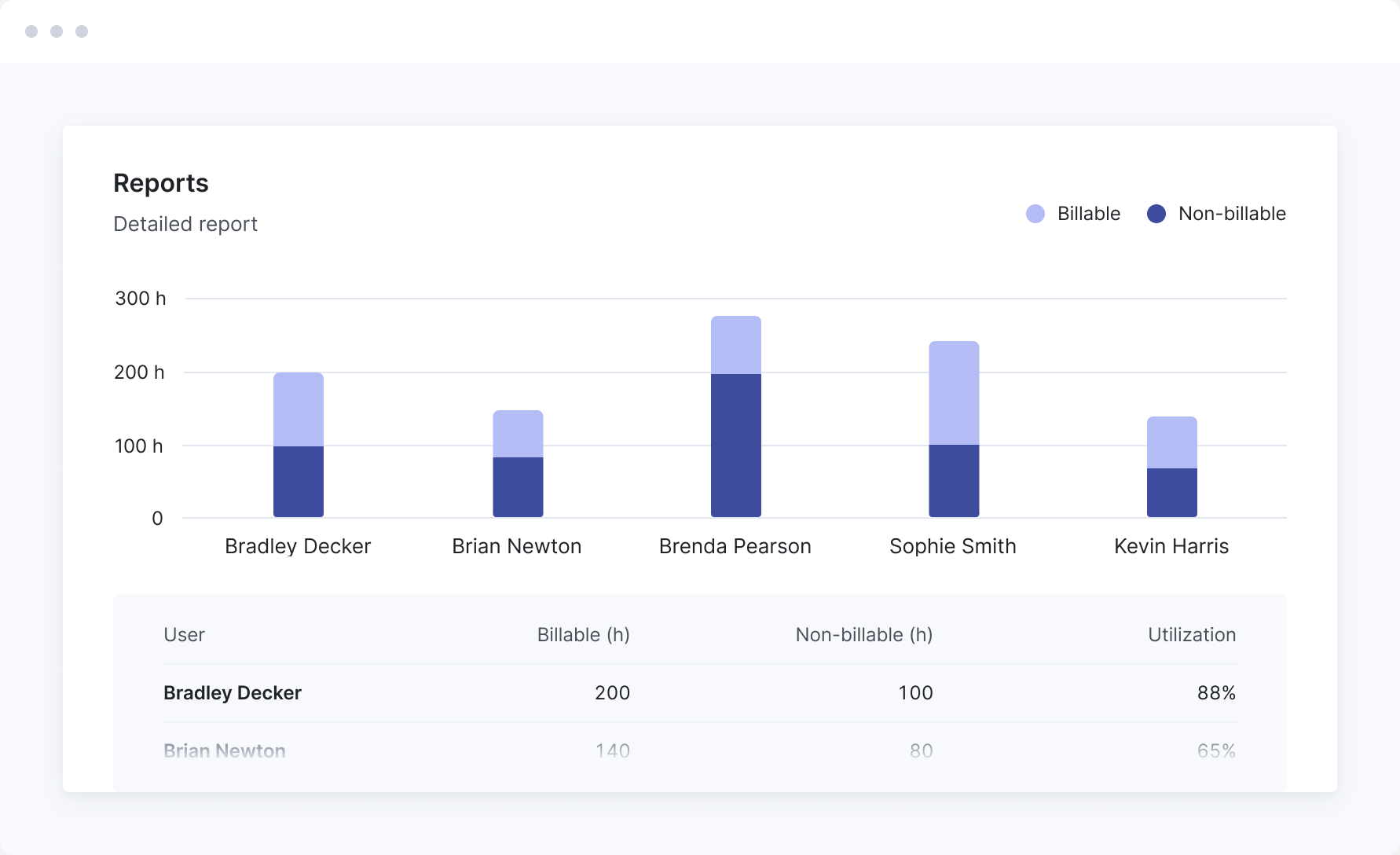
See where your team's time goes
Gain insights into team productivity and profitability by tracking time spent on billable vs non-billable work. Spot opportunities to reduce time spent on internal admin work.
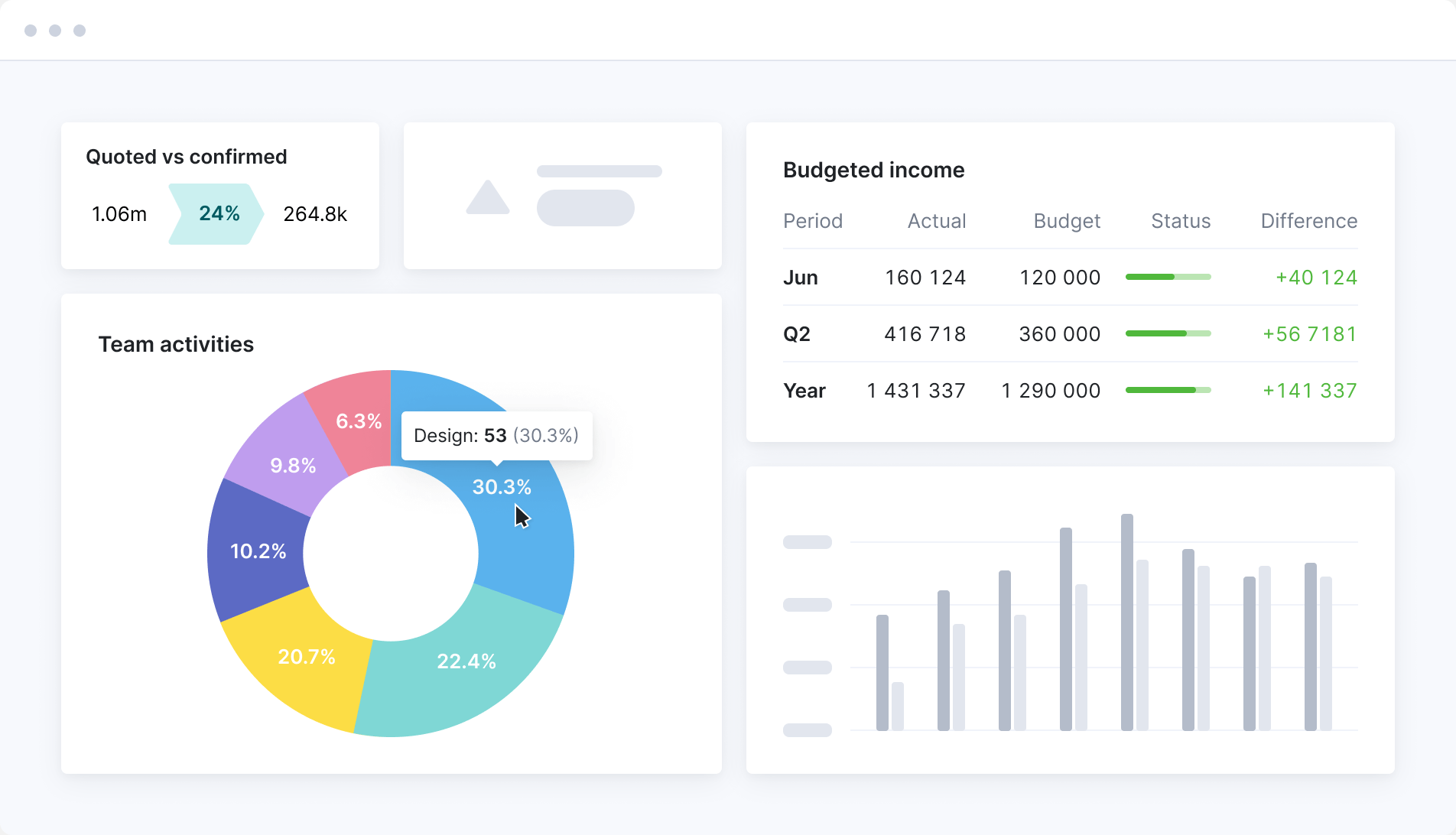
Track what matters
Consolidate all your KPIs and metrics in one or more dashboards to stay on track with individual, team, or company-wide goals. Quickly prioritize what’s important and steer your operations based on real-time insights.
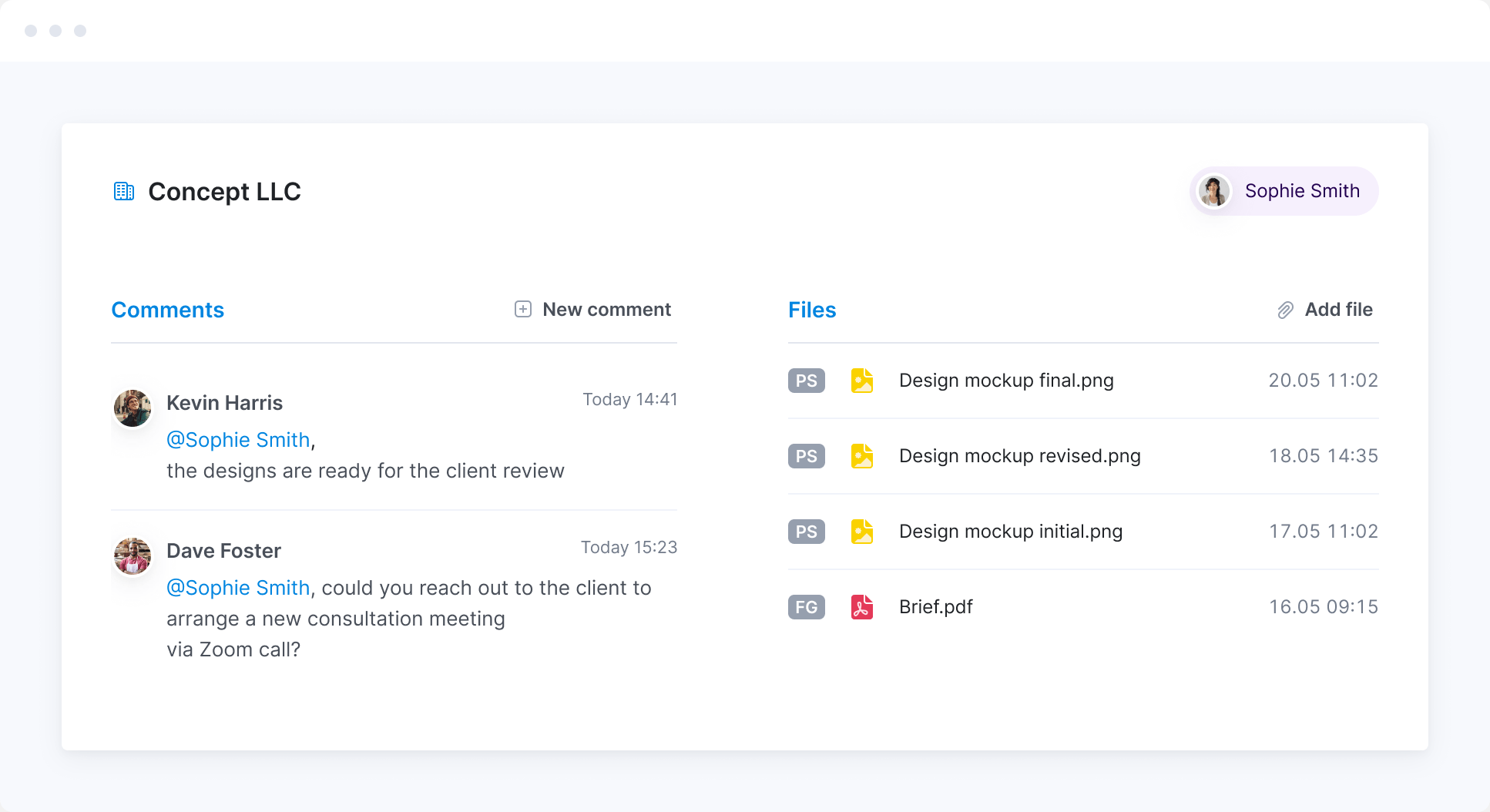
Promote cross-team collaboration
Unify sales, delivery, and finance data to reduce friction between internal teams. Delivery specialists will know what’s promised during the sales process. Account managers will get a real-time overview of project progress and payments.
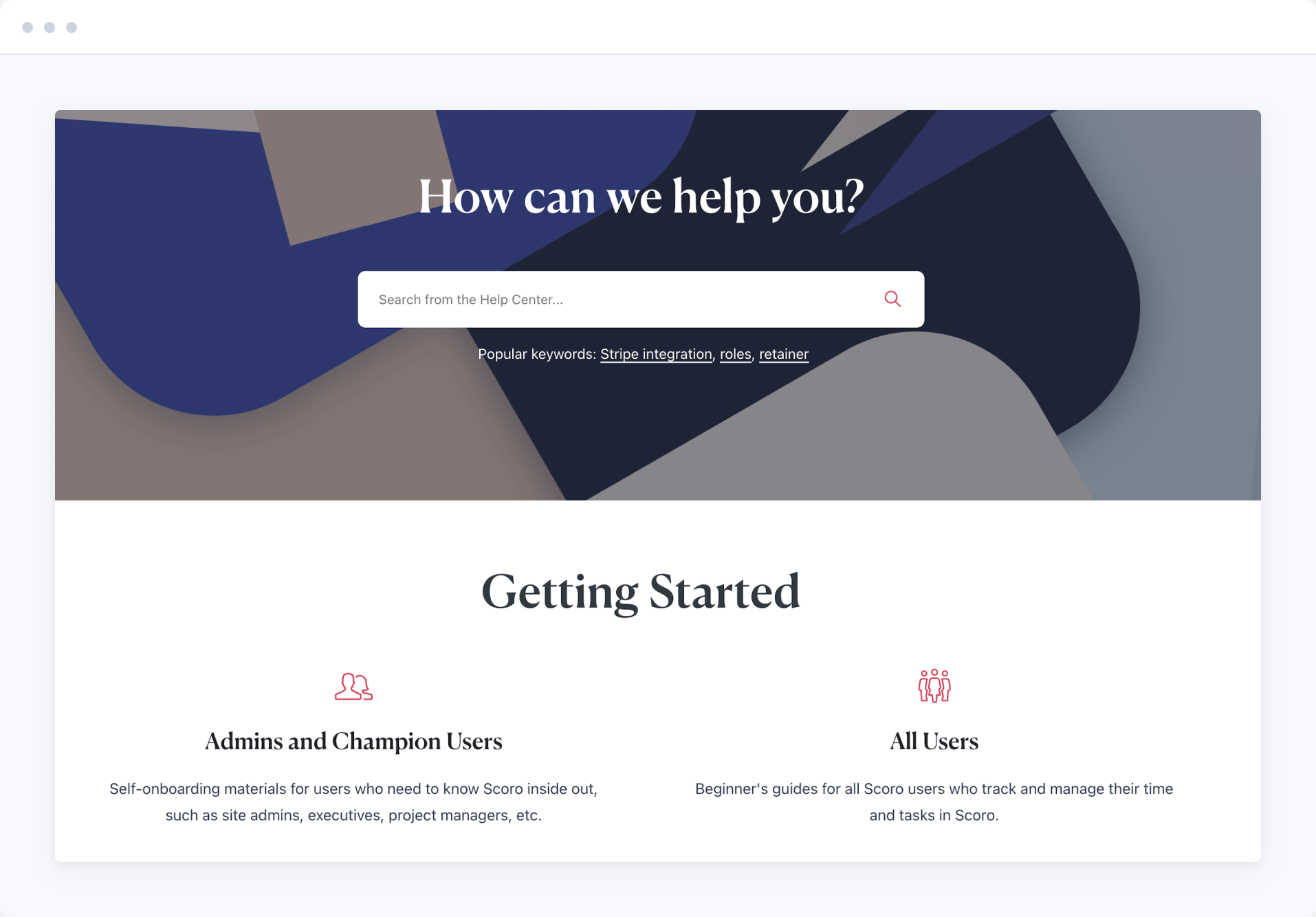
Onboard with ease
Enjoy a smooth start thanks to our experienced implementation experts, who can assist you with data migration, set up workflows, and train your team. Alternatively, you can choose a guided self-onboarding experience.
Meet ELI –
Scoro AI in action
Scoro AI comes to life through ELI – your smart companion, built into Scoro. Powered by AI and Scoro’s advanced data engine, ELI understands natural language, interprets complex business data, and helps you take action fast.
Explore Scoro AI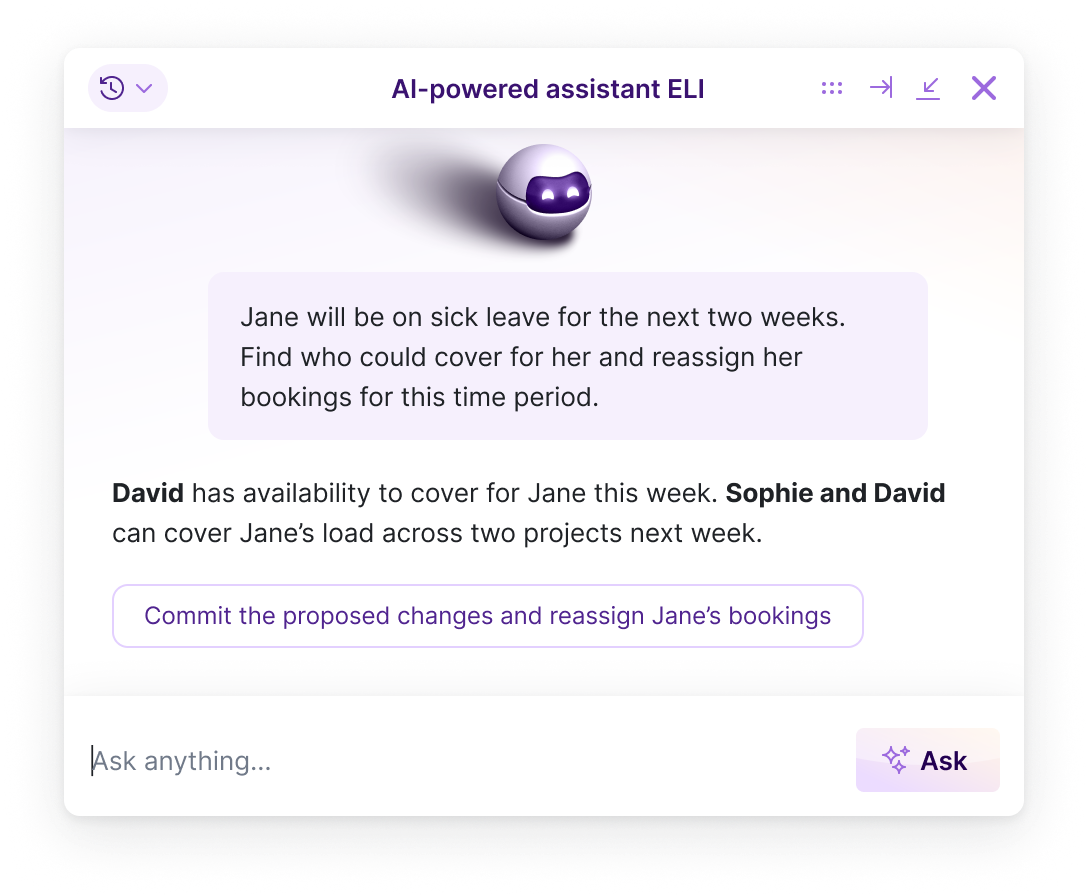

FAQs
Scoro is a professional services automation (PSA) platform that runs quoting, projects, time, billing and reporting in one place. Rather than one fixed product, it’s eight core apps you combine to fit how you work:
- Do — plan and manage tasks, to-do lists and daily work across the team
- Deliver — run projects with phases, milestones and Gantt timelines
- Track — log time and track what work costs
- Resource — plan capacity and see who’s free or overbooked
- Sell — manage contacts, deals and the sales pipeline
- Estimate — build quotes and budgets, and plan margin before work starts
- Spend — track supplier bills, expenses and purchase orders
- Invoice — bill clients and get paid, with recurring and partial invoicing
Start with the ones you need today, add more as you grow, and because it’s one system, your data’s already connected.
Professional services firms that deliver client work by project, retainer or hourly billing. Agencies, consultancies, and engineering, architecture and advisory firms. What they have in common is that they sell people’s time and need one source of truth for their projects, people and finances, instead of piecing it together across separate tools.
Scoro is used by businesses from around 5 people up to groups of 300+, across offices in several countries.
Because it’s modular, you run the same system whatever your size, on the combination of apps that fits:
- A small studio might run two apps, like time tracking and invoicing
- A mid-sized firm typically runs the full quote-to-cash flow
- A large group adds multi-entity reporting, single sign-on and user provisioning
You start with what you need and add as you grow, so there’s no switching systems later. See customer stories.
Scoro is built from eight core apps you mix and match, rather than one fixed package, so you start with only the apps your workflow needs and pay per user for those.
As you grow, add more apps without switching platforms or re-implementing anything.
Pricing starts at $17 per user per month with a five-user minimum, and annual billing takes 13–17% off. See full pricing.
For most customers, a few days to a few weeks, depending on team size and how complex your setup is. That includes importing your existing data (contacts, projects, invoices) and getting to know the system.
Businesses of up to 15 people set Scoro up themselves using our guides, video tutorials and product tours, with ELI on hand inside the product to answer questions.
Up to 25, our experts are available for Q&A sessions and email consultations. From 26 people, our onboarding team takes the lead: mapping your workflows, configuring the site, migrating your data and training your team. See onboarding options.
Each of those tools covers only part of your workflow. None handles the full quote-to-cash process, so firms end up running three or four in parallel. Every one you add is another integration to maintain or another export to reconcile by hand.
With Scoro you start with the core apps you need and add more as you grow. The data connects automatically, so there’s no re-platforming later, and you’re not paying for the full platform before you’re ready to use it.
SAENTYS, a 50-person design and marketing agency, moved off Asana, Deltek Traffic Live and spreadsheets. Revenue forecasting that took two full days a month is now real-time, and invoicing is ten times faster. Read the full story.
Most PSA platforms sell you the whole suite: you pay for every module whether you use it or not, and you have to set the whole thing up before any of it is useful.
Scoro is built as eight core apps. You take the ones that fit how you work today, two, four or all eight, and pay for those only. Add the rest as you grow, and because the data already connects across everything you’re running, nothing gets re-implemented when you do.
Most businesses start with one of three combinations:
- Time-billing — turn logged hours into invoices and never lose a billable minute
- Projects & Resources — plan projects, assign resources, and see what time means in revenue
- Quote to Cash — estimate, deliver, track and bill in one connected flow
Whichever you start with, the data connects across all of it. Start building your combination.
Filter your project list to what’s slipping—overdue, close to deadline, or over budget—and it surfaces the projects that need you instead of you opening each one.
Progress bars turn red when a project has used more time than estimated, so overruns show at a glance. And from any project, one click has ELI (our AI assistant) run a health check across budget, resourcing and progress and point you to the risks. So your day starts with a triage list, not a search.
Scoro forecasts it before it happens. Based on the work you’ve done, what’s scheduled, and what’s still to do, the budget burn chart projects where the project will land on cost and profit. So you see an overrun coming while there’s still time to act, not once it’s happened.
Set a Watchdog alert and Scoro emails you the moment a project crosses a threshold you choose, so you don’t have to keep checking. And ELI can look at a project and tell you what to change to bring it back on budget.
Yes, at every level. For each project, Scoro takes what you invoiced and subtracts the costs—your team’s time and any external costs—to show its actual profit.
Group that by client to see who’s above or below your average margin, or by project manager to see who runs scope and budget best. And open any project’s Quoted vs Actual table to see, service by service, where the money went. See how it works.
Yes. The bookings heatmap shows utilization across your team at a glance—green means capacity to spare, red means overbooked. Group it by role or person, and switch between utilization, booked hours or remaining hours.
Yes. Tentative bookings let you drop placeholder work onto the plan and see the capacity impact instantly, before anything’s confirmed. The heatmap updates as you drag, so you can find the slot. Or see that a role’s already maxed out and needs a hire or an outsource.
Yes to both. When someone books leave, their availability drops across the planner, bookings and reports straight away. So no one gets scheduled while they’re away, and you don’t update anything by hand.
Public holidays reduce everyone’s hours automatically, and the time-off report shows where leave clashes with existing bookings, so you can replan before it turns into a missed deadline. If your team runs leave through BambooHR, approved requests sync into Scoro on their own.
Yes. Every task, time entry and event carries a billable status, so each hour your team logs is either chargeable to the client or marked internal.
It defaults sensibly by project type—client projects are billable unless you say otherwise, internal projects are always non-billable—and you can set a task as fully billable, non-billable, or partly billable when the scope calls for it.
From there, the “Billable vs non-billable time by users” report shows each person’s split and their utilization, so you can see who’s carrying too much internal work and where billable capacity is leaking.
Cosmonauts & Kings used this to find their utilization was lower than they thought, then cut their meetings to claw the time back.
The team performance report gives you a 360-degree view of each person, side by side: their real availability after time off, how their hours are booked, planned and logged, and how that stacks up against your targets. From that one view you can answer the questions an ops manager lives with:
- Utilization — is the team busy enough, and is the work spread evenly, or is one person overloaded while another sits idle?
- Over-servicing — did anyone log more hours than were planned, work that has to be written off?
- Over-booking — are people booked for more (or less) than they’ve actually got planned?
Filter by role, person or period, group by role to compare like for like, and save a view as a bookmark. You can even set a Watchdog on it. Say, an alert when a role’s bookings pass 80% of availability. See how the team performance report works.
Yes, at both ends. Set up rate cards for each role—a set rate for a senior consultant, another for a junior—so the same work is priced the same way, whoever builds the quote.
You can price by product or service too, and price lists apply the right rates automatically per client. Then project templates set up the standard phases, tasks and milestones the moment a deal’s signed, so delivery runs the same way whoever’s managing it.
Yes. Each entity keeps its own books, quotes and invoices, and group-level reporting pulls everything together, so you get consolidated numbers without exporting from each entity by hand.
And because resources are shared across the group, people from different offices can work on the same project with full visibility of it. So a multi-office team runs as one, not as silos passing work back and forth.
DGA Group runs Scoro across seven entities and cut group reporting from six weeks to two. Read the story.
Yes, all four. Invoices, bills and payments move between Scoro and your accounting system, so you’re not entering them twice. Raise an invoice in Scoro, send it, and when it’s paid the payment shows up against the project in Scoro. No need to open the accounting system to check.
Your chart of accounts and tax rates come from the accounting side, so the numbers always match your ledger. You decide what syncs, which direction, and how often.
Xero, QuickBooks and Exact Online come with the Invoice app; Sage Intacct is available as a paid add-on. Each one sets up a bit differently. Check the integration page for details: Xero, QuickBooks, Sage Intacct, Exact Online.
No. Scoro connects to HubSpot and Salesforce, so your sales team can keep working where they are while won deals become projects in Scoro.
But you may not need a separate CRM at all. The Sell app is a lightweight CRM (contacts, deal tracking, pipeline management, quotes and sales reports) and it’s enough for most small businesses. Scoro’s CRM doesn’t do email tracking or marketing automation, so if you rely on those, keep your current CRM and connect it.
Yes. Scoro Time is a free time-tracking app for iOS and Android, on every plan. People visiting client sites and offices can run the timer or log hours after the fact, and it works offline. Entries sync to their timesheet once they’re back on a connection. A utilization indicator shows whether there’s capacity left in the day.
Yes. Scoro is ISO 27001 certified and GDPR compliant, with single sign-on, user provisioning and granular permissions. So financial and commercial data is visible only to the people who should see it, and delivery teams see what’s relevant to them without the numbers behind it.
Yes. ELI is built into Scoro and works on your live data, so you can ask in plain language instead of building a report. Ask who’s overbooked next month, whether you’ve got capacity to take on a new project, who hasn’t logged their time this week, or which projects are slipping on margin, and it answers from live data.
Every plan includes free AI credits. Learn more about Scoro AI.
Yes. ELI doesn’t just answer, it acts. Ask it to pull together a report you don’t already have, draft a follow-up, add a comment, or chase the team for time that hasn’t been logged before you invoice, and it does the task rather than telling you how.
ELI works within your existing permissions, so it can only touch what you could yourself. Learn more about Scoro AI.
Yes, on every plan. The Scoro MCP server connects your site to AI tools like ChatGPT, Claude and Copilot Studio, so you can pull data and take action in Scoro without leaving your AI chat.
It also works across tools. Connect Scoro alongside Slack, Gmail or Jira and you can ask one question that draws on all of them. Learn more about the MCP server.
Yes. Scoro has an open API available on every plan, so you can connect it to systems that don’t have an off the shelf integration. See the API documentation.
Connect your favorite tools
Have some other vital tools you wish to sync with Scoro? Integrate what you need and harness the power of consolidated data in Scoro.













































































































Start a free trial
Tour the product and try Scoro for free for 14 days, no credit card required.
Try for free
Operations Managers trust Scoro
Saying goodbye to relying on scattered spreadsheets, and instead, incorporating data into a workflow that’s connected to Scoro, has been a real game-changer for us in giving us a clearer perspective on how the company is doing.
Monica Fernandez, COO Mallol ArquitectosWe feel that we finally have a tool that enables us to grow – and that will scale as we add more people to the team.
Tyler Webb-Harding, Operations Director StrategiQNow everything is just one click away in Scoro. There may be hundreds of hours on the task list, but we know that we’ve got time booked for all of them, and we don’t have to worry about it constantly. How our time is used is very clear and visible.
Anna-Kaisa Reed, Art Director Aava & BangScoro is one true source of information and invaluable tool for our business.
Rhian Margate, Operations Manager Laguna Pools