









This month’s theme is data centralization and precision. From purpose-built apps in Scoro that will help you retire those last few fragmented spreadsheets, booking tool improvements, and new and improved finance integrations – every team will find useful updates in this release to improve their operational efficiency and data precision.
See what’s new in Scoro!
New apps by Scoro
We are introducing a suite of Scoro apps – ready-made tools designed to help you move scattered workflows out of spreadsheets and other siloed spaces into one organized home. Apps offer an easy way to extend Scoro’s functionality and keep your data in one place by centralizing things like asset registries, software license tracking, and recruitment pipelines directly within the platform.
Once enabled, each app appears as its own dedicated module in your main site menu. We’ve got 8 fresh apps – here are just a few that teams will love.
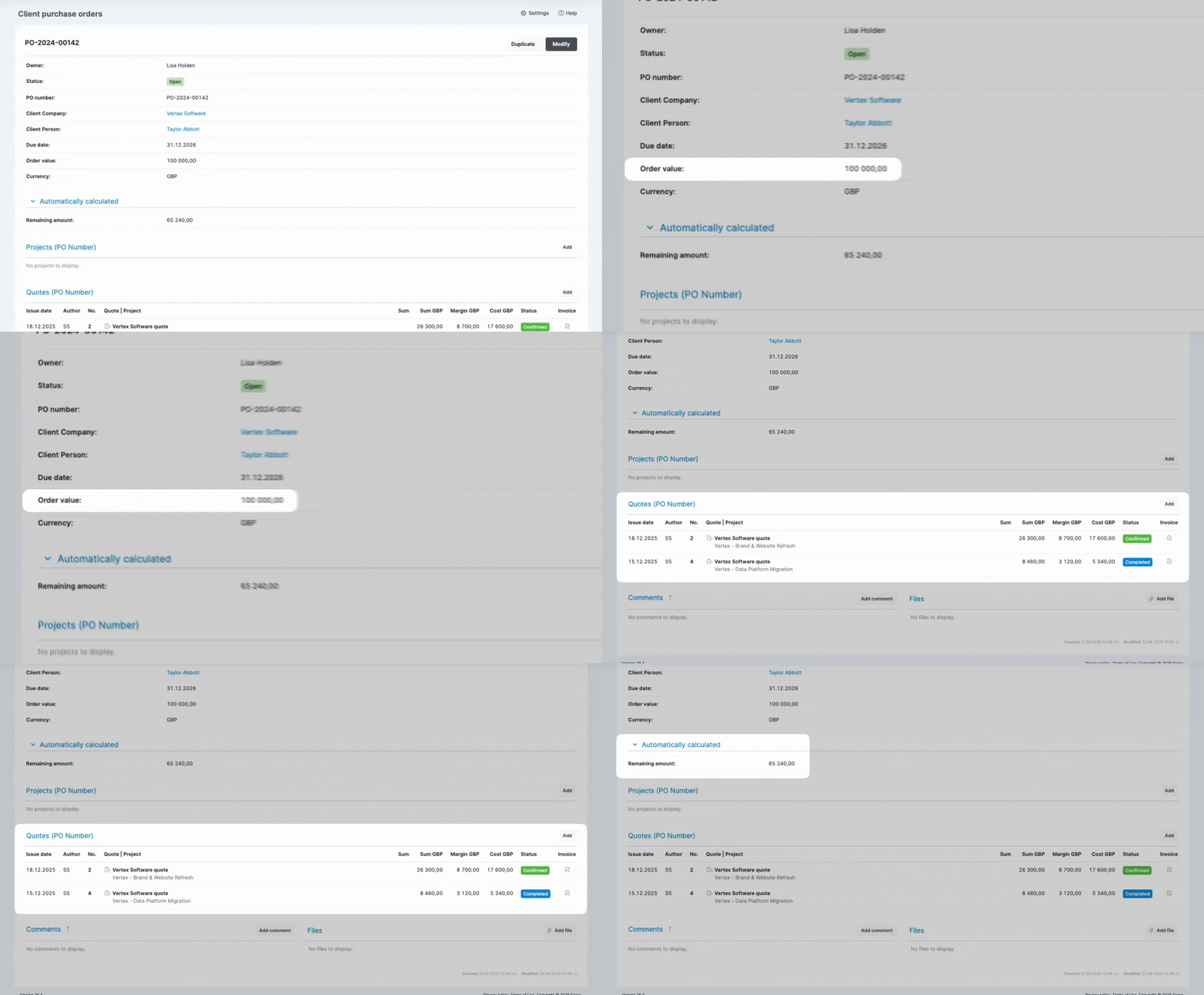
Client Purchase Orders
- Who’s it for? Teams managing large-scale contracts or multi-project engagements
- What it does: This app makes it easier to track high-level budgets directly into Scoro. By centralizing client-issued purchase orders, you can easily link multiple quotes and projects to a single contract-level budget as they progress. Once linked, the app automatically tracks real-time drawdowns and blocks any link attempt that would exceed the remaining balance, ensuring you stay within the mandate.
- More app details: in the Scoro App Store
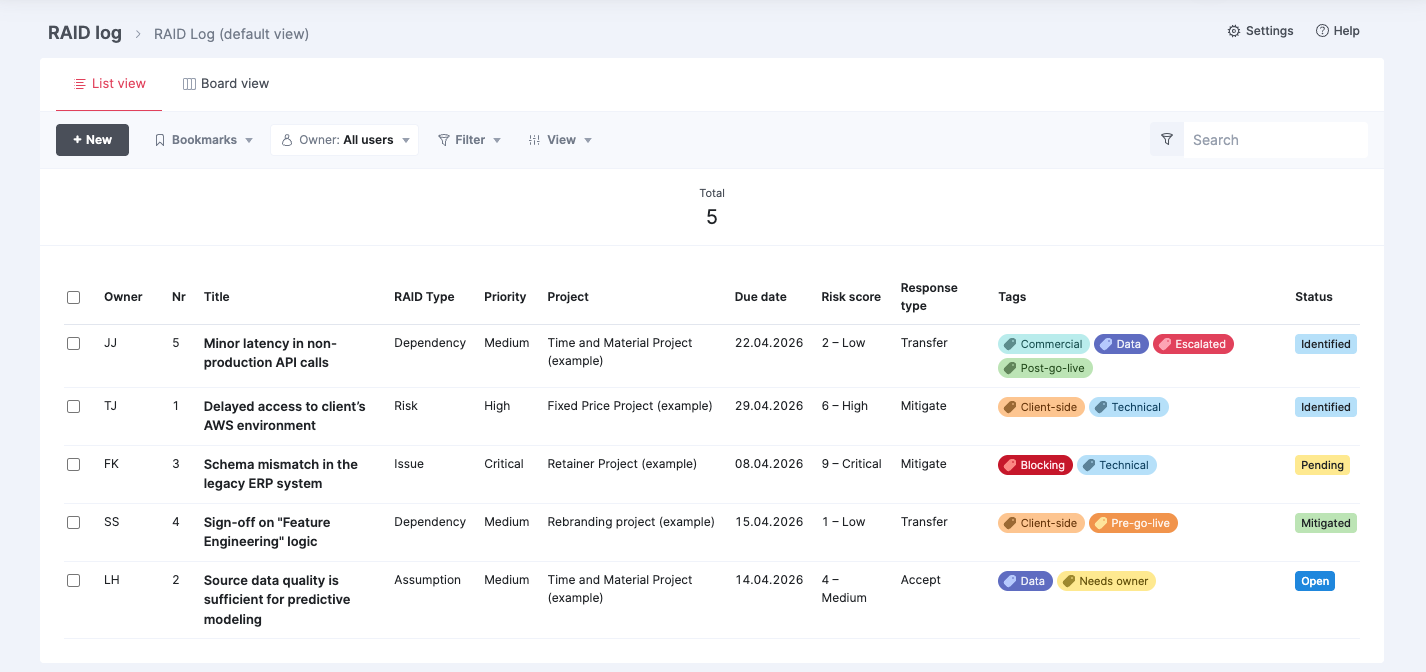
RAID Log
- Who’s it for: Project managers and delivery teams focused on project health and risk mitigation
- What it does: This app allows you to log your project’s Risks, Assumptions, Issues, and Dependencies in a structured format, with Scoro automatically calculating a risk score for easy, convenient tracking. This gives you full visibility not just into the risks, but also into who is responsible for each one and what is being done about it.
- More app details: in the Scoro App Store
But that’s not all – we have more apps that will help streamline your internal operations:
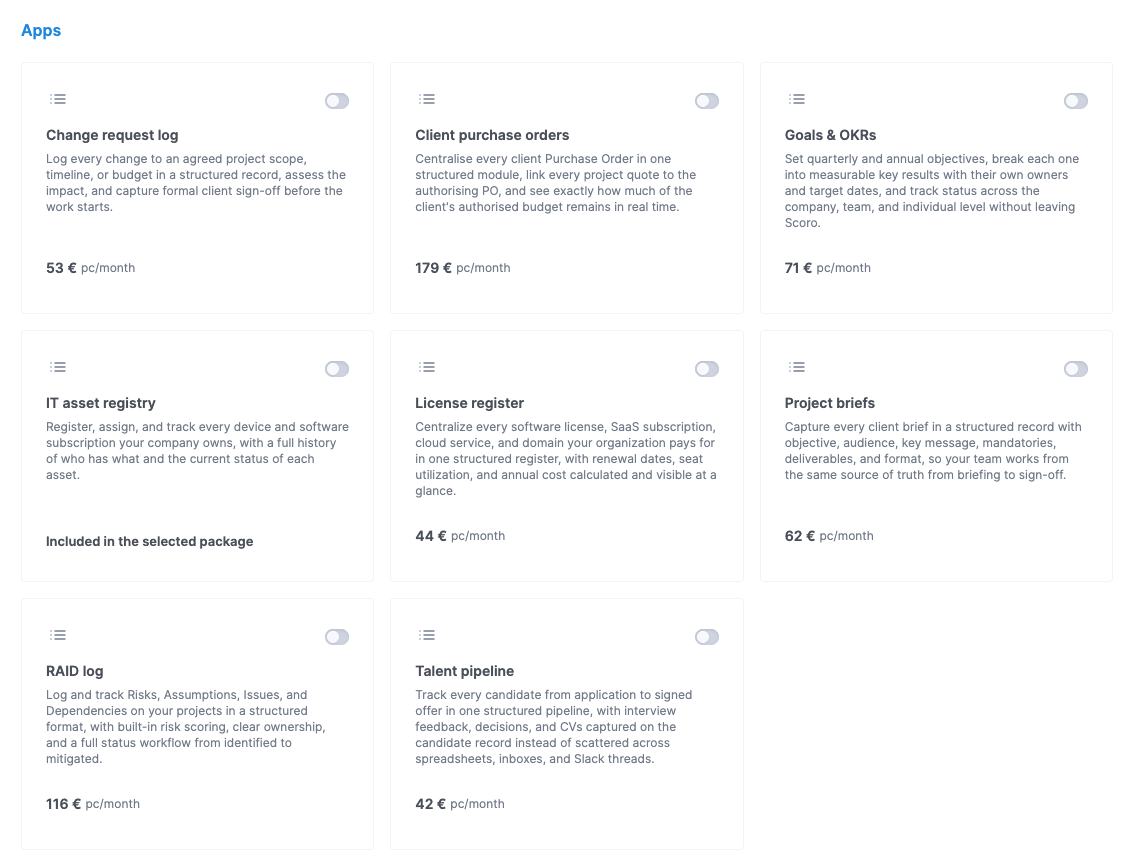
- Project Briefs: Bridge the gap between sales and execution by consolidating creative and technical requirements into a single structured module, ensuring every team member is aligned with the authorized vision from day one.
- Talent Pipeline: Manage your recruitment pipeline and track applicants through custom stages.
- Goals & OKRs: Monitor company objectives and key results in one centralized view.
- IT Asset Registry: Maintain a structured inventory of hardware and software assigned to your team.
- License Register: Track software subscriptions and renewal dates to avoid service interruptions.
- Change Request Log: Manage project or product change requests from submission to resolution.
Be on the lookout for more apps to come soon; this is just the first drop! 🤩
App availability & activation
- Availability: Our ready-made apps are available for all Scoro pricing plans for a fee.
- Pricing & activation: Depending on the app, the pricing model is either per-site or per-user. Site admins can find more details on the pricing and enable the apps under Settings > Administration > Plan, add-ons and billing.
- More app details: Browse the Scoro App Store for in-depth information on all available apps.
Booking tool improvements
This month, we’ve introduced several usability improvements to the Bookings module and the project-level Bookings tab to remove manual friction and help you manage your team’s capacity with greater precision.
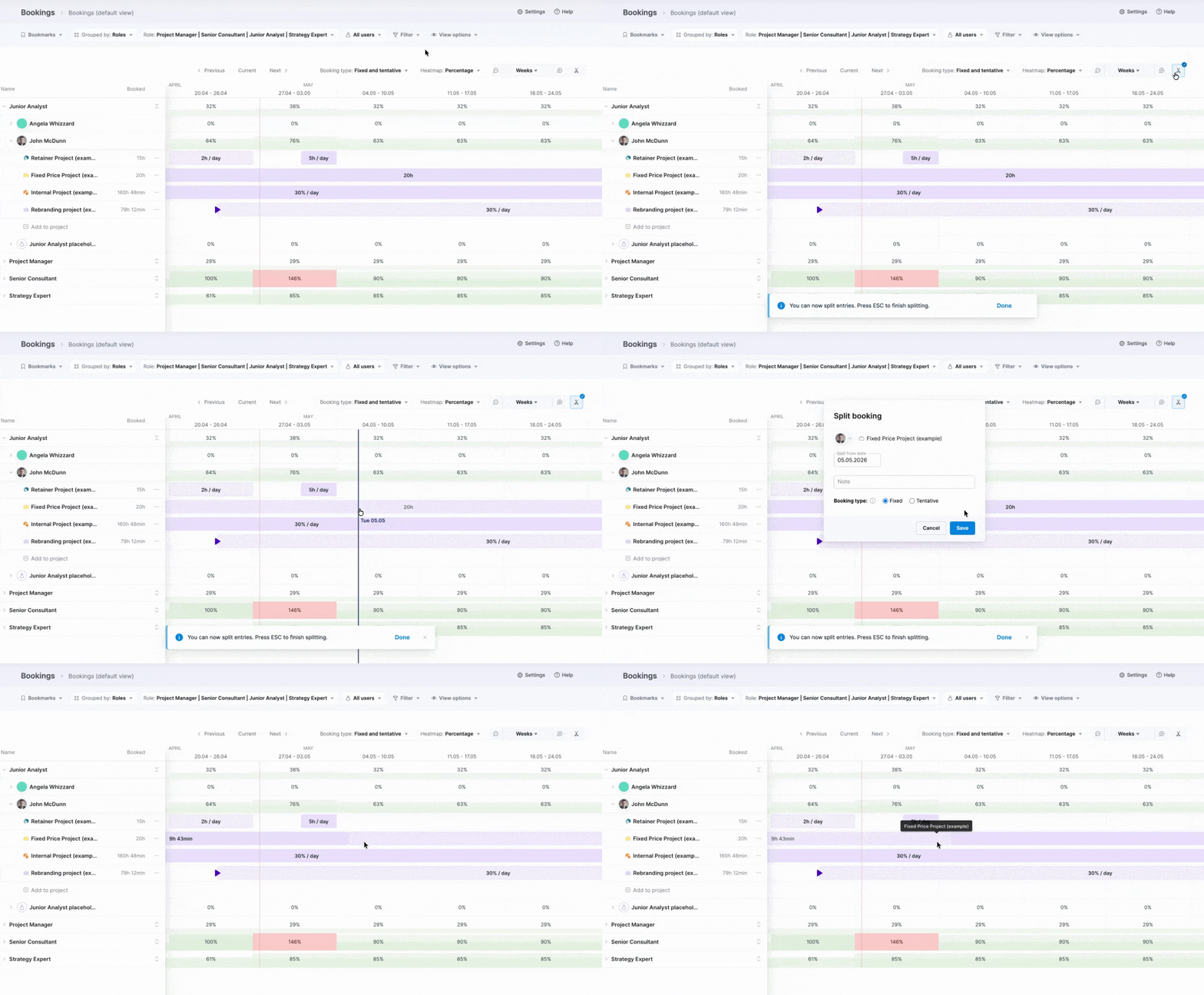
Use the new split tool to quickly break an existing booking into two independent parts, so you can easily reassign, move, or adjust each portion as needed. You can do it in two ways:
- While modifying a booking: Click the booking you want to split, then click the Split icon, and enter the split date.
- Right on the booking heatmap: Click the Split icon, locate the booking you want to split, and click on the date where you want to break it.
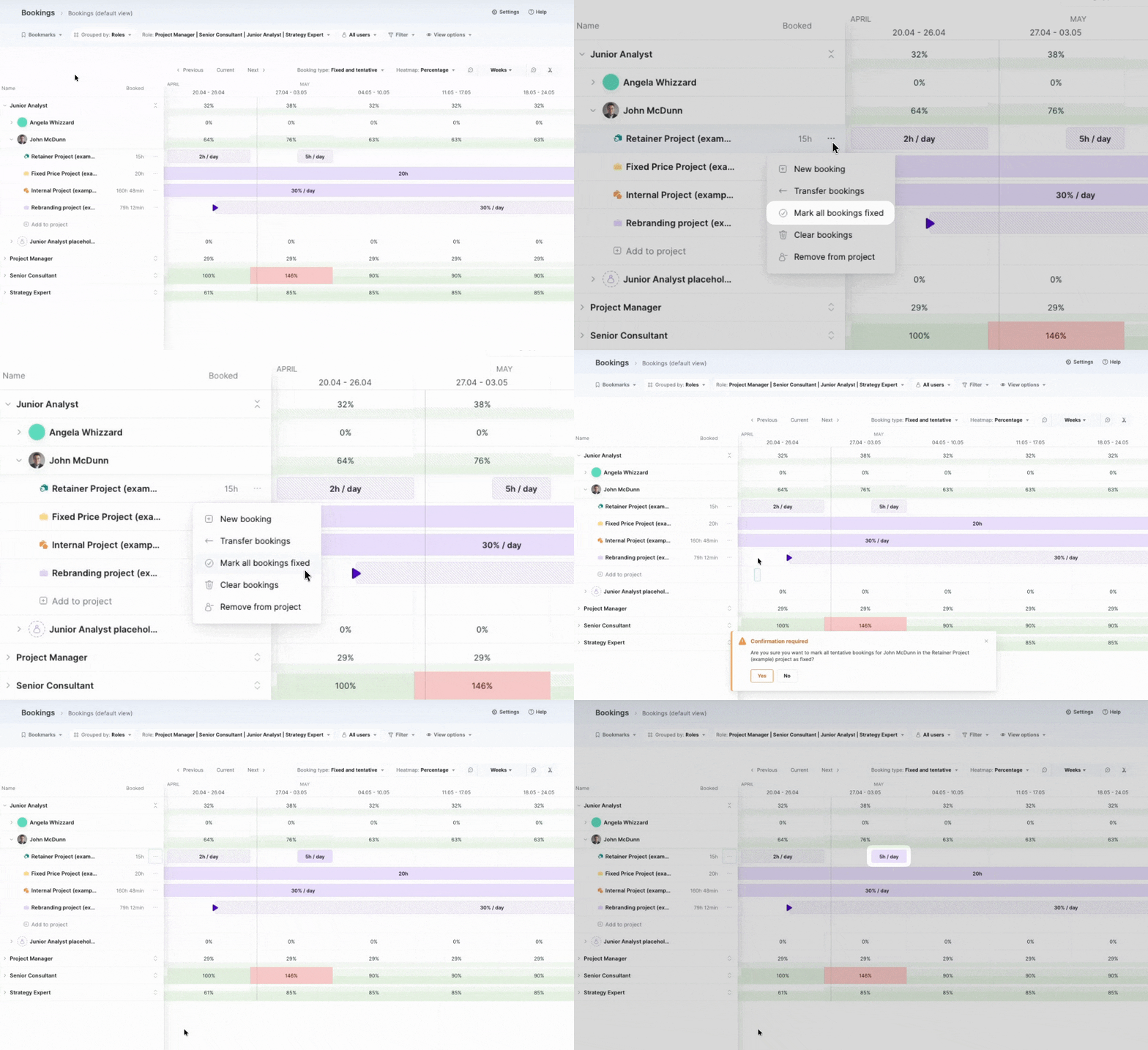
To save you from confirming bookings one by one, you can now bulk-confirm all future tentative bookings for a specific user and project. This shortcut only affects bookings from the current date forward, ensuring your historical data remains untouched.
Other updates exclusive to the Bookings module:
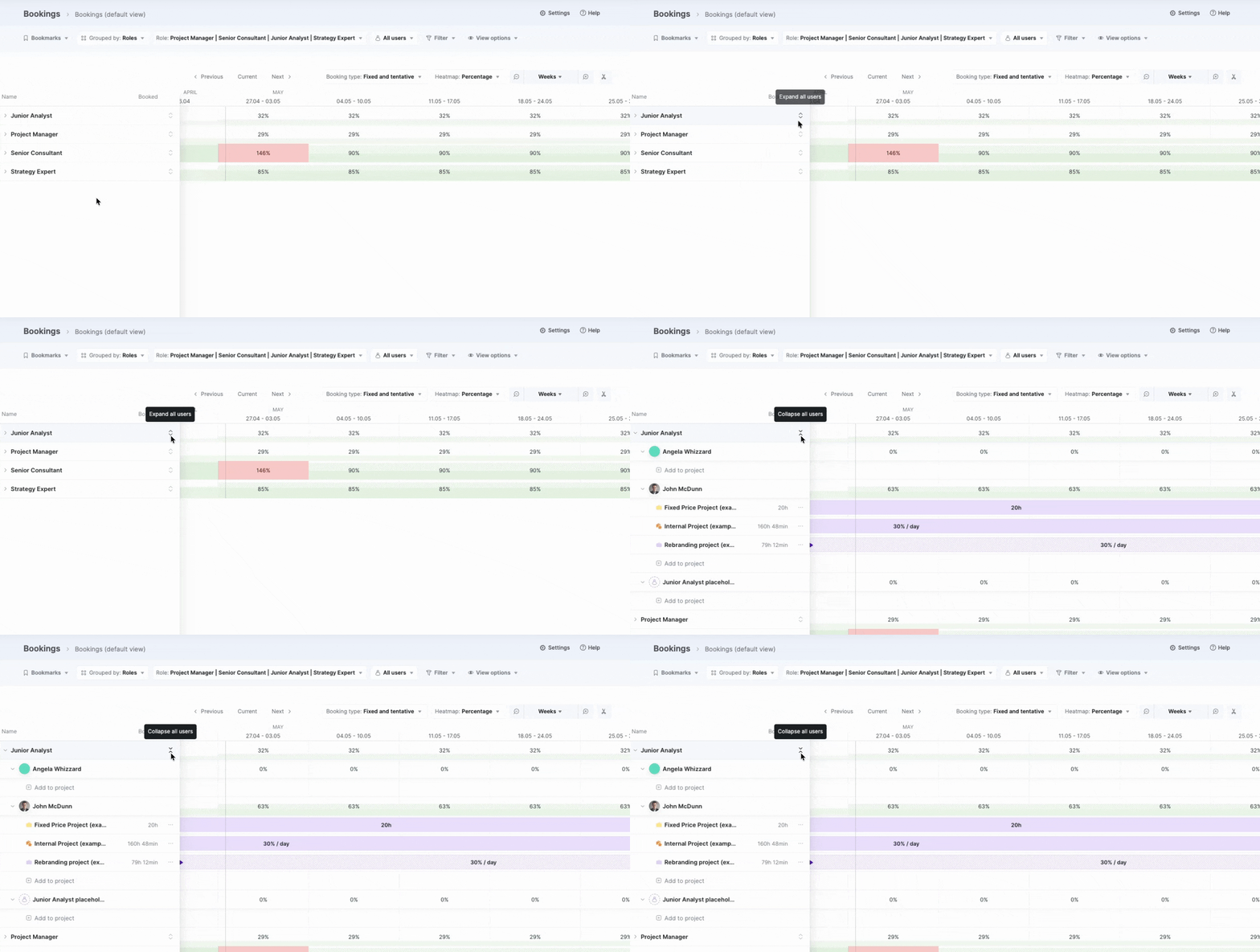
- Expand all users in a role: Reveal everyone assigned to a specific role at once for an instant overview of the team’s capacity – no more opening each user row individually.
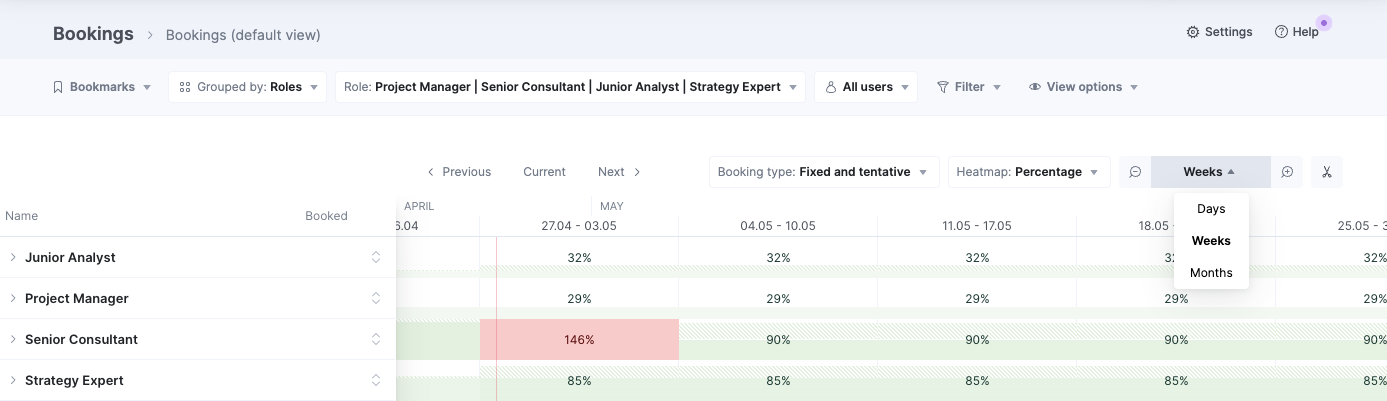
- Improved timeline navigation: Use a dedicated dropdown to instantly jump to Day, Week, or Month views, so you always know exactly which time increment you are looking at.
Envoice integration – now available on demand
Following our recent acquisition of Envoice, we’re excited to open up access to the Envoice integration! 🚀 The integration is currently available on demand, and you can register your interest here.
Envoice is an AI-powered expense management and pre-accounting platform that automates the capture, extraction, and approval of external costs, such as supplier bills and receipts. It acts as a bridge between your physical documents and Scoro, syncing captured costs directly into Scoro and giving you an instant, precise view of your true project margins.
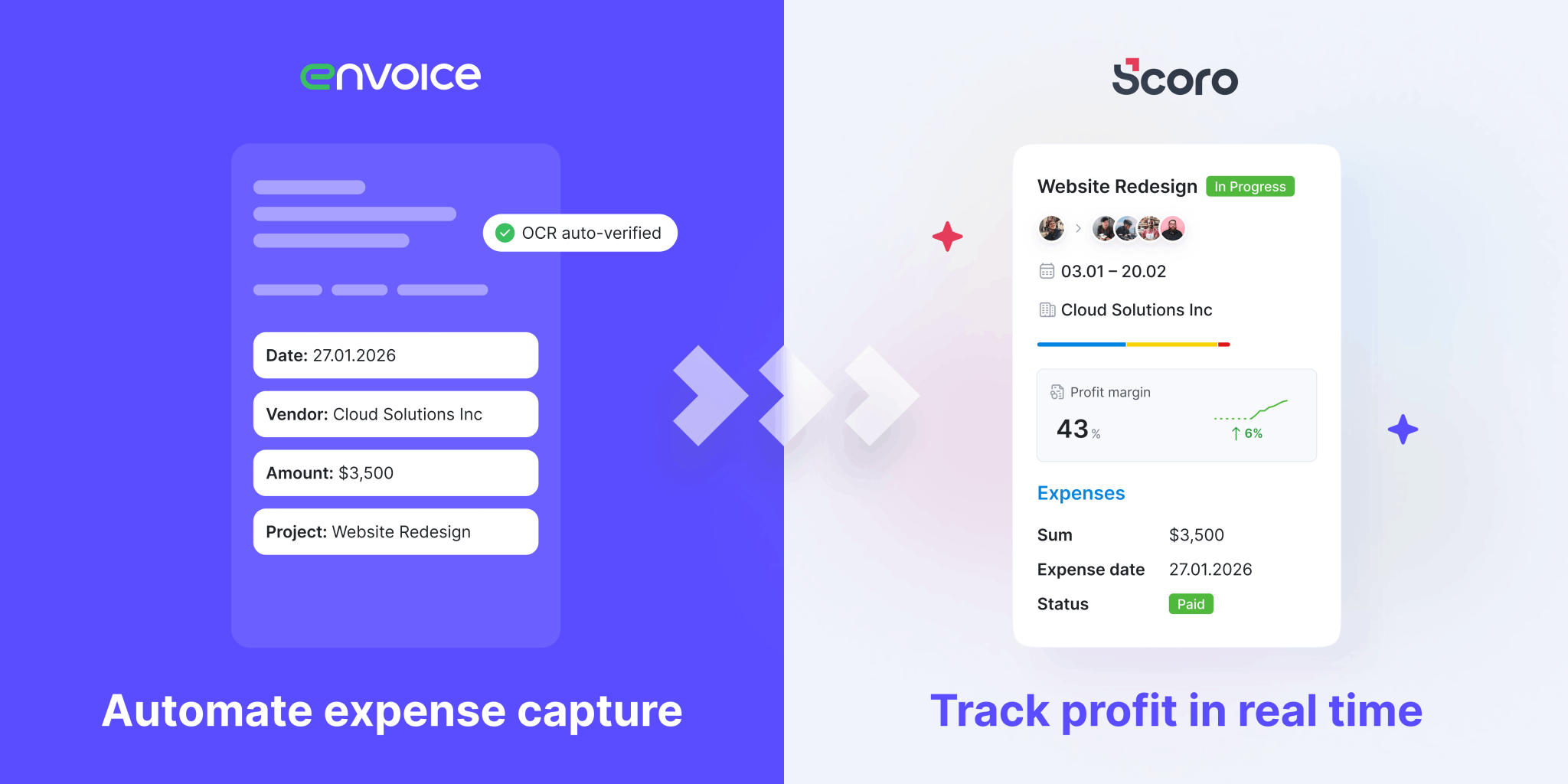
Here’s how the Envoice integration works:
- Capture costs & extract data: Forward your PDF bills via email or snap a photo of a receipt using the Envoice mobile app. Envoice’s AI digitizes the data, eliminating manual entry.
- Smart approval workflows: Automatically route expenses and supplier invoices to the right team members within Envoice for review before they are finalized.
- Real-time sync: Once approved, all data flows directly into Scoro, automatically linking expenses to the correct projects and budget lines at the point of capture.
By ensuring every cost hits the right budget lines and financial dimensions instantly, you transform your reporting into a live source of truth – giving you total confidence in your project profitability without manual effort.
For teams using accounting software like Xero, this creates a truly seamless end-to-end workflow: Envoice automates the cost capture, Scoro handles the project tracking, and the final data is synced to Xero for accounting. Whether your accountant is in-house or external, they get clean, coded data, and the month-end close gets faster because the reconciliation is already done.
Read more about the Envoice integration. If you’re interested in this integration, register your interest here.
Xero integration improvements
Speaking of Xero, we’ve also improved our Xero integration to ensure your accounting data is synchronized seamlessly and with 100% financial accuracy:
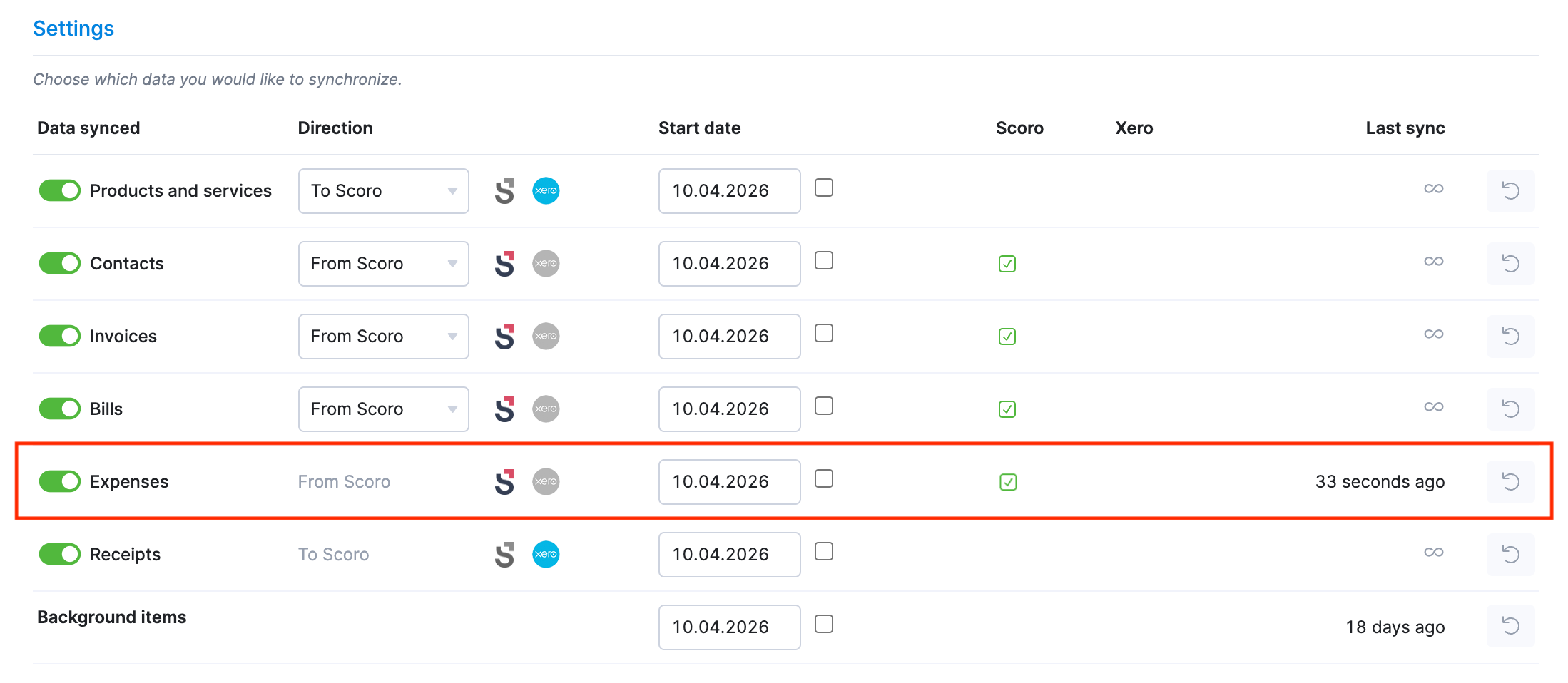
- Full expense synchronization: You can now sync your expenses from Scoro to Xero, keeping project costs and accounting in perfect sync. You can trigger syncs manually for single items, in bulk from the list view, or set up a scheduled automatic sync via integration settings.
- Reimbursable expenses: Synced to Xero as Bills. Once a bill is marked as paid in Xero, Scoro can automatically fetch that payment status to keep your records accurate.
- Non-reimbursable expenses: Synced to Xero as Bank Transactions (Spend Money), ensuring company card purchases are tracked correctly.
- Automatic file sync: Any files added as attachments to invoices or expenses in Scoro are now automatically synced to Xero along with the synced documents, eliminating the need for manual uploads.
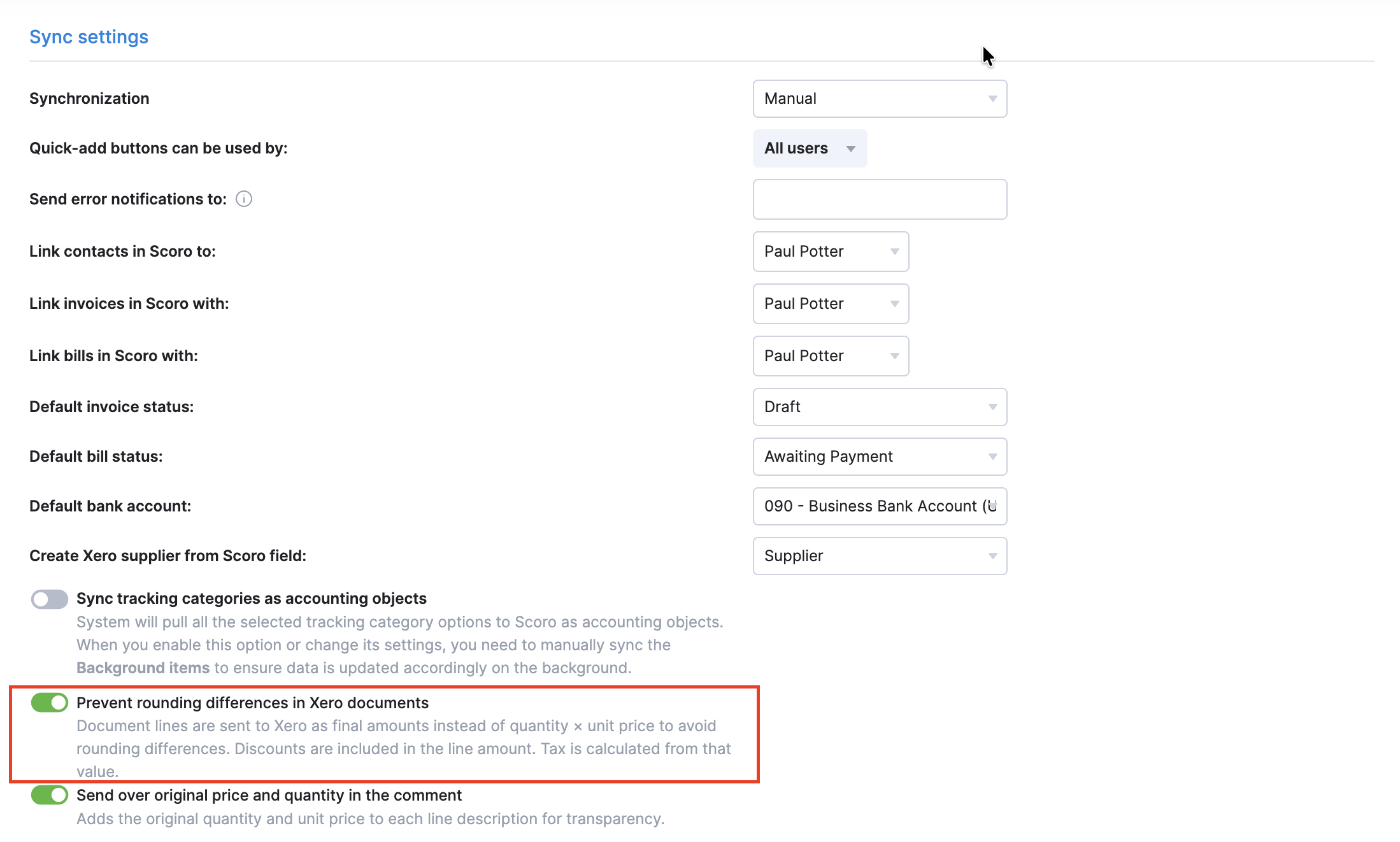
- Preventing value rounding: You can now enable the Prevent rounding differences in Xero documents toggle to send the document line totals as final amounts. This helps eliminate frustrating value mismatches caused by rounding errors and ensures perfectly matching data in both Scoro and Xero.
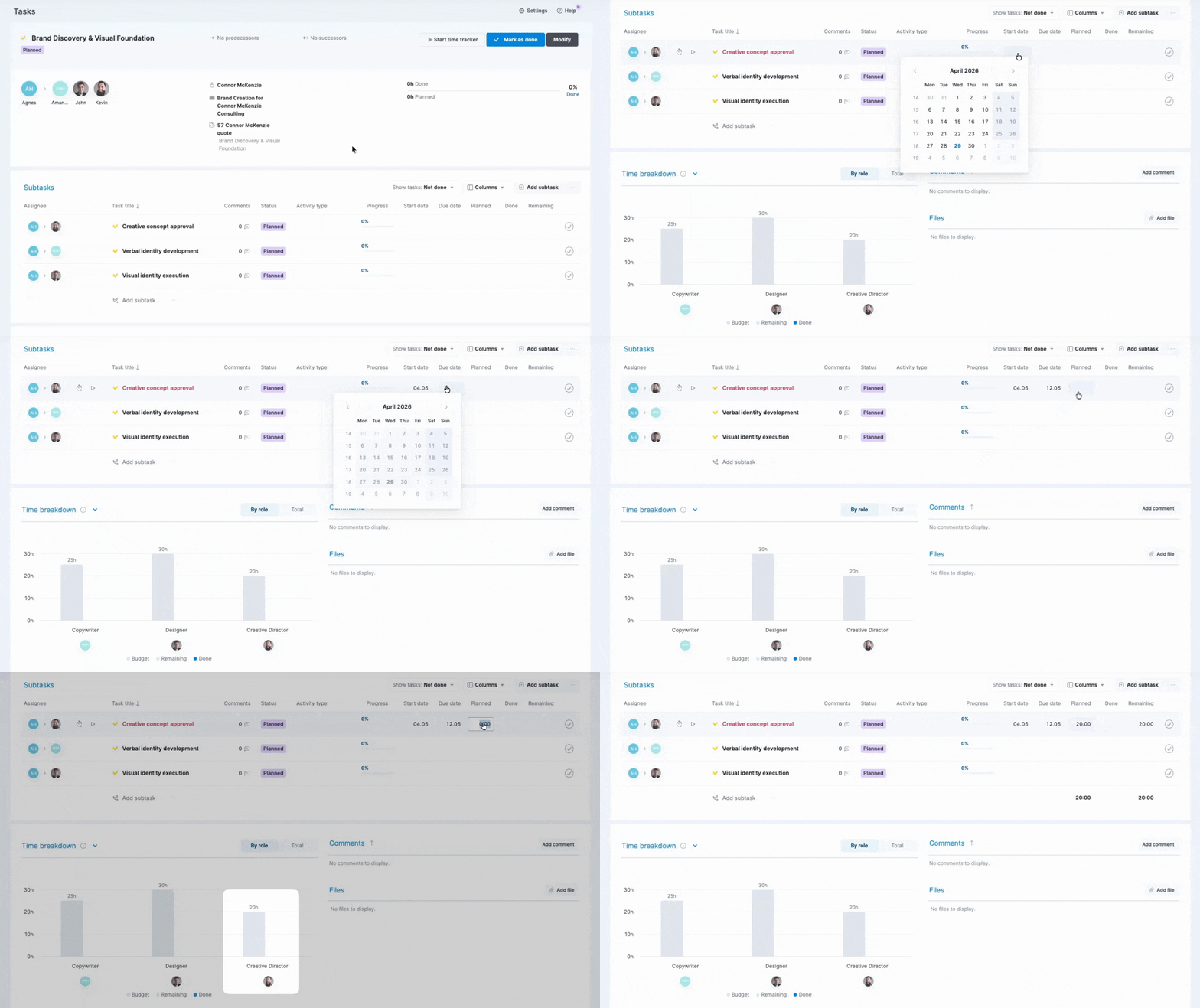
New Start date and editable Planned columns in task lists
You can now set or change the Start date and Planned duration directly from the project task list and the task view without navigating to the task modify view, making project planning significantly faster.
Setting the planned duration from the parent task detailed view also makes subtask management much more efficient. You can now build your execution plan while keeping the time breakdown chart in plain sight, ensuring subtasks align with the budget without opening individual pop-ups.
For sites using billable time, the planned hours you enter inline follow the billable status of your projects and tasks:
- Client-facing work: For one-off and retainer project tasks or standalone tasks linked to contacts, entered hours are billable by default. Note that if you’re adding hours to a task that already has custom billable hours set, the extra time will be added as non-billable to protect what you had set initially.
- Internal work: For internal project tasks and standalone tasks without contact links, the entered hours are always non-billable.
Avalara integration
For companies operating internationally, staying compliant with evolving e-invoicing regulations is a major challenge. If you’re handling a high volume of international invoices, our brand new Avalara integration can help you automate this process directly from your Scoro site.
The new integration acts as a bridge to global e-invoicing networks, offering:
- Global compliance: Seamlessly submit your Scoro invoices to international tax authorities for e-invoicing compliance (e.g., Germany B2B via PEPPOL) using pre-defined mandates.
- Automated bill retrieval: Pull inbound electronic bills and credit bills from Avalara directly into your Scoro site to minimize manual data entry and automate cost tracking.
- Inter-office billing automation: Streamline internal billing between Scoro entities, allowing automated processing and delivery without manual re-handling.
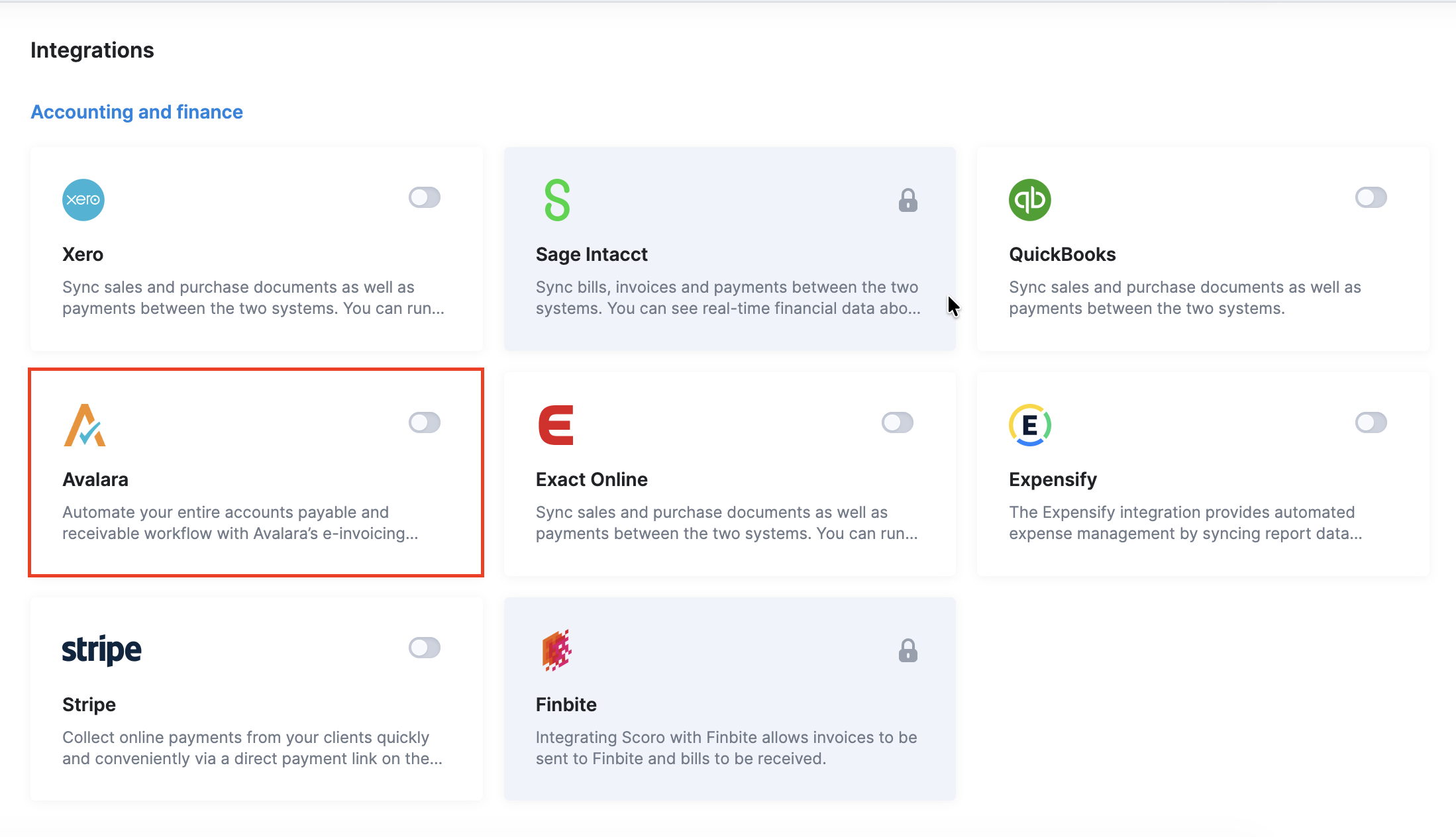
The Avalara integration is available as a free add-on for any Scoro plan. To use it, site administrators must first enable it under Settings > Administration > Plan, add-ons and billing, and then set up the integration under Settings > Site settings > Integrations > Avalara.
Other…
Managing phases and milestones when creating a new project
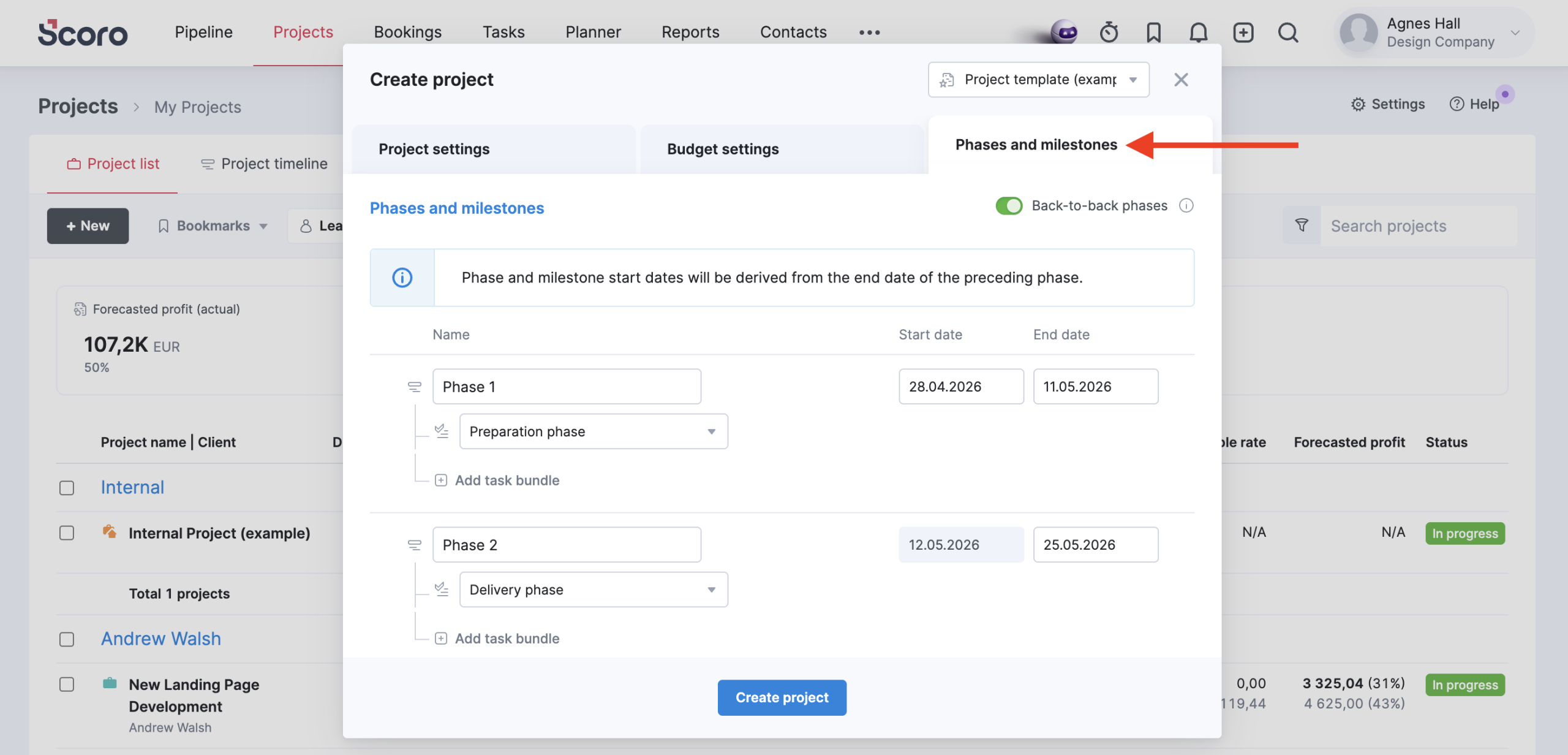
To provide better visibility over your project structure from the start, we’ve reintroduced phase and milestone management directly into the project creation process. Use the new Phases and milestones tab when creating a project to add and manage phases, milestones, and task bundles before you save the project.
Dashboard support for time-off report
- The time-off report can now be used as the source for creating Ratio and Result metrics in the dashboard. This makes it easier to track your team’s availability at a quick glance – for example, by setting a benchmark to monitor how many team members are on vacation simultaneously or tracking total time-off hours against your monthly capacity.
- Additionally, you can now add a time-off report widget to your dashboard to view detailed breakdowns by user, role, or period directly alongside your other KPIs.
We’re working on…
- Quote-based pipeline bookings & retainer quotes. Visualize your sales pipeline directly in the Bookings module to see how potential deals and retainers impact your team’s capacity and revenue forecast even before a project is created.
❗Don’t worry if your Scoro site hasn’t been updated yet – the update is rolling out gradually over the next few weeks.
We do our very best to make Scoro better every day, so we appreciate your feedback! Share your thoughts with us via our contact form.
Wishing for your improvement ideas to come to life on your Scoro site? Send us feedback.
What to do next?
- Join our referral program to invite others to try out Scoro and earn monetary rewards of up to 1800 USD when they become a Scoro customer!
- Visit our Help Center to find in-depth guides about all Scoro features.
- Listen to our podcast The Handbook by Harv Nagra, an Ops Consultant and Ex-Agency Leader, where he dives into engaging conversations with operations experts to discuss and explore the behind-the-scenes and latest trends and innovations in the professional services space.
- Subscribe to The Handbook newsletter to get the latest info on agency challenges and solutions delivered directly to your inbox.